
Dotfiles
dotfiles for the developer happiness: macos, zsh, brew, vscode, python, minimalism
Install / Use
/learn @sobolevn/DotfilesQuality Score
Category
Development & EngineeringSupported Platforms
README
sobolevn's dotfiles
Here are some articles I wrote about my environment:
And talks / podcasts:
- "Veged and Code podcast" [in RU]
- "minimal vscode" series [in RU]
Contents
What's in there?
- all my
brewdependencies including: applications, fonts, etc. SeeBrewfile - all my
macOSconfiguration. Seemacos - all my shell configuration, including my own
soboletheme. Seeshell/andconfig/zshrc - all my
vscodeconfiguration, including my ownpustotatheme. Seevscode/ - all my
firefox(and Zen) settings. Seefirefox/ - all my QuickLook customizations and dev utilities
Main principles
- Minimalism in everything: tooling, styling
- Simplicity
- Reduced visual noise, only important things should be shown
- "Please, do not touch my code": no auto-formatting or code flow interruptions
- History is valuable, let's preserve it everywhere we can
- Security: do not share anything with anyone
Installation
We are using dotbot
to set things up. Steps:
- Decide what you want to install: comment out
run_dotbot 'steps/...'that you don't need - Clone this repo with:
git clone https://github.com/sobolevn/dotfiles dotfiles cd dotfiles/- Run:
bash ./install
VSCode
I loved my Sublime.
It was fast and beautiful.
The main reason is that Sublime is almost unmaintained.
Packages are also abandoned.
So, I have switched to vscode.
It solved almost all issues I had with Sublime.
Here's how my new vscode setup looks like, using my own theme called pustota:
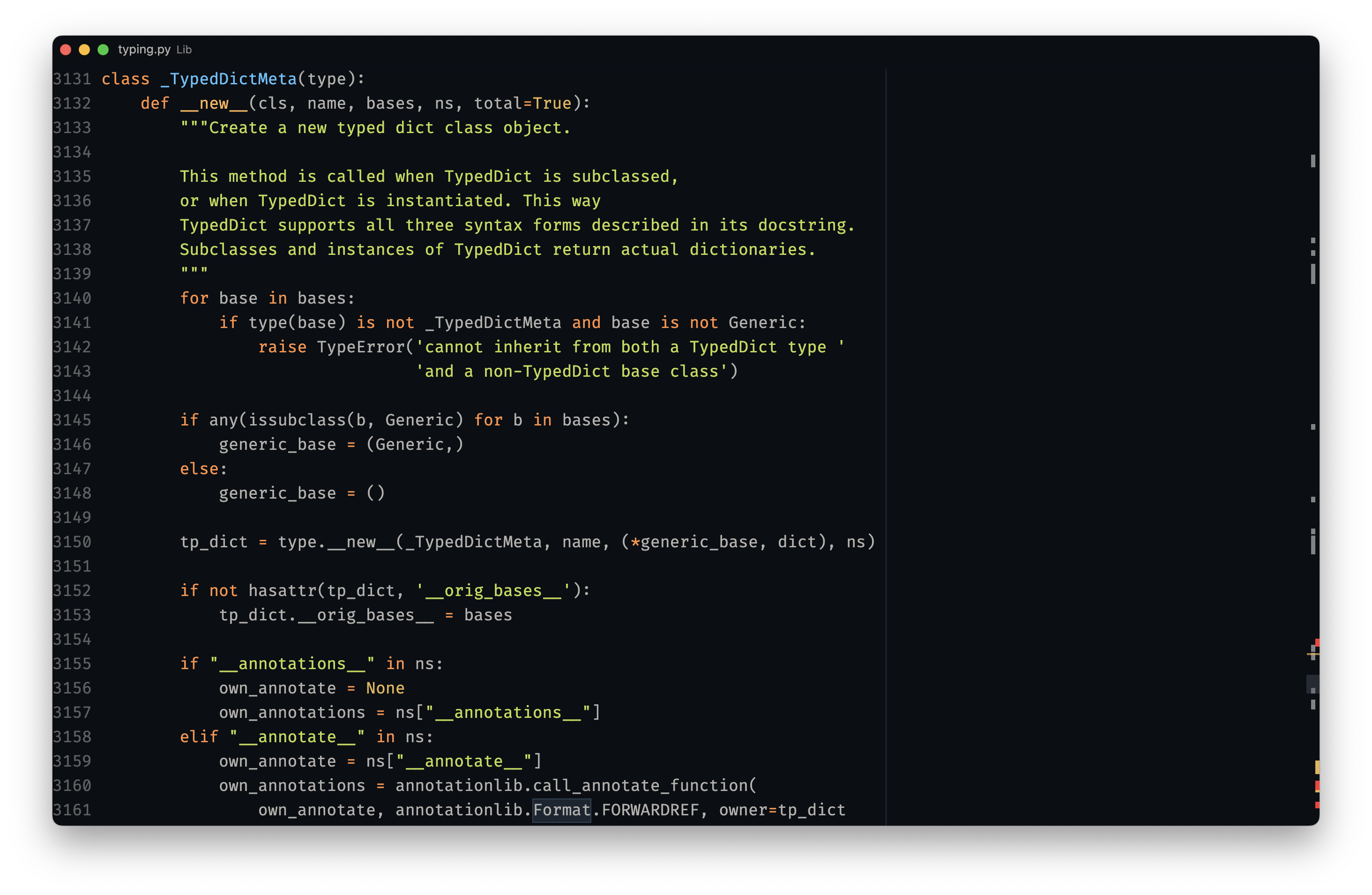
Here's a list of packages (see vscode calls at the bottom) I use:
pustotathemePythonplugineditorconfigintegrationsubframe7536.custom-ui-stylefor better customization
I try to keep my vscode setup as simple as possible.
It was also heavily influenced by makevscodeawesome.
DX
-
cmd+popens up file navigation in the middle of the screen, so you don't have to move your eyes a lot to find most common UI element -
ctrl+fopens global search
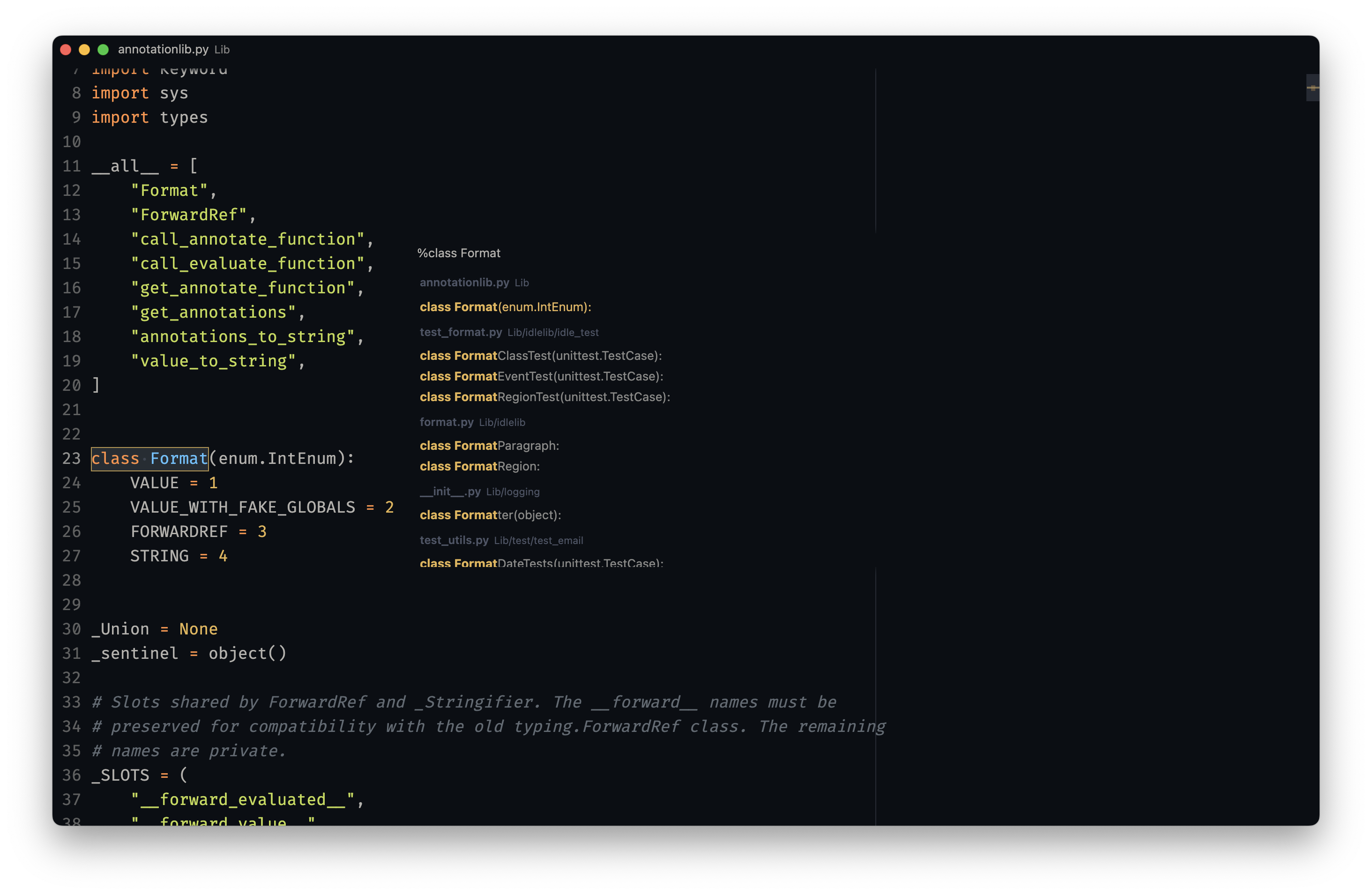
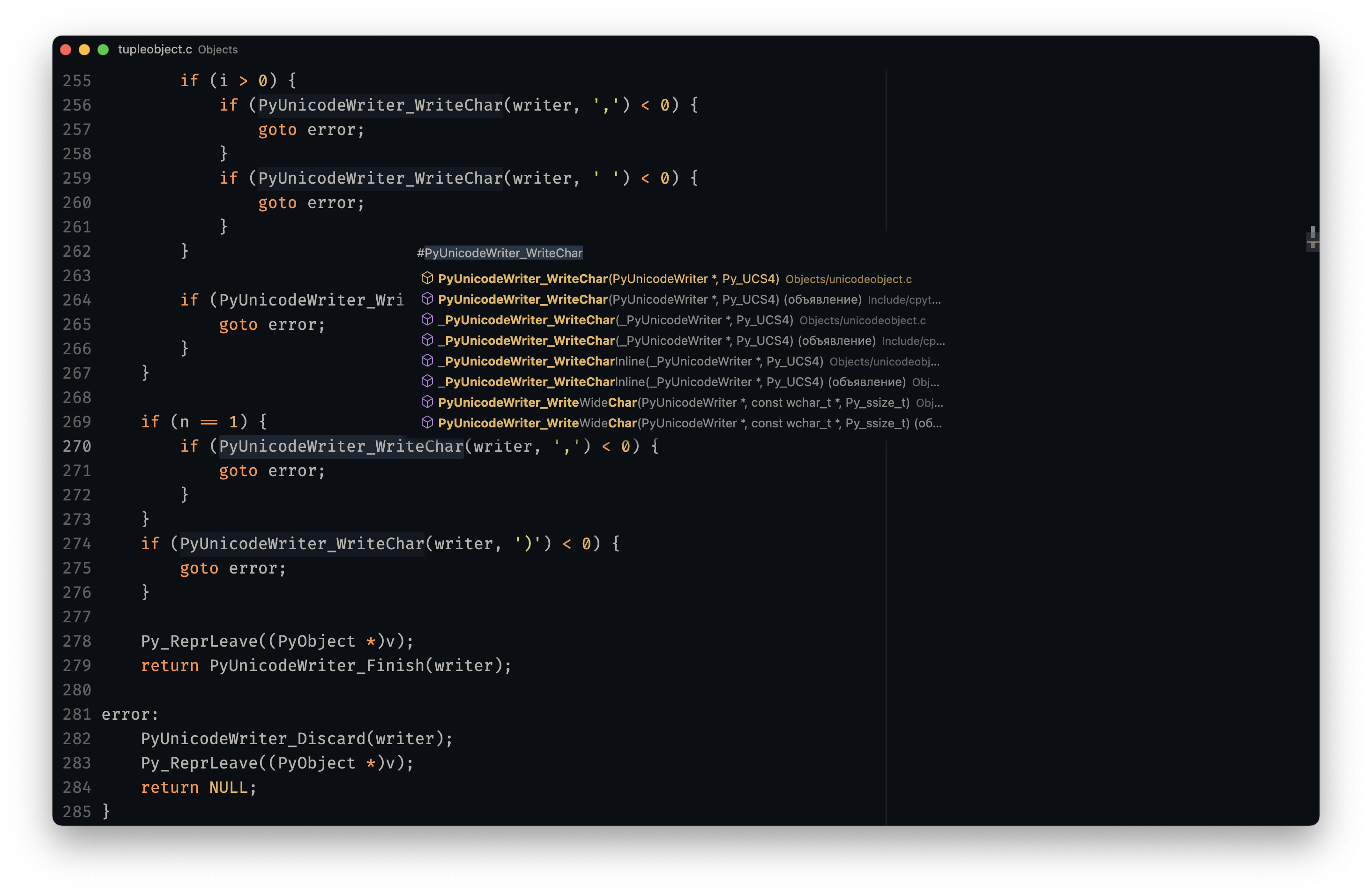
cmd+topens global symbols index
CLI
I am using hyper as my main terminal with my custom senya theme.
I am using zsh with oh-my-zsh
as the main shell.
And zplug to manage shell plugins.
I also have a some tools / scripts / aliases to make my working experience better.
But, I try to keep them minimal: only ones I truly use. Including: bat, zoxide, fzf, ag, fd, delta, gh, and many others.
I mainly work with:
python
I also have several other languages installed. But I don't use them on a daily basis:
nodeelixirrustc
nano
I also use powered-up nano
for in-terminal editing.
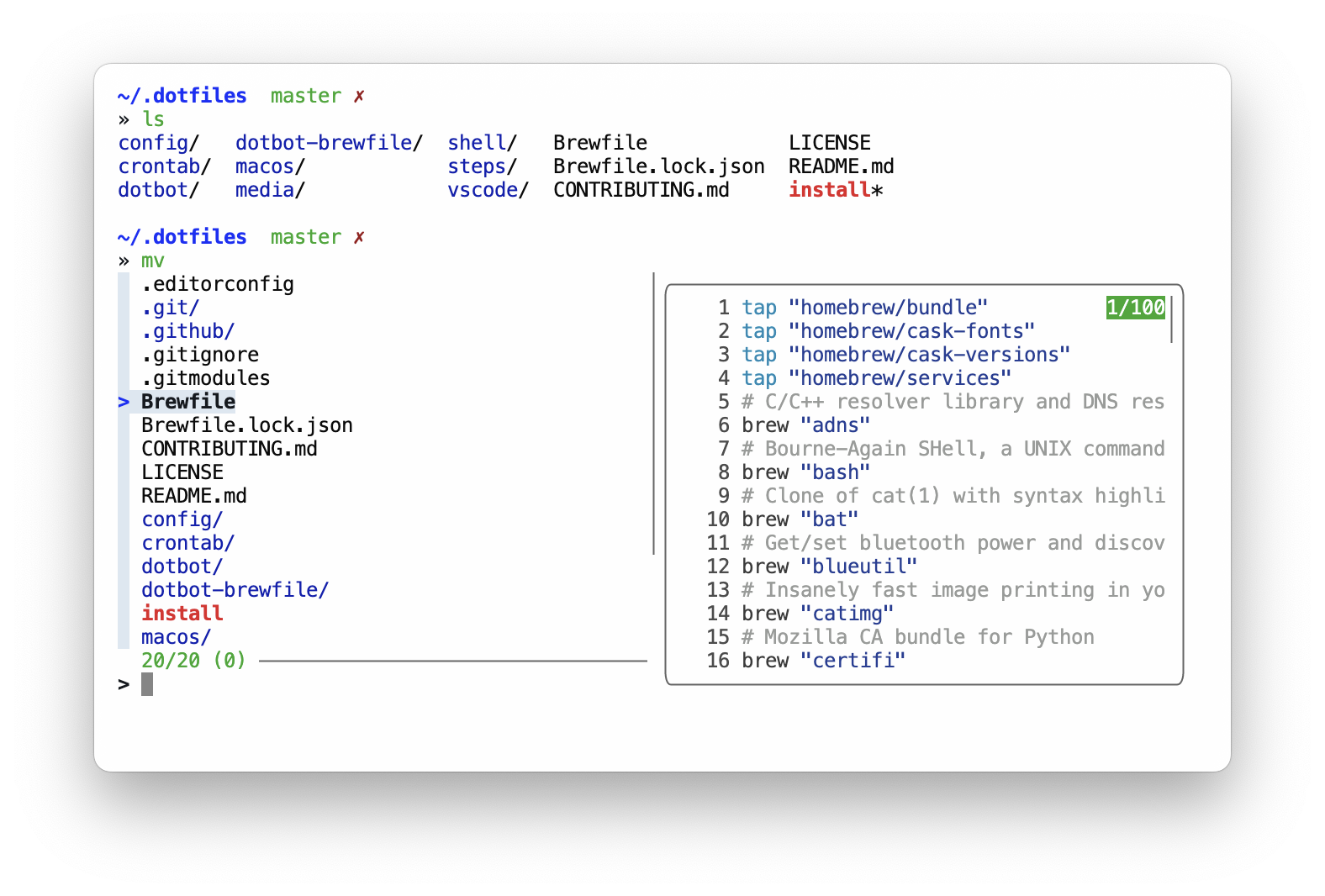
fzf goodies
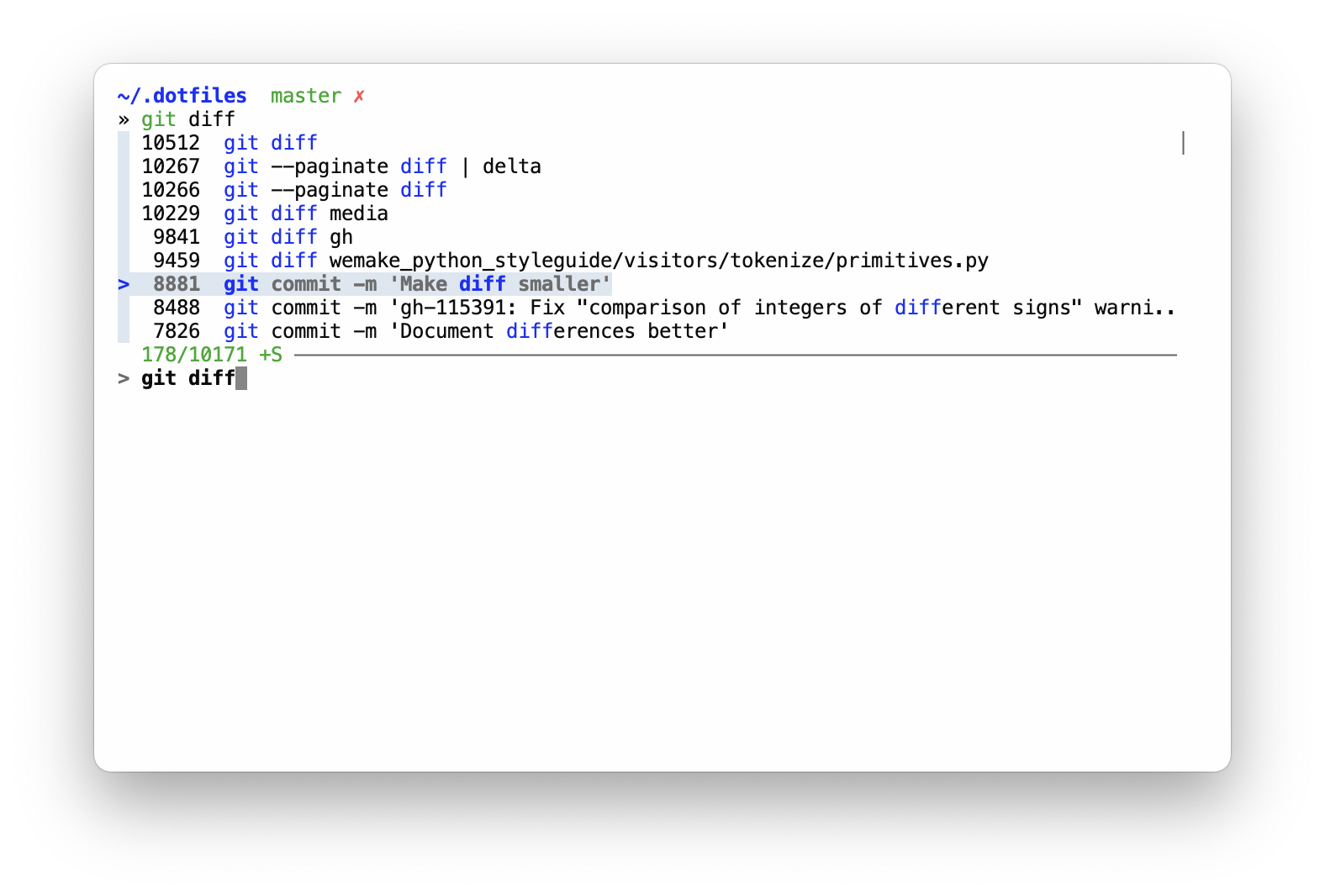
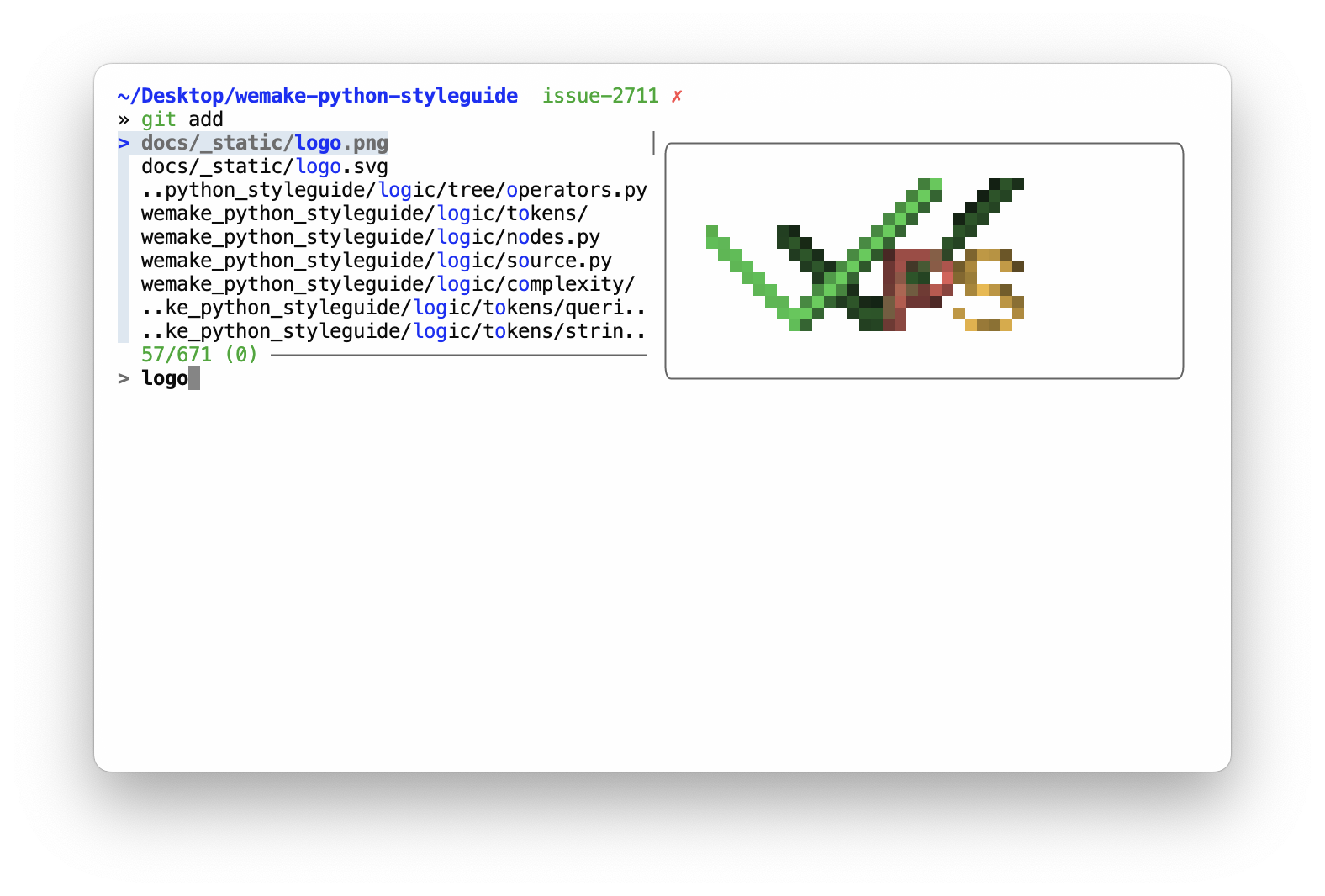
I use fzf for several code completion tasks:
tabto autocomplete probably all the things usingfzf-tab
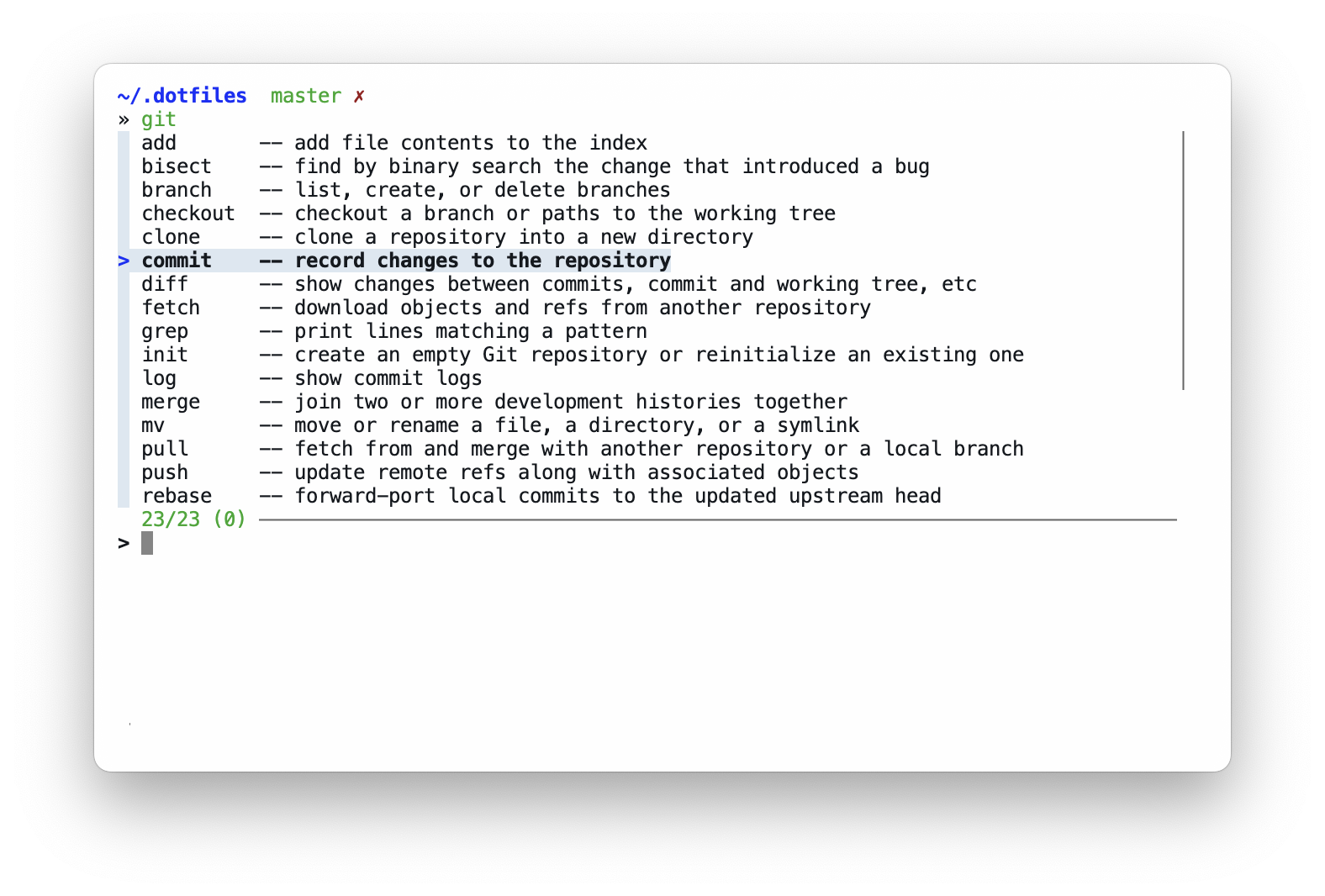
Multiple tools have custom completions like: zoxide, make, killall
that work well with fzf's preview feature.
ctrl+rallows me to fuzzy search command history
ctrl+tallows to fuzzy search files and dirs in the current tree to include paths in commands with instant previews for text files (content) and directories (inner tree)
ctrl+g+ many subcommands likectrl+lopen upfzf-simple-git, which is really helpful forgitbrowsing
https://github.com/user-attachments/assets/093201a6-3d0c-43ad-b00d-3a27f802bb92
Apps
I am using brew to install all free apps for my mac.
I also sync apps from AppStore with brew via mas,
so the resulting Brewfile contains everything.
FireFox and Zen
I use zen browser as my main browser. Yes, it does not have any visible UI, even in regular non-fullscreen mode. It is also harded with arkenfox for extra privacy.
https://github.com/user-attachments/assets/34d94a70-083a-48b3-b955-37d2f2432551
Since zen is based on firefox, you can copy all the configuration I have for zen and use with just regular firefox.
Infrastructure
I try to containerize everything.
So, docker is my main development and deployment tool.
Local configuration
Some of the used tools requires local configuration. Such as git with username and email.
Here's the full list:
~/.gitconfig_localto store any user-specific data~/.shell_env_localto store local shell config, like: usernames, passwords, tokens,gpgkeys and so on
License
WTFPL: do the fuck you want. Enjoy!
Related Skills
node-connect
328.6kDiagnose OpenClaw node connection and pairing failures for Android, iOS, and macOS companion apps
openai-image-gen
328.6kBatch-generate images via OpenAI Images API. Random prompt sampler + `index.html` gallery.
claude-opus-4-5-migration
80.9kMigrate prompts and code from Claude Sonnet 4.0, Sonnet 4.5, or Opus 4.1 to Opus 4.5
frontend-design
80.9kCreate distinctive, production-grade frontend interfaces with high design quality. Use this skill when the user asks to build web components, pages, or applications. Generates creative, polished code that avoids generic AI aesthetics.
