
UVtools
MSLA/DLP, file analysis, calibration, repair, conversion and manipulation
Install / Use
/learn @sn4k3/UVtoolsREADME
UVtools









Download the latest version at:
https://github.com/sn4k3/UVtools/releases/latest
To auto install on Windows (package manager):
- Winget:
winget install -e --id PTRTECH.UVtools - Chocolatey:
choco install -y uvtools
Note: Winget is included on Windows 10 with recent updates and Windows 11 by default.
To auto install on Linux:
[ "$(command -v apt)" -a -z "$(command -v curl)" ] && sudo apt-get install -y curl
[ "$(command -v dnf)" -a -z "$(command -v curl)" ] && sudo dnf install -y curl
[ "$(command -v pacman)" -a -z "$(command -v curl)" ] && sudo pacman -S curl
[ "$(command -v zypper)" -a -z "$(command -v curl)" ] && sudo zypper install -y curl
bash -c "$(curl -fsSL https://raw.githubusercontent.com/sn4k3/UVtools/master/Scripts/install-uvtools.sh)"
To auto install on MacOS:
bash -c "$(curl -fsSL https://raw.githubusercontent.com/sn4k3/UVtools/master/Scripts/install-uvtools.sh)"
To downgrade to a previous version:
# Replace x.x.x by the version you want to install
bash -c "$(curl -fsSL https://raw.githubusercontent.com/sn4k3/UVtools/master/Scripts/install-uvtools.sh)" -- x.x.x
MSLA/DLP, file analysis, calibration, repair, conversion and manipulation
This simple tool can give you insight of supports and find key failures.
Did you forget what resin or other settings you used on a project?
This can also save you, check every setting that were used with or simply change them!
- Facebook group: https://www.facebook.com/groups/uvtools
- Discussions: https://github.com/sn4k3/UVtools/discussions
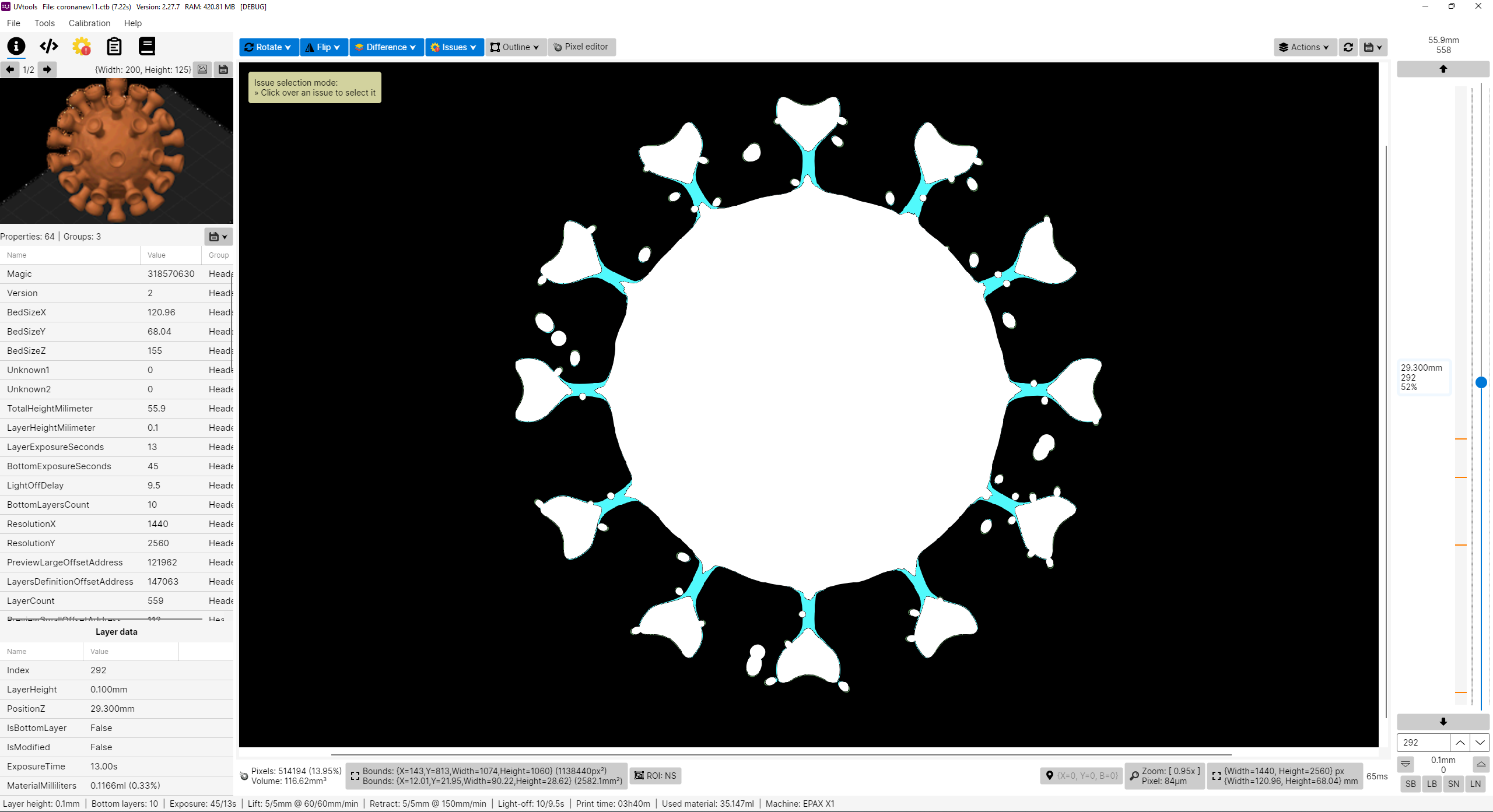
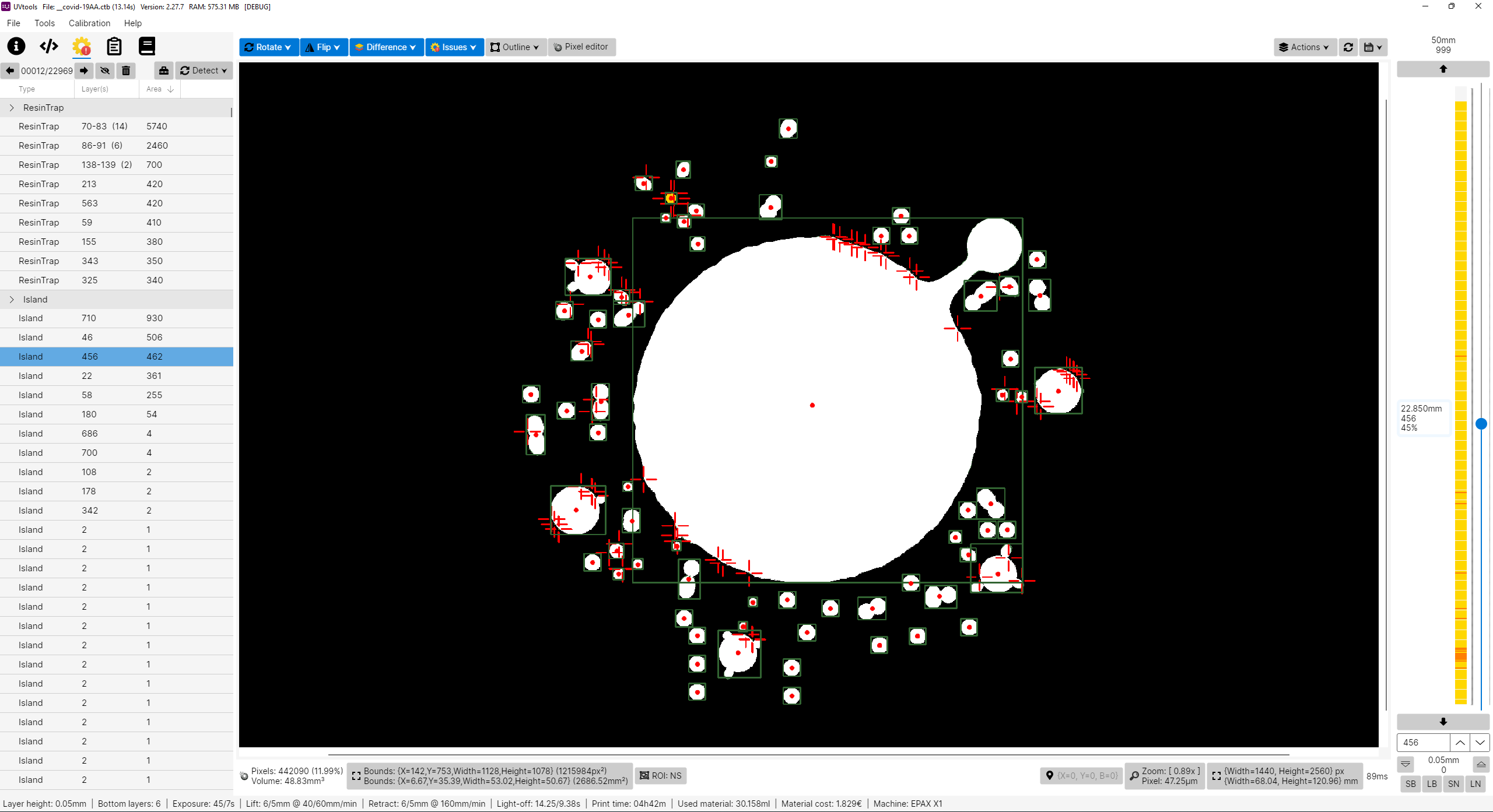
Why this project?
I don't own a Prusa SL1 or any other resin printer, for now I’m only a FDM user with Prusa MK3 and a Ender3. PrusaSlicer is my only choose, why? Because I think it's the best and feature more, at least for me, simple but powerful.
So why this project? Well in fact I’m looking for a resin printer and i like to study and learn first before buy, get good and don't regret, and while inspecting i found that resin printers firmwares are not as universal as FDM, too many file formats and there before each printer can use their own property file, this of course limit the software selection, for example, only PrusaSlicer can slice SL1 files. So with that in mind I'm preparing when I get a resin printer in future I can use PrusaSlicer instead of others. I've explored the other slicers and again, no one give me joy, and i feel them unstable, many users slice model on PrusaSlicer just to get those supports and export STL to load in another, that means again PrusaSlicer is on the win side, the problem is they can't slice directly on PrusaSlicer, so, in the end, my project aims to do almost that, configure a printer on PrusaSlicer, eg: EPAX X1, slice, export file, convert SL1 to native printer file and print.
Please note I don't own any resin printer! All my work is virtual and calculated, so, use experimental functions with care! Once things got confirmed a list will show. But also, I need victims for test subject. Proceed at your own risk!
Features
- View, modify and extract layer by layer
- View, modify and extract thumbnails
- Export file to a folder
- View and edit all used properties/settings
- Many tools to mutate and filter layers
- Check for issues and repair/remove them as possible:
- Islands
- Overhangs
- Resin traps
- Suction cups
- Touching bounds
- Print height
- Empty layers
- Suggestions and auto corrections:
- Layer height
- Bottom layer count
- Wait time before cure
- Wait time after cure
- Transition layer count
- Model position
- Convert format to another format
- Calibration tests
- Portable (No installation needed)
Known File Formats
- SL1, SL1S (PrusaSlicer)
- Photon, Photons, CBDDLP, CTB, PHZ, FDG, ZIP (Chitubox)
- PWS, PW0, PWX, DLP, DL2P, PWMO, PWMA, PWMS, PWMX, PMX2, PWMB, PWSQ, PX6S, PM3, PM3N, PM3M, PM4M, PM4U, PM3R, PM5, PM5S, PWC, PM7, PM7M, PWSZ (Photon Workshop)
- JXS (GKone Slicer)
- ZCode (UnizMaker)
- ZCodex (Z-Suite)
- CWS (NovaMaker), RGB.CWS (Nova Bene4 Mono / Elfin2 Mono SE)
- XML.CWS (Wanhao Workshop)
- MDLP (Makerbase MKS-DLP v1)
- GR1 (GR1 Workshop)
- CXDLP, CXDLPV4 (Creality Box)
- GOO (Elegoo)
- PRZ (Phrozen Sonic Mini 8K S)
- LGS (Longer Orange 10), LGS30 (Longer Orange 30), LGS120 (Longer Orange 120), LGS4K (Longer Orange 4K & mono)
- Flashforge SVGX
- Anet N4, Anet N7
- QDT (Emake3D Galaxy 1)
- OSLA (Open SLA universal binary file)
- OSF (Vlare Open File Format)
- NanoDLP (Zip)
- UVJ (Vendor-neutral format for manual manipulation)
- VDT (Voxeldance Tango), VDA.ZIP (Voxeldance Additive)
- ZIP (Generic / Phrozen Zip)
- ZIP (Klipper)
- Image files (png, jpg, jpeg, jp2, tif, bmp, pbm, pgm, ras, sr)
PrusaSlicer
- Installation: https://github.com/sn4k3/UVtools/wiki/Setup-PrusaSlicer
- Available printers: https://github.com/sn4k3/UVtools/tree/master/PrusaSlicer/printer
- Available profiles:
- From 0.01mm to 0.20mm
- Light, Medium and Heavy Supports
- Custom "Material Notes" and "Printer Notes" keywords:
- TransitionLayerCount_xxx: Sets the number of transition layers
- BottomLightOffDelay_xxx: Sets the bottom light off delay time in seconds
- LightOffDelay_xxx: Sets the light off delay time in seconds
- BottomWaitTimeBeforeCure_xxx: Sets the bottom wait time before cure in seconds
- WaitTimeBeforeCure_xxx: Sets the wait time before cure in seconds
- BottomWaitTimeAfterCure_xxx: Sets the bottom wait time after cure in seconds
- WaitTimeAfterCure_xxx: Sets the wait time after cure in seconds
- BottomLiftHeight_xxx: Sets the bottom lift height in millimeters
- BottomLiftSpeed_xxx: Sets the bottom lift speed in millimeters/minute
- BottomLiftHeight2_xxx: Sets the second bottom lift height in millimeters
- BottomLiftSpeed2_xxx: Sets the second bottom lift speed in millimeters/minute
- LiftHeight_xxx: Sets the lift height in millimeters
- LiftSpeed_xxx: Sets the lift speed in millimeters/minute
- LiftHeight2_xxx: Sets the second lift height in millimeters
- LiftSpeed2_xxx: Sets the second lift speed in millimeters/minute
- BottomWaitTimeAfterLift_xxx: Sets the bottom wait time after lift in seconds
- WaitTimeAfterLift_xxx: Sets the wait time after lift in seconds
- BottomRetractSpeed_xxx: Sets the bottom retract speed in millimeters/minute
- BottomRetractHeight2_xxx: Sets the second bottom retract height in millimeters
- BottomRetractSpeed2_xxx: Sets the second bottom retract speed in millimeters/minute
- RetractSpeed_xxx: Sets the retract speed in millimeters/minute
- RetractHeight2_xxx: Sets the second retract height in millimeters
- RetractSpeed2_xxx: Sets the second retract speed in millimeters/minute
- BottomLightPWM_xxx: Sets the bottom LED light power (0-255)
- LightPWM_xxx: Sets the LED light power (0-255)
- FILEVERSION_n: Sets the output file format version/revision
- FILECLASS_xxx: Sets the output file format class to be auto converted once open on UVtools
- FILEFORMAT_xxx: Sets the output file format extension to be auto converted once open on UVtools
- LAYERIMAGEFORMAT_xxx: Sets the layer image format required for the converted file if the format have multiple options (For Archives with PNG's)
Note that some variables will only work if the target format supports them, otherwise they will be ignored.
Replace the "xxx" by your desired value in the correct units
Command-line
UVtoolsCmd (Console) executable
Usage:
  UVtoolsCmd [command] [options]

Options:
  -q, --quiet     Make output silent but exceptions error will still show
  --no-progress   Show no progress
  --dummy         Do not save alterations to file
  --core-version  Show core version information
  --version       Show version information
  -?, -h, --help  Show help and usage information

Commands:
  set-properties <input-file> <property=value>                                            Set properties in a file or to it layers with new values
  run <input-file> <classes/files>                                                        Run operations, suggestions and/or scripts
  convert <input-file> <target-type/ext> <output-file>                                    Convert input file into a output file format by a known type or extension []
  extract <input-file> <output-folder>                                                    Extract file contents
Related Skills
node-connect
337.4kDiagnose OpenClaw node connection and pairing failures for Android, iOS, and macOS companion apps
frontend-design
83.2kCreate distinctive, production-grade frontend interfaces with high design quality. Use this skill when the user asks to build web components, pages, or applications. Generates creative, polished code that avoids generic AI aesthetics.
openai-whisper-api
337.4kTranscribe audio via OpenAI Audio Transcriptions API (Whisper).
commit-push-pr
83.2kCommit, push, and open a PR
