
NetSonar
Network pings and other utilities
Install / Use
/learn @sn4k3/NetSonarREADME
 NetSonar






NetSonar is a network diagnostics tool for pinging hosts (ICMP/TCP/UDP/HTTP), managing network interfaces, and discovering local devices/services.
Features multi-protocol latency checks, subnet scanning, port/service detection, and real-time interface configuration.
Designed for administrators and developers needing lightweight, cross-platform network analysis.
Download the latest version at:
To auto install on Windows (package manager):
- Winget:
winget install -e --id PTRTECH.NetSonar - Winget is included on Windows 10 with recent updates and Windows 11 by default.
To auto install on Linux:
[ "$(command -v apt)" -a -z "$(command -v curl)" ] && sudo apt-get install -y curl
[ "$(command -v dnf)" -a -z "$(command -v curl)" ] && sudo dnf install -y curl
[ "$(command -v pacman)" -a -z "$(command -v curl)" ] && sudo pacman -S curl
[ "$(command -v zypper)" -a -z "$(command -v curl)" ] && sudo zypper install -y curl
bash -c "$(curl -fsSL https://raw.githubusercontent.com/sn4k3/NetSonar/main/scripts/install-netsonar.sh)"
To auto install on MacOS:
bash -c "$(curl -fsSL https://raw.githubusercontent.com/sn4k3/NetSonar/main/scripts/install-netsonar.sh)"
To downgrade to a previous version:
# Replace x.x.x by the version you want to install
bash -c "$(curl -fsSL https://raw.githubusercontent.com/sn4k3/NetSonar/main/scripts/install-netsonar.sh)" -- x.x.x
Features
- Network Pings: Perform ICMP/TCP/UDP/HTTP pings to check the availability and latency of network devices.
- Interface Management: View and manage network interfaces, including IP configuration and statistics.
- Cross-Platform: Built with C# dotnet, runs on Windows, macOS, and Linux.
- Modern UI: Built with Avalonia and SukiUI, featuring Fluent themes.
- Charts and Visualizations: Uses LiveCharts for real-time data visualization.
- Customizable: Supports themes and UI customization.
- Open Source: Contributions are welcome!
Screenshots

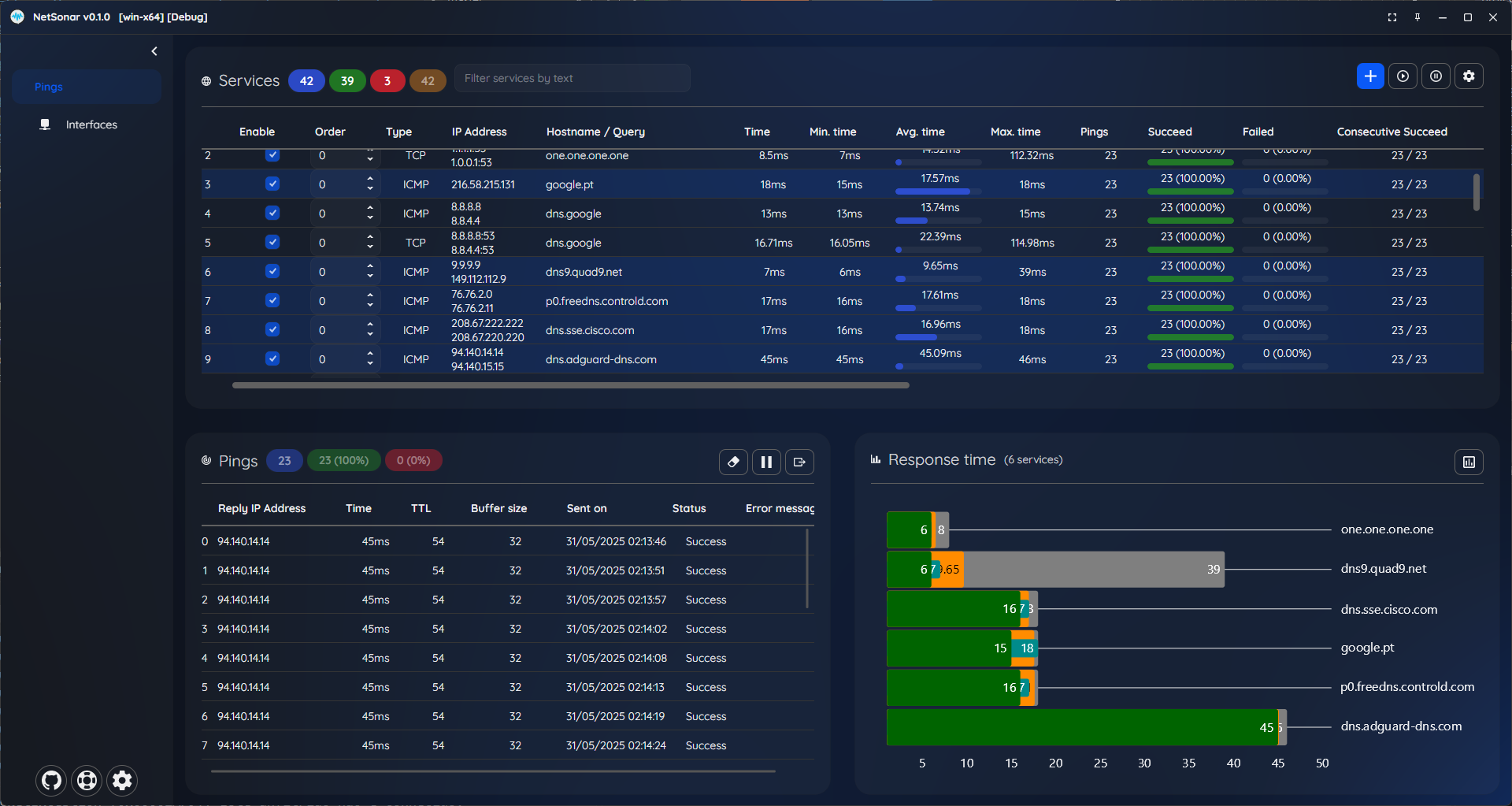
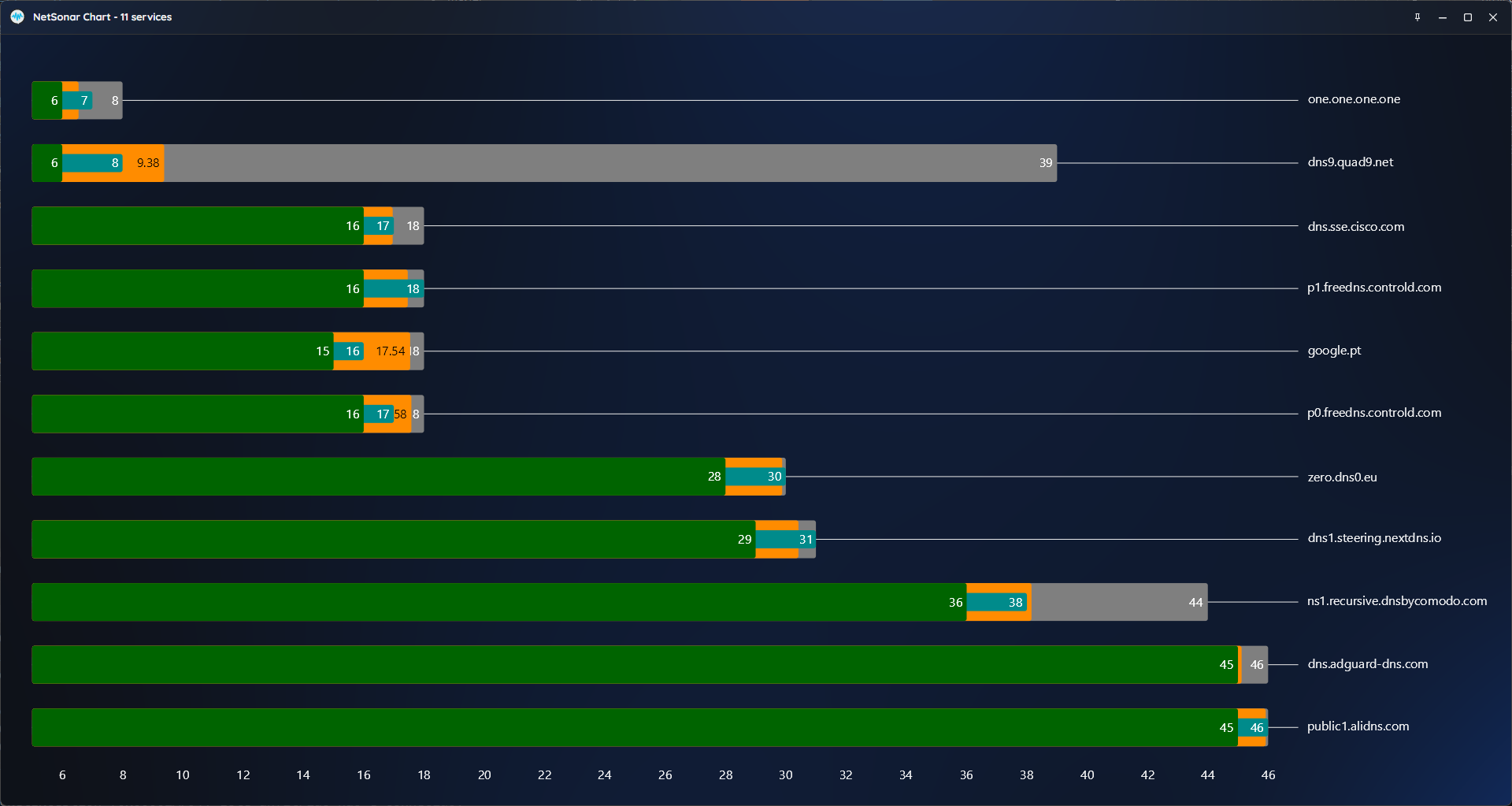
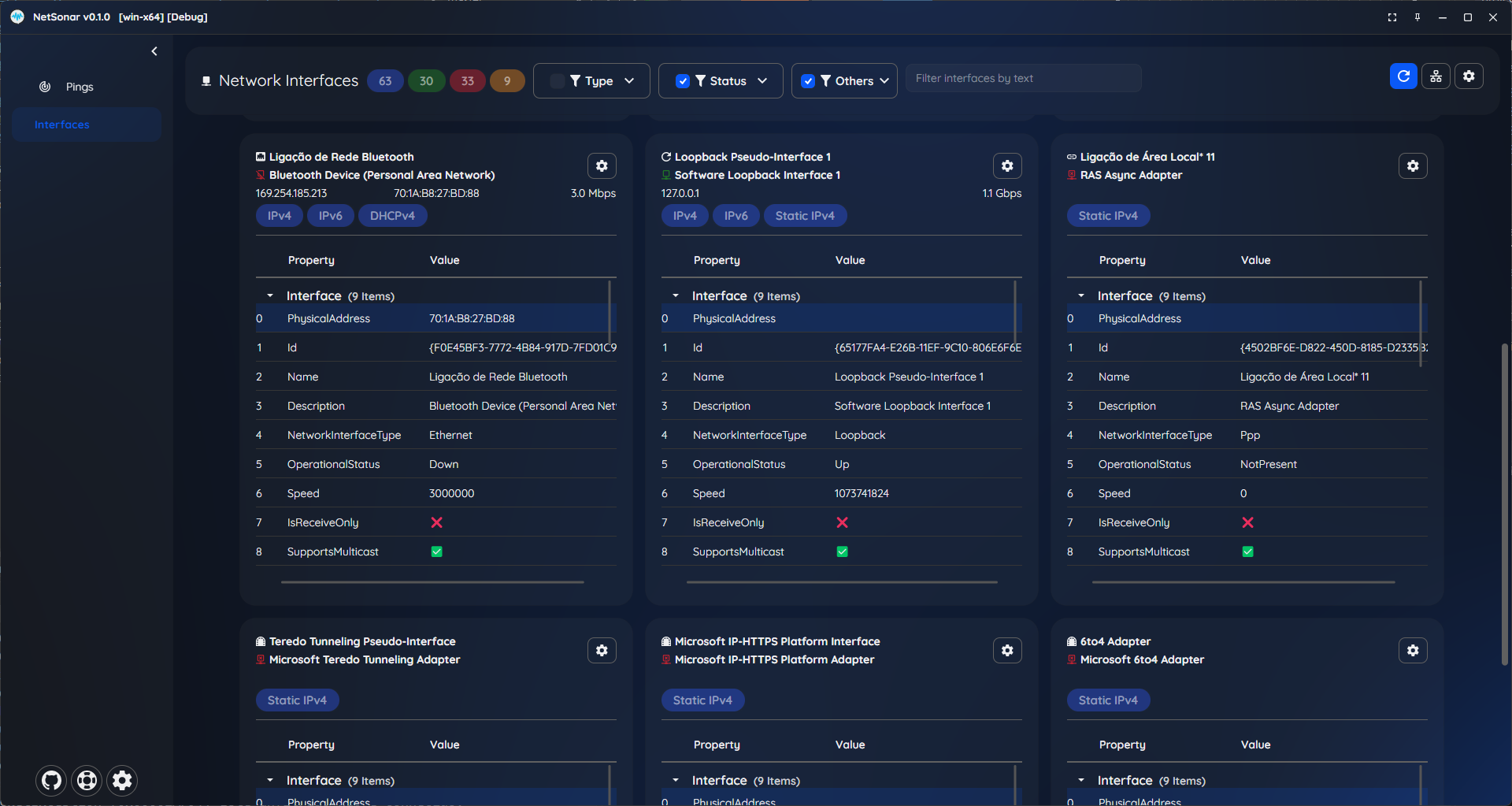
Requirements
- Windows 10 or greater
- macOS 13 Monterey or greater
- Linux (Debian, Ubuntu, Fedora, Arch, etc.)
- 64 bit System (x64 / arm64)
- 4GB RAM or higher
- 1920 x 1080 @ 100% scale as minimum resolution
Support my work / Donate
All my work here is given for free (OpenSource), it took some hours to build, test and polish the program.
If you're happy to contribute for a better program and for my work i will appreciate the tip.
Use one of the following methods:


Contributors

