
VTT
A 3d/2d capable self-hosted virtual tabletop
Install / Use
/learn @skyloutyr/VTTREADME
VTT
Introduction
VTT is a multiplayer environment for you and your friends to host and play tabletop roleplaying games. Create magnificent 3D environments or more traditional 2D ones.
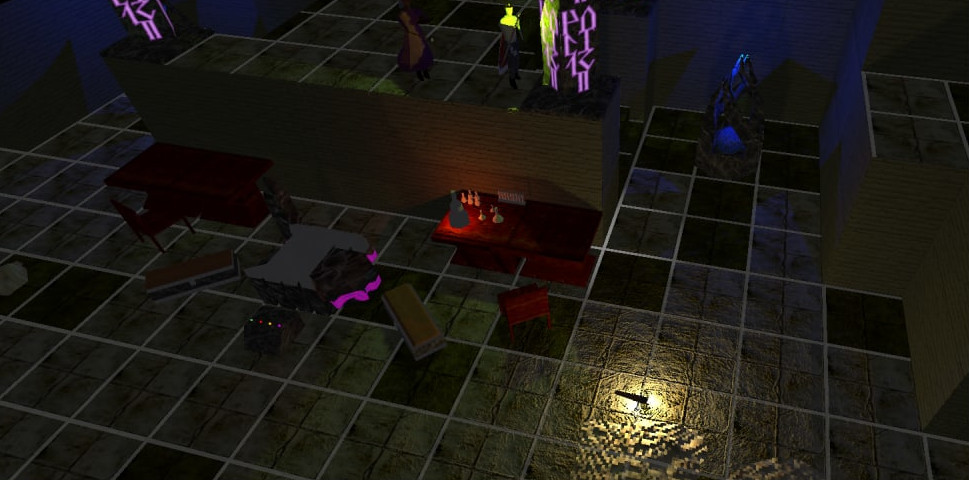
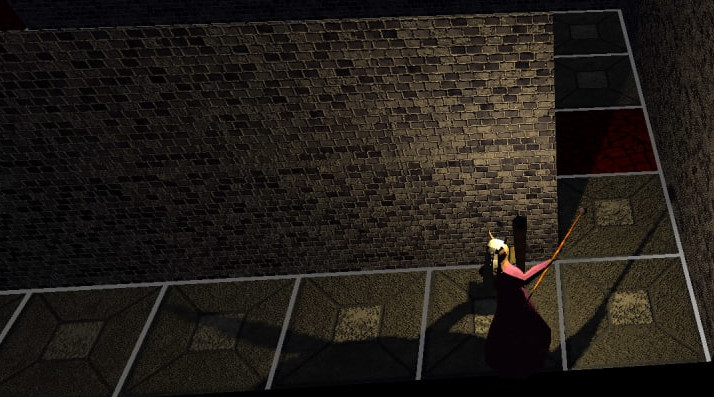
Fully functional shadows with many light sources all casting them at the same time, in real time. Make your players' dungeon experience a completely new one
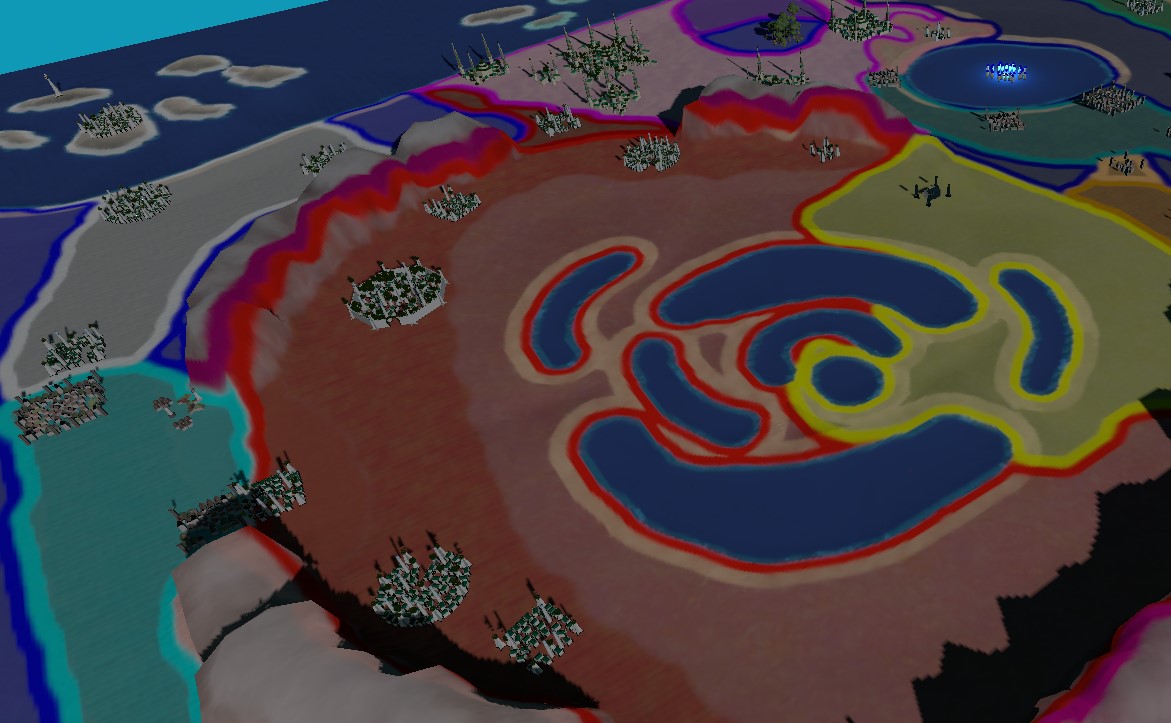
Create worlds at any scale, from small conflict maps to large overworld ones. No restrictions. No limits.
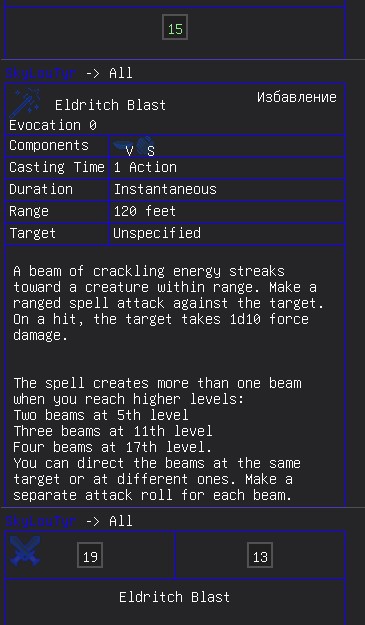
An advanced chat system supporting cryptographically secure dice rolls in various combinations, complex expressions, animated images and much more!
And much, much more, hundreds of features intertwined together to let you create the worlds of your imagination and truly wow your players!
A brief list of answers to frequently asked questions
- The actual, full name of the application is SkyLouTyr's VTT or Sky's VTT. VTT itself is an abbreviation for Virtual Table Top, which is what the app is.
- The application is self-hosted, meaning the server will be running on the computer that clicked the host button, and all players will connect to that device to play together. There are no dedicated servers, meaning the host must have a public, fixed IP address, and they must have the respective port forwarded to their device. There is support for dedicated server mode (read below).
- In order to control the camera a blender-like control scheme is used - you hold down the Shift key (any of them) and use the middle mouse button to move the camera around (press and hold for movement, roll for zoom). If shift is not held down, but the middle mouse button is, then the camera will rotate around a point instead. Spacebar can be held down for finer movements. Movement of the camera is also possible with the arrow keys (and the numpad), provided shift is held down. For 2D maps holding down shift is optional for MMB camera movements, but isn't for arrow key camera movements. The scheme may seem confusing at first, but it becomes easy to use after a little practice.
- The application is NOT designed for a specific tabletop system. It doesn't have character sheets, predefined attack rolls, inventories and so on. VTT is a general-purpose virtual tabletop environment, though it is more suited for TTRPGs compared to something like Tabletop Simulator.
- Even though VTT is still in its BETA stage, it is stable and useable. Beta here simply refers to the fact that I do not consider VTT fully feature-complete for a release label - though it has a ton of features already. Much care is taken for backwards compatibility - to ensure that all content created by a user still keeps functioning in the newer VTT versions, no matter how old the version that it was created within.
- The current state of the UI is to be considered temporary while the application is still in BETA. Many things are confusing and are in strange, unexpected places. The UI will be slowly ironed out to a much more pleasant UX as the application is being developed.
- VTT was, is and will forever be free to use.
Feature List (Incomplete as there are too many to mention in a short list)
- Displays 3d models or 2d sprites in complex environments of any scale.
- 3D and 2D square grids with customizable grid sizes and grid snapping, extending to infinity.
- A sky system, with the sun positioned according to pitch/yaw controls, and a day/night skybox with the ability to import custom skyboxes and finely control their color changes.
- Fully dynamic real-time 3d shadows for both the sun and up to 16 light sources on the screen (though the scenes themselves support any amounts of light sources)
- A very rich property editor for both objects and maps allows for fine control over any value or property to create truly any environment imaginable. Many of the finer controls have tooltips, explaining exactly what a given property controls in great detail.
- A dynamic fog of war system for both 3D and 2D environments, with all the scalability and fine controls you'd ever need.
- Easy to setup multiplayer - just click host, enter the desired port and let your players connect.
- An advanced distance measuring system that allows you to measure lines, circles, spheres, squares, cubes and cones, highlighting which objects fall into the measured shape, with the ability to leave those measurements in the scene with custom tooltips.
- A fully fledged turn order tracker, reminiscent of those in turn-based games, with portraits and highlights, which even notifies the players when it is their turn.
- Full controls for fine object positioning, rotating and scaling, similar to those in professional 3d game engines such as unity.
- A powerful particle system editor which allows for visual creation of complex particle systems which evolve according to complex rules, all setup with simple interface controls.
- Thousands of icons for status effects, with a built-in search bar.
- Custom health/mana/armour/anything bars for objects, with automatic value calculation for mathematical inputs for ease of use.
- Journals for storing arbitrary text information.
- A rich chat system that uses cryptography for random dice rolls, allows up to 1 million rolls (in a single chat message) that are all rolled and delivered within milliseconds, that supports advanced templates (such as attacks, spells, fancy dice rolls and more) and images (including animated gifs)
- An advanced asset system that supports .glb models and image (.png, .jpeg, .tiff, .gif and similar) sprites. If the required libraries are present on the uploader's side, supports animated images (.webm) too!
- Skeletal animation support for 3d models.
- Custom shaders for objects through a powerful node graph editor.
- Good performance - both the networking and rendering parts of the application offer many optimizations and are built for older hardware, allowing the rendering of very complex scenes with millions upon millions of triangles, dynamic shadows, particles and high-resolution textures, that get delivered to the clients within seconds, all that with a consistently high framerate.
- Audio assets support (.mp3, .wav and .ogg), with automatic compression if ffmpeg is installed that is streamed over network to clients, creating the ability to quickly and easily do music in your games. Supports ambient sounds for the map.
- Dynamic real-time 2D light and shadow powered by ray-tracing.
Download and Installation
You can download the application in the releases section. VTT is still in its beta stage and has bugs that are regularly patched, so be sure to check for new releases frequently.
An automatic updater companion app is built-in. When it detects a new version being released it will notify you in the main menu. Updating is as simple as pressing the "Update" button there.
Windows only, but since the application is built with .net core and uses opengl 3.3 it should be relatively simple to run on linux. Note that for a linux installation you will need a compiled glfw3.so library available, as well as any openal library.
Requires .NET 6, msvcr 120 and msvcr 140.
There is no installation process, simply unpack the application into any directory and run the VTT.exe executable.
Troubleshooting
- Application doesn't start-up: Make sure that you have the required components installed and they match the architecture of your os.
- Your players can't connect: Make sure that they are using the right ip address and port, and you have port-forwarded the port you are using for the application.
- Application crashes: Whenever VTT encounters an unrecoverable problem it will shutdown, generating a crash report file in the main application directory. Please submit a bug report in the issues section here, including this file and other relevant information (such as log files).
- My 2D map is fully black for players after switching it from 3D!: Make sure that if you have disabled the sun in your map settings you also disable the sun shadows. If there is no sun, everything is considered to be in shadow by default.
- I can't delete a player's ruler marker: Sometimes the players somehow place their markers slightly above the terrain in 2D mode. You can use the eraser tool to fix that. Make sure to set the radius for the eraser - an eraser with a radius of 0 won't erase anything. This applies to the eraser for drawings too. Also make sure you are using the right eraser - there is one for drawings, and one for ruler markers.
GLB 3D models and importing them
You can import any 3d model that is a .glb embedded file format. However to display them properly a few things must be present in the model structure itself:
- The model MUST be an embedded glTF 2.0 binary. All textures must be contained within the same file as the model itself.
- At least 1 light should be present, otherwise the preview and portrait will fail to properly render with lighting and will be pitch black.
- The model must use the Z axis as the upwards axis. Many model editors will by default export .glb models with Y axis as the upwards one. Make sure you specify Z as upwards.
- Multiple material slots per object are not supported. Please separate your objects into distinct ones, with 1 material per object.
- The albedo texture must be present for all materials, even if it is a 1x1 white square. Other textures are optional.
Some additional tips on 3d models
- If your modelling software allows, it is recommended to export tangents and bitangents with the model, as automatically generated ones may
