
Charsm
charm cli lipgloss port to wasm
Install / Use
/learn @sklyt/CharsmREADME
Charsm
Charsm is a port of the gorgeous Lipgloss library from Charm CLI, part of their impressive suite of CLI tools. Definitely check out Charm’s collection of tools; they’re fantastic.
I’m a huge fan of CLI tools and have been building a lot of them lately. Naturally, I want my CLIs to look amazing, which is exactly what Charm CLI tools achieve. Not wanting to Go without that same polish in JavaScript, I created Charsm! For details on how I ported Lipgloss using WebAssembly, see the porting lipgloss with wasm section below.
If you’re looking to build beautiful TUIs, this library is for you!
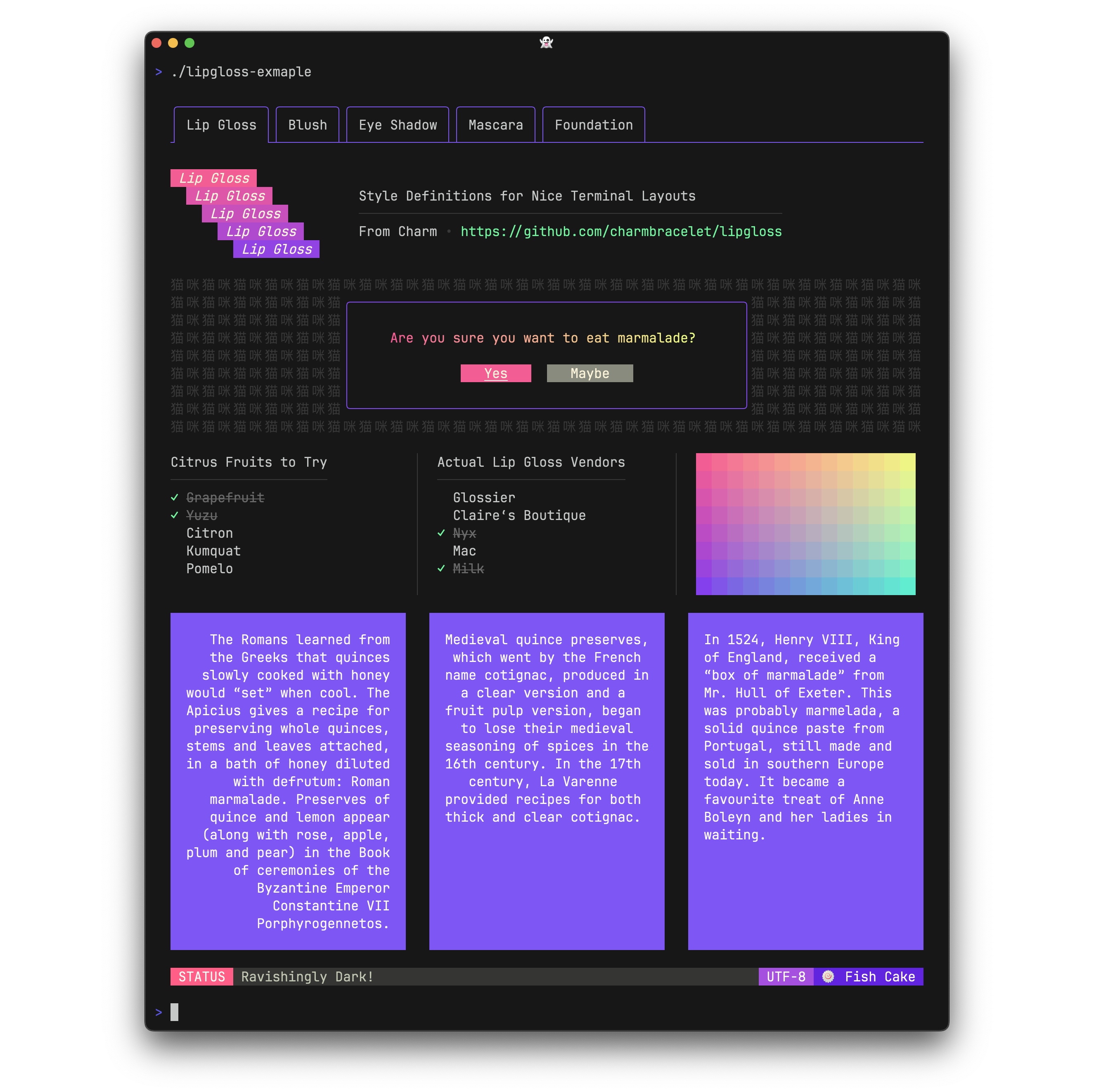
- Charsm
Installation
Install from npm with your favorite package manager:
pnpm add charsm
Update v0.2.0
added huh forms
Tested on Node.js v20.15.0 and v18.20.4 both linux and windows
original charmcli huh repo
Getting Started
Initialization
import {initLip, Lipgloss} from "charsm"

(async function() {
    const isInit = await initLip(); // returns false if WASM fails to load, otherwise true

    if (!isInit) return; // handle failure case
})();
Once WASM is loaded, you can create a Lipgloss instance:
(async function() {
    const lip = new Lipgloss();
})();
Creating Styles
At its core, Charsm lets you define styles similar to CSS, which can then be applied to text.
(async function() {
    // Define a style
    lip.createStyle({
        id: "primary",
        canvasColor: { color: "#7D56F4" },
        border: { type: "rounded", background: "#0056b3", sides: [true] },
        padding: [6, 8, 6, 8],
        margin: [0, 0, 8, 0],
        bold: true,
        width: 10,
        height: 12,
    });

    // Apply the style
    const result = lip.apply({ value: "🔥🦾🍕" });
    console.log(result); // Output styled result

    // Apply a specific style by ID
    const custom = lip.apply({ value: "🔥🦾🍕", id: "primary" });
    console.log(custom);
})();
Style Options
Here’s an overview of the options available for creating styles:
type LipglossPos = "bottom" | "top" | "left" | "right" | "center";
type BorderType = "rounded" | "block" | "thick" | "double";

interface Style {
    id: string;
    canvasColor?: { color?: string, background?: string };
    border?: { type: BorderType, foreground?: string, background?: string, sides: Array<boolean> };
    padding?: Array<number>;
    margin: Array<number>;
    bold?: boolean;
    alignV?: LipglossPos;
    alignH?: LipglossPos;   // buggy don't work
    width?: number;
    height?: number;
    maxWidth?: number;
    maxHeight?: number;
}
alignV works!
Note: For horizontal alignment(alignH), use padding and margins.
Padding and Margins
- One value applies to all sides:
[1] - Two values apply to vertical and horizontal sides:
[1, 2] - Four values apply to top, right, bottom, and left:
[1, 2, 3, 4]
Simple Example
    lip.createStyle({
        id: "primary",
        canvasColor: { color: "#7D56F4" },
        border: { type: "rounded", background: "#0056b3", sides: [true] },
        padding: [6, 8, 6, 8],
        margin: [0, 2, 8, 2],
        bold: true,
        align: 'center',
        width: 10,
        height: 12,
    });;

 lip.createStyle({
    id: "secondary",
  canvasColor: {color: "#7D56F4" },
  border: { type: "rounded", background: "#0056b3", sides: [true, false] },
  padding: [6, 8, 6, 8],
   margin: [0, 0, 8, 1],
    bold: true,
    // alignH: "right",

   alignV: "bottom",
   width: 10,
   height: 12,

  });


const a = lip.apply({ value: "Charsmmm", id: "secondary" });
const b = lip.apply({ value: "🔥🦾🍕", id: "primary" });
const c = lip.apply({ value: 'Charsmmm', id: "secondary" });
colors - for both color, background and border
- completeAdaptiveColor
 lip.createStyle({
       id: "primary",
     canvasColor: {color: "#7D56F4", background:{completeAdaptiveColor: {  Light:{TrueColor: "#d7ffae", ANSI256: "193", ANSI: "11"}, Dark: {TrueColor: "#d75fee", ANSI256: "163", ANSI: "5"}}}},


     });
- Adaptive Color
 const highlight = { Light: "#874BFD", Dark: "#7D56F4" }
 canvasColor: { color:{ adaptiveColor: highlight } , background:  "#FAFAFA" },
- completColor
canvasColor: {color: {completeColor: {TrueColor: "#d7ffae", ANSI256: "193", ANSI: "11"}}}
Layout
Charsm currently supports horizontal and vertical layouts.
const res = lip.join({ direction: "horizontal", elements: [a, b, c], position: "left" });
console.log(res);
For details on
lipgloss.JoinVerticalandlipgloss.JoinHorizontal, refer to Charm’s lipgloss repo.
Creating Tables
Charsm can create tables easily. Here’s an example:
const rows = [
    ["Chinese", "您好", "你好"],
    ["Japanese", "こんにちは", "やあ"],
    ["Arabic", "أهلين", "أهلا"],
    ["Russian", "Здравствуйте", "Привет"],
    ["Spanish", "Hola", "¿Qué tal?"]
];

const tableData = { headers: ["LANGUAGE", "FORMAL", "INFORMAL"], rows: rows };

const t = lip.newTable({
    data: tableData,
    table: { border: "rounded", color: "99", width: 100 },
    header: { color: "212", bold: true },
    rows: { even: { color: "246" } }
});

console.log(t);
Render Markdown
use's glamour from charm CLI underneath
  const content = `
# Today’s Menu

## Appetizers

| Name        | Price | Notes                           |
| ---         | ---   | ---                             |
| Tsukemono   | $2    | Just an appetizer               |
| Tomato Soup | $4    | Made with San Marzano tomatoes  |
| Okonomiyaki | $4    | Takes a few minutes to make     |
| Curry       | $3    | We can add squash if you’d like |

## Seasonal Dishes

| Name                 | Price | Notes              |
| ---                  | ---   | ---                |
| Steamed bitter melon | $2    | Not so bitter      |
| Takoyaki             | $3    | Fun to eat         |
| Winter squash        | $3    | Today it's pumpkin |

## Desserts

| Name         | Price | Notes                 |
| ---          | ---   | ---                   |
| Dorayaki     | $4    | Looks good on rabbits |
| Banana Split | $5    | A classic             |
| Cream Puff   | $3    | Pretty creamy!        |

All our dishes are made in-house by Karen, our chef. Most of our ingredients
are from our garden or the fish market down the street.

Some famous people that have eaten here lately:

* [x] René Redzepi
* [x] David Chang
* [ ] Jiro Ono (maybe some day)

Bon appétit!
`

  // technically not part of lip(lipgloss)
  console.log(lip.RenderMD(content, "tokyo-night"))
Porting Lipgloss with WASM
The implementation here is a straightforward 1-to-1 port! In other words, for example createStyle is built up from a bunch of lipgloss functions with conditional checks. It’s verbose, kind of repetitive, and maybe even a bit annoying.
The reason for this verbosity is to avoid using reflect for dynamic calls to lipgloss functions, reflect in Go is a form of metaprogramming that's super expensive.
Here's an example of Join:
func (l *lipWrapper) Join(this js.Value, args []js.Value) interface{} {
	direction := args[0].Get("direction").String()

	var elements []string
	e := args[0].Get("elements")
	for i := 0; i < e.Length(); i++ {
		elements = append(elements, e.Index(i).String())
	}

	if CheckTruthy(args, "pc") {
		if direction == "vertical" {
			return lipgloss.JoinVertical(lipgloss.Position(args[0].Get("pc").Int()), elements...)
		} else {
			return lipgloss.JoinHorizontal(lipgloss.Position(args[0].Get("pc").Int()), elements...)
		}
	}

	if CheckTruthy(args, "position") {
		pos := args[0].Get("position").String()
		var apos lipgloss.Position

		if pos == "bottom" {
			apos = lipgloss.Bottom
		} else if pos == "top" {
			apos = lipgloss.Top
		} else if pos == "right" {
			apos = lipgloss.Right
		} else {
			apos = lipgloss.Left
		}

		if direction == "vertical" {
			return lipgloss.JoinVertical(apos, elements...)
		} else {
			return lipgloss.JoinHorizontal(apos, elements...)
		}
	}

	return ""
}
That's why some features like adaptive colors aren’t implemented just yet—those will come later!
Plan
Next up, I’m planning to port Bubble Tea for interactive components!
Contribution
This project came up while I was building a CLI tool in JavaScript to monitor websites. I wanted i
