
AppleDeveloperDiskImages
This is a repo for Apple Developer Disk Images for iOS (11.0-16.0)
Install / Use
/learn @singlekeycap/AppleDeveloperDiskImagesREADME
Developer Disk Images for iOS
This is a repo for Apple Developer Disk Images for iOS (11.0-16.0)
This will make a menu appear in settings that looks like this:
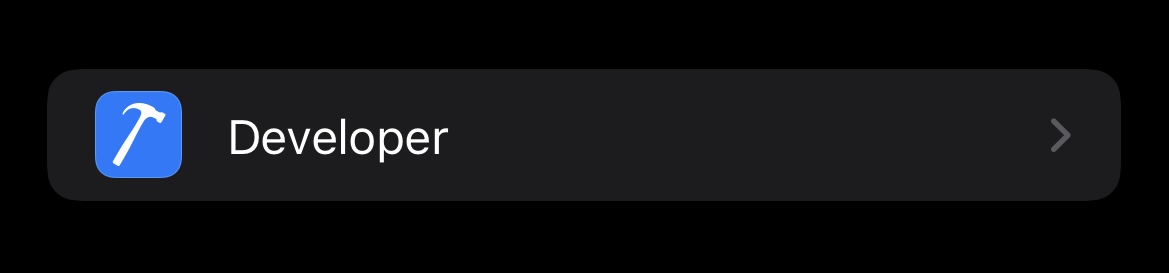
Installation is quite easy.
With Mac (the Apple way)
- If on iOS 16, enable developer mode on your phone
- Install Xcode
- Connect your phone and launch Xcode
- Build/Debug any app using your phone
- In the rare case that the developer images are missing, drag .dmg and .signature for your iOS version into
/Applications/Xcode.app/Contents/Developer/Platforms/iPhoneOS.platform/DeviceSupport/<iOS version>then repeat the last 2 steps
With Mac (the FOSS way)
- If on iOS 16, enable developer mode on your phone
- Install libimobiledevice
- Connect your phone, and run
idevicepair pair cdinto directory where the .dmg and .signature files are saved- Run command
ideviceimagemounter <DevDiskImage> <DevDiskImageSignature>
With Linux
- If on iOS 16, enable developer mode on your phone
- Install libimobiledevice
- Connect your phone, and hit trust this computer
- Verify that phone is paired by running
idevicepair pair cdinto directory where the .dmg and .signature files are saved- Run command
ideviceimagemounter <DevDiskImage> <DevDiskImageSignature>
With Windows
- If on iOS 16, enable developer mode on your phone
- Install libimobiledevice suite (exe)
- Connect your phone, and hit trust this computer
- Verify that phone is paired by running
idevicepair pair cdinto directory where the .dmg and .signature files are saved- Run command
ideviceimagemounter <DevDiskImage> <DevDiskImageSignature>
Enjoy!
Related Skills
node-connect
351.8kDiagnose OpenClaw node connection and pairing failures for Android, iOS, and macOS companion apps
frontend-design
110.9kCreate distinctive, production-grade frontend interfaces with high design quality. Use this skill when the user asks to build web components, pages, or applications. Generates creative, polished code that avoids generic AI aesthetics.
openai-whisper-api
351.8kTranscribe audio via OpenAI Audio Transcriptions API (Whisper).
qqbot-media
351.8kQQBot 富媒体收发能力。使用 <qqmedia> 标签,系统根据文件扩展名自动识别类型(图片/语音/视频/文件)。

Security Score
Audited on Jan 3, 2025