
Netflix
netflix clone using react js, css, axios, themoviedb, get api, netflix-clone react simplified project, axios-react
Install / Use
/learn @sijeeshmiziha/NetflixREADME
Netflix Clone — React & TMDB Streaming UI
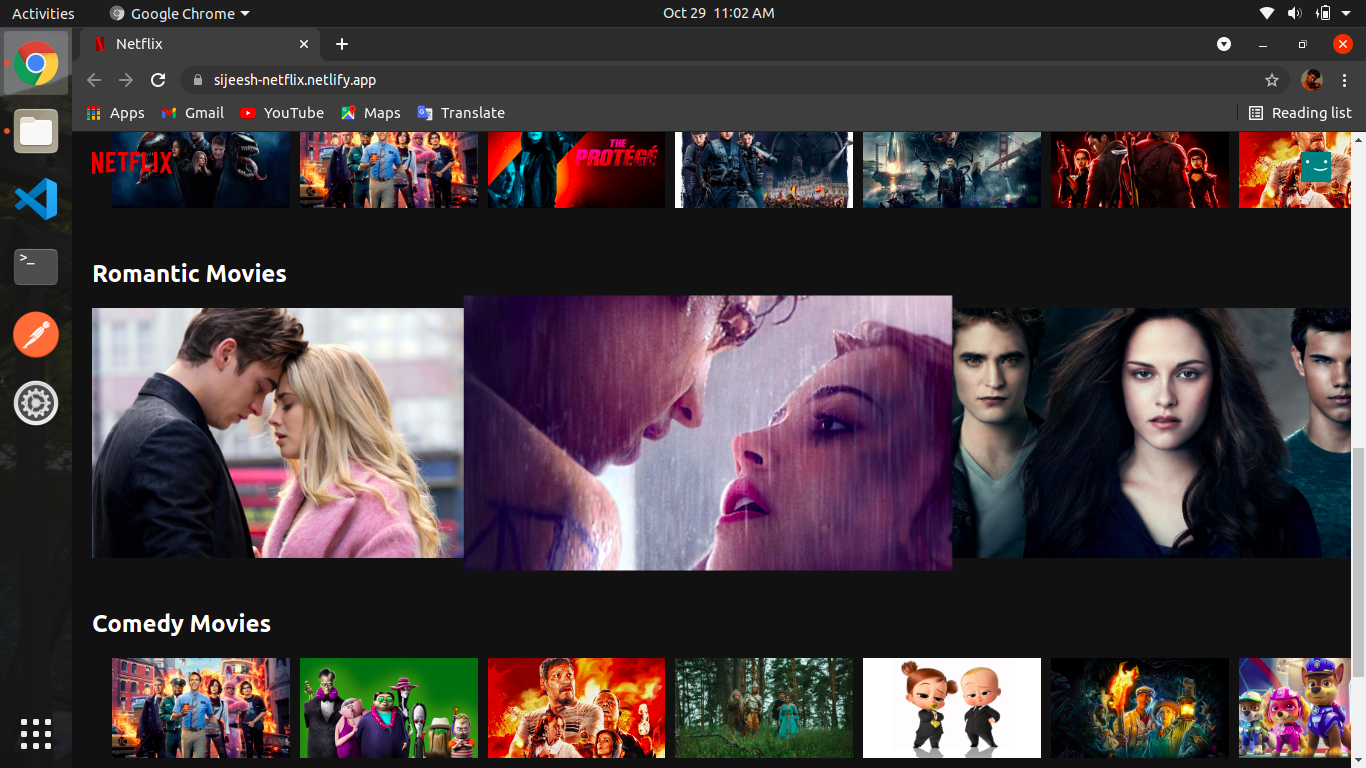
Open-source Netflix-style streaming UI for browsing movies and TV shows. Built with React and TMDB API — no backend server, no Redux. Browse by genre, watch trailers on YouTube, search with debounced multi-search, and save titles to My List. Includes Netflix Originals, trending, popular, top rated, and detailed modals with cast and similar titles.




Demo & Screenshots
See it in action: Netflix Clone — no signup, no install.
| Home · Browse | Detail · Trailer |
| :----------------------------------------------------------------------------------------------------------------------------------------------------------------------------------------------------------------------------------------------- | :-------------------------------------------------------------------------------------------------------------------------------------------------------------------------------------------------------------------------------------------------- |
|  |
|  |
|
| Search & discovery |
| :-------------------------------------------------------------------------------------------------------------------------------------------------------------------------------------------------------------------------------------- |
|  |
|
Table of Contents
- What's inside — Features and capabilities
- Built with — Tech stack
- TMDB API reference — Endpoints used
- Quick start — Clone, install, run
- Deploy — Go live
- Contribute
- License
- Get in touch
Features
Content Browsing
- Genre rows — Action, Romance, Horror, Comedy, Documentary via TMDB discover.
- Netflix Originals — Discover TV with network ID 213.
- Trending — Daily and weekly trending (all, TV, movies).
- Popular and top rated — For both movies and TV shows.
- Movies — Popular, top rated, upcoming, now playing.
- TV shows — Popular and top rated.
- Horizontal scrolling rows — Smooth scroll with arrow navigation and lazy-loaded images.
Search and Discovery
- Real-time search — Debounced (400ms) multi-search for movies and TV shows.
- Separate browse pages — Movies, TV Shows, and New & Popular.
- Grid layout — Search results with posters.
Movie and TV Details
- Detail modal — Backdrop, title, overview, metadata.
- Cast — Credits from TMDB.
- Similar titles — Recommendations.
- Maturity ratings — PG, 13+, 16+, 18+.
- Match percentage — Display on cards and in modal.
Trailer Playback
- YouTube trailers — Play trailers in modal via
react-youtube(video keys from TMDB). - Banner — Hero with trending content; play, info, and list buttons; mute toggle.
My List
- Add/remove — Add or remove movies and TV shows from My List.
- Persistence — Stored in
localStorage. - My List page — Dedicated route to view saved titles.
User Interface
- Netflix-style dark theme — CSS variables (
--color-bg,--color-text, etc.). - Responsive design — Mobile menu and layout.
- Hover effects — Card hover with play, add to list, like, dislike, info.
- Loading skeletons — Shimmer for banner, rows, cards, and modal.
- Scroll to top — On route change.
- Custom image component — Loading and error states for TMDB images.
Navigation and Routing
- React Router v5 — Centralized routes in AppRoutes; browse, movies, TV, trending, search, My List, profile, and info pages.
- Layouts — Browse layout and info layout for shared structure.
- Profile selection — Profile page.
- Footer info pages — Help, Privacy, Terms, Legal, Cookie preferences, Contact, and more.
- 404 page — Not found page for unknown routes.
Tech Stack
The app runs on React and TMDB API. No backend, no Redux.
| Layer | Stack | | :----------- | :---------------------------------------------------------------------------------------------- | | Frontend | React 17, React Router 5, Context API (Modal, My List), Axios, react-youtube. Custom hooks (useDebounce, useMyList). | | API | TMDB API v3 via tmdbService — trending, discover, search/multi, movie/TV details with videos, credits, similar. | | Styling | Custom CSS (component-scoped), CSS variables, Google Fonts (Bebas Neue). | | Tooling | Create React App 4, Prettier, ESLint. Node 14.x. |
Built With
React · React Router · Context API · Axios · TMDB API · react-youtube · CSS
TMDB API Endpoints
Key endpoints used (see src/config/urls.js):
| Endpoint | Purpose |
| :------------------------------------------------------------------------ | :--------------------------------------------------------- |
| trending/all/day, trending/all/week | Banner and trending content. |
| trending/tv/week, trending/movie/week | Trending by type. |
| discover/tv?with_networks=213 | Netflix Originals. |
| discover/movie?with_genres=... | Genre rows (Action, Romance, Horror, Comedy, Documentary). |
| tv/popular, tv/top_rated | TV browse. |
| movie/popular, movie/top_rated, movie/upcoming, movie/now_playing | Movies browse. |
| search/multi?query=... | Search movies and TV. |
| movie/{id}?append_to_response=videos,similar,credits | Movie details, trailer, cast, similar. |
| tv/{id}?append_to_response=videos,similar,credits | TV details, trailer, cast, similar. |
Images: https://image.tmdb.org/t/p/original and .../t/p/w500.
Getting Started
Prerequisites: Node.js 14.x (use .nvmrc with nvm use), npm. A TMDB API key is required.
1. Clone and install
git clone https://github.com/sijeeshmiziha/netflix.git
cd netflix
npm install
2. TMDB API key
Create a .env file in the project root and add your TMDB API key:
REACT_APP_TMDB_API_KEY=your_api_key_here
The app reads the key from src/config/constants.js. Do not commit .env or your API key.
3. Run
npm start
Open http://localhost:3000
Available scripts
| Script | Description |
| :--------------- | :------------------------ |
| npm start | Start dev server |
| npm run build | Production build |
| npm test | Run tests |
| npm run format | Format code with Prettier |
Deployment
-
Build:
npm run build— output is in thebuild/folder. -
Static hosting — Deploy the
build/folder to Vercel, Netlify, Firebase Hosting, or any static host. Configure environment variables in the h
