
ComfyUI Realtime Lora
Train and block edit and save LoRAs directly inside ComfyUI for Z-image, Flux Klein, SDXL, Flux, WAN 2.2, SD 1.5
Install / Use
npx skills add shootthesound/comfyUI-Realtime-LoraInstalls into whichever agent you are using.
README
ComfyUI Realtime LoRA Toolkit


Train, analyze, selectively load by block, and edit base models for SDXL, SD 1.5, FLUX, Z-Image, Qwen Image, Qwen Image Edit, and Wan 2.2 directly inside ComfyUI. One unified interface across three training backends, plus powerful analysis, block-level loading, strength scheduling, and model editing tools.
Version 2 Now Available: Combined analyzer + selective loader nodes with strength scheduling and LoRA saving!
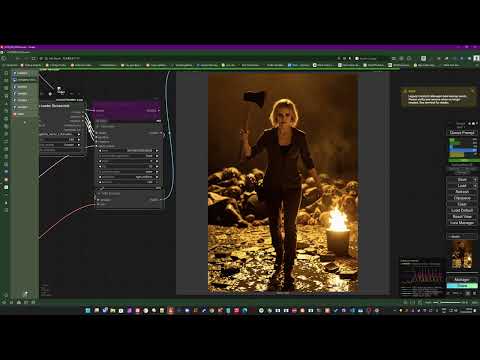
At a Glance
| Backend | Models | Best For | |---------|--------|----------| | sd-scripts | SDXL, SD 1.5 | Fast training, mature workflows, broad checkpoint compatibility | | Musubi Tuner | Z-Image, Z-Image Base, FLUX Klein 4B/9B, Qwen Image, Qwen Image Edit, Wan 2.2 | Cutting-edge models, smaller LoRAs, excellent VRAM efficiency | | AI-Toolkit | FLUX.1-dev, Z-Image, Wan 2.2 alternative training pipeline |
**8 architectures. 3 training backends. 31 nodes total. **
- 10 trainer nodes
- 13 selective loaders (5 V1 + 8 V2 combined)
- 2 analyzers (V1 + V2)
- 6 model layer editors
- 1 utility node
What's New
FLUX Klein 4B/9B Training & Editing
Full training and editing support for Black Forest Labs' fastest FLUX models:
Training (via Musubi Tuner):
- FLUX Klein 4B - ~13GB VRAM, Apache 2.0 license
- FLUX Klein 9B - ~29GB VRAM
- Independent block swap control - Fine-tune VRAM usage separately from resolution/fp8 settings
Editing & Analysis (new V2 nodes):
- FLUX Klein 4B Analyzer + Selective Loader V2 - 25 blocks (5 double + 20 single)
- FLUX Klein 9B Analyzer + Selective Loader V2 - 32 blocks (8 double + 24 single)
- Per-block strength control, scheduling, and LoRA saving
Uses Qwen3 text encoder and FLUX.2 VAE. Train on "base" (undistilled) versions.
Z-Image Base Training
Train with the undistilled Z-Image base model for maximum quality:
- Trained LoRAs work with both base and turbo models
- Same VRAM presets as turbo trainer (block swaps built into Low/Min modes)
- Existing Z-Image V2 Analyzer works with base-trained LoRAs (same architecture)
V2 Combined Analyzer + Selective Loader Nodes
The V2 nodes combine analysis and selective loading into a single node, with powerful new features:
- Strength Scheduling - Apply LoRA at different strengths during generation using keyframes
- Save Refined LoRA - Export your block-filtered LoRA as a new file
- 40+ Schedule Presets - Fades, bell curves, pulses, step functions, and inverted versions
- Extra Z-Image Blocks - Control context_refiner, noise_refiner, final_layer, x_embedder
- LoKR/LoHa Support - Proper handling of decomposed LoRA formats (common for Z-Image)
Model Layer Editor Nodes
Scale individual blocks of your base model before applying LoRAs:
- 6 nodes covering all architectures (SDXL, SD 1.5, FLUX, Z-Image, Wan, Qwen)
- Presets for common adjustments
- User preset system (save/delete your own configurations)
- Save modified models to disk
Utility Nodes
| Node | Description | |------|-------------| | Scheduled LoRA Loader | Standalone strength scheduling for any LoRA |
See Utility Nodes section below for full details.
SDXL Training Improvements
- Added
--no_half_vaeoption to fix NaN errors with some SDXL checkpoints - Fixed batch_size to 1 for all VRAM presets for stability
Supported LoRA Formats
The analyzer and selective loaders detect and properly handle multiple LoRA formats:
- Standard LoRA (lora_up/lora_down)
- LoKR (Low-Rank Kronecker) - common for Z-Image LoRAs
- LoHa (Low-Rank Hadamard)
- GLoRA
- AI-Toolkit, Kohya sd-scripts, and Musubi Tuner formats
The V2 nodes display the detected type in the analysis (e.g., "ZIMAGE (LoKR)").
Use Cases
- Subject consistency - Train on a character or face, use across multiple generations
- Style transfer - Capture an art style from a few reference images
- Rapid prototyping - Test a LoRA concept in minutes before committing to longer training
- Video keyframes - Train on first/last frames for Wan video temporal consistency
- Image editing behaviors - Use Qwen Image Edit to teach specific transformations with paired images
What This Does
This node trains LoRAs on-the-fly from your images without leaving ComfyUI. SDXL and SD 1.5 training is particularly fast - a few minutes on a decent GPU, or under 2 minutes for SD 1.5 on modern hardware. This makes it practical to train a quick LoRA and immediately use it for img2img variations, style transfer, or subject consistency within the same workflow.
Personal note: I think SDXL is due for a revival. It trains fast, runs on reasonable hardware, and the results are solid. For quick iteration - testing a concept before committing to a longer train, locking down a subject for consistency, or training on frames for Wan video work - SDXL hits a sweet spot that newer models don't always match. Sometimes the "old" tool is still the right one.
Supported Models
Via Kohya sd-scripts:
- SDXL (any checkpoint) - tested with Juggernaut XL Ragnarok, base SDXL will work too
- SD 1.5 (any checkpoint) - blazingly fast, ~2 mins for 500 steps on a 5090
Via Musubi Tuner:
- Z-Image - faster training, smaller LoRA files, no diffusers dependency. Requires the de-distilled model for training, but trained LoRAs work with the regular distilled Z-Image Turbo model.
- Z-Image Base - Train with the undistilled base model for maximum quality. Trained LoRAs work with both base and turbo models.
- FLUX Klein 4B/9B - Black Forest Labs' fastest models. 4B (~13GB VRAM, Apache 2.0), 9B (~29GB VRAM). Uses Qwen3 text encoder and FLUX.2 VAE.
- Qwen Image - text-to-image generation. Supports Qwen-Image, Qwen-Image-Edit, and Qwen-Image-Edit-2509 models for style/subject LoRAs.
- Qwen Image Edit - for training image editing behaviors with source/target image pairs. Uses folder paths for paired training data.
- Wan 2.2 - single-frame image training with High/Low/Combo noise modes. Separate block offloading control for fine-tuned VRAM management.
Via AI-Toolkit:
- Z-Image Turbo
- FLUX.1-dev
- Wan 2.2 (High/Low/Combo)
Note on Wan 2.2 modes: Wan uses a two-stage noise model - High handles early denoising steps, Low handles later steps. You can train separate LoRAs for each, or use Combo mode which trains a single LoRA across all noise steps that works with both High and Low models.
Technical note: When using High or Low mode, the example workflows still pass the LoRA to both models but at zero strength for the one you didn't train. This prevents ComfyUI from loading the base model into memory before training starts - a workaround to avoid unnecessary VRAM usage.
Requirements
JUST WANT TO ANALYZE, EDIT, OR LOAD LORAS?
The Analyzers, Selective Loaders, Model Layer Editors, and Utility Nodes work out of the box - no additional installation required!
The training backend requirements below ONLY apply if you want to train LoRAs. Skip this section if you're just using the analysis, editing, and utility features.
Python version: Both AI-Toolkit and sd-scripts work best with Python 3.10-3.12. Python 3.10 is the safest bet. Avoid 3.13 for now.
For training nodes only - install the backend(s) you need:
For SDXL / SD 1.5 training:
- Install sd-scripts: https://github.com/kohya-ss/sd-scripts
- Follow their install instructions
For Musubi Tuner models (Z-Image, Qwen Image, Wan 2.2):
-
Install Musubi Tuner: https://github.com/kohya-ss/musubi-tuner
-
Follow their install instructions
-
Download the required models:
Z-Image: Download the de-distilled model from https://huggingface.co/ostris/Z-Image-De-Turbo/tree/main - save to
models/diffusion_models. Your trained LoRAs will work with the regular distilled Z-Image Turbo model.Qwen Image: Download bf16 models (not fp8) from Comfy-Org or from the links in the example workflows:
- DiT: https://huggingface.co/Comfy-Org/Qwen-Image_ComfyUI (qwen_image_bf16.safetensors) or https://huggingface.co/Comfy-Org/Qwen-Image-Edit_ComfyUI for Edit models
- VAE: qwen_image_vae.safetensors
- Text Encoder: qwen_2.5_vl_7b.safetensors (from clip folder)
- Note: Pre-quantized fp8 models don't work for training - use bf16 versions.
Wan 2.2: Download fp16 models from Comfy-Org or from the links in the example workflows:
- DiT: wan2.2_t2v_14B_fp16.safetensors (High or Low noise variant)
- VAE: wan_2.2_vae.safetensors
- T5: models_t5_umt5-xxl-enc-bf16.pth
FLUX Klein: Download from Hugging Face:
- DiT: flux-2-klein-base-4b.safetensors or flux-2-klein-base-9b.safetensors (from black-forest-labs)
- VAE: ae.safetensors from FLUX.2-dev (336 MB) - same VAE for all FLUX.2 variants
- Text Encoder: Qwen3-4B (for 4B model) or Qwen3-8B (for 9B model)
- Note: Use the "base" (undistilled) versions for training, not the distilled versions.
For FLUX/Z-Image/Wan training (AI-Toolkit):
- Install AI-Toolkit: https://github.com/ostris/ai-toolkit
- Follow their install instructions
RTX 50-series GPUs (AI-Toolkit only): Blackwell GPUs (RTX 5080/5090) require PyTorch 2.7+ with CUDA 12.8 support. The standard AI-Toolkit installation may not work out of the box. A community installer is available at https://github.com/omgitsgb/ostris-ai-toolkit-50gpu-installer that handles the correct PyTorch/CUDA versions. Note: sd-scripts for SDXL/SD1.5 training & Musubi Training is unaffected - this applies only to AI-Toolkit.
You don't need to open the training environments after installation. The node just
Related Skills
node-connect
385.5kDiagnose OpenClaw Android, iOS, or macOS node pairing, QR/setup code, route, auth, and connection failures.
blender-python-addon
40.5kBlender Python add-on rules for operators, panels, properties, registration, testing, and API-safe scripting
flutter-development-guidelines-cursorrules-prompt-file
40.5kCursor rules for Flutter development with MVVM architecture, Riverpod state management, Material widgets, and Dart style guidelines.
commit-push-pr
140.6kCommit, push, and open a PR
