
MySapAdventures
A quick methodology on testing / hacking SAP Applications for n00bz and bug bounty hunters
Install / Use
/learn @shipcod3/MySapAdventuresREADME
mySapAdventures
A quick methodology on testing/hacking SAP Applications for n00bz and bug bounty hunters
by: Jay Turla (@shipcod3)
Discovery
- Check the Application Scope or Program Brief for testing. Take note of the hostnames or system instances for connecting to SAP GUI.
- Use OSINT (open source intelligence), Shodan and Google Dorks to check for files, subdomains, and juicy information if the application is Internet-facing or public:
inurl:50000/irj/portal
inurl:IciEventService/IciEventConf
inurl:/wsnavigator/jsps/test.jsp
inurl:/irj/go/km/docs/
https://www.shodan.io/search?query=sap+portal
https://www.shodan.io/search?query=SAP+Netweaver
https://www.shodan.io/search?query=SAP+J2EE+Engine
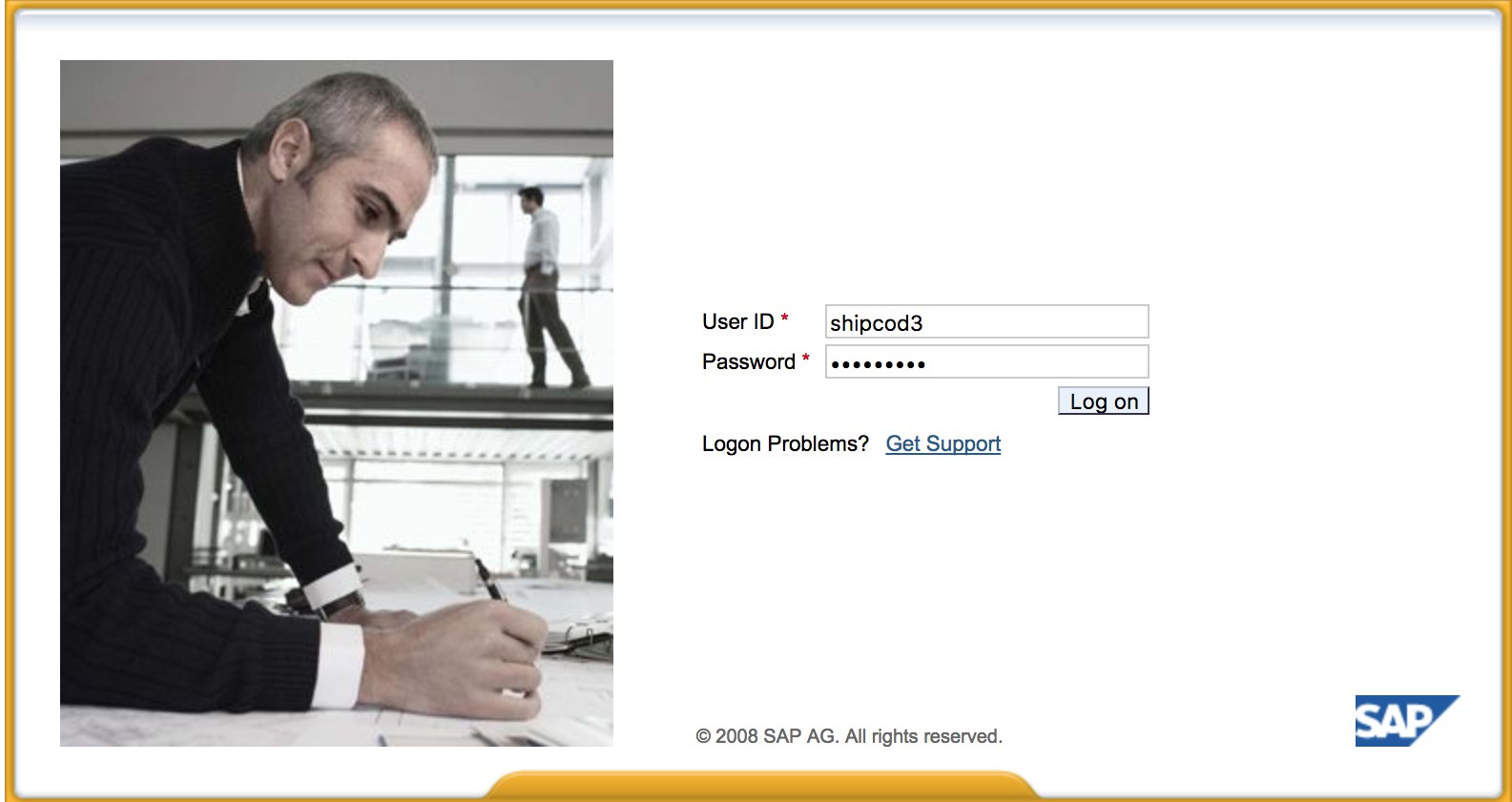
- Here is what http://SAP:50000/irj/portal looks like
- Use nmap to check for open ports and known services (sap routers, webdnypro, web services, web servers, etc.)
- Crawl the URLs if there is a web server running.
- Fuzz the directories (you can use Burp Intruder) if it has web servers on certain ports. Here are some good wordlists provided by the SecLists Project for finding default SAP ICM Paths and other interesting directories or files:
https://github.com/danielmiessler/SecLists/blob/master/Discovery/Web_Content/URLs/urls_SAP.txt
https://github.com/danielmiessler/SecLists/blob/master/Discovery/Web_Content/CMS/SAP.fuzz.txt
https://github.com/danielmiessler/SecLists/blob/master/Discovery/Web_Content/sap.txt
- Run bizploit's discovery plugins (note: customized script from davehardy20):
targets
	addTarget
		set host <host / ip addresses>
	back
	discoverConnectors all
	set mode sap
	back
	show
back
plugins
	discovery getClients
	discovery config getClients
	back
	discovery findRegRFCServers
	discovery config findRegRFCServers
		set regTpnames rfcexec,execute,exec,run,IGS,sapgw,sapgw00,sapgw01,sapgw02,sapgw03,NSP,GATEWAY,GATEWAY 0
	back
	discovery getSaprouterInfo
	back
	discovery getApplicationServers
	discovery icmURLScan
	discovery ping
  back
back
start
- Use the SAP SERVICE DISCOVERY auxiliary Metasploit module for enumerating SAP instances/services/components:
msf > use auxiliary/scanner/sap/sap_service_discovery
msf auxiliary(sap_service_discovery) > show options

Module options (auxiliary/scanner/sap/sap_service_discovery):

   Name         Current Setting  Required  Description
   ----         ---------------  --------  -----------
   CONCURRENCY  10               yes       The number of concurrent ports to check per host
   INSTANCES    00-01            yes       Instance numbers to scan (e.g. 00-05,00-99)
   RHOSTS                        yes       The target address range or CIDR identifier
   THREADS      1                yes       The number of concurrent threads
   TIMEOUT      1000             yes       The socket connect timeout in milliseconds

msf auxiliary(sap_service_discovery) > set rhosts 192.168.96.101
rhosts => 192.168.96.101
msf auxiliary(sap_service_discovery) > run

[*] 192.168.96.101:       - [SAP] Beginning service Discovery '192.168.96.101'
- Document the findings.
Testing the Thick Client / SAP GUI
- Here is the command to connect to SAP GUI
sapgui <sap server hostname> <system number>
- Check for default credentials (In Bugcrowd's Vulnerability Rating Taxonomy, this is considered as P1 -> Server Security Misconfiguration | Using Default Credentials | Production Server):
# SAP* - High privileges - Hardcoded kernel user
SAP*:06071992:*
SAP*:PASS:*

# IDEADM - High Privileges - Only in IDES systems
IDEADM:admin:*

# DDIC - High privileges - User has SAP_ALL
DDIC:19920706:000,001

# EARLYWATCH - High privileges
EARLYWATCH:SUPPORT:066

# TMSADM - Medium privileges
TMSADM:PASSWORD:000
TMSADM:$1Pawd2&:000

# SAPCPIC - Medium privileges
SAPCPIC:ADMIN:000,001

# SOLMAN dialog default users and passwords.
#
# For more info check:
# https://www.troopers.de/media/filer_public/37/34/3734ebb3-989c-4750-9d48-ea478674991a/an_easy_way_into_your_sap_systems_v30.pdf
# https://launchpad.support.sap.com/#/notes/2293011

# SOLMAN_ADMIN - High privileges - Only on SOLMAN systems
SOLMAN_ADMIN:init1234:*

# SAPSUPPORT - High privileges - Only on SOLMAN or satellite systems
SAPSUPPORT:init1234:*

# SOLMAN<SID><CLNT> - High privileges - Only on SOLMAN systems
#SOLMAN<SID><CLNT>:init1234:*

# Trial systems
# -------------

# AS ABAP 7.40 SP08 Developer Edition:
# https://blogs.sap.com/2015/10/14/sap-netweaver-as-abap-740-sp8-developer-edition-to-download-consise-installation-instruction/
DDIC:DidNPLpw2014:001
SAP*:DidNPLpw2014:001
DEVELOPER:abCd1234:001
BWDEVELOPER:abCd1234:001

# AS ABAP 7.50 SP02 Developer Edition:
# https://blogs.sap.com/2016/11/03/sap-nw-as-abap-7.50-sp2-developer-edition-to-download-consise-installation-guide/
# AS ABAP 7.51 SP02 Developer Edition:
# https://blogs.sap.com/2017/09/04/sap-as-abap-7.51-sp2-developer-edition-to-download-concise-installation-guide/
DDIC:Appl1ance:000,001
SAP*:Appl1ance:000,001
DEVELOPER:Appl1ance:001
BWDEVELOPER:Appl1ance:001

# AS ABAP 7.51 SP01 Developer Edition:
# https://blogs.sap.com/2018/09/13/as-abap-7.52-sp01-developer-edition-concise-installation-guide/
# AS ABAP 7.52 SP04 Developer Edition:
# https://blogs.sap.com/2019/10/01/as-abap-7.52-sp04-developer-edition-concise-installation-guide/
DDIC:Down1oad:000,001
SAP*:Down1oad:000,001
DEVELOPER:Down1oad:001
BWDEVELOPER:Down1oad:001
- Run Wireshark then authenticate to the client (SAP GUI) using the credentials you got because some clients transmit credentials without SSL. There are two known plugins for Wireshark that can dissect the main headers used by the SAP DIAG protocol too: SecureAuth Labs SAP dissection plug-in and SAP DIAG plugin by Positive Research Center.
- Check for privilege escalations like using some SAP Transaction Codes (tcodes) for low-privilege users:
SU01 - To create and maintain the users
SU01D - To Display Users
SU10 - For mass maintenance
SU02 - For Manual creation of profiles
SM19 - Security audit - configuration
SE84 - Information System for SAP R/3 Authorizations
- Check if you can execute system commands / run scripts in the client.
- Check if you can do XSS on BAPI Explorer
Testing the web interface
- Crawl the URLs (see discovery phase).
- Fuzz the URLs like in the discovery phase. Here is what http://SAP:50000/index.html looks like:

- Look for common web vulnerabilities (Refer to OWASP Top 10) because there are XSS, RCE, XXE, etc. vulnerabilities in some places.
- Check out Jason Haddix's "The Bug Hunters Methodology" for testing web vulnerabilities.
- Auth Bypass via verb Tampering? Maybe :)
- Open
http://SAP:50000/webdynpro/resources/sap.com/XXX/JWFTestAddAssignees#then hit the "Choose" Button and then in the opened window press “Search”. You should be able to see a list of SAP users (Vulnerability Reference: ERPSCAN-16-010 ) - Are the credentials submitted over HTTP? If it is then it is considered as P3 based on Bugcrowd's Vulnerability Rating Taxonomy: Broken Authentication and Session Management | Weak Login Function Over HTTP. Hint: Check out http://SAP:50000/startPage too or the logon portals :)

- Try
/irj/go/km/navigation/for possible directory listing or authentication bypass - http://SAP/sap/public/info contains some juicy information:
This XML file does not appear to have any style information associated with it. The document tree is shown below.
<SOAP-ENV:Envelope xmlns:SOAP-ENV="http://schemas.xmlsoap.org/soap/envelope/">
<SOAP-ENV:Body>
<rfc:RFC_SYSTEM_INFO.Response xmlns:rfc="urn:sap-com:document:sap:rfc:functions">
<RFCSI>
<RFCPROTO>011</RFCPROTO>
<RFCCHARTYP>4102</RFCCHARTYP>
<RFCINTTYP>BIG</RFCINTTYP>
<RFCFLOTYP>IE3</RFCFLOTYP>
<RFCDEST>randomnum</RFCDEST>
<RFCHOST>randomnum</RFCHOST>
<RFCSYSID>BRQ</RFCSYSID>
<RFCDATABS>BRQ</RFCDATABS>
<RFCDBHOST>randomnum</RFCDBHOST>
<RFCDBSYS>ORACLE</RFCDBSYS>
<RFCSAPRL>740</RFCSAPRL>
<RFCMACH>324</RFCMACH>
<RFCOPSYS>AIX</RFCOPSYS>
<RFCTZONE>-25200</RFCTZONE>
<RFCDAYST/>
<RFCIPADDR>192.168.1.8</RFCIPADDR>
<RFCKERNRL>749</RFCKERNRL>
<RFCHOST2>randomnum</RFCHOST2>
<RFCSI_RESV/>
<RFCIPV6ADDR>192.168.1.8</RFCIPV6ADDR>
</RFCSI>
</rfc:RFC_SYSTEM_INFO.Response>
</SOAP-ENV:Body>
</SOAP-ENV:Envelope>
Attack!
- Check if it runs on old servers or technologies like Windows 2000.
- Plan the possible exploits / attacks, there are a lot of Metasploit modules for SAP discovery (auxiliary modules) and exploits:
msf > search sap

Matching Modules
================

   Name                                                                     Disclosure Date  Rank       Description
   ----                                                                     ---------------  ----       -----------
   auxiliary/admin/maxdb/maxdb_cons_exec                                    2008-01-09       normal     SAP MaxDB cons.exe Remote Command Injection
   auxiliary/admin/sap/sap_configservlet_exec_noauth                        2012-11-01       normal     SAP ConfigServlet OS Command Execution
   auxiliary/admin/sap/sap_mgmt_con_osexec
View on GitHub100/100

Security Score
Audited on Mar 25, 2026
No findings