
EQVita
System-wide EQ kernel plugin and app for PS Vita.
Install / Use
/learn @shev0k/EQVitaREADME
PS Vita Equalizer (EQVita)
System-wide 8-band graphic equalizer kernel plugin for PS Vita (3.65 Ensō) with a companion UI app.
This is the first EQ app to control frequency bands across the entire PS Vita audio system (yes, globally), simply because nobody bothered to make one before.
Layout
plugin/— Kernel plugin (eq_speaker.skprx)app/— UI app (EQVita.vpk)common/— Shared headersdocs/— Technical notes
Download
If you don't want to build it yourself, download the latest binaries from Releases.
Screenshots
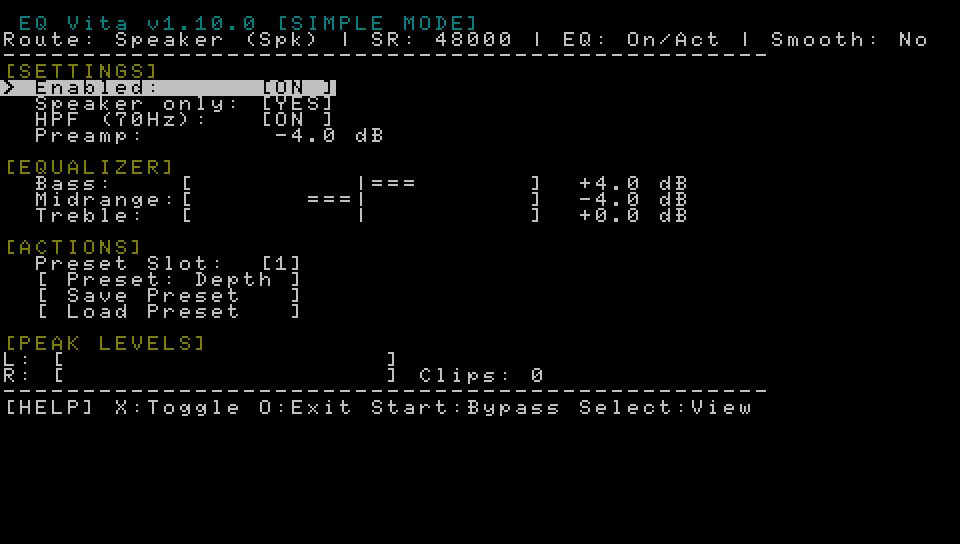
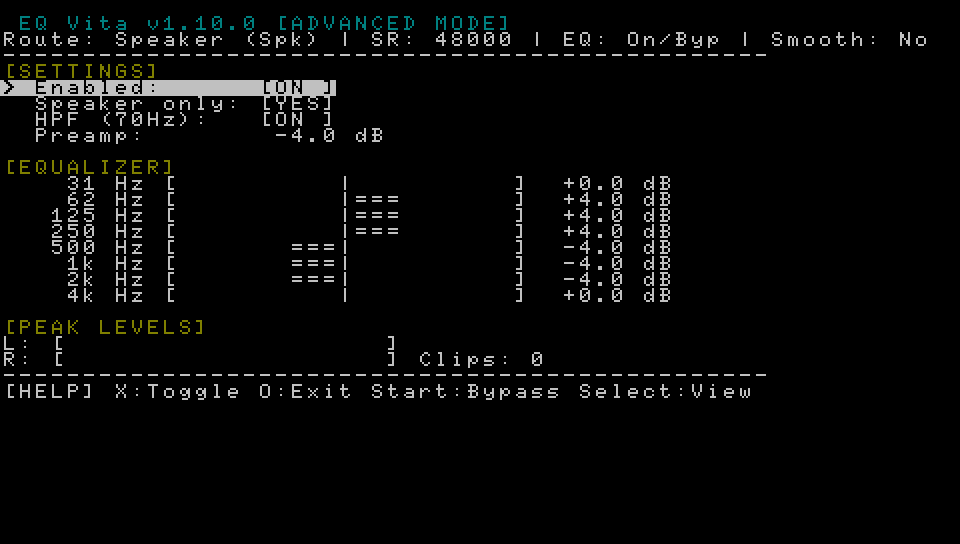
Build
To build from source, you need VitaSDK.
# Configure
cmake -S . -B build

# Build
cmake --build build
Outputs:
build/plugin/eq_speaker.skprxbuild/app/EQVita.vpk
Install
- Copy
eq_speaker.skprxtour0:tai/. - Add to
ur0:tai/config.txtunder*KERNEL:*KERNEL ur0:tai/eq_speaker.skprx - Reboot.
- Install
EQVita.vpk. - Run EQVita to adjust settings.
Note: The plugin is disabled by default to prevent boot issues. Launch EQVita to enable it.
Usage
- Bands: 31Hz - 4kHz (Note: HPF option disables frequencies under 70Hz).
- Gain: ±12 dB
- Controls:
- Triangle: Save preset
- Square: Load preset (
ux0:data/eqvita/preset0.bin)
- Status: Shows route, sample rate, and clip count.
Notes
- Hardware: Tested on PS Vita 1000 (PCH-1000) with Switch OLED speaker mod. Should work on other models.
- Personal Config: I use +4 on bass and -4 on midrange. The difference is quite big.
- Disclaimer: This is my first PS Vita project and a hobby endeavor. If it works, it works.
- Credits: UI images adapted from VitaShell.
- Bluetooth detection is not yet implemented.
- DSP uses an in-place biquad chain with smoothing.
- If audio crackles, reduce gain or preamp.
