
Sheryjs
Shery.js is a JavaScript library for web projects that enhances visuals with captivating effects and 3D features. It provides mouse followers, image masking, text animations, and 3D distortions using Three.js.
Install / Use
/learn @sheryianscodingschool/SheryjsREADME
Shery.js - Add Life to Your Web Experience
Shery.js is a fantastic JavaScript library designed to make your web projects pop with eye-catching effects and mesmerizing 3D features. Whether you're a developer looking to jazz up your website or a designer wanting to add that extra flair, Shery.js has got you covered. This GitHub readme will walk you through the key aspects of using Shery.js in your web development journey.
Table of Contents
- Introduction
- Installation
- Getting Started
- Required Libraries
- Cool Effects
- Mouse Follower
- Image Masker / Mask Zoomer
- Make Magnet
- Text Animate
- Hover With Media Circle
- 3D Image Effects
- Simple Liquid Distortion Effect
- Dynamic Distortion Effect
- Dynamic 3D Wave/Wobble Effect
- Dynamic 3D Wind Effect
- Dynamic Perlin Noise Effect
- Dynamin Cyber Squares Effect
- Dynamic Gooey Effect
- Dynamic Zoom Effect
- Shape Controls
- Multiple Image (Scroll Effect)
- Custom Scroll Trigger Callback
- Debug Usage
- Preset Usage
- Callback Usage
- Examples
- Contributing
- License
Introduction
Shery.js is designed to make it easy for developers to incorporate cool visual effects into their web applications without the need for complex and time-consuming coding. The library leverages the power of Three.js to create stunning 3D effects and animations, and also provides simpler 2D effects for added versatility.
Installation
To use Shery.js in your project, you can include it in your HTML file via a CDN or import it in js by using node.
When using node or browserify install
npm install sheryjs
and require
import Shery from "sheryjs";
To understand clearly see this Example.
Alternatively use the standalone version found in ./dist locally
<link rel="stylesheet" href="Shery.css" />
<script type="text/javascript" src="Shery.js"></script>
or use CDN version any one only CSS.
<link rel="stylesheet" href="https://unpkg.com/sheryjs/dist/Shery.css" /> <!-- Recommended -->
OR
<link rel="stylesheet" href="https://cdn.jsdelivr.net/npm/sheryjs/dist/Shery.css" />
Use only one JAVASCRIP CDN
<script type="text/javascript" src="https://unpkg.com/sheryjs/dist/Shery.js"></script> <!-- Recommended -->
OR
<script type="text/javascript" src="https://cdn.jsdelivr.net/npm/sheryjs/dist/Shery.js"></script>
Getting Started
Once you have included Shery.js in your project, you can start using its effects and Three.js functionalities. The library provides a straightforward API to make implementation easier.
// Example code to initialize Shery.js and use a cool effect.

import Shery from "sheryjs"; /*Don't use if using CDN*/

Shery.mouseFollower();
Required Libraries
To successfully run with CDN, you'll need some libraries.
<!--  Gsap is needed for Basic Effects -->
<script src="https://cdnjs.cloudflare.com/ajax/libs/gsap/3.12.2/gsap.min.js"></script>

<!-- Scroll Trigger is needed for Scroll Effects -->
<script src="https://cdnjs.cloudflare.com/ajax/libs/gsap/3.12.2/ScrollTrigger.min.js"></script>

<!-- Three.js is needed for 3d Effects -->
<script src="https://cdnjs.cloudflare.com/ajax/libs/three.js/0.155.0/three.min.js"></script>

<!-- ControlKit is needed for Debug Panel -->
<script src="https://cdn.jsdelivr.net/gh/automat/controlkit.js@master/bin/controlKit.min.js"></script>
Cool Effects
These are effects are implemented with the help of Gsap and Css to offer a unique experience with single function.
Mouse Follower
The feature creates smooth mouse follower, creating an engaging user experience.
Shery.mouseFollower({
  //Parameters are optional.
  skew: true,
  ease: "cubic-bezier(0.23, 1, 0.320, 1)",
  duration: 1,
});
Mask Zoomer
The mask zoomer effect enables zooming into an image on mouse hover with a smooth mask transition, directing the user's focus to the targeted content.
Shery.imageMasker(".mask-target" /* Element to target.*/, {
  //Parameters are optional.
  mouseFollower: true,
  text: "Shery",
  ease: "cubic-bezier(0.23, 1, 0.320, 1)",
  duration: 1,
});
Make Magnet
The magnet mouse attractor effect draws elements towards the cursor, as if they are magnetically attracted, offering a unique and interactive experience.
Shery.makeMagnet(".magnet-target" /* Element to target.*/, {
  //Parameters are optional.
  ease: "cubic-bezier(0.23, 1, 0.320, 1)",
  duration: 1,
});
Text Animate
The text animate effect animates text with cool animation , with many preset animation, offering a unique experience.
Shery.textAnimate(".text-target" /* Element to target.*/, {
  //Parameters are optional.
  style: 1,
  y: 10,
  delay: 0.1,
  duration: 2,
  ease: "cubic-bezier(0.23, 1, 0.320, 1)",
  multiplier: 0.1,
});
Hover With Media Circle
The hover with media circle effect creates a circular media element (image or video) which follows the cursor's movement when hovering over specified elements with blending effect. This effect provides an engaging way to showcase media content associated with the hovered elements.
Shery.hoverWithMediaCircle(".hover-target" /* Element to target.*/, {
  images: ["image1.jpg", "image2.jpg", "image3.jpg"] /*OR*/,
  //videos: ["video1.mp4", "video2.mp4"],
});
3D Image Effects
These are effects are implemented with the help of Three.js to offer a unique experience with single function.
<img class="img" src="example.img" />//Must provide a class to image.
Shery.imageEffect(".img", {
  style: 2, //Select Style
  debug: true, // Debug Panel
  config: {
    /* Config made from debug panel */
  },
  preset: "./presets/wigglewobble.json",
});
Simple Liquid Distortion Effect

The simple liquid distortion effect applies a mesmerizing distortion effect to image, giving the illusion of a liquid-like behavior.
Shery.imageEffect(".img", {
  style: 1 /*OR 5 for different variant */,
  debug: true,
});
Dynamic Distortion Effect

The dynamic distortion effect creates a more advanced and reactive distortion animation, providing an engaging visual experience with a debug panel.
Shery.imageEffect(".img", {
  style: 2,
  debug: true,
});
Dynamic 3D Wave/Wobble Effect

Bring your web application to life with the dynamic 3D wave/wobble effect, making elements appear to ripple like waves or wobble like gelatin.
Shery.imageEffect(".img", {
  style: 3,
  debug: true,
});
Dynamic 3D Wind Effect

The dynamic 3D wind effect adds a subtle and natural swaying motion to elements, simulating the movement caused by wind.
Shery.imageEffect(".img", {
  style: 4,
  debug: true,
});
Dynamic Perlin Noise Effect

The dynamic perlin noise effect adds a perlin noise to your image, can be used to create many type of noise related effects.
Shery.imageEffect(".img", {
  style: 6,
  debug: true,
});
Dynamic Cyber Squares Effect

The dynamic cyber square effect adds a Cyber retro square patterns to your image, can be used to create many type of different square partern effects.
Shery.imageEffect(".img", {
  style: 6,
  debug: true,
});
Multiple Image Scroll Effect
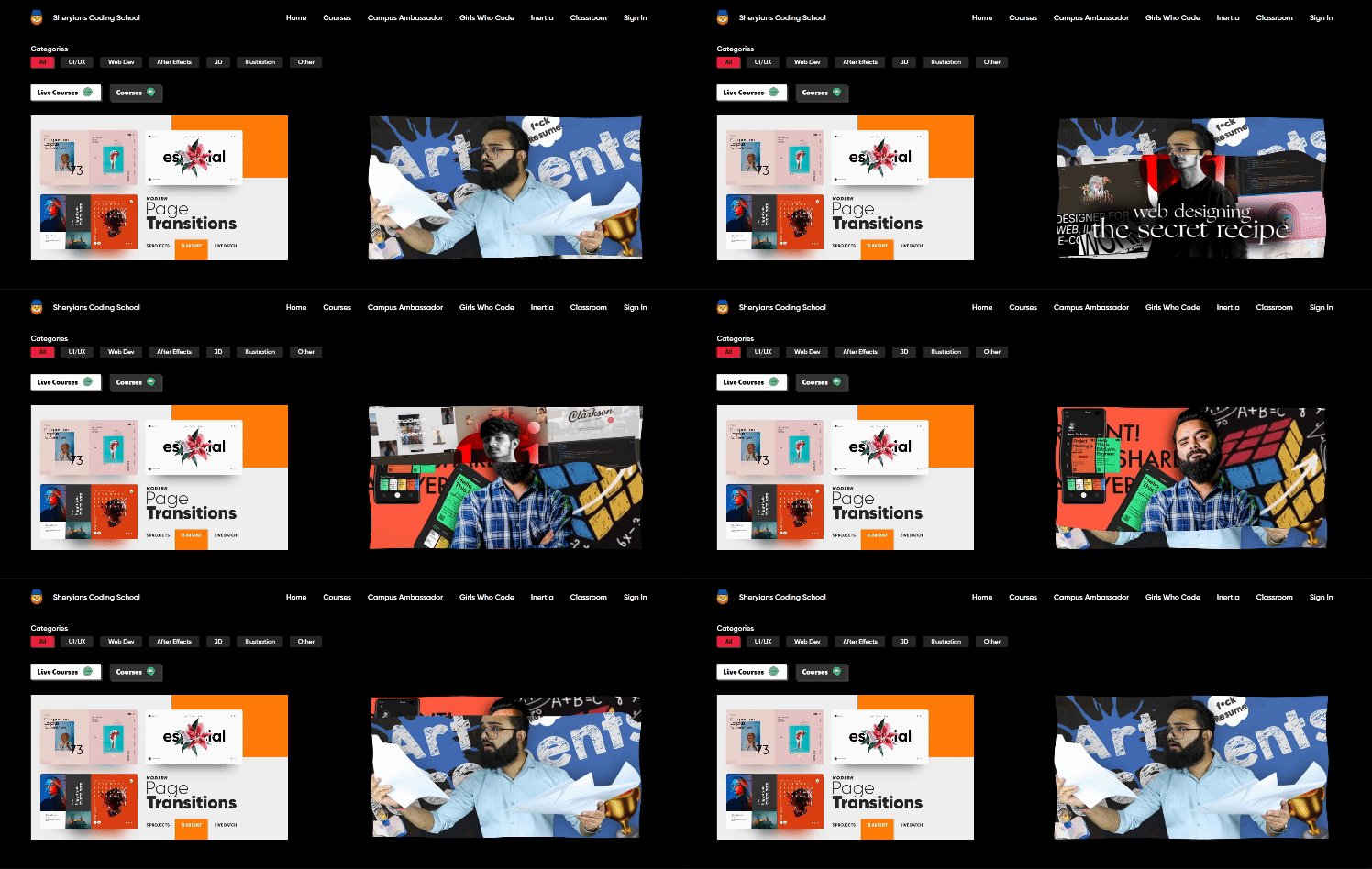
All 3D effects in this library supports multi image with wave scroll effect which increases the productivity and usability of effect, offering a unique and interactive experience.
To use this you just need to give a div with images you want.
<div class="images">
  <img src="image1" />
  <img src="image2" />
  <img src="image3" />
</div>
Shery.imageEffect(".images", {
  style: 3,
  /*optional parameters
  these parameter dose not applies to custom scroll trigger callback */
  scrollSnapping: true,
  scrollSpeed: 6,
  touchSpeed: 6,
  damping: 7,
});
Custom Scroll Trigger Callback
To implement the GSAP ScrollTrigger or any other scroll library, as well as vanilla JavaScript and to achieve them full potential of Multiple Image Scroll Effect, you can define your custom scroll behavior using the callback parameter slideStyle within the Multiple Image Scroll Effect.
To define your specific scroll behavior, utilize the slideStyle callback in the following manner: slideStyle: (setScroll) => {}. This empowers you to establish your own scrolling conditions using the setScroll() function within the callback. To successfully implement this approach, adhere to the following steps:
- Enable the
slideStyleoption for your chosen visual style effect. - Invoke the callback, passing in the
setScrollparameter. - Within the callback function, you can dynamically update the scroll position, ranging from 0 to the position of the last image.
- Employ a scroll event listener within this context to keep track of changes in the scrolling behavior. You can select any suitable method, such as GSAP or other libraries.
- Inside the event listener, utilize the
setScrollfunction and pro
