
Blinky
Exploring peripheral vision in games (using Quake)
Install / Use
/learn @shaunlebron/BlinkyREADME
Update: we are porting to Minecraft (see MC Render 360 and experiments at: https://github.com/shaunlebron/flex-fov)
Blinky
<img src="readme-img/blinky-rocket.png" align="right" width="220px"/>Proof of concept to put peripheral vision into games (without VR goggles). Explore this interesting space by playing the Quake demo with fisheyes, panoramas, and cartographic projections.
Latest Release - 1.4:
<img src="readme-img/windows.png" height="16px"> Download for Windows
<img src="readme-img/apple.png" height="16px"> Download for Mac
<img src="readme-img/linux.png" height="16px"> Building on Linux
(See also: Using with full version of Quake)
Videos
- Quick walkthrough (from 1.3)
- Speedrun montage (pre 1.0)
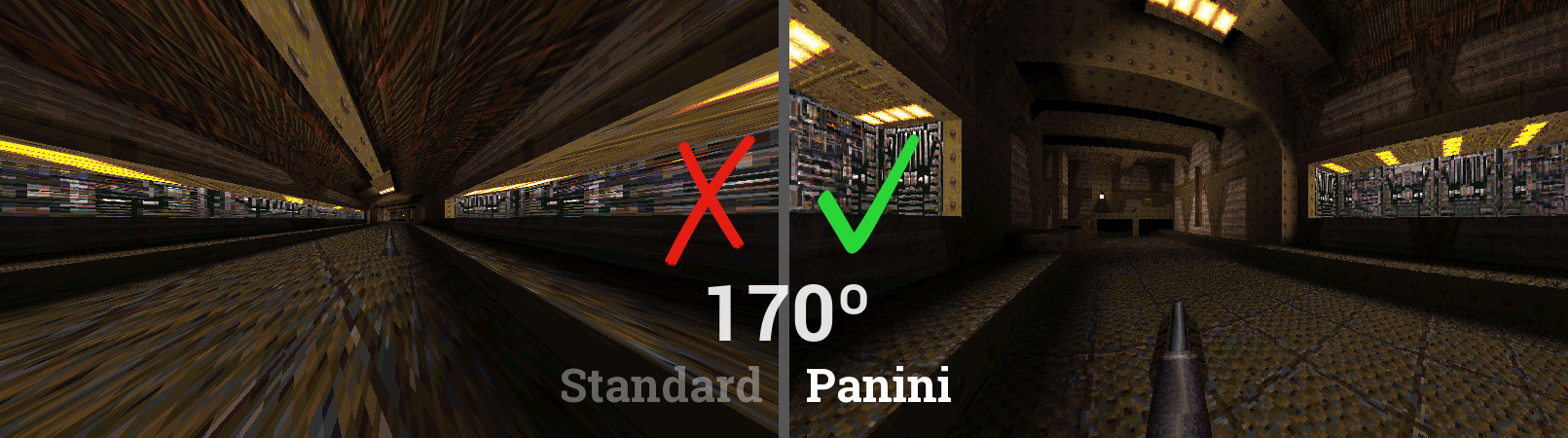
Why? The standard projection used in all games was never intended for wide-angle views, whereas the Panini projection was invented to be the best representation of your natural ~170º wide vision.
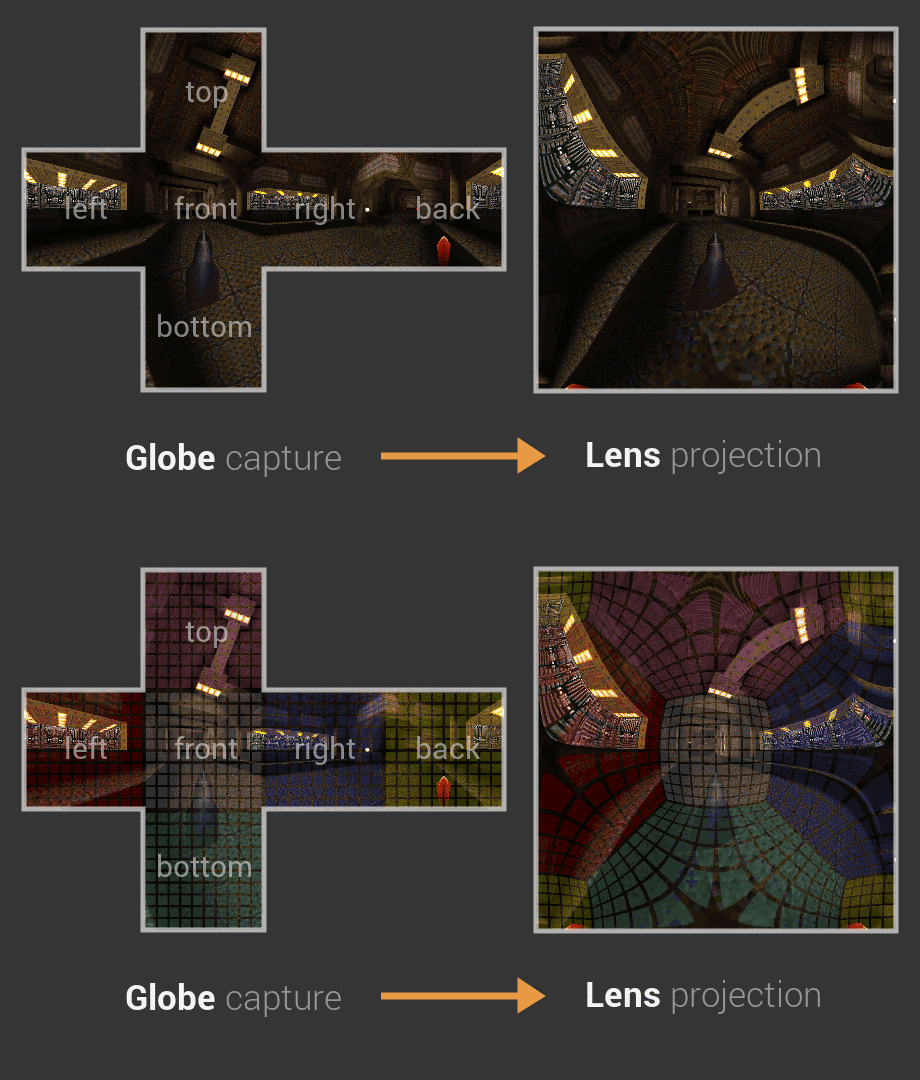
How? To use non-standard projections like Panini, Blinky first snaps multiple pictures around you to form a Globe of pixels. Then it projects all those pixels to the screen using a Lens. You can enable a Rubix grid if you wish to visualize the mapping. (Quincuncial projection shown below)
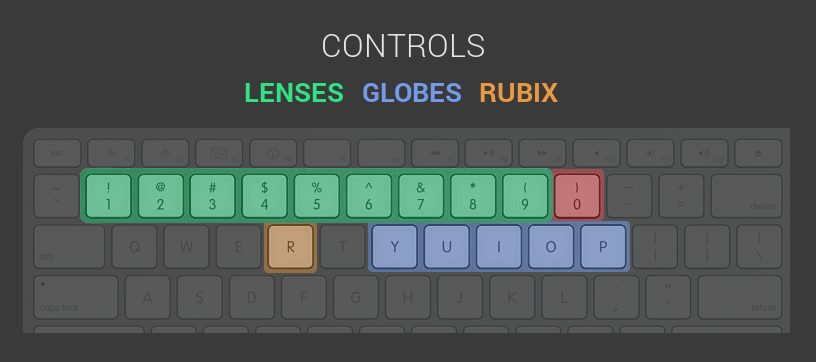
Try it: Blinky has shortcut keys for quickly trying several Globes and Lenses. If you want more control, use the console commands or even edit/create your own globes and lenses with Lua scripts.
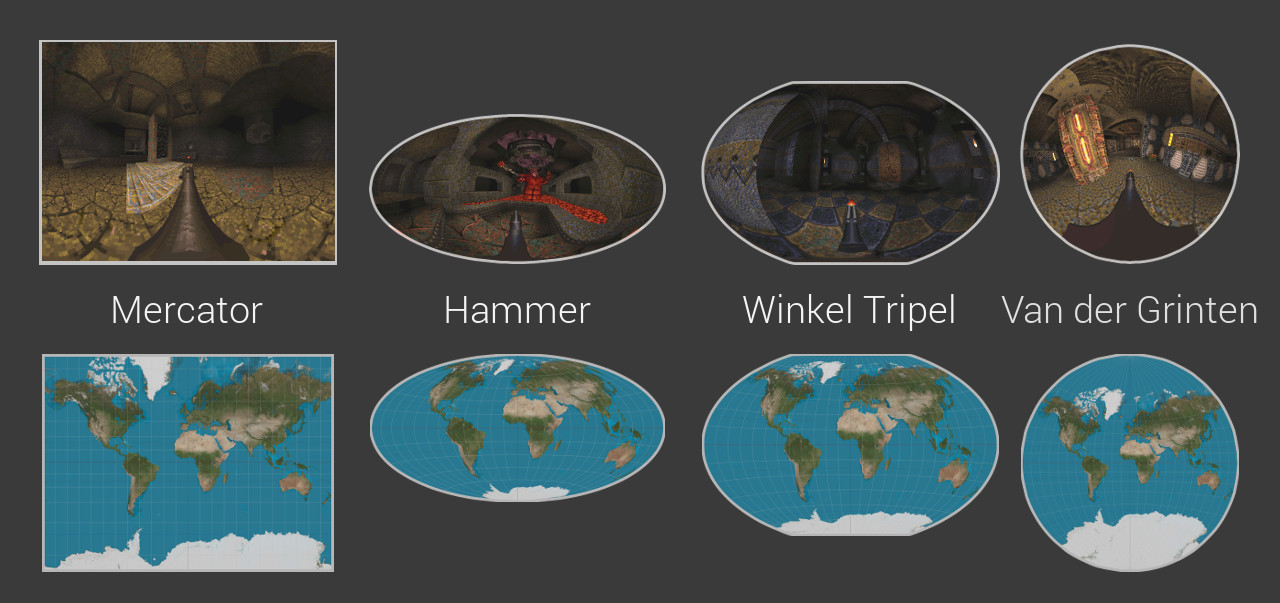
360º vision: Blinky has many fisheye and panoramic lenses from photography, but it also has many map projections from cartography that will give you a full 360º view.
Performance vs Quality: Blinky has to render 6 views per frame when using a Cube globe. So we provide lower poly globes as a way to balance quality and performance. Fewer renders means each view has to cover more area with less resolution.
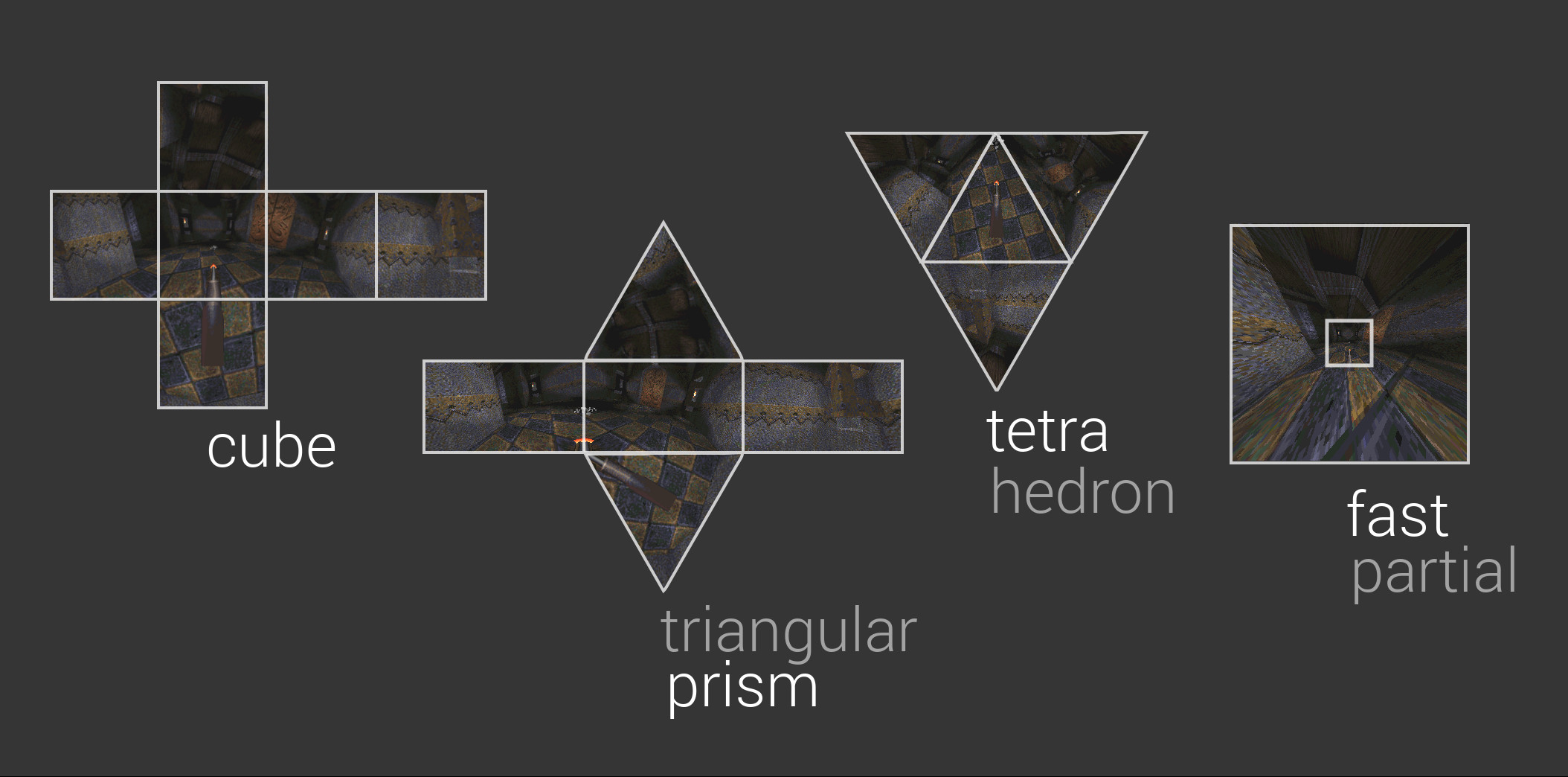
Technical Details
Blinky is a modification of the famous Fisheye Quake.
- adds a Lua scripting environment for defining:
- Globes (for capturing the environment)
- Lenses (for projecting a wide-angle image)
- uses the cross-platform TyrQuake engine for Windows, Mac, and Linux
Building from source
After some manual setup for your OS, you can build/play with:
$ ./build.sh
$ ./play.sh
Console Commands
Press ~ to access the command console. Use the Tab key for help completing
a partial command.
fisheye <0|1>     # enable/disable fisheye mode
f_help            # show quick start options
f_globe <name>    # choose a globe (affects picture quality and render speed)
f_lens <name>     # choose a lens (affects the shape of your view)

f_fov <degrees>   # zoom to a horizontal FOV
f_vfov <degrees>  # zoom to a vertical FOV
f_cover           # zoom in until screen is covered (some parts may be hidden)
f_contain         # zoom out until screen contains the entire image (if possible)

f_rubix           # display colored grid for each rendered view in the globe
f_saveglobe       # take screenshots of each globe face (environment map)
Lua Scripts
To create/edit globes and lenses, check out the following guides:
Engine Code
- engine/NQ/fisheye.c - new engine code
- engine patch - engine modifications
Theory of Projections
>> Interactive visualization for how projections work

Future
I hope to apply this to modern graphics using frame buffers for environment-capturing and pixel shaders for projection. It would be interesting to see its impact on performance.
If this modern method is performant enough, I think Panini/Stereographic could easily become a standard for gamers demanding wide-angle video. But if it is not performant enough for live applications, I think it could still prove useful in post-processed videos using something like WolfCam. For example, spectators could benefit from wide-angle viewings of previously recorded competitive matches or even artistic montages.
Thanks
This project would not exist without these people!
- Wouter van Oortmerssen for creating & open-sourcing Fisheye Quake
- Peter Weiden for creating fisheye diagrams on Wikipedia
- Kevin Shanahan for creating/maintaining a cross-platform Quake engine, TyrQuake
Contact
- email: shaun.e.williams@gmail.com
- twitter: @shaunlebron
License
- The Lua scripts and fisheye.c are released under the MIT license.
- TyrQuake is released under GPL-2.
Related Skills
node-connect
346.8kDiagnose OpenClaw node connection and pairing failures for Android, iOS, and macOS companion apps
frontend-design
107.6kCreate distinctive, production-grade frontend interfaces with high design quality. Use this skill when the user asks to build web components, pages, or applications. Generates creative, polished code that avoids generic AI aesthetics.
openai-whisper-api
346.8kTranscribe audio via OpenAI Audio Transcriptions API (Whisper).
qqbot-media
346.8kQQBot 富媒体收发能力。使用 <qqmedia> 标签,系统根据文件扩展名自动识别类型(图片/语音/视频/文件)。
