C9.ide.pigments
A plugin to mark color codes with pigments.
Install / Use
/learn @shadowcodex/C9.ide.pigmentsREADME

Pigments for Cloud9
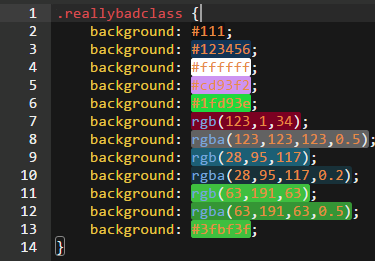
This is a simple cloud9 plugin that highlights color codes in the current file.
Commands
Activate Pigments:
CTRL/⌘-SHIFT-ALT-J
Remove Pigments:
CTRL/⌘-SHIFT-ALT-C
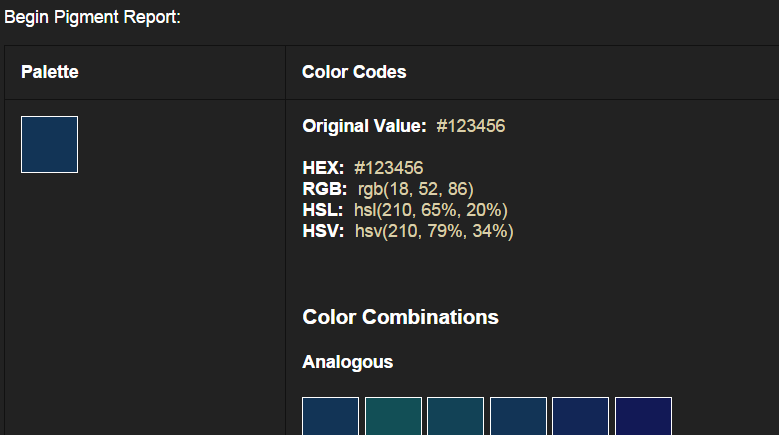
Generate Report:
CTRL/⌘-SHIFT-ALT-G
Important
This is a crude algorithm. It is slow. If you have a large file it may lock up your editor for a bit.
Installation
Use command c9 install c9.ide.pigments, if you don't have Cloud9 installed on your server yet, first run npm install c9 -g.
In order to use custom plugins during alpha you need to change some settings in your c9 workspace.
Go to Cloud9 > Preferences > Experimental > SDK and enable the two toggles for Load Plugins From Workspace and Load Custom Plugins. That should do the trick!
Screen Shot
Highlight:
Report: