
AdvancedBiometricPromptCompat
This is an Android project allowing you to use the advanced biometric authorization features.
Install / Use
/learn @sergeykomlach/AdvancedBiometricPromptCompatREADME
Advanced BiometricPromptCompat
====
📄 License
Apache License 2.0
🤝 Contact author
Telegram: @SergeyKomlach
Twitter: @SergejKomlach
<p align="center"> <a href="https://www.buymeacoffee.com/sergey.komlach" target="_blank"><img src="https://cdn.buymeacoffee.com/buttons/default-orange.png" alt="Buy Me A Coffee" height="41" width="174"></a> </p>🚀 Introduction
What is BiometricPrompt API?
This is a new API that declares that the system takes care of a unified way to use different biometric identification methods - fingerprint, face, iris, etc., as well as a unified way to display the UI on all devices.
To learn more, read BiometricPrompt Reference on the Android Developers site.
Unfortunately, this simplification hides a number of problems.
- On Android 9, there is no way to simply get information about whether there is available biometric hardware and whether biometric data is enrolled. Android 10 provides BiometricManager that partially solves this problem.
- Some manufacturers have removed/do not display the biometric UI
- Biometric Auth solutions like Samsung Pass SDK or Meizu Fingerprint need to implement separately
- No way to identify what types of biometric auth available on the device.
- On Android 12 and devices with FaceUnlock (like Pixel 4), when user disable Camera via QuickSettings, Face setup and FaceUnlock stop working and no API to handle this case
📦 How to use BiometricPromptCompat?
BiometricPromptCompat is designed to be compatible with the largest number of Android devices.
Its interface is very close to the original BiometricPrompt.
Minimal supported Android OS version: Android 4.1 Jelly Bean
Latest supported Android OS version: Android 15 VanillaIceCream
Key features
- Unified UI for all devices. Exception: some vendors (like Huawei or Samsung) provide custom UI
- Contains fix for devices WITHOUT system BiometricPrompt UI (like LG G8 or OnePlus 6T)
- Dark/Light themes supported; Also you able to get the background color of the current Biometric dialog
- Auth in Split-Screen Mode supported
- Wide range of supported biometrics
- Android 12+ microphone and camera toggles handling
- DynamicColors (MaterialYou/Monet) theming supported
🛡 Supported types of biometric authentication
| Type | Details | Tested on |
|-----------------------------------------------|-------------------------------------|-----------------------------------------------------|
| TensorFlow FaceUnlock (with anti-spoofing) | Android 6+ | Wide range of devices |
| BiometricPrompt API | Android 9+ | Xiaomi POCO F1, OnePlus 8T |
| Samsung IrisID | Android 7+ and Samsung devices | Samsung Galaxy S10 |
| Fingerprint (include Under Display) | Android 6 - 17 | Xiaomi POCO F1 |
| Face Unlock (aka TrustedFaces) | Android 4.1+ | Prestigio PAP3400 |
| Huawei/Honor FaceID | Android 8 - 9 and Huawei devices | Huawei/Honor 8 Lite, Honor Magic 5 Lite |
| Huawei/Honor Face3D | Android 10+ and Huawei devices | Huawei MatePad T8, Huawei P30,Huawei Mate 30 Pro |
| Xiaomi FaceUnlock | Android 7+ and Xiaomi devices | Xiaomi POCO F1 |
| Samsung FaceID | Android 7+ and Samsung devices | Samsung Galaxy S10 |
| Oppo FaceID | Android 8+ and Oppo devices | Not tested yet |
| Lava FaceId | Android (Unknown) and Lava devices | Not tested yet |
| Windows Subsystem for Android & Windows Hello | Doesn't work; Stubs in system API's | Acer Aspire 7 with fingerprint scanner & Windows 11 |
Recent changes (last 3 month)
March 10 2026
MAJOR UPDATE version 2.4.rc-01
- Removed obsolete biometric implementations (Meizu and Samsung Pass)
- Refactored DeviceInfo - now much more accurate and faster
- Software biometric introduced. First one - TensorFlow FaceUnlock - just include biometric-custom-face-tf dependency to make it work
- Refactored API and behavior to make consistent with new features
Test app
You can check how the library works on your device using this APK
Screenshots:
Xiaomi Pocophone F1
<p align="center"> <img src="https://raw.githubusercontent.com/Salat-Cx65/AdvancedBiometricPromptCompat/main/screenshots/pocoF1.jpg" alt="Pocophone F1" width="500px" /> </p>Samsung Galaxy S5
<p align="center"> <img src="https://raw.githubusercontent.com/Salat-Cx65/AdvancedBiometricPromptCompat/main/screenshots/samsungS5.png" alt="Samsung Galaxy S5" width="500px" /> </p>Huawei Mate P40 Pro
<p align="center"> <img src="https://raw.githubusercontent.com/Salat-Cx65/AdvancedBiometricPromptCompat/main/screenshots/huawei.jpg" alt="Huawei Mate P40 Pro" width="500px" /> </p>Prestigio PAP3400
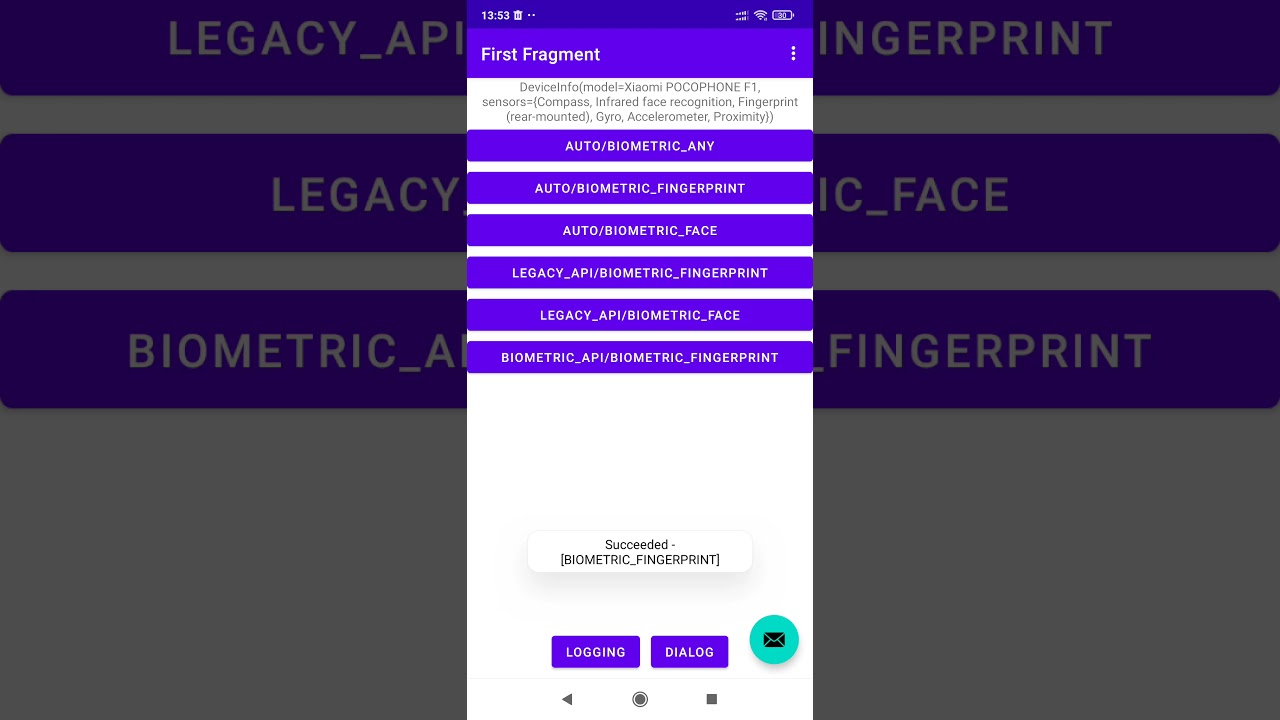
<p align="center"> <img src="https://raw.githubusercontent.com/Salat-Cx65/AdvancedBiometricPromptCompat/main/screenshots/prestigio.png" alt="Prestigio PAP3400" width="500px" /> </p>Video from Xiaomi Pocophone F1
Setup
VERSION
=

Add dependency to Gradle
implementation 'dev.skomlach:biometric:${VERSION}'
Optional
implementation 'dev.skomlach:biometric-ktx:${VERSION}'
🛠 Usage
BiometricPromptCompat API
BiometricPromptCompat:
fun getAvailableAuthRequests(): List<BiometricAuthRequest> - return the list with all Biometrics, supported on this device
var deviceInfo: DeviceInfo? - return device hardware specifications
For development purpose only:
fun logging(enabled: Boolean) - allow to enable/disable logging
fun apiEnabled(enabled: Boolean) - allow to enable/disable this library
BiometricAuthRequest
Allows you to configure the type of target biometrics.
It can be any combination of BiometricApi, BiometricConfirmation and BiometricType;
Default
is BiometricAuthRequest(BiometricApi.AUTO, BiometricType.BIOMETRIC_ANY, BiometricConfirmation.ANY, BiometricProviderType.COMBINED)
BiometricConfirmation:
BiometricConfirmation.ANY - any biometric confirm the user
BiometricConfirmation.ALL - all (one-by-one) biometrics confirm the user
BiometricApi:
BiometricApi.AUTO - the library will peek at the best-matched API
BiometricApi.LEGACY_API - forced usage of legacy biometric APIs like Fingerprint or FaceUnlock,
and custom UI
BiometricApi.BIOMETRIC_API - forced usage of new BiometricPrompt API
BiometricType:
BiometricType.BIOMETRIC_FINGERPRINT - Use only Fingerprint biometric, ignore others
BiometricType.BIOMETRIC_FACE - Use only FaceId biometric, ignore others
BiometricType.BIOMETRIC_IRIS - Use only Iris biometric, ignore others
BiometricType.BIOMETRIC_ANY - use any available biometric (multiple types supported)
BiometricProviderType:
BiometricProviderType.HARDWARE - Use only hardware biometric
BiometricProviderType.SOFTWARE - Use only software biometric (like TF FaceUnlock)
BiometricProviderType.COMBINED - Use both, hardware is favor
BiometricManagerCompat
fun hasEnrolled(): Boolean - returns true if specified biometric enrolled
fun isBiometricSensorPermanentlyLocked(): Boolean - returns true if:
a) specified biometric permanently locked; Device lock-unlock or reboot required from the user
b) hardware permanently blocked by user
fun isHardwareDetected(): Boolean - returns true if specified biometric hardware available
fun isLockOut(): Boolean - returns true if
a) specified biometric temporarily locked (Usually need to wait for 30 seconds and the system will reset this lock)
b) hardware temporary locked by 3rd party app
fun isSilentAuthAvailable(): Boolean - returns true if silent auth available
fun loadNonHardwareBiometrics() / unloadNonHardwareBiometrics - Register/Unregister software biometric modules (if dependency added to the list).
The preferred way to proper software biometric initialization:
BiometricPromptCompat.init {
    appScope.launch {
        BiometricManagerCompat.loadNonHardwareBiometrics()
    }
}
fun unregisterAllNonHardwareBiometrics() - Erase all previously enrolled biometric data for software biometric
BiometricPromptCompat.Builder
Simplest builder:
val builder = BiometricPromptCompat.Builder(activity).setTitle("Biometri
Related Skills
node-connect
352.2kDiagnose OpenClaw node connection and pairing failures for Android, iOS, and macOS companion apps
frontend-design
111.1kCreate distinctive, production-grade frontend interfaces with high design quality. Use this skill when the user asks to build web components, pages, or applications. Generates creative, polished code that avoids generic AI aesthetics.
openai-whisper-api
352.2kTranscribe audio via OpenAI Audio Transcriptions API (Whisper).
qqbot-media
352.2kQQBot 富媒体收发能力。使用 <qqmedia> 标签,系统根据文件扩展名自动识别类型(图片/语音/视频/文件)。
