
Keysweeper
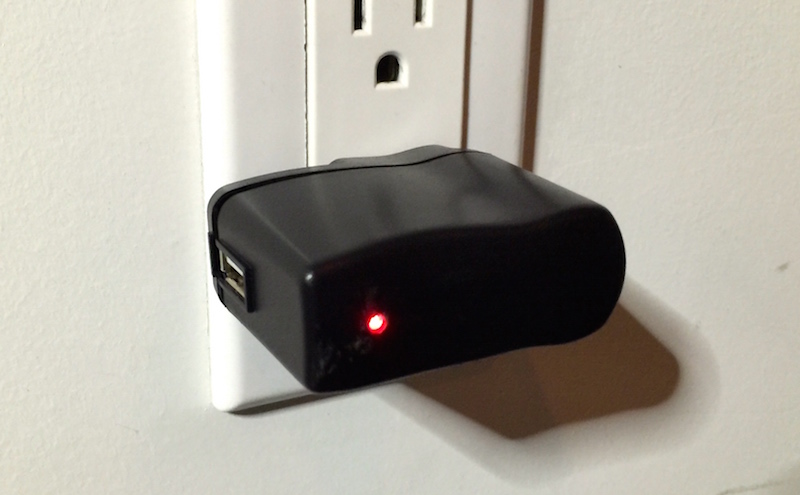
KeySweeper is a stealthy Arduino-based device, camouflaged as a functioning USB wall charger, that wirelessly and passively sniffs, decrypts, logs and reports back (over GSM) all keystrokes from any Microsoft wireless keyboard in the vicinity.
Install / Use
/learn @samyk/KeysweeperREADME
KEYSWEEPER // SIGINT // SAMY.PL // REL TO ALL // APPLIED HACKING
KeySweeper
KeySweeper is a stealthy Arduino-based device, camouflaged as a functioning USB wall charger, that wirelessly and passively sniffs, decrypts, logs and reports back (over GSM) all keystrokes from any Microsoft wireless keyboard in the vicinity.
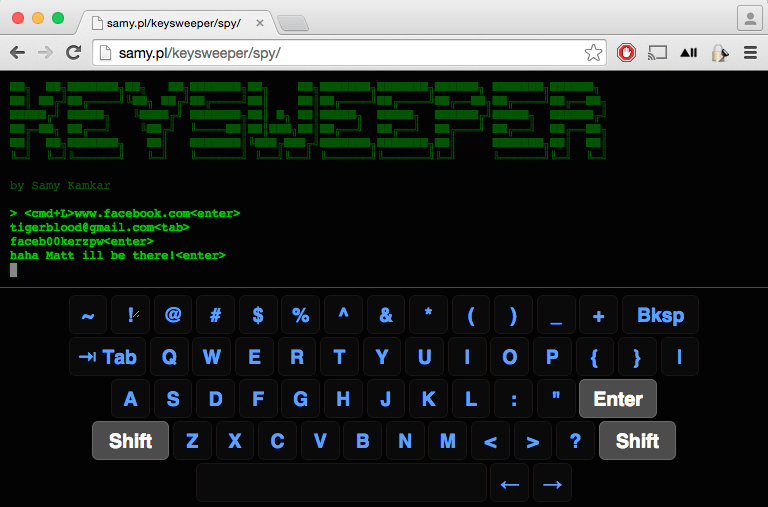
All keystrokes are logged online and locally. SMS alerts are sent upon trigger words, usernames or URLs, exposing passwords. If unplugged, KeySweeper continues to operate using its internal battery and auto-recharges upon repowering. A web based tool allows live keystroke monitoring.
Live demonstration and full details available in the video: <a href="https://www.youtube.com/watch?v=WqkmGG0biXc" target="_blank"><img src="http://img.youtube.com/vi/WqkmGG0biXc/0.jpg" alt="KeySweeper" width="640" height="480" border="10" /></a>
Point of Contact: @SamyKamkar // code@samy.pl // http://samy.pl
Released: January 12, 2015
Source code / schematic: https://github.com/samyk/keysweeper
Unit Cost: $10 - 80 depending on operation
Status: Operational, open source, open hardware, declassified.
(U) Capabilities

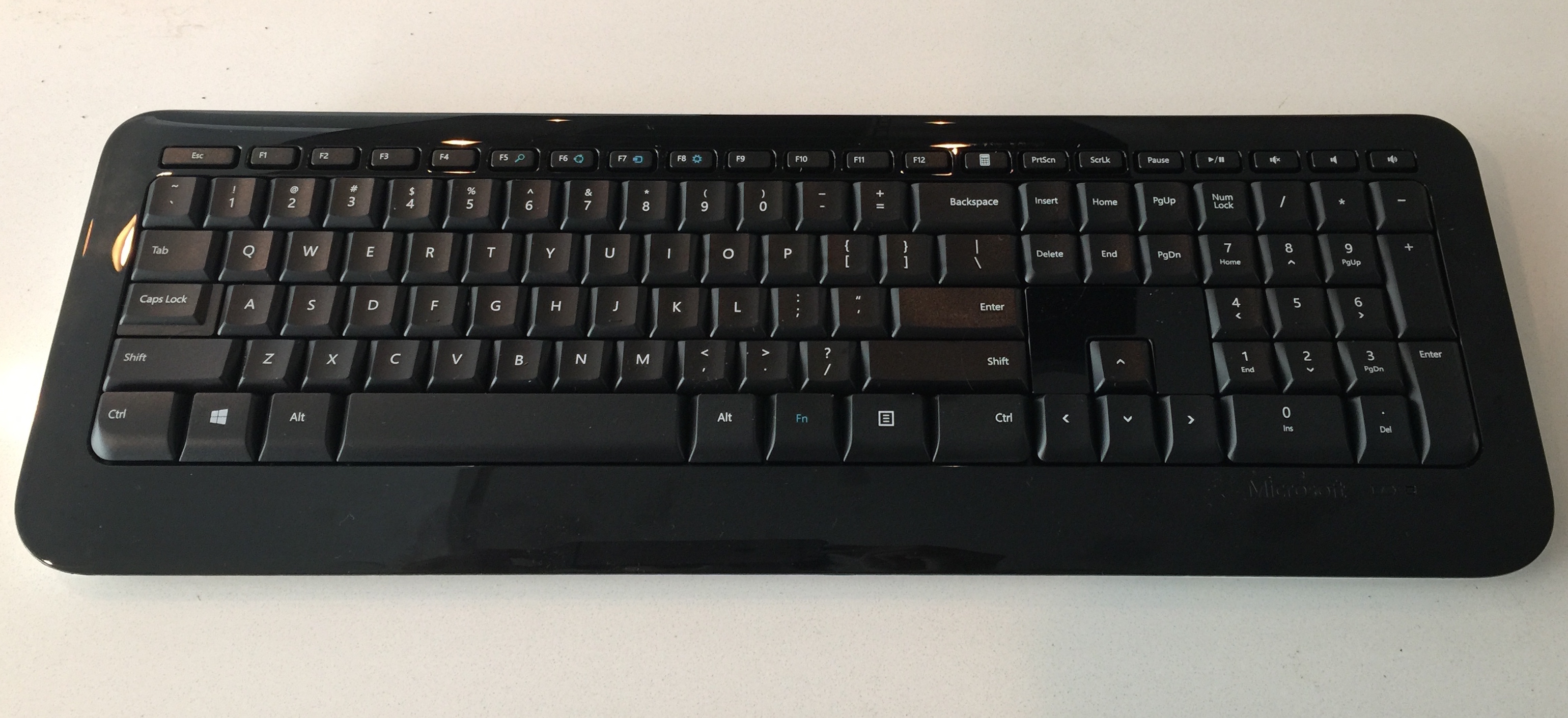
KeySweeper is a stealthy Arduino-based device, camouflaged as a functioning USB wall charger, that wirelessly and passively sniffs, decrypts, logs and reports back all keystrokes from any Microsoft wireless keyboards (which use a proprietary 2.4GHz RF protocol) in the area.
Keystrokes are sent back to the KeySweeper operator over the Internet via an optional GSM chip, or can be stored on a flash chip and delivered wirelessly when a secondary KeySweeper device comes within wireless range of the target KeySweeper. A web based tool allows live keystroke monitoring.
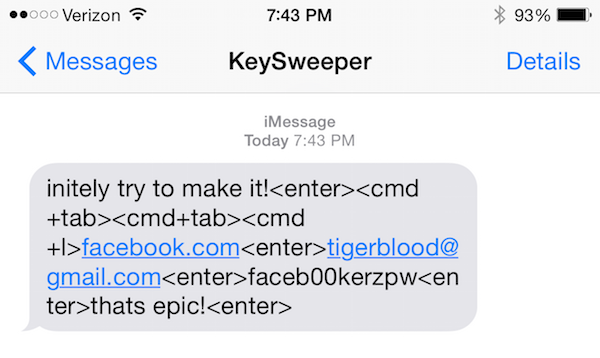
KeySweeper has the capability to send SMS alerts upon certain keystrokes being typed, e.g. "www.bank.com". If KeySweeper is removed from AC power, it appears to shut off, however it continues to operate covertly using an internal battery that is automatically recharged upon reconnecting to AC power.
KeySweeper extends the work of Travis Goodspeed on the goodfet.nrf project and of Thorsten Schröder and Max Moser of the KeyKeriki v2.0 project.
(U) Hardware
Arduino / Teensy microcontroller
$3 - 30: An Arduino or Teensy microcontroller can be used. In my build, I use an 3.3v Arduino Pro Mini due to its very thin profile.
nRF24L01+ 2.4GHz RF Chip
$1: I use a $1 nRF24L01+ RF chip which communicates using GFSK over 2.4GHz. More details are available below, and these chips can be purchased for as low as $1 on eBay. These chips can only communicate using proprietary protocols, and are not meant for sniffing, however we will see below they can be used in clever ways to promiscuously sniff.
AC USB Charger
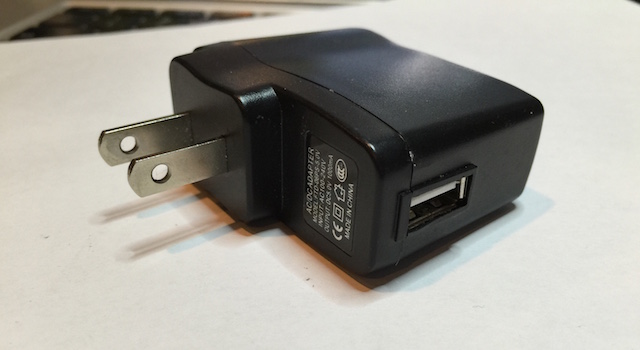
$6: I use an inexpensive AC USB charger (rectifier) which converts AC power to 5v DC, and this one I link to happens to have a screw which makes it easy to open (I've destroyed a few others in the process of opening). If using the GSM version of KeySweeper, I actually use two USB chargers -- the internals of a small charger (similar to that of an iPhone charger), and the external case from a larger USB charger.
SPI Serial Flash Chip
OPTIONAL ($2): An optional SPI Serial Flash chip can be used to store keystrokes on. If you use the FONA GSM board below, this is not necessary as keystrokes can be stored through the internet live, however if you wish to have a lower cost option, you can store keystrokes onto this chip within KeySweeper, and obtain the keystrokes later by getting within 2.4GHz wireless range of the device with a secondary device which will siphon the keystrokes from it.
Most microcontrollers have very limited memory or EEPROM to store data on, thus the advantage of having a flash chip to store these keystrokes on.
Adafruit FONA
OPTIONAL ($45): Adafruit has created a board called the FONA which allows you to use a 2G SIM card to send/receive SMS's, phone calls, and use the Internet directly from the device.
Using this, no flash chip is necessary as keystrokes are immediately sent to a backend server for proper data collection. Additionally, if specific keywords are ever typed by the target keyboards, an SMS message can be sent to a specified number to alert the operative of the fact.
SIM Card
OPTIONAL ($3, only if using FONA): The FONA requires a mini-SIM card (not a micro-SIM). I use a T-Mobile prepaid SIM card. I suggest use of T-Mobile as they support 2G, where most other carriers have or are deprecating their 2G network, and the FONA only supports 2G for Internet. Make sure you get the right size of SIM card -- more details on FONA SIM requirements here.
3.7V Lithium-Ion (LiOn or LiPo) Battery
OPTIONAL ($5 and up, only if using FONA): The FONA provides on-board LiPo/LiOn battery recharging, and while KeySweeper is connected to AC power, the battery will be kept charged, but is required nonetheless. Additionally, KeySweeper continues to operate covertly from battery power when pulled from AC power, and begins to recharge upon reconnecting to AC power.
(U) Software
KeySweeper
KeySweeper's source code can be obtained in entirety from my github: https://github.com/samyk/keysweeper
There are multiple parts to KeySweeper. The primary code is installed on the microcontroller, while a web based backend using jQuery and PHP logs all keystrokes and provides a web interface for live monitoring of the target keyboards.
KeySweeper also needs the following files from maniacbug's RF24 library:
RF24.hnRF24L01.hRF24_config.h
Just copy the files into the keysweeper_mcu_src directory. You also have to change the #include statement in the RF24.h file from #include <RF24_config.h> to #include "RF24_config.h".
Adafruit FONA library
You should use my version of the Adafruit FONA library as I include an additional option that allows the FONA to let us know when there's a new text message. In the original library, you must constantly poll to see if there are more text messages than you expect, however with my version you can enable an option fona.setSMSInterrupt(1) which causes the RI (Ring Interrupt) pin to pull low for a moment upon new SMS messages.
jQuery Terminal
I've created a backend tool that allows you to monitor keyboards live through a web page. The jQuery Terminal plugin makes it look cooler.
jQuery UI Virtual Keyboard
jQuery UI Virtual Keyboard continues to make the KeySweeper live spy interface tool look cool, showing keys on the virtual keyboard get pressed when the user actually presses keys.
(U) Determining Keyboard Wireless Protocol
Upon obtaining a Microsoft wireless keyboard, if it's in our possession, we can refer to the back to inspect the FCC ID. On my keyboard, the FCC ID (which is required by all devices using radio frequencies in the US) is C3K1455, which we can easily search on the FCC's website.
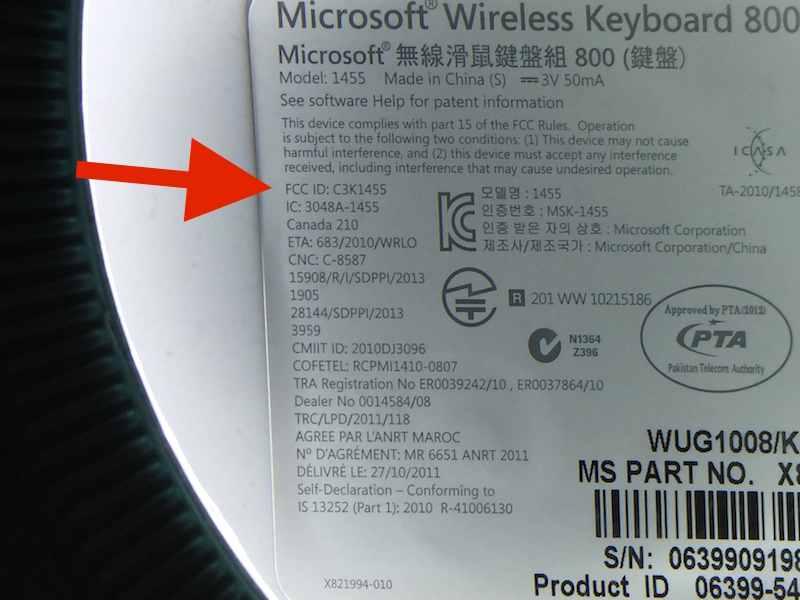
Immediately we discover the keyboard communicates on 2403 - 2480MHz based on the FCC report.
Now that I know this is a 2.4GHz device, I assume it's either operating using a common 2.4GHz protocol such as wi-fi, bluetooth, zigbee, or others, or it's operating using a proprietary protocol. Due to the fact that the device came with its own USB dongle (with its own FCC ID, C3K1461), it's more than likely a proprietary 2.4GHz signal.
Because it's likely proprietary 2.4GHz, we need to now use some method of 2.4GHz sniffing. Wifi sniffers will not help as this isn't 802.11 (such as what we used in SkyJack), and RTL-SDR by itself won't help as it caps out around 2.2GHz unless additionally using an RF down converter (we used RTL-SDR in Digital Ding Dong Ditch), so I immediately want to use HackRF, a powerful and inexpensive software defined radio, however while it's extremely powerful for its price, we may be able to get away with more inexpensive hardware.
Based off previous experience, my assumption is th
