
Linkedinscraper
LinkedinScraper is an another information gathering tool written in python. You can scrape employees of companies on Linkedin.com and then create these employee names, titles and emails.
Install / Use
/learn @sametsazak/LinkedinscraperREADME
LinkedinScraper
LinkedinScraper is an another information gathering tool written in python. You can scrape employees of companies on Linkedin.com and then create these employee names, titles and emails.

Install and Usage:
-
First, you need to download Chrome Driver from http://chromedriver.chromium.org/downloads (to your OS(mac,windows or linux)) in same directory.
-
Install requirements via pip3
pip3 install -r req.txt
- Start linkedinscraper.py
python3 linkedinscraper.py
How to scrape?:

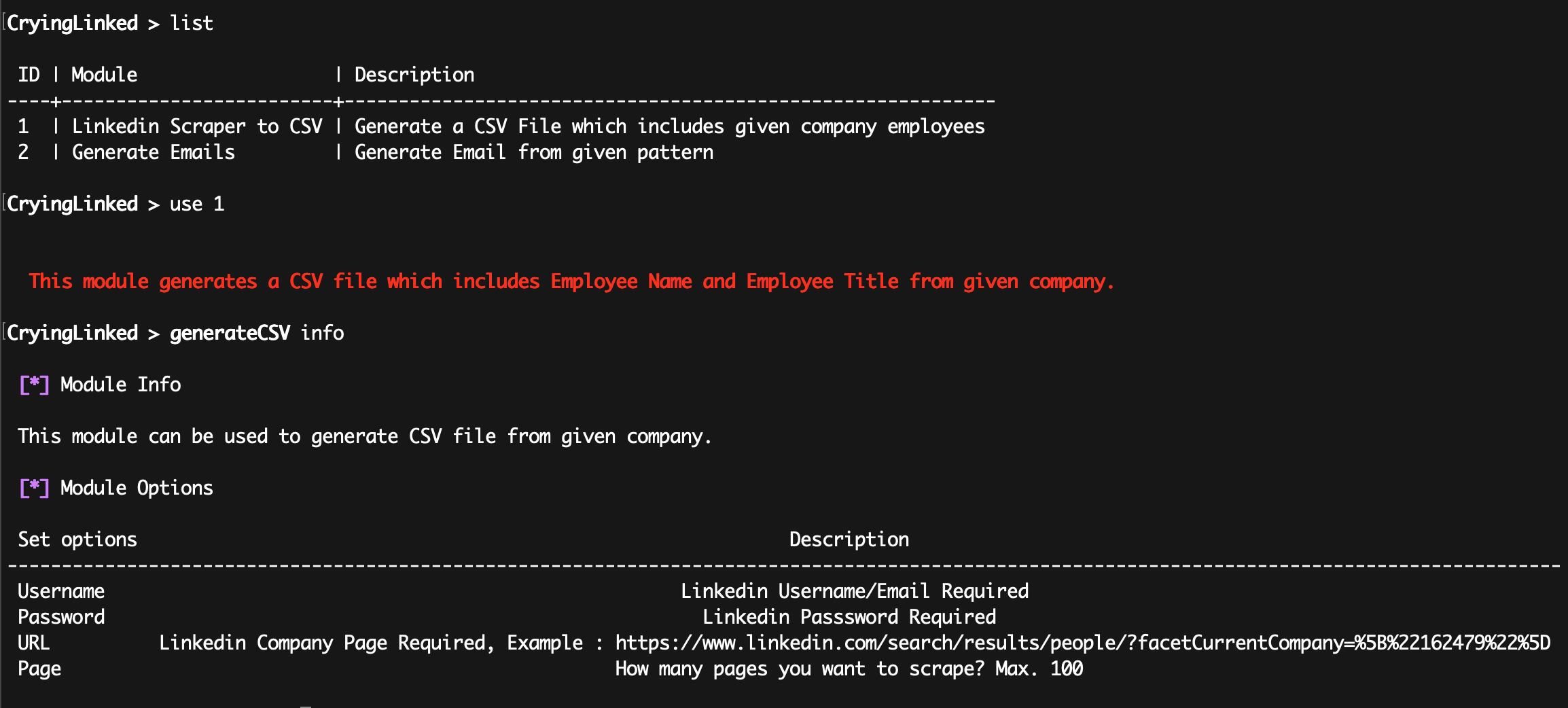
list
use 1
info
set username test@test.com
set password testpassword
set url https://www.linkedin.com/search/results/people/?facetCurrentCompany=%5B%22162479%22%5D
set page 100 (max 100)
generate
then it will write Output.csv for you. Example output.csv:
name,title
John Brown, Software Quality and Testing Manager
Emma Watson, Senior Project Manager
...
..
.
How to generate email adresses?:
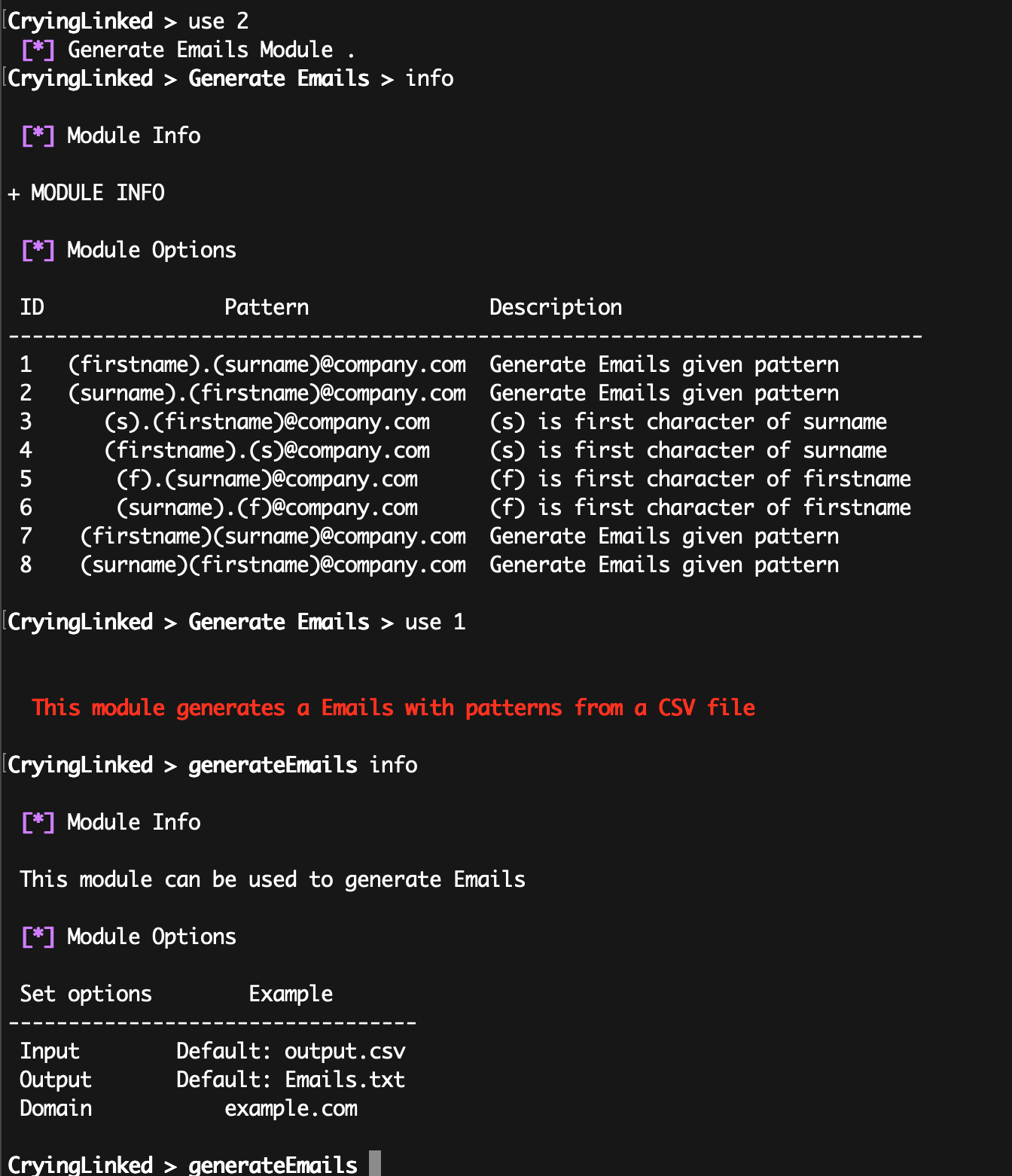
list
use 2
info
use 1 (choose email pattern)
info
set Input (default: Output.csv)
set Output (output file exp : Emails.txt)
set Domain (example : test.com) -> test@test.com
generate
then it will write Emails.txt for you.
Example emails.txt (pattern 1):
john.brown@domain.com
emma.watson@domain.com
Related Skills
node-connect
337.1kDiagnose OpenClaw node connection and pairing failures for Android, iOS, and macOS companion apps
claude-opus-4-5-migration
83.1kMigrate prompts and code from Claude Sonnet 4.0, Sonnet 4.5, or Opus 4.1 to Opus 4.5
frontend-design
83.1kCreate distinctive, production-grade frontend interfaces with high design quality. Use this skill when the user asks to build web components, pages, or applications. Generates creative, polished code that avoids generic AI aesthetics.
model-usage
337.1kUse CodexBar CLI local cost usage to summarize per-model usage for Codex or Claude, including the current (most recent) model or a full model breakdown. Trigger when asked for model-level usage/cost data from codexbar, or when you need a scriptable per-model summary from codexbar cost JSON.
