
SabreCSG
Level design tools for Unity
Install / Use
/learn @sabresaurus/SabreCSGREADME
SabreCSG
SabreCSG is a set of level design tools for building complex levels quickly inside Unity.
Using Constructive Solid Geometry techniques SabreCSG allows you to add and subtract brushes to create great levels without needing to understand 3D art packages.
| | |
| --- | --- |
| 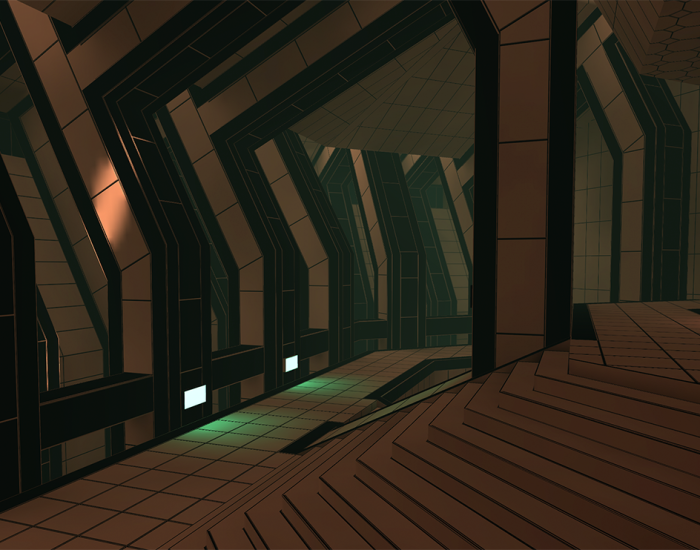 | ADD AND SUBTRACT BRUSHES TOGETHER TO MAKE GREAT PLAY SPACES <p>Boolean brushes allow you to add and subtract arbitrary shapes together to rapidly create walls, rooms or carve out doors and windows. The brushes are used as a template for building the final geometry allowing you unprecedented flexibility for making minor tweaks or big changes simply by modifying the brushes.</p> |
| POWERFUL BRUSH AND GEOMETRY TOOLS <p>SabreCSG comes equipped with a whole range of tools for editing brushes and geometry, from intuitive resize tools which let you quickly block out spaces to vertex and edge editing modes which let you go in and tweak in more detail, to advanced clipping tools allowing you to bevel or cut entire brushes in two.</p> |
| ADD AND SUBTRACT BRUSHES TOGETHER TO MAKE GREAT PLAY SPACES <p>Boolean brushes allow you to add and subtract arbitrary shapes together to rapidly create walls, rooms or carve out doors and windows. The brushes are used as a template for building the final geometry allowing you unprecedented flexibility for making minor tweaks or big changes simply by modifying the brushes.</p> |
| POWERFUL BRUSH AND GEOMETRY TOOLS <p>SabreCSG comes equipped with a whole range of tools for editing brushes and geometry, from intuitive resize tools which let you quickly block out spaces to vertex and edge editing modes which let you go in and tweak in more detail, to advanced clipping tools allowing you to bevel or cut entire brushes in two.</p> | 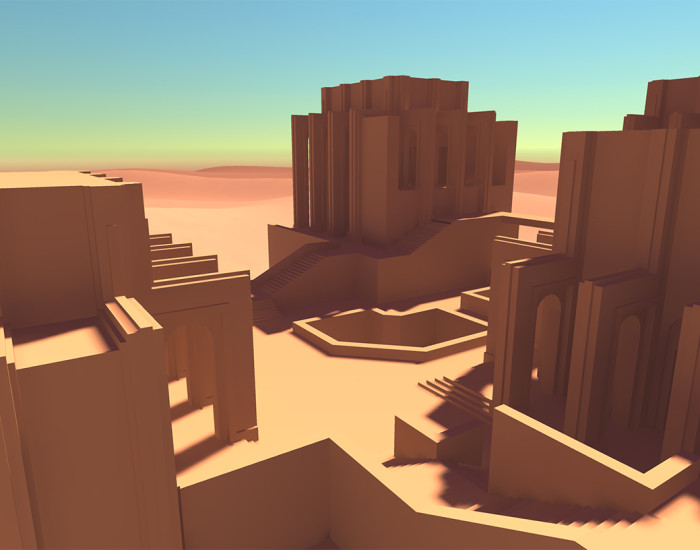 |
|
|
| 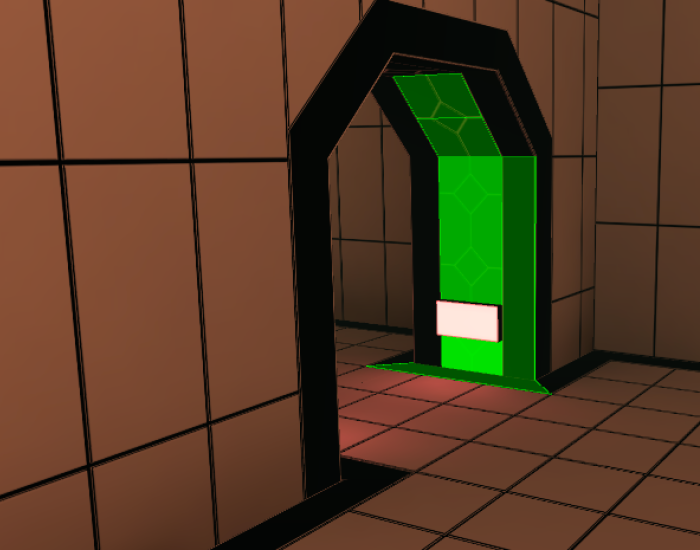 | APPLY MATERIALS AND EDIT UVs <p>With its surface tools, SabreCSG allows you to translate, rotate and scale surfaces, apply new materials, exclude faces from the final geometry for speed. And with newly upgraded features there’s a whole set of new helper functions to speed up your workflow.</p> |
SabreCSG was originally sold on the Unity Asset Store, but as of 14th October 2016 has been open sourced under the MIT License (see LICENSE for details). It is now maintained on this Github repository.
Core Features:
- Boolean CSG algorithm supporting partial rebuilding.
- Draw tools to rapidly create levels by drawing brushes directly.
- Resize tools allow you to resize spaces intuitively.
- Vertex tools to refine and add precision details.
- Change materials or edit UVs with surface tools built for level design.
- Clip planes allow you to bevel brushes or even split them in two.
- Export built geometry to .OBJ for use in external 3D tools.
- Vertex Colors - Apply vertex colors per face which are baked into the built meshes.
- Experimental Code API - Experimental support for procedurally generating levels through code.
Documentation and videos on how to use SabreCSG are available at the SabreCSG Learn website or the wiki.
Download


Documentation


Donations:
If you love SabreCSG and wish to say thanks then please feel free to make a donation. Your donations are a huge motivator to continue the development of SabreCSG.

Related Skills
diffs
339.5kUse the diffs tool to produce real, shareable diffs (viewer URL, file artifact, or both) instead of manual edit summaries.
clearshot
Structured screenshot analysis for UI implementation and critique. Analyzes every UI screenshot with a 5×5 spatial grid, full element inventory, and design system extraction — facts and taste together, every time. Escalates to full implementation blueprint when building. Trigger on any digital interface image file (png, jpg, gif, webp — websites, apps, dashboards, mockups, wireframes) or commands like 'analyse this screenshot,' 'rebuild this,' 'match this design,' 'clone this.' Skip for non-UI images (photos, memes, charts) unless the user explicitly wants to build a UI from them. Does NOT trigger on HTML source code, CSS, SVGs, or any code pasted as text.
openpencil
1.8kThe world's first open-source AI-native vector design tool and the first to feature concurrent Agent Teams. Design-as-Code. Turn prompts into UI directly on the live canvas. A modern alternative to Pencil.
ui-ux-pro-max-skill
53.5kAn AI SKILL that provide design intelligence for building professional UI/UX multiple platforms
