
Flowmaps
Construct & orchestrate stand-alone Clojure core.async pipelines with ease or use it to encapsulate & manage complex 'flows' within your application
Install / Use
/learn @ryrobes/FlowmapsREADME
“And what is the use of a book," thought Alice, "without pictures or conversation?”
— Lewis Carroll, Alice's Adventures in Wonderland
flowmaps
A "Flow Based Programming" sequencer for Clojure with interactive flow debugger & visualizer


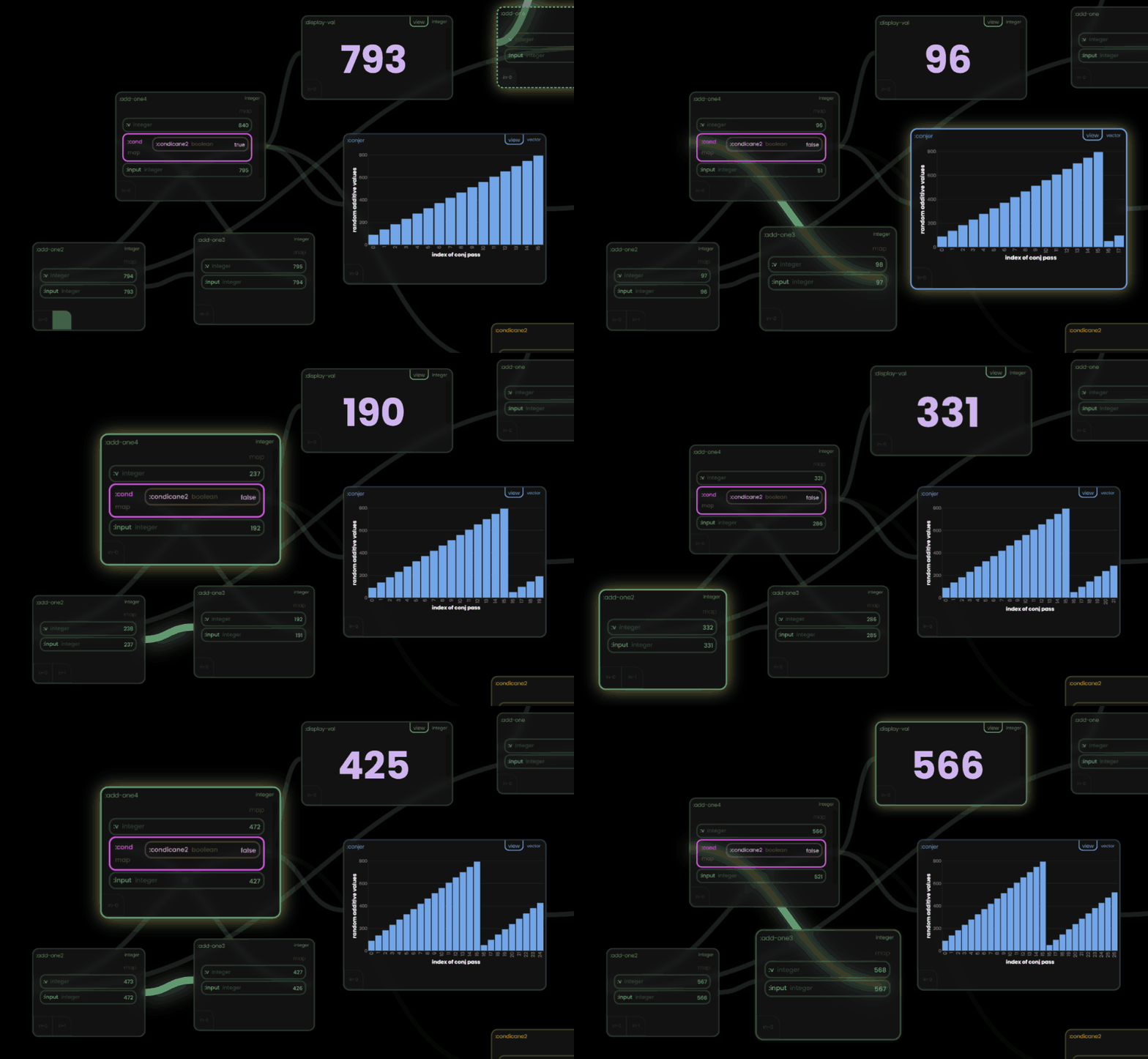
Rebooting flow-based programming in Clojure by enabling effortless orchestration of core.async pipelines & intricate application flows.
-
Craft flows in a simple bullshit-free map structure, watch them come to life in a time-traveling "Rabbit" canvas UI.
-
Debug, visualize, and experiment in real-time, helping to ensure observability and understanding anywhere you need async chains.
-
- Basics
- "Curiouser and curiouser!"
- Conditional Paths
- Optional block "views"
- Static value inputs
- Optional block "speak" / text-to-speech
- Grid data / "rowsets"
- Multi-input Blocks (i.e. input "ports")
- Sub-flows!
- :pre-when? and :post-when?
- Pre-run "starter" values for functions
- channel REST access / pre-configured endpoints with :points (WIP)
- Hiding sensitive values from the UI (API Keys, passwords, etc)
- Optional block "canvas" metadata
-
Function documentation
Flow Based Programming?
Originally introduced by J. Paul Morrison in the 1970s, FBP (Flow Based Programming) is a programming approach that defines applications as networks of "black box" processes, which exchange data packets over predefined connections. These connections transmit this data via predefined input and output ports. FBP is inherently concurrent and promotes high levels of component reusability and separation of concerns.
This model aligns very well with Clojure's core.async and functional programming at large. Flowmaps is essentially a mapping of FBP concepts and ergonomics on top core.async. Allowing the user to be less concerned with it - just write the "meat" of their flows - and get it's performance and benefits by default.
While it's nomenclature may diverge from Morrison's FBP terminology to be more clear in a Clojure world - it is still very much FBP by heart.
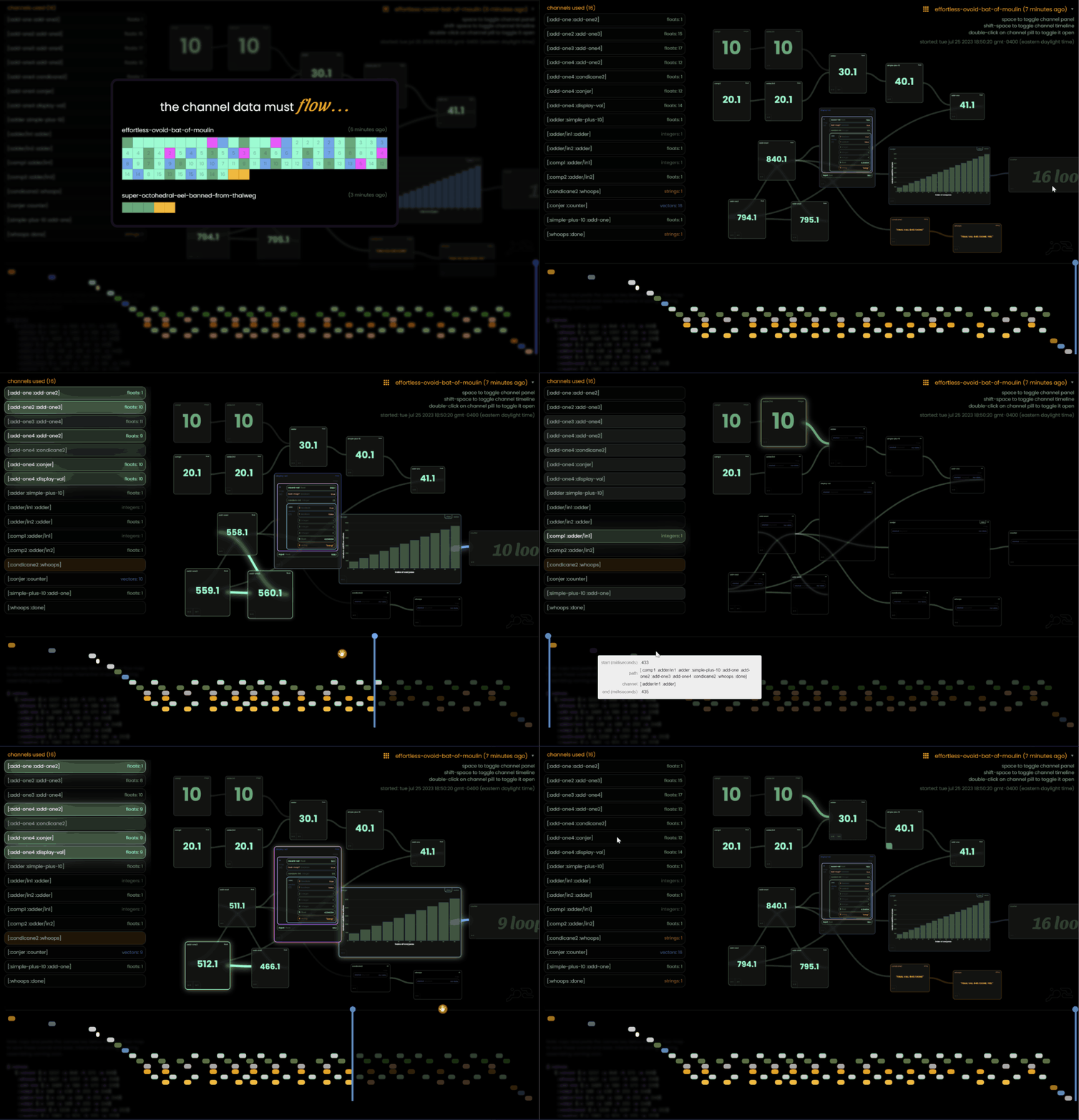
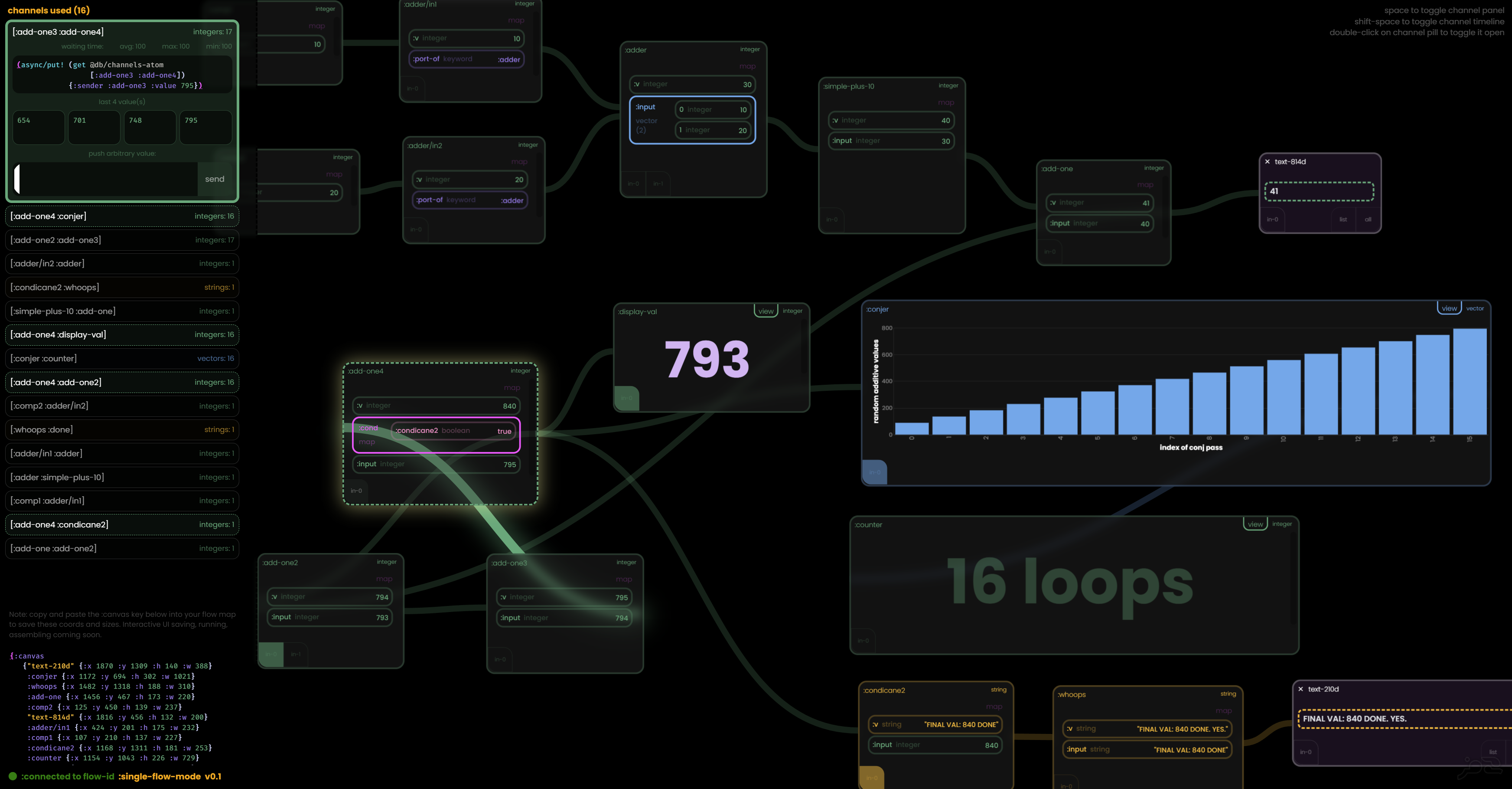
Flow-maps also provides a rabbit-ui visualizer / debugger to help UNDERSTAND and SEE how these flows are executed, their parallelism (if any), and more importantly - interactive experimentation and iterative development. One of the benefits of FBP is the ability for teams to better comprehend large complex systems as drawn out as boxes and lines - I wanted to provide a "live" version of that.
"I wanted to write core.async flows w/o a blindfold"
How to get started
Basics - from the REPL (w lein)
- Add flowmaps to your deps
[com.ryrobes/flowmaps "0.31-SNAPSHOT"]
- Boot up your REPL
lein repl
- Include flowmaps.core and flowmaps.web
(require '[flowmaps.core :as fm] '[flowmaps.web :as fweb]) - Start up the Rabbit web-server and web-sockets
- (only needed for dev / prod can be headless)
(fweb/start!) ;; starts up the rabbit-ui viewer at http://localhost:8080/ - Open up the URL - but just leave it for now - http://localhost:8080/

-
Define a simple flow map
(def first-flow {:components {:starting 10 ;; static value to start the flow :add-one inc ;; function 1 :add-ten (fn [x] (+ 10 x))} ;; function 2 (reg anonymous fn) :connections [[:starting :add-one] ;; order of flow operations [:add-one :add-ten] ;; (which will become channels) [:add-ten :done]]}) ;; done just signals completion -
Start the flow
(fm/flow first-flow)-
this will
- create the channels required
- seed the starting value(s)
- values pass through functions, create new values for the next channel, etc
- everything flows downstream to the end
-
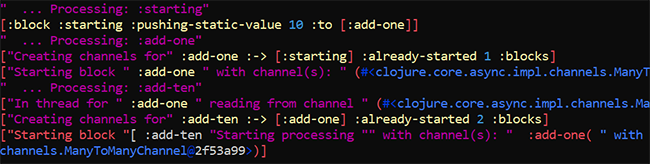
you will see lots of debug output from the various channels created and values flow through them.
- (they can be silenced with
(fm/flow first-flow {:debug? false}))
- (they can be silenced with
-
-
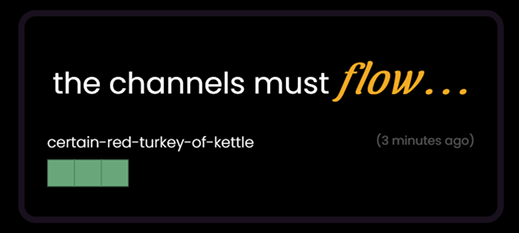
go back to Rabbit and select the running flow
-
it will have a randomly generated name
-
each block represents a function, and it's color is based on it's output data type
-
(force a name with
(fm/flow first-flow {:flow-id "papa-het"}))
-
-
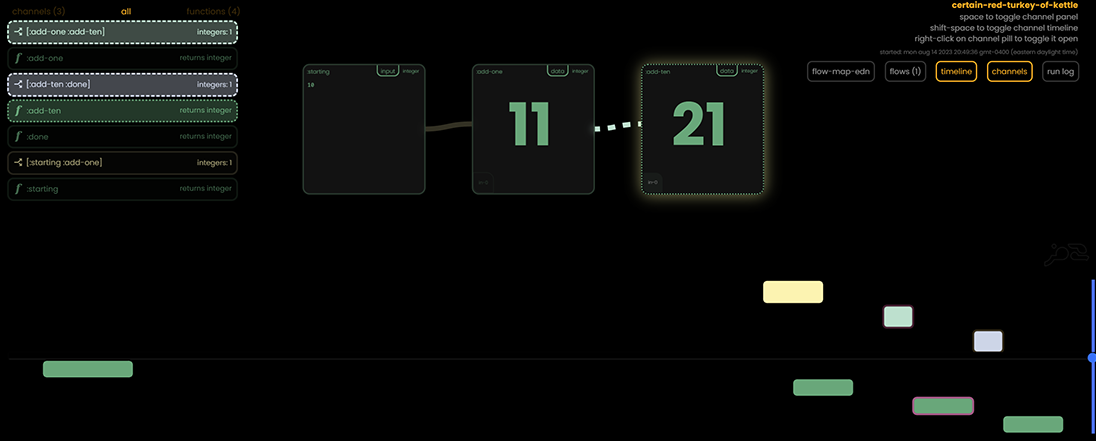
select the name to see the flow on the canvas
-
As you can see we started with 10, incremented to 11, added 10 - and ended up with 21
- the bottom timeline shows what channels and what functions ran, and we can scrub the blue line across time to see what the values were at that particular time. It's not quite illuminating in this simple example, but you can see how in complex flows with loops and conditional pathways how useful this can be.
-
Let's send another value - we COULD change the starting value and re-run the flow, essentially creating a new flow - but since we have Rabbit open and the channels are all still open - the flow is still "running" since the channels will react to a new value just like it did for our 10 we sent.
-
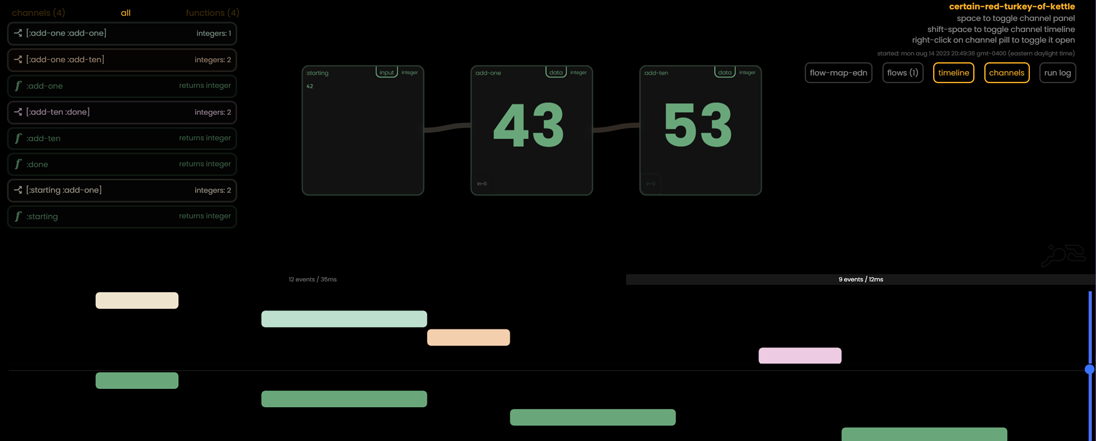
click on the 10 in the first block and change it to some other integer or float (remember we are applying math, so a string would error)
-
you can see that it just processed our new value - also notice that 2 bars have appeared above the timeline
- these are "time segments" of flow execution. Click back on the first one and you'll see our first run and the values in the blocks will change accordingly
-
back to the REPL - let's run it again more like you would in a production / embedded scenario
- Since flowmaps is based on Clojure's core.async we can't directly get a value back since it's all async execution.
- but we can provide an atom or ANOTHER channel (or the start of another flow) to pass the final value to when the flow reaches the pseudo
:doneblock (notice that :done did not render in Rabbit, since it's not a "real" block, just a signal or sorts) - to keep this example simple, let's just use an atom
(def my-results (atom nil)) ;; atom to hold the result (fm/flow first-flow ;; run a new version of the flow {:debug? false} ;; no console output my-results) ;; our atom @my-results ;; ==> 21 -
Neat. but what if I want to send other values instead? I don't really want to write new flows for each one.
- No problem, we can just "override" our starting block
(fm/flow first-flow {:debug? false} my-results {:starting 42069}) ;; a map with block names and override values @my-results ;; ==> 42080- In fact, you can override any block..
(fm/flow first-flow {:debug? false} my-results {:starting 42069 :add-ten #(* % 0.33)}) ;; ==> 13883.1 -
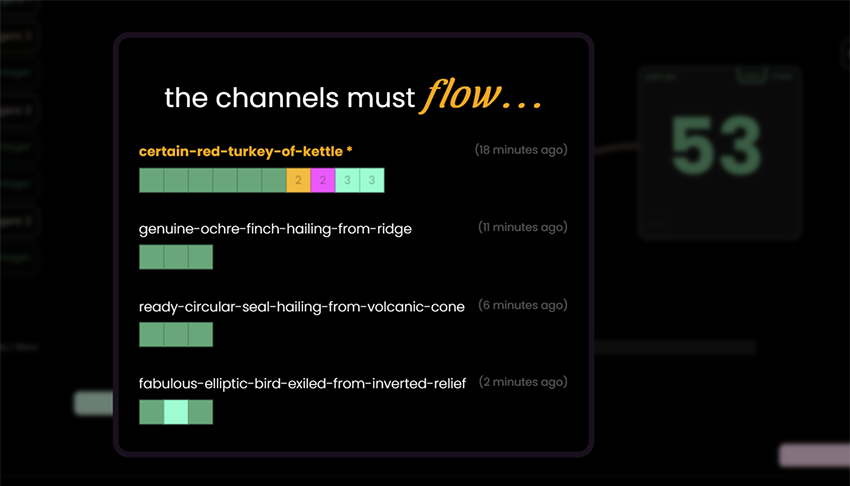
If we go back to our Rabbit web, we can see that since the web server was running all this time - these flows have actually been tracked and visualized as well.
-
Our first flow was run several times so there are more blocks shown
- additional runs created new IDs, since we didn't specify a :flow-id for the flow function
-
There are more ways we can "talk data" to our running flows - open up one and right-click on any channel on the left hand side
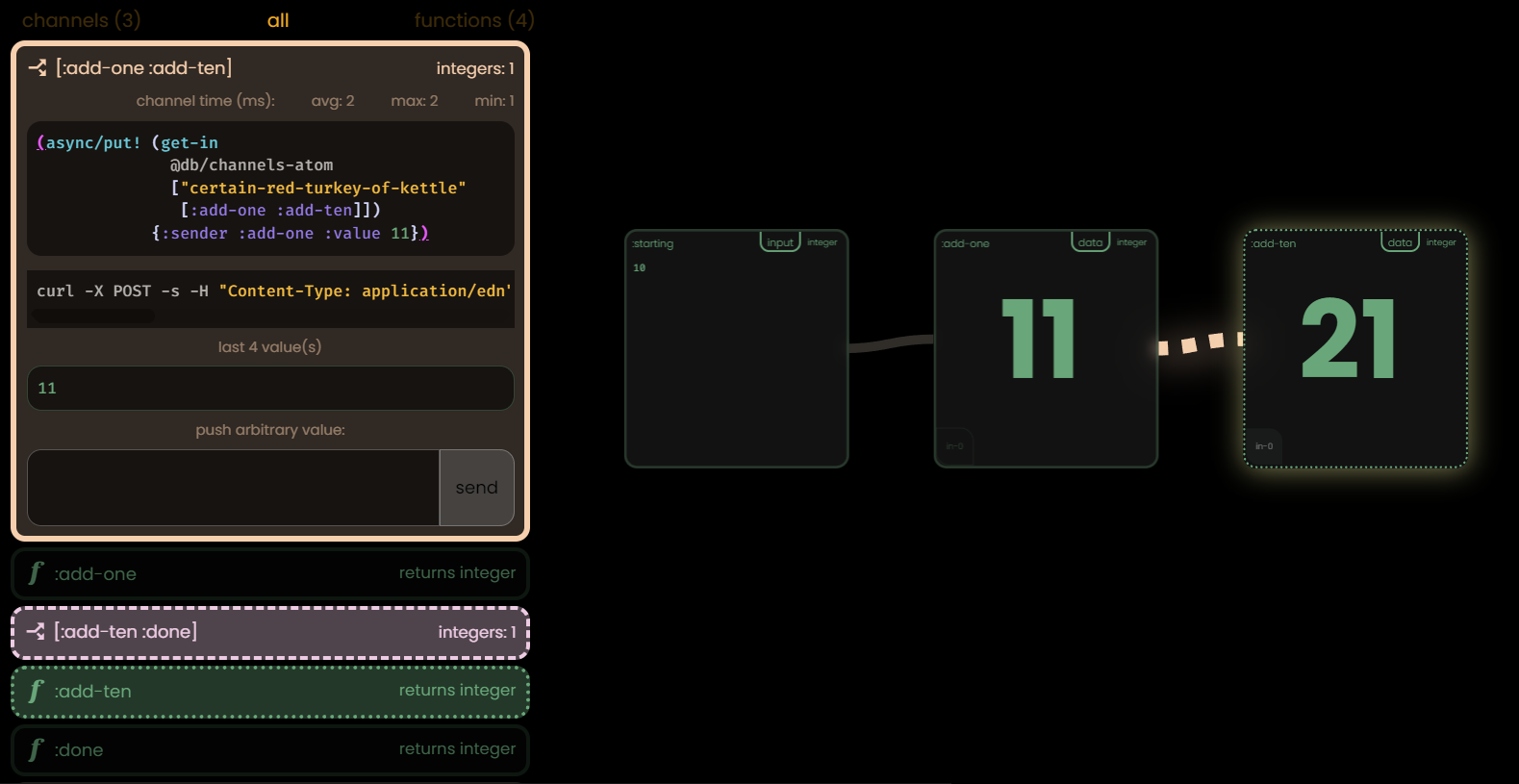
- You'll see an options panel with 4 things in it
- a copy/paste command for using you REPL/app to send a value to th
- You'll see an options panel with 4 things in it
-
