
Diffusionmagic
Easy to use Stable diffusion workflows using diffusers
Install / Use
/learn @rupeshs/DiffusionmagicREADME
DiffusionMagic
DiffusionMagic is simple to use Stable Diffusion workflows using diffusers. DiffusionMagic focused on the following areas:
- Easy to use
- Cross-platform (Windows/Linux/Mac)
- Modular design, latest best optimizations for speed and memory
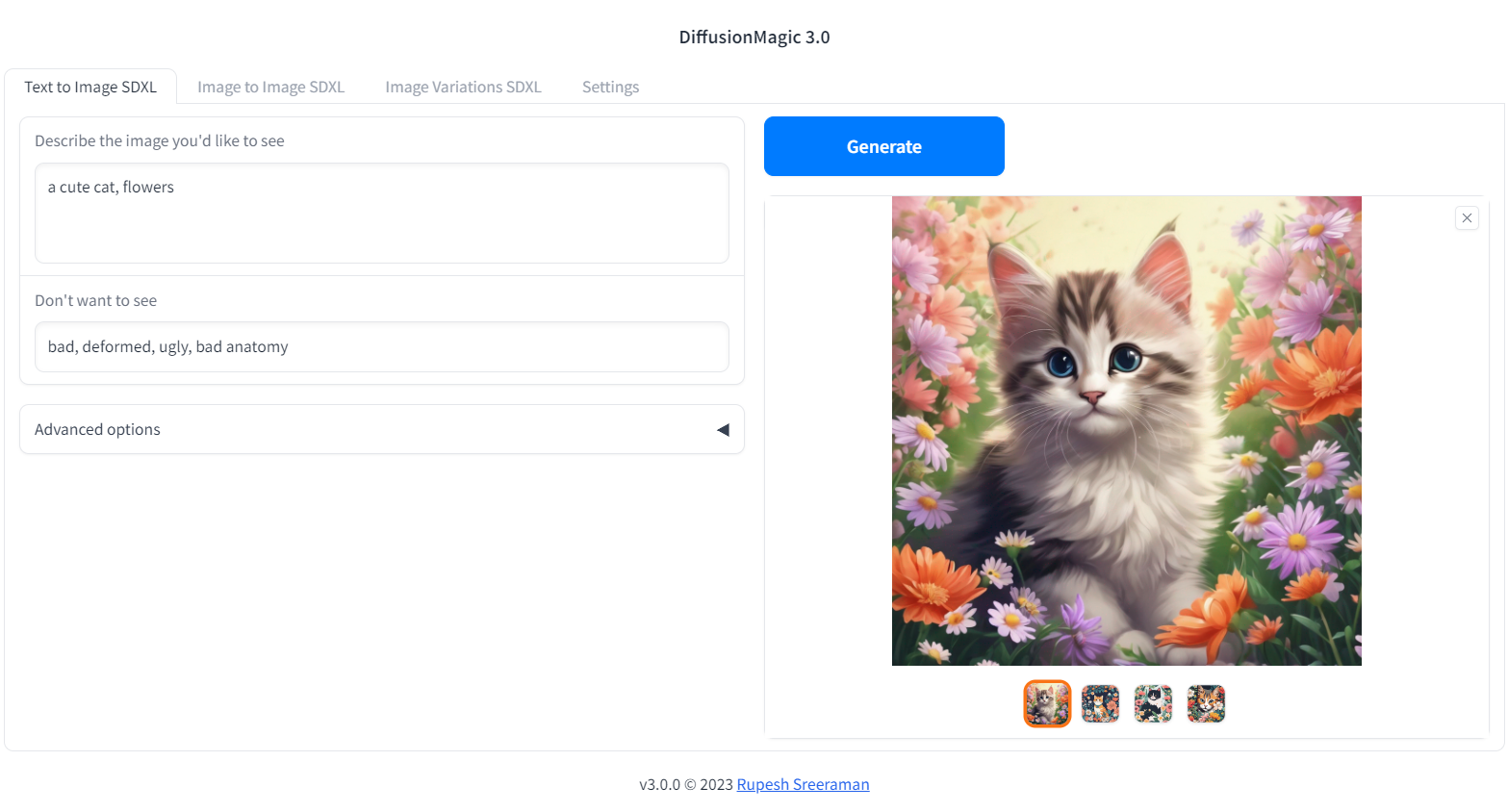
Segmind Stable Diffusion 1B (SSD-1B)
The Segmind Stable Diffusion Model (SSD-1B) is a smaller version of the Stable Diffusion XL (SDXL) that is 50% smaller but maintains high-quality text-to-image generation. It offers a 60% speedup compared to SDXL.
You can run SSD-1B on Google Colab

Stable diffusion XL Colab
You can run StableDiffusion XL 1.0 on Google Colab
Würstchen Colab
You can run Würstchen 2.0 on Google Colab
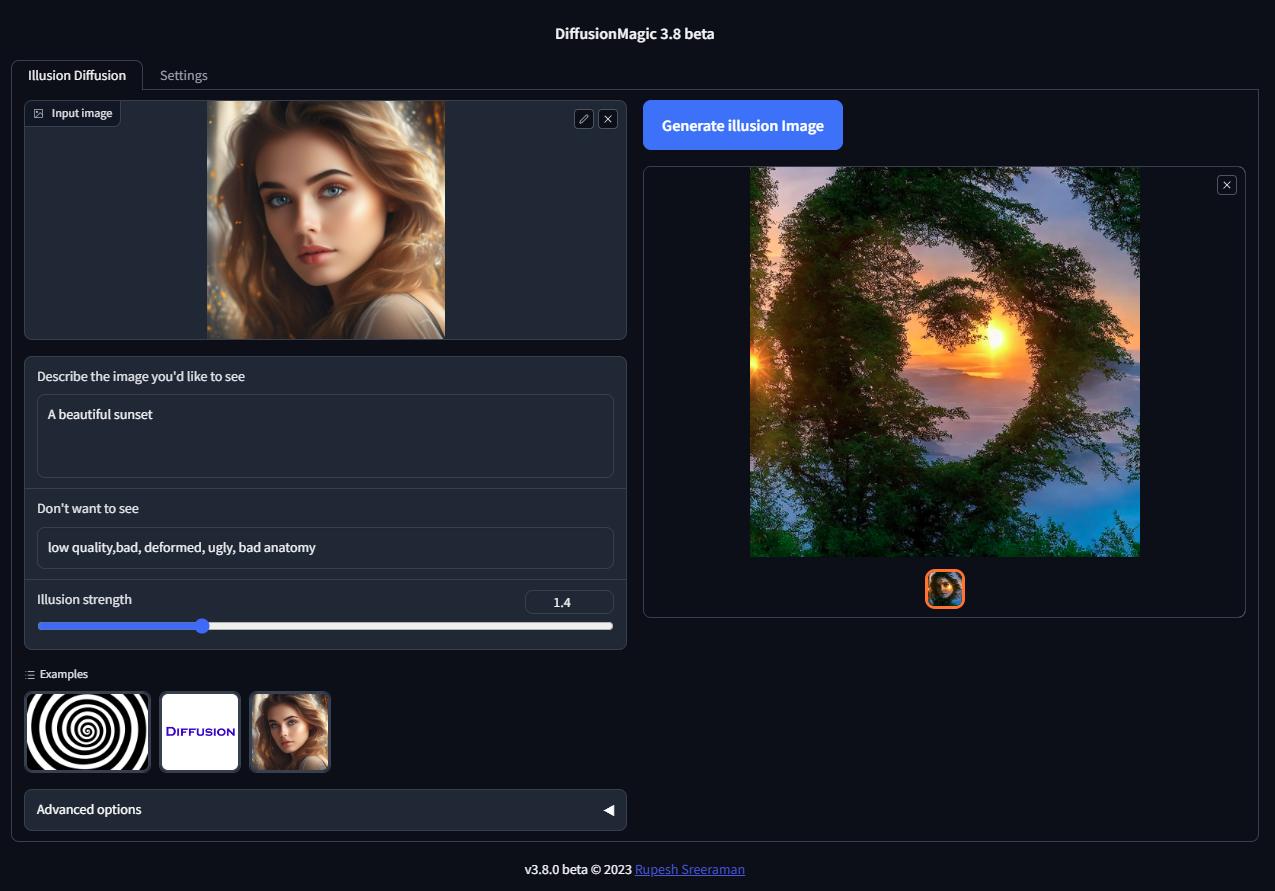
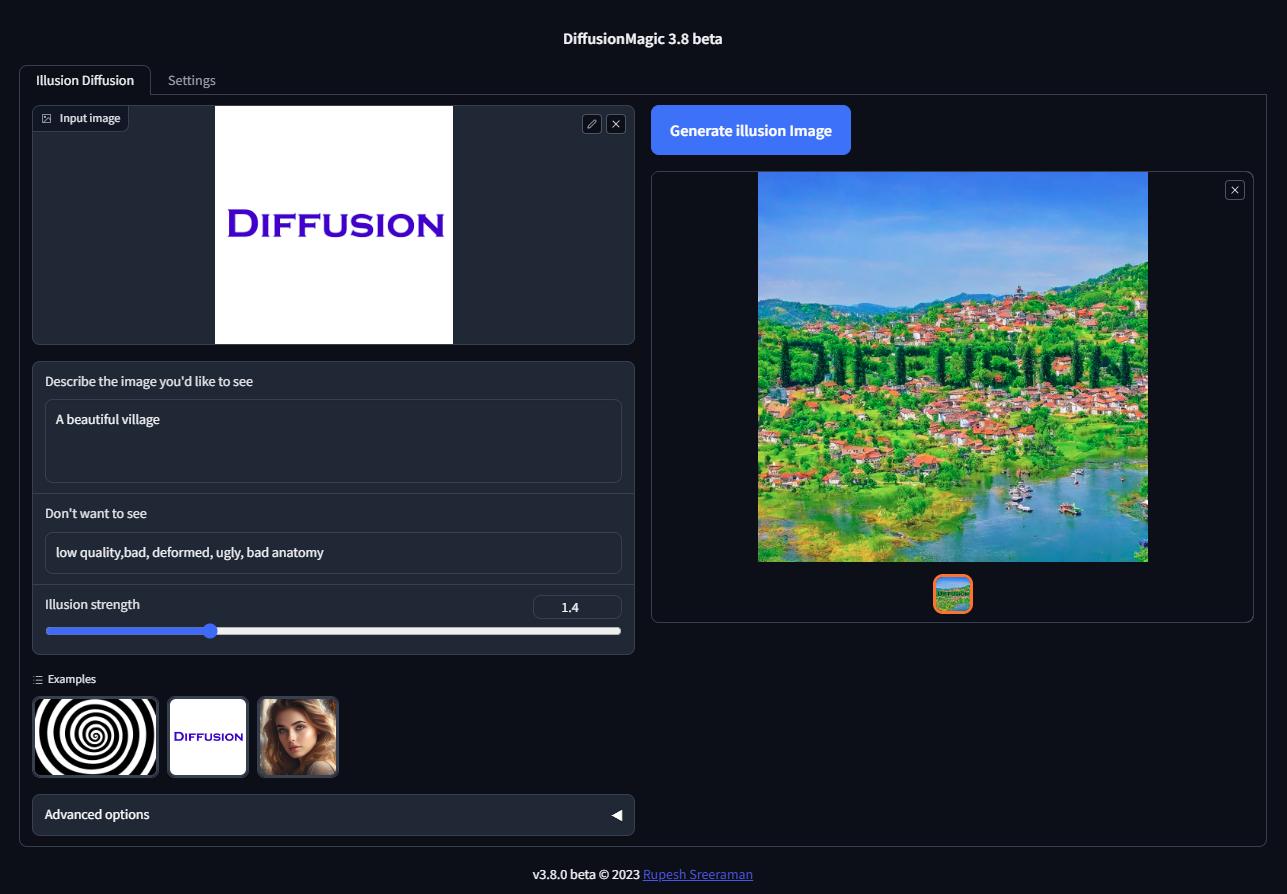
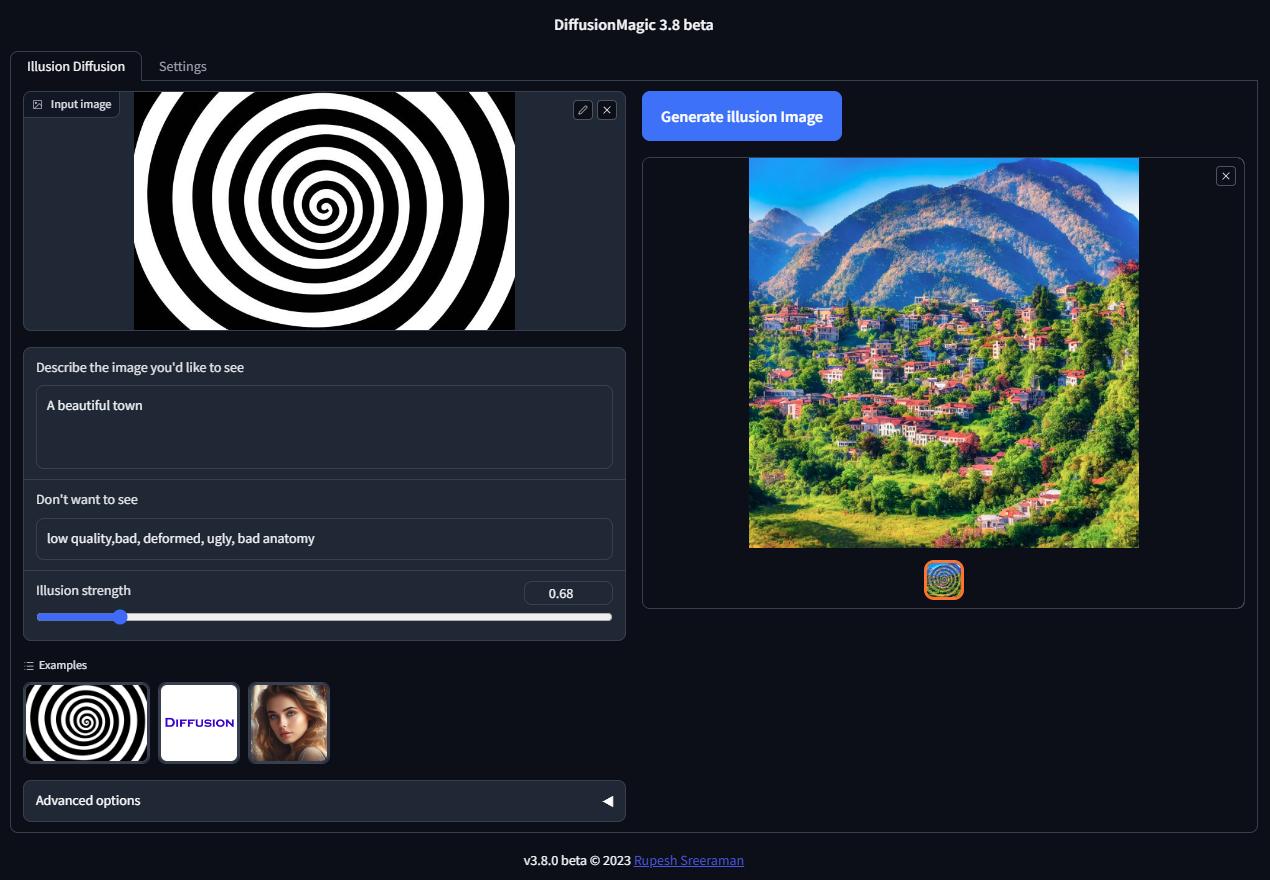
Illusion Diffusion Colab (beta)
You can run Illusion Diffusion on Google Colab
Illusion diffusion supports following types of input images as illusion control :
- Color images
- Text images
- Patterns
You need to adjust the illusion strength to get desired result.
Features
- Supports Würstchen
- Supports Stable diffusion XL
- Supports various Stable Diffusion workflows
- Text to Image
- Image to Image
- Image variations
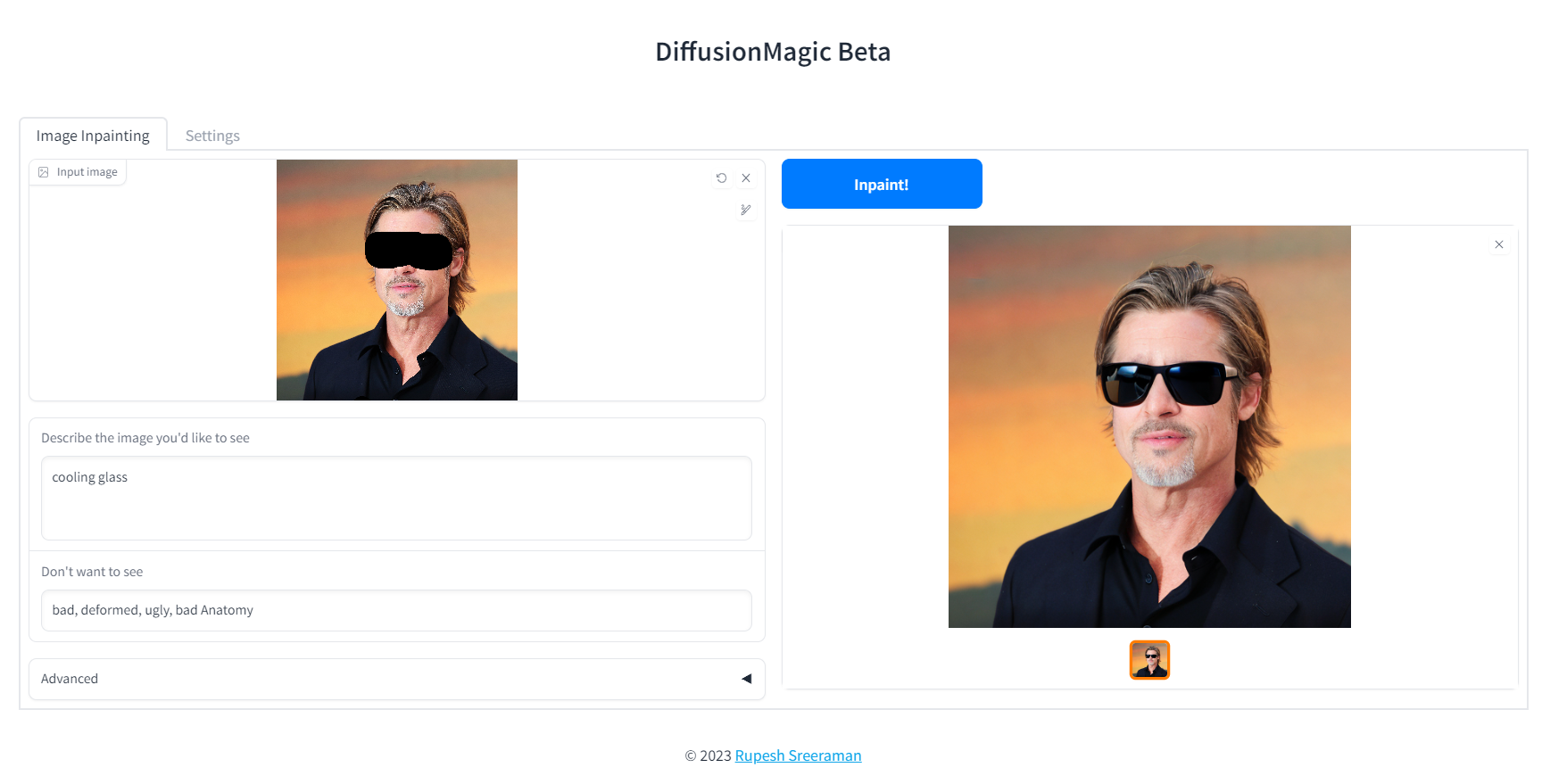
- Image Inpainting
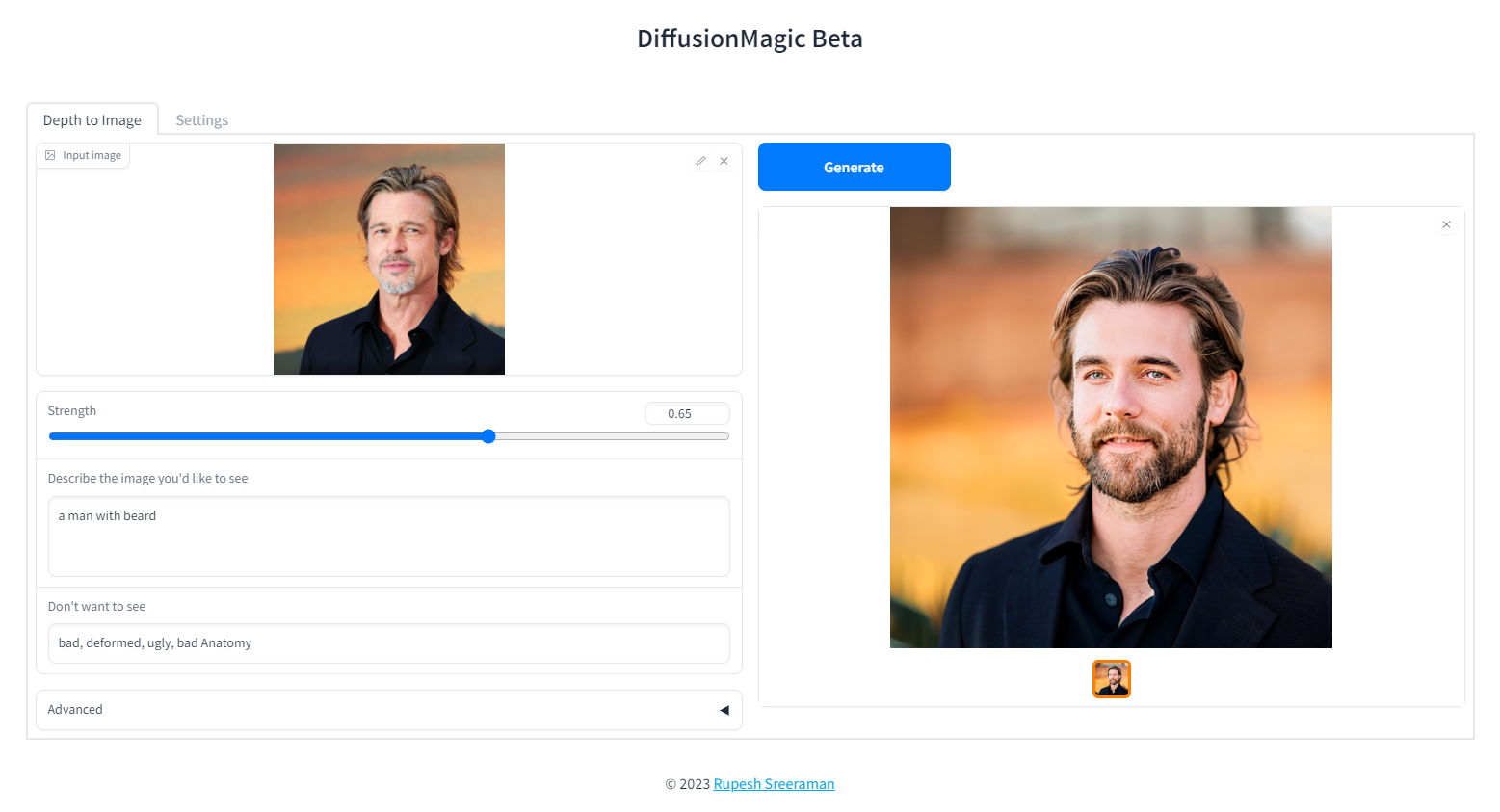
- Depth to Image
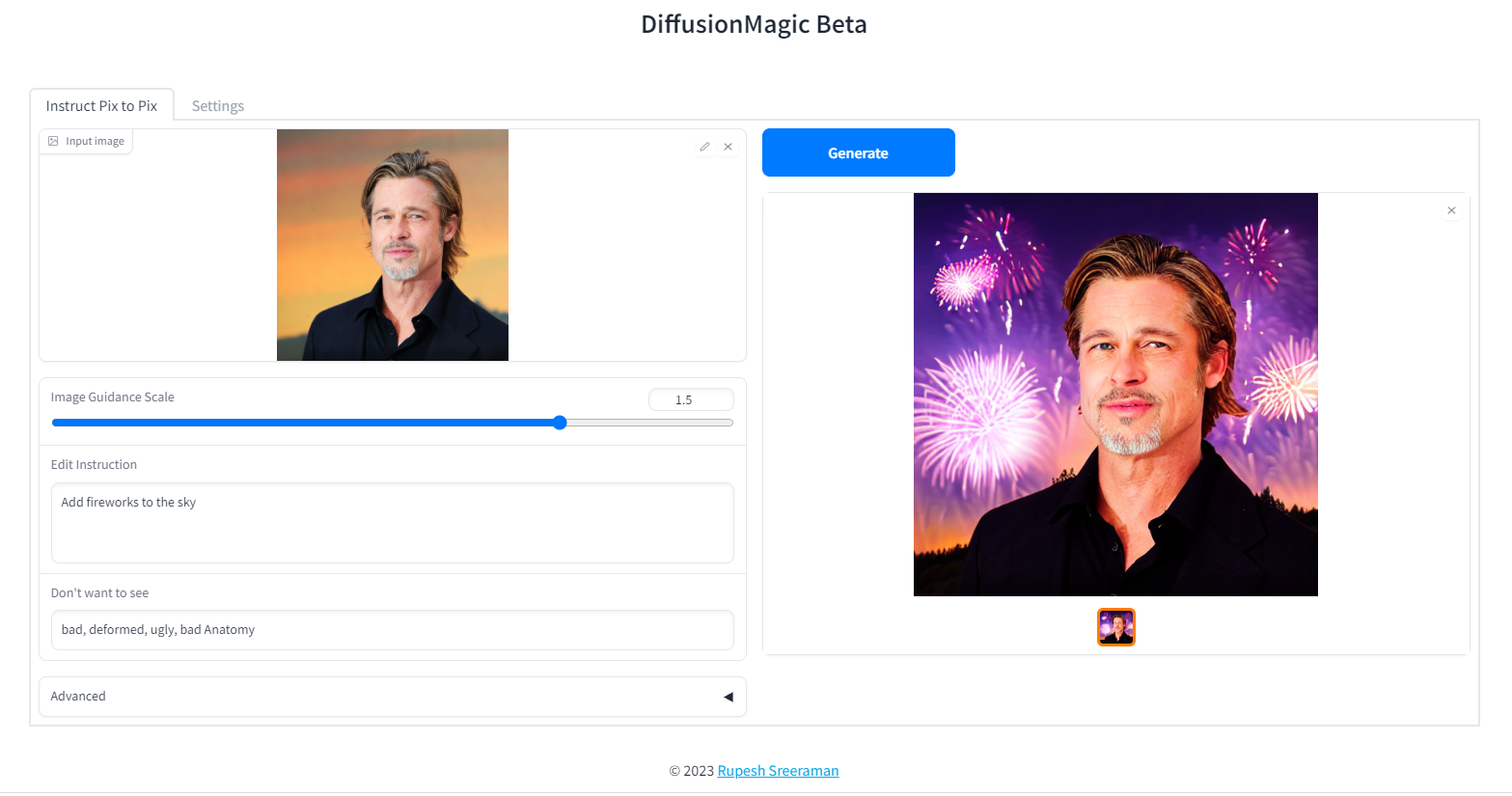
- Instruction based image editing
- Supports Controlnet workflows
- Canny
- MLSD (Line control)
- Normal
- HED
- Pose
- Depth
- Scribble
- Segmentation
- Pytorch 2.0 support
- Supports all stable diffusion Hugging Face models
- Supports Stable diffusion v1 and v2 models, derived models
- Works on Windows/Linux/Mac 64-bit
- Works on CPU,GPU(Recent Nvidia GPU),Apple Silicon M1/M2 hardware
- Supports DEIS scheduler for faster image generation (10 steps)
- Supports 7 different samplers with latest DEIS sampler
- LoRA(Low-Rank Adaptation of Large Language Models) models support (~3 MB size)
- Easy to add new diffuser model by updating stable_diffusion_models.txt
- Low VRAM mode supports GPU with RAM < 4 GB
- Fast model loading
- Supports Attention slicing and VAE slicing
- Simple installation using install.bat/install.sh
Please note that AMD GPUs are not supported.
Screenshots
Image variations
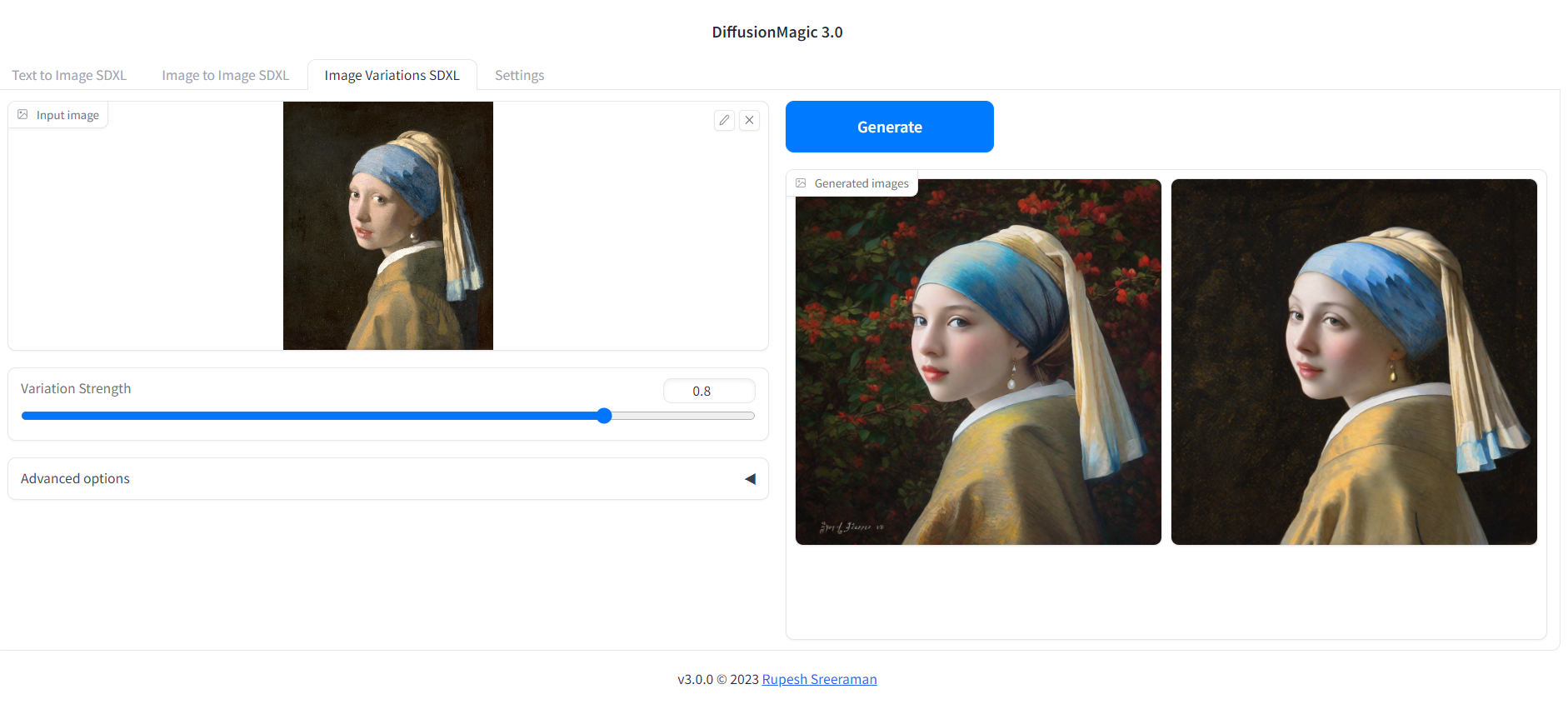
Image Inpainting
Depth to Image
Instruction based image editing
System Requirements:
- Works on Windows/Linux/Mac 64-bit
- Works on CPU,GPU,Apple Silicon M1/M2 hardware
- 12 GB System RAM
- ~11 GB disk space after installation (on SSD for best performance)
Low VRAM mode < 4GB
DiffusionMagic runs on low VRAM GPUs. Here is our guide to run StableDiffusion XL on low VRAM GPUs.
Download Release
Download release from the github DiffusionMagic releases.
How to install and run on Windows
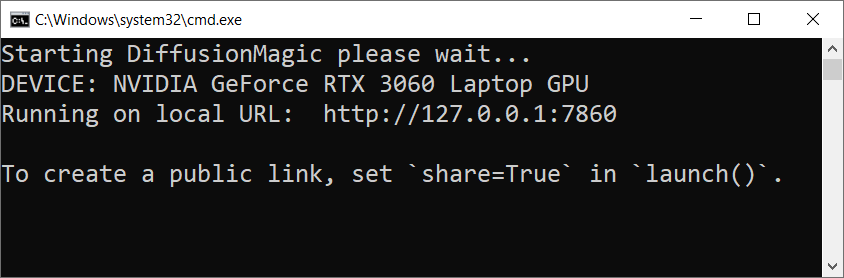
Follow the steps to install and run the Diffusion magic on Windows.
- First we need to run(double click) the
install.batbatch file it will install the necessary dependencies for DiffusionMagic. (It will take some time to install,depends on your internet speed) - Run the
install.batscript. - To start DiffusionMagic double click
start.bat
How to install and run on Linux
Follow the steps to install and run the Diffusion magic on Linux.
- Run the following command:
chmod +x install.sh - Run the
install.shscript../install.sh - To start DiffusionMagic run:
./start.sh
How to install and run on Mac (Not tested)
Testers needed - If you have MacOS feel free to test and contribute
prerequisites
- Mac computer with Apple silicon (M1/M2) hardware.
- macOS 12.6 or later (13.0 or later recommended).
Follow the steps to install and run the Diffusion magic on Mac (Apple Silicon M1/M2).
- Run the following command:
chmod +x install-mac.sh - Run the
install-mac.shscript../install-mac.sh - To start DiffusionMagic run:
./start.sh
Open the browser http://localhost:7860/
Dark mode
To get dark theme :
http://localhost:7860/?__theme=dark
How to switch models
Diffusion magic will change UI based on the model selected. Follow the steps to switch the models() inpainting,depth to image or instruct pix to pix or any other hugging face stable diffusion model)
- Start the Diffusion Magic app, open the settings tab and change the model
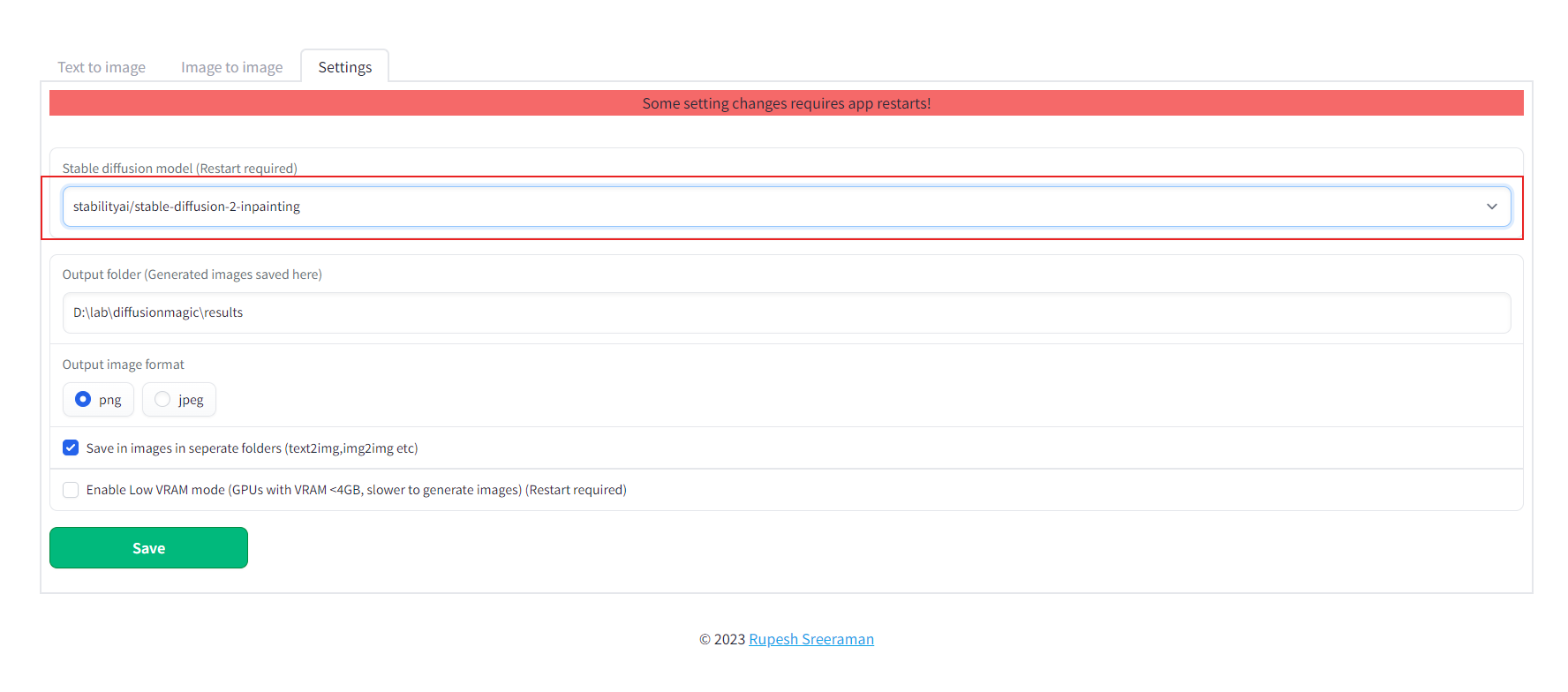
- Save the settings
- Close the app and start using start.bat/start.sh
How to add new model
We can add any Hugging Face stable diffusion model to DiffusionMagic by
- Adding Hugging Face models id or local folder path to the configs/stable_diffusion_models.txt file
E.g
https://huggingface.co/dreamlike-art/dreamlike-diffusion-1.0Here model id isdreamlike-art/dreamlike-diffusion-1.0Or we can clone the model use the local folder path as model id. - Adding locally copied model path to configs/stable_diffusion_models.txt file
Linting (Development)
Run the following commands from src folder
mypy --ignore-missing-imports --explicit-package-bases .
flake8 --max-line-length=100 .
Contribute
Contributions are welcomed.
Related Skills
claude-opus-4-5-migration
83.0kMigrate prompts and code from Claude Sonnet 4.0, Sonnet 4.5, or Opus 4.1 to Opus 4.5
model-usage
336.9kUse CodexBar CLI local cost usage to summarize per-model usage for Codex or Claude, including the current (most recent) model or a full model breakdown. Trigger when asked for model-level usage/cost data from codexbar, or when you need a scriptable per-model summary from codexbar cost JSON.
mcp-for-beginners
15.6kThis open-source curriculum introduces the fundamentals of Model Context Protocol (MCP) through real-world, cross-language examples in .NET, Java, TypeScript, JavaScript, Rust and Python. Designed for developers, it focuses on practical techniques for building modular, scalable, and secure AI workflows from session setup to service orchestration.
TrendRadar
49.8k⭐AI-driven public opinion & trend monitor with multi-platform aggregation, RSS, and smart alerts.🎯 告别信息过载,你的 AI 舆情监控助手与热点筛选工具!聚合多平台热点 + RSS 订阅,支持关键词精准筛选。AI 智能筛选新闻 + AI 翻译 + AI 分析简报直推手机,也支持接入 MCP 架构,赋能 AI 自然语言对话分析、情感洞察与趋势预测等。支持 Docker ,数据本地/云端自持。集成微信/飞书/钉钉/Telegram/邮件/ntfy/bark/slack 等渠道智能推送。
