
Mkdkr
mkdkr = Makefile + Docker
Install / Use
/learn @rosineygp/MkdkrREADME
mkdkr <!-- omit in toc -->









mkdkr = Makefile + Docker
Super small and powerful framework for build CI pipeline, scripted with Makefile and isolated with docker.
- Dependencies: [ make, docker, bash, git ]
- Two files only (Makefile and .mkdkr), less garbage on your repo
- All power of make, docker and bash
- Shipping and switch among CI engines like Circle CI, GitHub Actions, Gitlab-ci, Jenkins, Travis.. and more using exporter
- Clean and elegant code syntax
Table of contents
Usage
Makefile
Create a file with name Makefile and paste the following content.
Download .mkdkr dynamically.
# Required header
include $(shell [ ! -f .mkdkr ] && curl -fsSL https://git.io/JOBYz > .mkdkr; bash .mkdkr init)

# without shorten url
# include $(shell [ ! -f .mkdkr ] && curl -fsSL https://github.com/rosineygp/mkdkr/releases/latest/download/mkdkr > .mkdkr; bash .mkdkr init)

job:
	@$(dkr)
	instance: alpine
	run: echo "hello mkdkr dynamic!"
OR keep .mkdkr locally.
# Download .mkdkr
curl -fsSL https://github.com/rosineygp/mkdkr/releases/latest/download/mkdkr > .mkdkr
# Required header
include $(shell bash .mkdkr init)

job:
	@$(dkr)
	instance: alpine
	run: echo "hello mkdkr local!"
.gitignore (optional)
.tmp
.mkdkr # only in dynamic config
Execute
# execute
make job
Result
start: job


instance: alpine
20498831fe05f5d33852313a55be42efd88b1fb38b463c686dbb0f2a735df45c

run: echo hello mkdkr!
hello mkdkr!

cleanup:
20498831fe05

completed:
0m0.007s 0m0.000s
0m0.228s 0m0.179s
Export
Run your current Makefile in another engine, like travis or github actions, use the dynamic include exporter.
Demonstration
My Workflow - Configuración automática de CI/CD
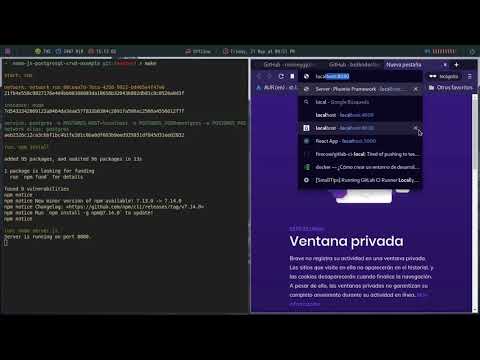
Author: Martin Algañaraz
Reason
Build pipeline for a dedicated platform can take a lot of time to learn and test, with mkdkr you can test all things locally and run it in any pipeline engine like Jenkins, Actions, Gitlab-ci and others.
<p align="center"> <a href="ttps://imgs.xkcd.com/comics/standards.png"> <img alt="standards" src="https://imgs.xkcd.com/comics/standards.png" /> </a> </p>Functions
@$(dkr)
Load docker layer for mkdkr, use inside a target of Makefile.
shell-only:
	echo "my local shell job"

mkdkr-job:
	@$(dkr)            # load all deps of mkdkr
	intance: alpine
	run: echo "my mkdkr job"
instance:
Create docker containers, without special privileges.
my-instance:
	@$(dkr)
	instance: ubuntu:20.04     # create a instance
Parameters:
- String, DOCKER_IMAGE *: any docker image name
- String|Array, ARGS: additional docker init args like (--cpus 1 --memory 64MB)
Return:
- String, Container Id
Calling instance: twice, it will replace the last container.
service:
Create a docker container in detached mode. Useful to bring up a required service for a job, like a webserver or database.
my-service:
	@$(dkr)
	service: nginx    # up a nginx
	instance: alpine
Is possible start more than one service.
multi-service:
	@$(dkr)
	service: mysql
	service: redis
	instance: node:12
	run: npm install
	run: npm test
* Instance and services are connected in same network<br> ** The name of service is the same of image name with safe values
| Image Name | Network Name | |----------------------------|----------------------------| | nginx | nginx | | nginx:1.2 | nginx_1_2 | | redis:3 | redis_3 | | project/apache_1.2 | project_apache_1_2 | | registry/my/service:latest | registry_my_service_latest |
replace role
's/:|\.|\/|-/_/g'
Parameters:
- String, DOCKER_IMAGE *: any docker image name
- String|Array, ARGS: additional docker init args like (--cpus 1 --memory 64MB)
Return:
- String, Container Id
instance or dind created after a service, will be automatically linked.
dind:
Create a docker instance with daemon access. Useful to build docker images.
my-dind:
	@$(dkr)
	dind: docker:19
	run: docker build -t my/dind .
Parameters:
- String, DOCKER_IMAGE *: any docker image name
- String|Array, ARGS: additional docker init args like (--cpus 1 --memory 64MB)
Return:
- String, Container Id
run:
Execute a command inside docker container [instance: or dind:] (the last one).
Is not possible to execute commands in a service.
Parameters:
- String|Array, command: any sh command eg. 'apk add nodejs'
Return:
- String, Command(s) output
Usage
my-run:
	@$(dkr)
	instance: alpine
	# run a command inside container
	run: apk add curl

	instance: debian
	# avoid escape to host bash, escapes also can be used (eg. \&\&)
	run: 'apt-get update && \
			apt-get install -y curl'

	# run a command inside container and redirect output to host
	run: ls -la > myfile

	# run a command inside container and redirect output to container
	run: 'ls -la > myfile'
var-run:
Execute a command inside docker container [instance: or dind:] and return stdout at named var.
After created var it is passed to next
run:orvar-run:execution.
Parameters:
- String, var: any bash valid variable name
- String|Array, command: any sh command eg. 'apk add nodejs'
Return:
- String, Command(s) output
Usage
my-var-run:
	@$(dkr)
	instance: alpine
	# run a command inside container
	var-run: myvar hostname
	run: echo '$$myvar'
	var-run: mynewvar echo '$$myvar'
	run: echo "$$myvar $$mynewvar"
login:
Execute docker login in a private registry. If docker instance exist, execute login inside container otherwise at host.
Parameters:
- String, domain: private registry domain.
- String| user: registry username.
- String| password: registry password.
Return:
- None.
Usage
private-registry:
	@$(dkr)
	login: my.private.registry foo $(MKDKR_PASSWORD)
	instance: my.private.registry/alpine
Execute login at host and download image from private registry (login before instance creation)
private-registry:
	@$(dkr)
	dind: docker:19
	login: my.private.registry foo $(MKDKR_PASSWORD)
	instance:  my.private.registry/alpine
Execute login inside instance and download image from private registry (login after instance creation)
retry:
Execute a command inside docker container [instance: or dind:] (the last one), with retry options.
Is not possible to execute commands in a service.
Parameters:
- Number|Int, attempts: number of attempts before cras
