
Dakka
Dakka - generate automation tests for Cypress, Playwright and Puppeteer
Install / Use
/learn @roboportal/DakkaREADME
Dakka


What's Dakka?
Dakka is an open source Chrome Extension which helps to generate end-to-end tests for Cypress, Playwright and Puppeteer.
Demo
Demo website link: https://roboportal.io/
Installing
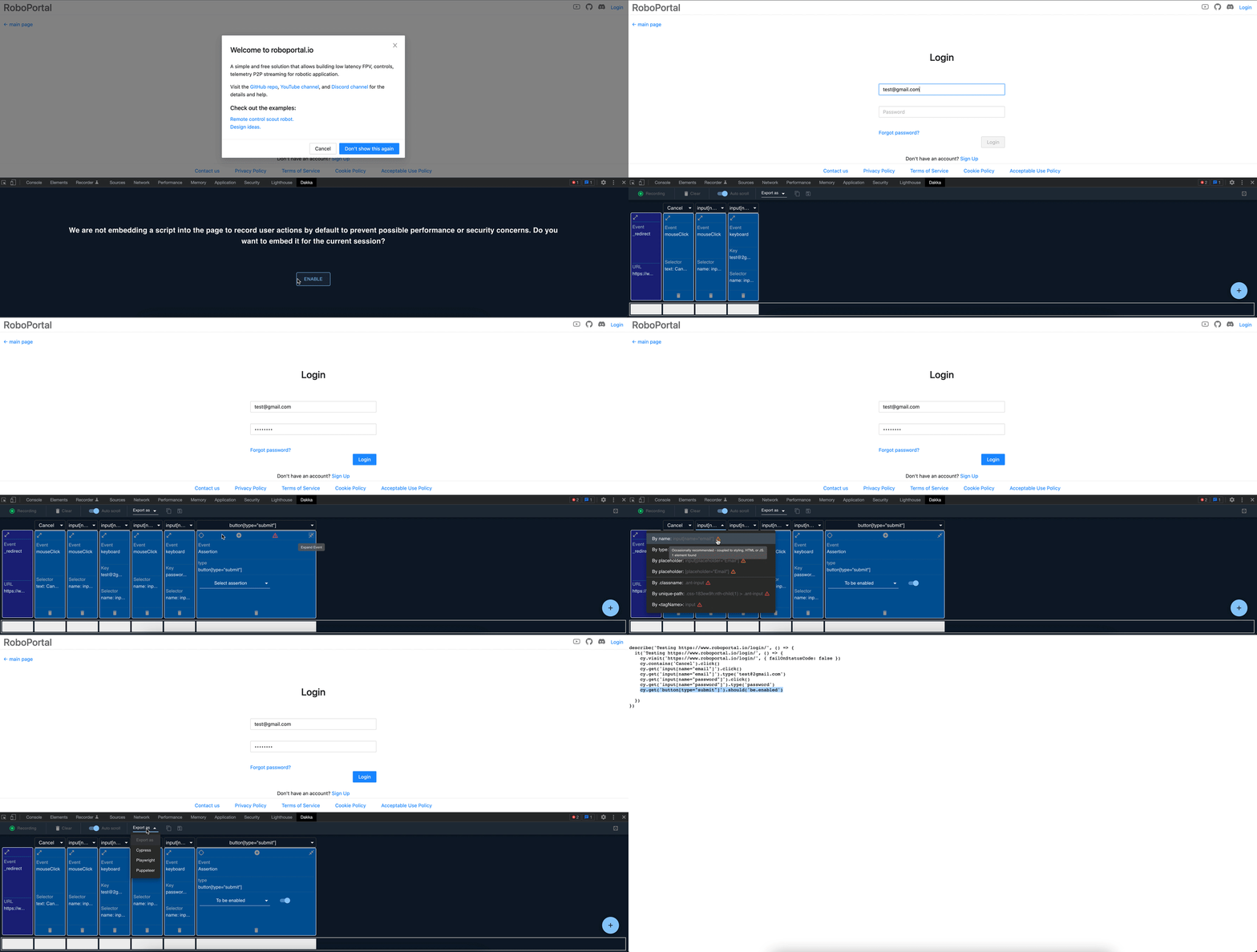
To install Dakka click <a href="https://chrome.google.com/webstore/detail/dakka/gllikifiancbeplnkdnpnmmhhlncghej" target="_blank" rel="noreferrer">Chrome extension</a> and this will take you to Chrome Web Store. Follow next steps to start generating tests:
- Open Chrome devtools
- Enable Dakka
- Click Record button
- Start interacting with the page
User Actions
Once user starts recording, Dakka will catch:
- Mouse clicks, double-clicks and right button clicks
- Keyboard inputs including meta and special keys
- File uploads
- Browser navigation
- Screen resize
Not only Dakka tracks events for the page, but also for all its iframes (all origins supported!).
Adding Assertions
Assertion Blocks are validation steps, which are converted to assertion logic such as <code>cy.get('#loading').should('not.exist')</code>. To add an assertion hover over the floating plus sign and drag and drop assertion block.
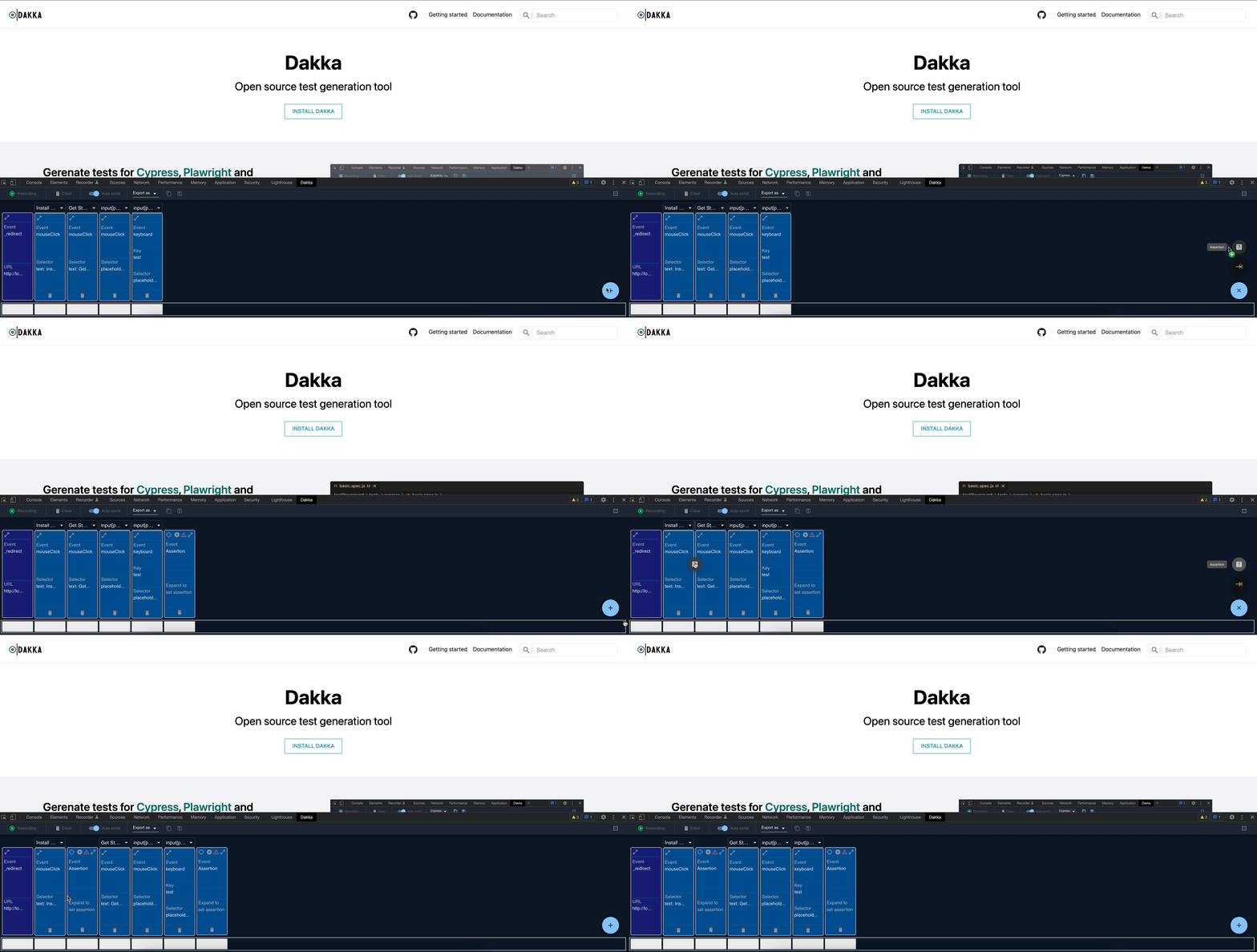
After adding Assertion Block you will need to configure assertion logic - locate the element on the page or manually add the element selector, choose the assertion from dropdown and edit the value if needed.
<br/> <div align="center"> <img width="360" alt="assertion setup 1" src="https://user-images.githubusercontent.com/7383804/154793765-c04130a5-b061-415a-9abe-9f23a9e802a0.png"> <img width="450" alt="assertion setup 2" src="https://user-images.githubusercontent.com/7383804/154793730-57da26b3-9408-455a-a2c8-1a406f3a272d.png"> </div>Choosing Selectors
Dakka suggests the list of best possible selectors for the elements on the page.
<div align="center"> <img width="560" alt="Choosing Selectors" src="https://user-images.githubusercontent.com/7383804/154788192-b5376c0d-c9f2-4a25-afc2-aad98939aa5c.png"> </div> <br/> Selectors are sorted by priority with green, red and yellow icons. First selector is pre-selected by default. Hover over the icon to get the element count on the page by selector. <br/>Delete Events
If generated events contain any entries that aren't required for the test use the Delete button located at the bottom of the event block.
Exporting
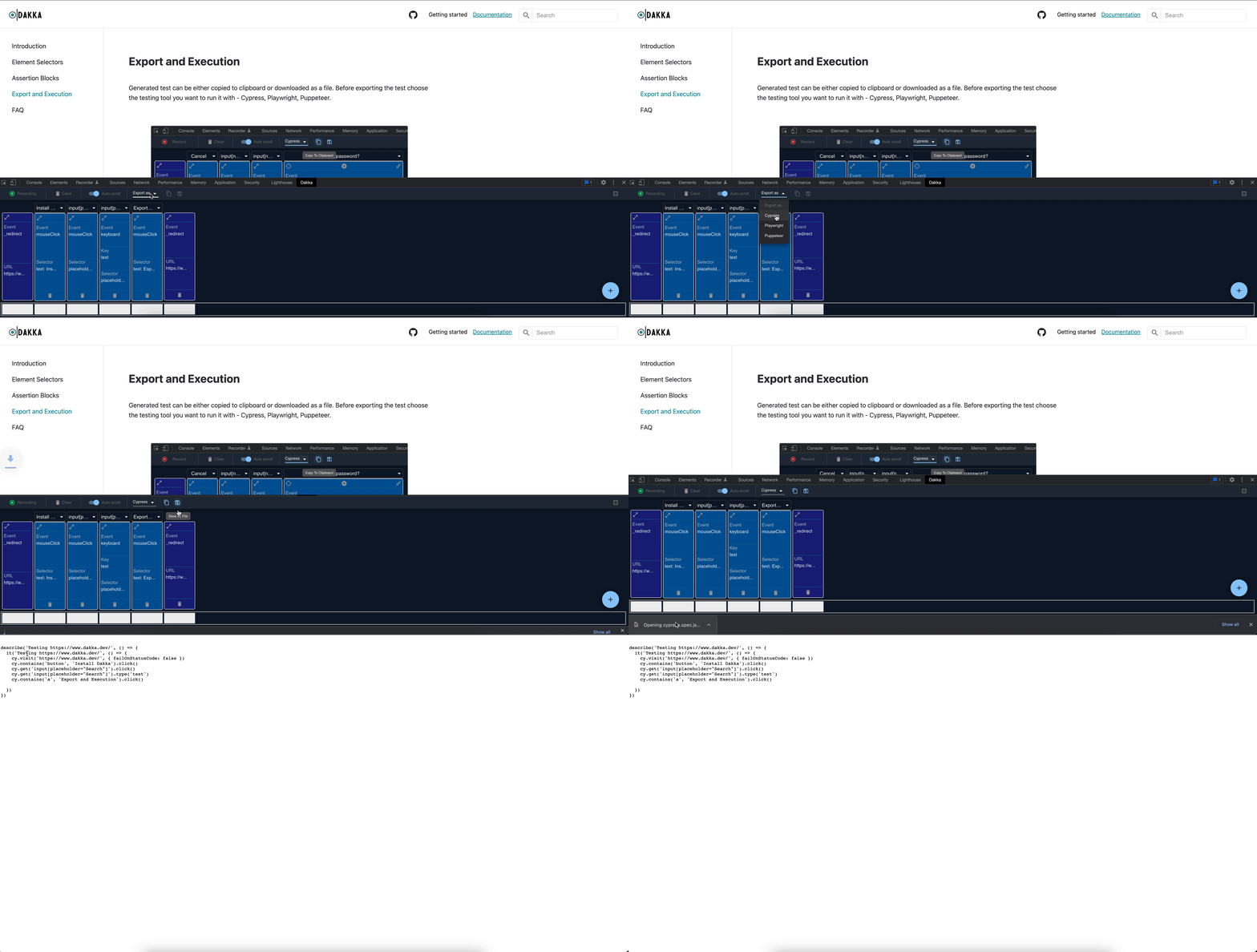
Generated test can be copied to clipboard or downloaded as a file and added to the project.
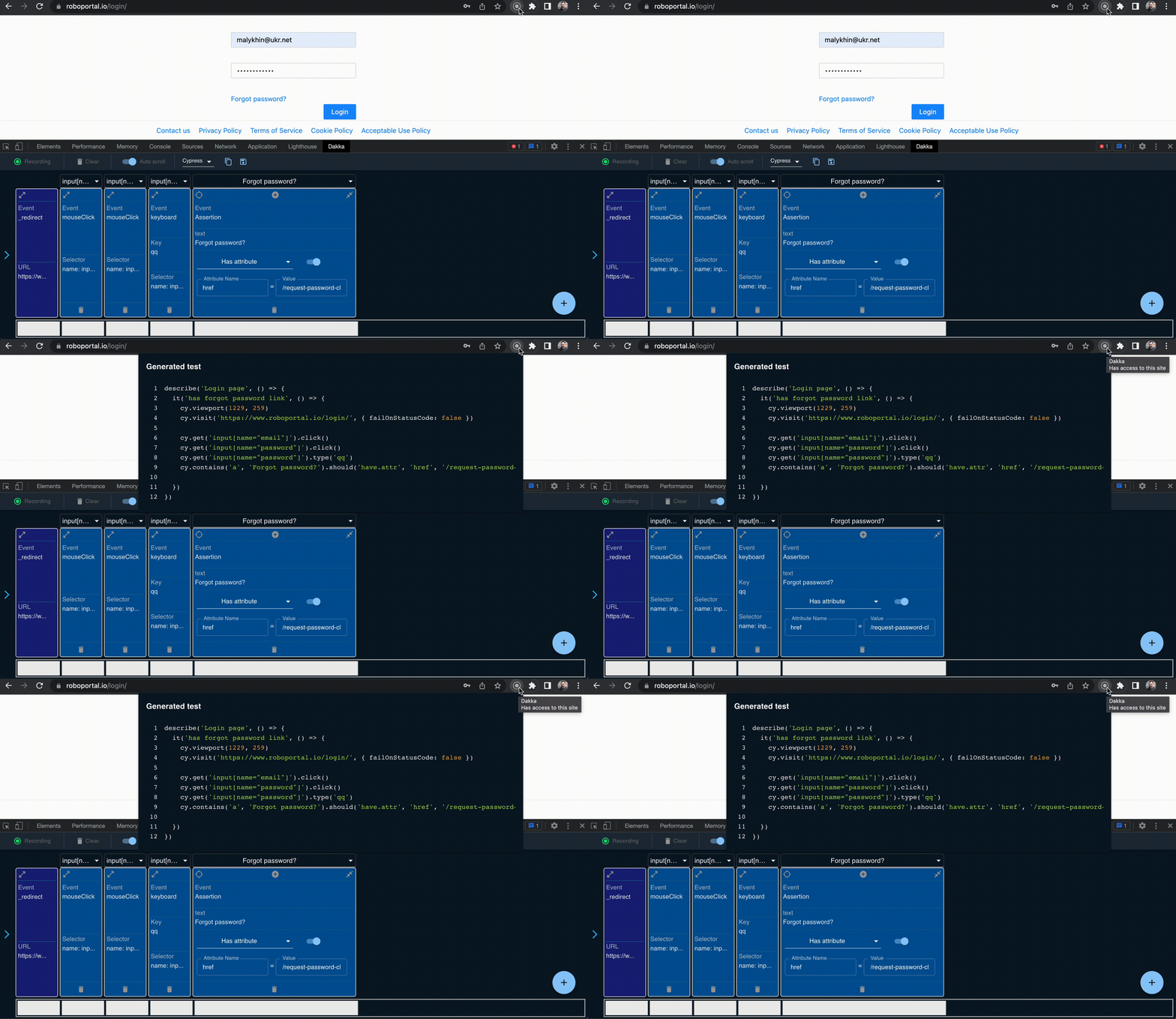
Alternatively, you can open the generated test in the extension's popup by clicking the action icon:
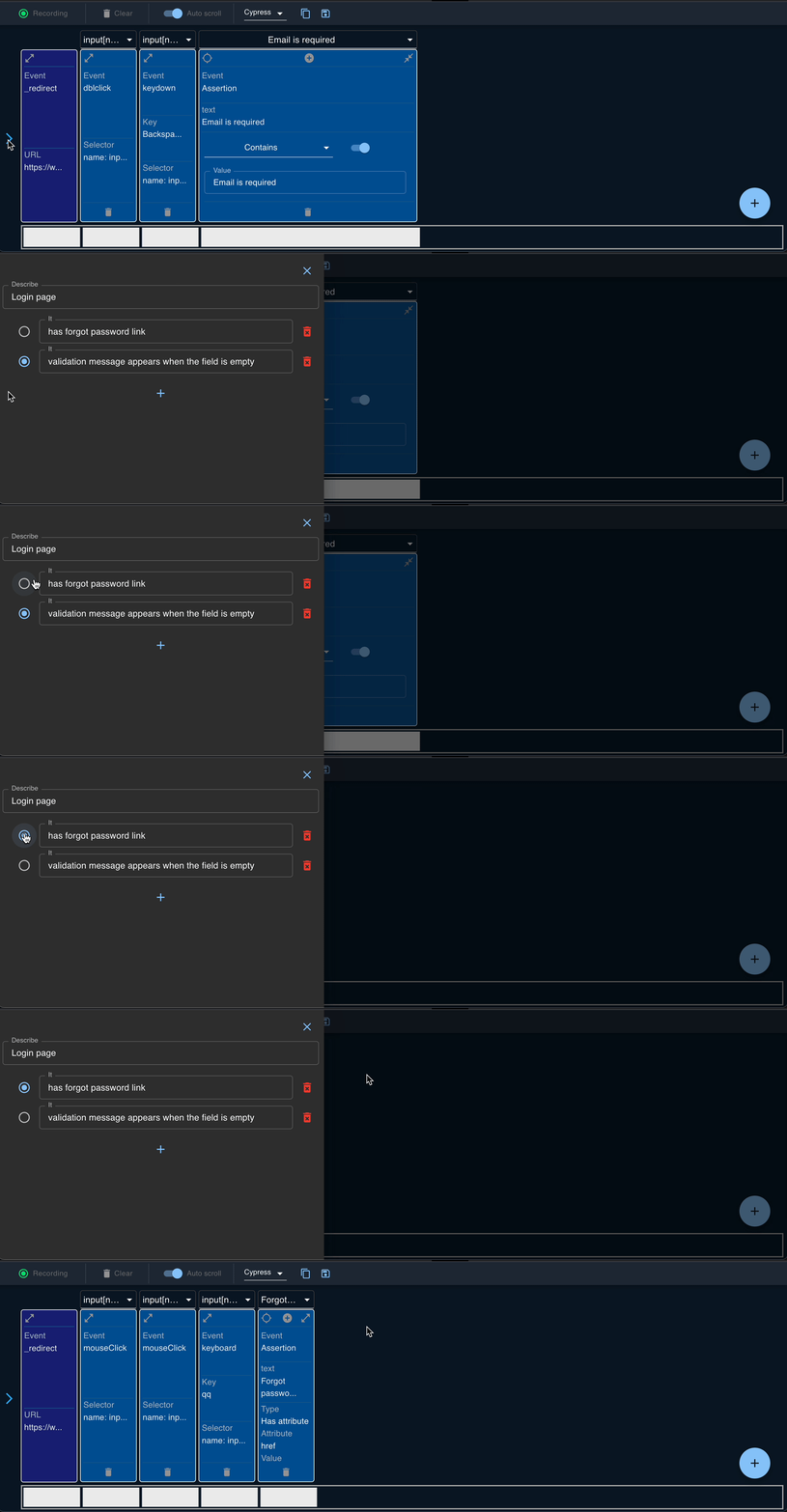
Test Case Creation
Dakka allows not only the single test recording and creation, but also the comprehensive test cases setup:
Contributing
Content
projects/extension/src/background- service-workerprojects/extension/src/devTools- creating tab for dev panelprojects/extension/src/contentScript- content and injectable scripts. Content has access to inspected DOM page, but is executed in different global context. Injectable is embedded to the document to intercept events.projects/extension/src/panel- dev tool UI appprojects/extension/src/manifest.json- extension manifestprojects/test/integration- integration tests for projectsprojects/test/playground- test playground with pre-configured tools
Development
Run npm i and npm start to start development. It will run webpack dev server on the 8080 port. To get the test page run npm run serve:integration and use: http://localhost:8081
Testing
Run npm test to execute the test suite. To update mocks of generated tests execute UPDATE_OUT=true npm run test
Build details
There are two webpack configs to bundle the extension:
webpack.panel.config.js- builds devTool and panel pages. This config supports HMR.webpack.scripts.config.js- builds background, content and injection scripts. This part doesn't use HMR cause it leads to the behaviour when the panel app stops receiving chrome.runtime messages from content and background scripts.
It's noticed, that when multiple webpack processes work concurrently, it might cause a stale dev-server port after stopping the processes. To clean up such a process use kill:stale-dev-server.
Using remote devtools
To use React and Redux devtools, start the servers first: npm run devtools. In redux-devtools panel open Settings and select use local option in the Connection tab. The hostname should be localhost, and the port should be 8000.
Building for production
Run to create production build: npm run build and npm run pack to compress it as zip file.
