
AudioNetwork
Data transmission over sound waves written in JavaScript without any dependencies. All you need is just microphone, speakers and the browser!
Install / Use
/learn @robertrypula/AudioNetworkREADME
Audio Network



Data transmission over sound waves written in <strike>JavaScript</strike>TypeScript. All you need is just microphone, speakers and the browser!
- Physical Layer
- Data Link Layer
- Transport Layer (comming soon)
- Audio Chat (comming soon)
- Full example List
News
-
2018 May 11 - PR#4 was merged with master. Important: migration process from ES5 to TypeScript is still NOT finished. It will just continue on the master branch.
-
2018 May 10 - Thanks to Programista magazine, all 3 parts of my articles about data transmission over sound in JavaScript are now available as PDFs. Please find links in the next section.
-
2018 Feb 06 - Project looks like dead but it's not. Now I'm focusing on configuration that allows me to move entire AudioNetwork project to TypeScript, WebPack, Jest unit test with coverge, Travis etc.
Self-made network stack based on Frequency-Shift Keying (>= v1.2.0)
Audio Network library is a hobby project in which the goal was to create simple network stack that uses sound waves to transmit data. Initialy it was using PSK modulation technique which was later changed into FSK.
Brief introduction to the topic is available as presentation hosted on slides.com here.
If you are interested in details you can read more in polish Programista magazine:
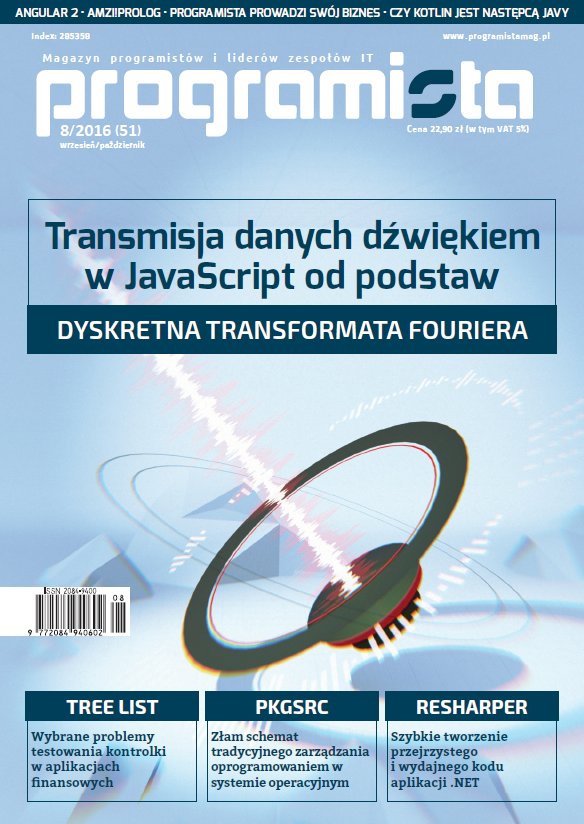

- Data transmission over sound from scratch. Part 1: Discrete Fourier Transform (08/2016) Download PDF
- Data transmission over sound from scratch. Part 2: Web Audio API (02/2017) Download PDF
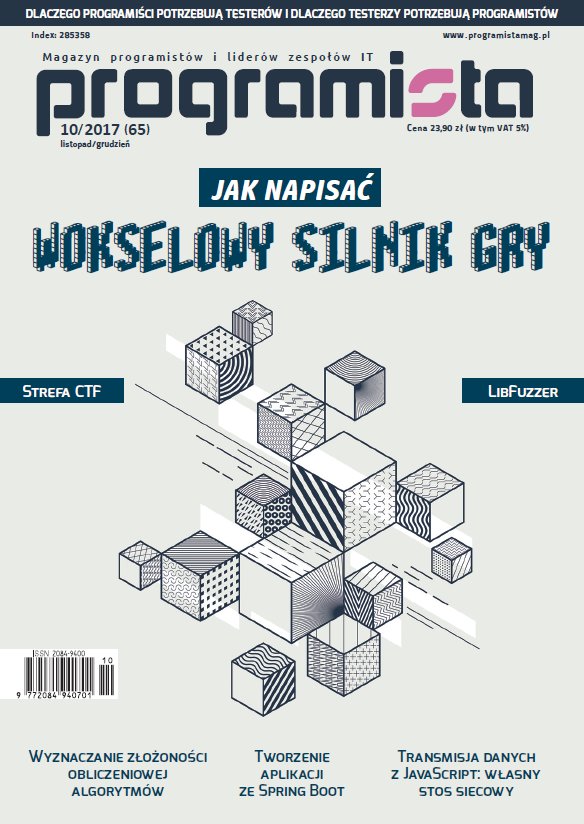
- Data transmission over sound from scratch. Part 3: Self-made network stack (10/2017) Download PDF
Part 3 of the article was the last one. It means that more focus will go to this website and Audio Network releases. If you can't wait please go trought some of the examples:
- Physical Layer simplest (source)
- Physical Layer simple (source)
- Physical Layer listeners demo (source)
- Physical Layer (source)
- Data Link Layer simple (comming soon) (source)
- Data Link Layer listeners demo (source)
- Data Link Layer (source)
- Transport Layer (comming soon) (source)
- Audio Chat (comming soon) (source)
- ...and much more :)
Full list of examples is available here:
Note: some of the modules are not yet in main NPM package. Please verify roadmap.
This library is supported by PGS Software - the place where I work as Frontend Developer
Deprecated Phase-Shift Keying approach (last update at v1.1.0, will be removed at v2.0.0)
Initial versions of this lib were based on Phase-Shift Keying modulation technique. Unfortunatelly after some tests in turned out that this implementation was not working reliable on mobile devices. Starting from v1.2.0 this part of the lib will be marked as deprecated.
!!! IMPORTANT NOTE !!! - Everything described below (up to Licence) might be outdated or not working properly. Project is now in a phase of big technical changes. Entire v1.x was created mostly to learn DSP and share this knowledge in the 'Programista' magazine articles. Version 2.x will have more stable and simpler API and will be better consumable as npm package.
If you want to try AudioNetwork by yourself I would recommend to first open Demo - simple because Demo - full features might be little scary for the first time. You can also watch YouTube video that shows how to transmit
data over sound between two laptops:
How can I transmit something over sound?
First of all you need to have two devices. One for sending, one for receiving data. It should work with any device (PC, Mac, tablet, smartphone) with browser that supports Web Audio API. Next you need to open Demo - simple at both devices and follow steps below:
-
[Receiver] - Before you load demo page you need to be quiet :) Receiving device needs to listen to 'silence' around you when there is no signal in the air. It's indicated by
IDLE_INITstate and it ends whenFIRST_SYNC_WAITstate will come. If you fell that your silence wasn't good enough you can always useRESETbutton to start again. -
[Transmitter] - All you need to do is to click on
SYNCbutton. -
[Receiver] - When
SYNCtransmission is in progress state should change toFIRST_SYNC. After about 2 seconds it should switch toIDLE. At this point we are ready to send some data! -
[Transmitter] - Now you can put some data to textarea and click on
Send packetbutton. After short moment your data will appear on the receiver's side.
By default PSK-2 modulation is used so you can use only symbols
0and1but it's enough to send data bit by bit. For example to send ASCIIacharacter (0x61) you need to put inside textarea0 1 1 0 0 0 0 1. Please remember to always put one space between each symbol but whole text needs to be without trailing and leading spaces.
If at any point you will see
FATAL_ERRORstate you need to click onRESETbutton and start all points again.
AudioNetwork needs raw microphone output without any filter applied. You can verify that by opening
Soundsettings in your operating system. When you enter your microphone properties you might need to un-check all filters. The worst scenario is when your microphone has some hardware filter that you can't disable. In this case you need to throw it away and buy a new one ;)
How to add sound transmission to my project?
Audio Network is available at GitHub and npm so you can just run one of the commands below:
git clone https://github.com/robertrypula/AudioNetwork.git
cd AudioNetwork
npm install
gulp serve
or
npm install audio-network
In both cases at build directory you will find minified and unminified js file with whole library. Pick one and
include it into your HTML file. For example:
<script src="node_modules/audio-network/build/audio-network-v1.3.2.min.js"></script>
Now you can access AudioNetwork object at global JavaScript scope. It's the entry point for all components:
var physicalLayer, transmitAdapter, receiveAdapter;

physicalLayer = new AudioNetwork.PhysicalLayer.PhysicalLayer({
    // config
});
transmitAdapter = new AudioNetwork.PhysicalLayerAdapter.TransmitAdapter(physicalLayer);
receiveAdapter = new AudioNetwork.Physical
Related Skills
node-connect
334.9kDiagnose OpenClaw node connection and pairing failures for Android, iOS, and macOS companion apps
frontend-design
82.3kCreate distinctive, production-grade frontend interfaces with high design quality. Use this skill when the user asks to build web components, pages, or applications. Generates creative, polished code that avoids generic AI aesthetics.
openai-whisper-api
334.9kTranscribe audio via OpenAI Audio Transcriptions API (Whisper).
commit-push-pr
82.3kCommit, push, and open a PR
