
Talkito
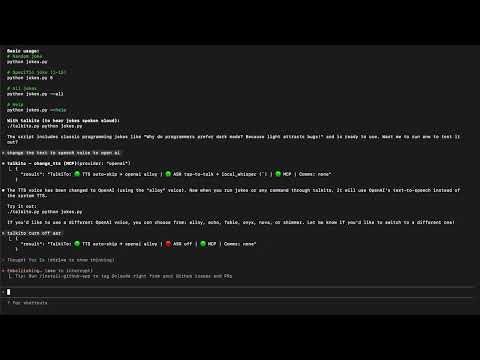
TalkiTo lets developers interact with AI systems through speech across multiple channels (terminal, API, phone). It can be used as both a command-line tool and a Python library.
Install / Use
/learn @robdmac/TalkitoQuality Score
Category
Development & EngineeringSupported Platforms
README
TalkiTo
<div align="center">



TalkiTo lets developers talk, slack and whatsapp with Claude Code and OpenAI Codex. It can be used as a command-line tool, a web extension, and as a Python library.
🚀 Quick Install
Option 1: One-liner Install Script (Recommended)
curl -sSL https://raw.githubusercontent.com/robdmac/talkito/main/install.sh | bash
Option 2: PyPI
pip install talkito
Then just run:
talkito claude
Install for End Users
From Source (Stable)
# Clone the repository
git clone https://github.com/robdmac/talkito.git
cd talkito

# Create and activate virtual environment (recommended)
python3 -m venv venv
source venv/bin/activate

# Install system dependencies (macOS)
brew install portaudio

# Install package (normal install - gets updates via git pull)
pip install .

# Run this in a directory you want to use claude with
talkito claude
Install for Developers
Editable Install (Development)
# Clone the repository
git clone https://github.com/robdmac/talkito.git
cd talkito

# Create and activate virtual environment (recommended)
python3 -m venv venv
source venv/bin/activate

# Install system dependencies (macOS)
brew install portaudio

# Install in development mode (editable install)
pip install -e .

# Run this in a directory you want to use claude with
talkito claude
or for the web extension run as
talkito --mcp-sse-server
then go to chrome://extensions/ and load unpacked the extensions/chrome/ dir
Demo Video
AI Assistant Compatibility
| AI Assistant | Method | Status | |-----------------|---------------|---------------------| | Claude Code | Terminal | Fully Supported | | Codex Cli | Terminal | Fully Supported | | bolt.new | Web Extension | Output Only | | v0.dev | Web Extension | Output Only | | replit.com | Web Extension | Output Only | | Other agents | Terminal | In Progress |
Run with Claude Code
run talkito claude
Run with Codex Cli
run talkito codex
Run as an MCP server
run talkito --mcp-server
Run the TalkiTo configuration menu
run talkito
Advanced Options
# Disable auto-skip to newer content (auto-skip is on by default)
talkito --dont-auto-skip-tts claude

# Use different TTS providers
talkito --tts-provider polly --tts-voice Matthew --tts-region us-west-2 echo "Hello with AWS"
talkito --tts-provider azure --tts-voice en-US-JennyNeural echo "Hello with Azure"
talkito --tts-provider gcloud --tts-voice en-US-Journey-F echo "Hello with Google"
talkito --tts-provider kittentts --tts-voice expr-voice-3-f echo "Hello with KittenTTS"
talkito --tts-provider kokoro --tts-voice af_heart echo "Hello with Kokoro (local)"

# Use different ASR providers
talkito --asr-provider gcloud --asr-language en-US claude
AZURE_SPEECH_KEY=... AZURE_SPEECH_REGION=eastus talkito --asr-provider azure claude
WHISPER_MODEL=small WHISPER_COMPUTE_TYPE=int8 talkito --asr-provider local_whisper claude
talkito --asr-language es-ES echo "Hola mundo"  # Spanish recognition

# Enable remote communication (configure via environment variables)
talkito --slack-channel '#alerts' python manage.py runserver
talkito --whatsapp-recipients +1234567890 long-running-command
talkito --sms-recipients +1234567890,+0987654321 server-monitor.sh
Using tts.py (Standalone TTS)
The TTS module can be used independently for text-to-speech operations:
#!/usr/bin/env python3
import tts

# Initialize TTS
engine = tts.detect_tts_engine()
tts.start_tts_worker(engine)

# Speak text
tts.queue_for_speech("Hello from the TTS module!")

# Wait and cleanup
import time
time.sleep(2)
tts.shutdown_tts()
Using asr.py (Standalone ASR)
The ASR module can be used independently for speech recognition:
#!/usr/bin/env python3
import asr

# Define callback for recognized text
def handle_text(text):
    print(f"You said: {text}")

# Start dictation
asr.start_dictation(handle_text)

# Keep running (press Ctrl+C to stop)
try:
    import time
    while True:
        time.sleep(1)
except KeyboardInterrupt:
    asr.stop_dictation()
Provider Configuration
Text-to-Speech (TTS) Providers
System TTS (Default)
- macOS: Uses built-in
saycommand - Linux: Uses
espeak,festival, orflite(install via package manager) - Setup: No API key needed
OpenAI TTS
- Get API Key: https://platform.openai.com/api-keys
- Voices: alloy, echo, fable, onyx, nova, shimmer
- Usage:
--tts-provider openai --tts-voice nova
AWS Polly
- Get Credentials: https://aws.amazon.com/polly/getting-started/
- Setup: Set
AWS_ACCESS_KEY_IDandAWS_SECRET_ACCESS_KEY - Voices: Joanna, Matthew, Amy, Brian, and more
- Usage:
--tts-provider polly --tts-voice Matthew
Azure Speech Services
- Get API Key: https://azure.microsoft.com/en-us/services/cognitive-services/speech-services/
- Setup: Set
AZURE_SPEECH_KEYandAZURE_REGION - Voices: en-US-JennyNeural, en-US-AriaNeural, and many more
- Usage:
--tts-provider azure --tts-voice en-US-JennyNeural
Google Cloud Text-to-Speech
- Get Credentials: https://cloud.google.com/text-to-speech/docs/quickstart
- Setup: Set
GOOGLE_APPLICATION_CREDENTIALSto service account JSON path - Voices: en-US-Journey-F, en-US-News-N, and more
- Usage:
--tts-provider gcloud --tts-voice en-US-Journey-F
ElevenLabs
- Get API Key: https://elevenlabs.io/
- Setup: Set
ELEVENLABS_API_KEY - Voices: Various voice IDs available
- Usage: Configure in code or .env file
Deepgram
- Get API Key: https://deepgram.com/
- Setup: Set
DEEPGRAM_API_KEY - Voices: aura-asteria-en, aura-luna-en, aura-stella-en, and more
- Usage:
--tts-provider deepgram --tts-voice aura-asteria-en
KittenTTS (Local / Offline)
- Install:
pip install https://github.com/KittenML/KittenTTS/releases/download/0.1/kittentts-0.1.0-py3-none-any.whl soundfile phonemizer - Setup: No API key required. First run prompts to download the selected model (default
kitten-tts-nano-0.2) into the Hugging Face cache. ConfigureKITTENTTS_MODELandKITTENTTS_VOICEto pick different quality/voice options. - Best for: Ultra-lightweight CPU-only voices that stay on-device.
- Usage:
KITTENTTS_MODEL=kitten-tts-nano-0.2 talkito --tts-provider kittentts --tts-voice expr-voice-3-f
Kokoro (Local / Offline)
- Install:
pip install 'kokoro>=0.9.4' soundfile phonemizer - Setup: No API key required. TalkiTo will download Kokoro weights the first time you run it (set
KOKORO_LANGUAGE,KOKORO_VOICE,KOKORO_SPEEDto control defaults). - Best for: High-quality multilingual voices without sending audio to a cloud provider.
- Usage:
talkito --tts-provider kokoro --tts-voice af_heart --tts-language en-US
Automatic Speech Recognition (ASR) Providers
Google Speech Recognition (Default)
- Free: No API key required
- Limitations: Best for short utterances, requires internet
- Usage: Default when no provider specified
Google Cloud Speech-to-Text
- Get Credentials: https://cloud.google.com/speech-to-text/docs/quickstart
- Setup: Set
GOOGLE_APPLICATION_CREDENTIALS - Features: Better accuracy, streaming support
- Usage:
--asr-provider gcloud
AssemblyAI
- Get API Key: https://www.assemblyai.com/
- Setup: Set
ASSEMBLYAI_API_KEY - Features: Real-time transcription, speaker detection
- Usage: Configure in code or .env file
Deepgram
- Get API Key: https://deepgram.com/
- Setup: Set
DEEPGRAM_API_KEY - Features: Fast, accurate real-time transcription
- Usage: Configure in code or .env file
Houndify
- Get Credentials: https://www.houndify.com/
- Setup: Set
HOUNDIFY_CLIENT_IDandHOUNDIFY_CLIENT_KEY - Features: Natural language understanding
- Usage:
--asr-provider houndify
AWS Transcribe
- Get Credentials: https://aws.amazon.com/transcribe/
- Setup: Set AWS credentials
- Features: Streaming transcription
- Usage:
--asr-provider aws --aws-region us-west-2
Azure Speech Services
- Get API Key: https://azure.microsoft.com/en-us/services/cognitive-services/speech-services/
- Setup: Set
AZURE_SPEECH_KEYandAZURE_SPEECH_REGION, thenpip install azure-cognitiveservices-speech - Features: Low-latency streaming dictation with automatic punctuation
- Usage:
AZURE_SPEECH_KEY=... AZURE_SPEECH_REGION=eastus talkito --asr-provider azure
Local Whisper (On-Device)
- Install:
pip install faster-whisper(default) orWHISPER_COREML=1 pip install pywhispercppfor Apple Silicon/CoreML acceleration - Setup: No API key required. Configure
WHISPER_MODEL(e.g.,small,medium),WHISPER_DEVICE(cpu,cuda, ormps), andWHISPER_COMPUTE_TYPE(int8,int8_float16, etc.). Models are cached locally and TalkiTo will prompt before downloading unlessTALKITO_AUTO_APPROVE_DOWNLOADS=1. - Usage:
WHISPER_MODEL=small WHISPER_COMPUTE_TYPE=int8 talkito --asr-provider local_whisper
Communication Providers (Remote Interact
Related Skills
node-connect
345.4kDiagnose OpenClaw node connection and pairing failures for Android, iOS, and macOS companion apps
frontend-design
104.6kCreate distinctive, production-grade frontend interfaces with high design quality. Use this skill when the user asks to build web components, pages, or applications. Generates creative, polished code that avoids generic AI aesthetics.
openai-whisper-api
345.4kTranscribe audio via OpenAI Audio Transcriptions API (Whisper).
qqbot-media
345.4kQQBot 富媒体收发能力。使用 <qqmedia> 标签,系统根据文件扩展名自动识别类型(图片/语音/视频/文件)。
