
Yabridge
A modern and transparent way to use Windows VST2, VST3 and CLAP plugins on Linux
Install / Use
/learn @robbert-vdh/YabridgeREADME
yabridge


Yet Another way to use Windows audio plugins on Linux. Yabridge seamlessly supports using both 32-bit and 64-bit Windows VST2, VST3, and CLAP plugins in 64-bit Linux plugin hosts as if they were native plugins, with optional support for plugin groups to enable inter-plugin communication for VST2 plugins and quick startup times. Its modern concurrent architecture and focus on transparency allows yabridge to be both fast and highly compatible, while also staying easy to debug and maintain.
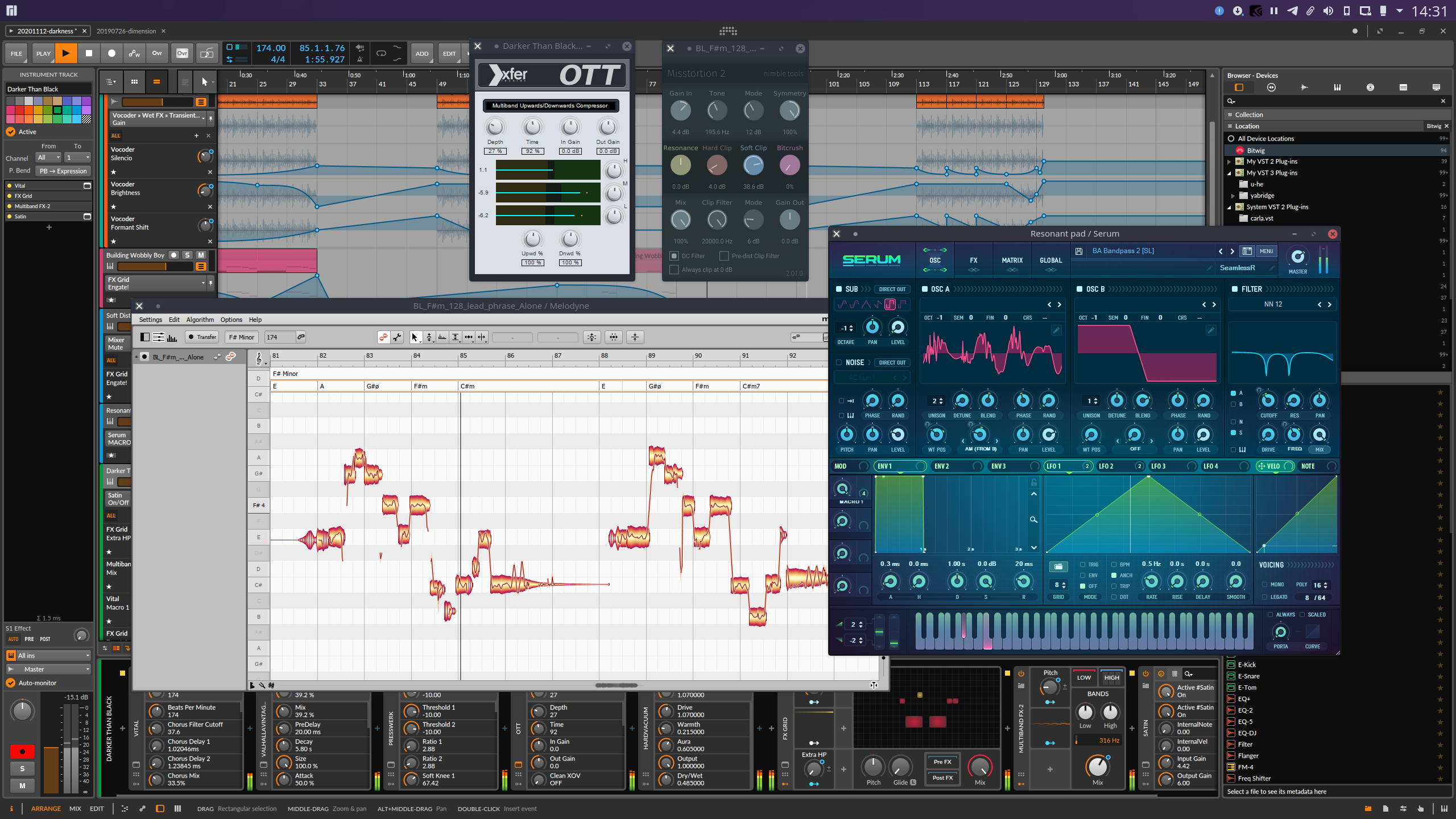
Table of contents
- Tested with
- Usage
- Configuration
- Known issues and fixes
- Troubleshooting common issues
- Performance tuning
- Building
- Debugging
Tested with
Yabridge has been tested under the following hosts using Wine Staging 9.21. See #368 for information about GUI problems with Wine 9.22..
[!IMPORTANT] yabridge doesn't work with
flatpakpackages. Please use native packages (.deb, .rpm, AUR etc) of the DAWs listed below.
| Host | VST2 | VST3 | CLAP | | ----------------- | ------------------ | ----------------------------------------------------------- | ---------------------------------------------------- | | Bitwig Studio 5.3 | :heavy_check_mark: | :heavy_check_mark: | :heavy_check_mark: | | REAPER 7.12 | :heavy_check_mark: | :heavy_check_mark: | :heavy_check_mark: | | Carla 2.5.5 | :heavy_check_mark: | :heavy_check_mark: | Does not support CLAP | | Qtractor 0.9.29 | :heavy_check_mark: | :warning: VST3 editor windows may not have the correct size | :warning: Qtractor may not support every CLAP plugin | | Renoise 3.4.3 | :heavy_check_mark: | :heavy_check_mark: | Does not support CLAP | | Waveform 12.1.3 | :heavy_check_mark: | :heavy_check_mark: | Does not support CLAP | | Ardour 8.1 | :heavy_check_mark: | :warning: Some plugins may cause Ardour 7.3-8.1 to freeze | Does not support CLAP | | Mixbus 7.0.140 | :heavy_check_mark: | :heavy_check_mark: | Does not support CLAP |
Please let me know if there are any issues with other hosts.
Usage
-
First of all, yabridge requires a recent-ish version of Wine (Staging). Users of Debian, Ubuntu, Linux Mint and Pop!_OS should install Wine Staging from the WineHQ repositories as the Wine versions provided by those distro's repositories may be too old to be used with yabridge. On other distros you should be able to just install
wine-stagingusing your distro's package manager.For a general overview on how to use Wine to install Windows applications, check out Wine's user guide.
-
Depending on your distro you can install yabridge and its yabridgectl companion utility through your distro's package manager or by using a binary archive from the GitHub releases page. Keep in mind that the distro packages mentioned below may not always be up to date, and some may also not be compiled with support for 32-bit plugins.
<a href="https://repology.org/project/yabridge/versions" target="_blank" rel="noopener" title="Packaging status"><img align="right" src="https://repology.org/badge/vertical-allrepos/yabridge.svg"></a>
-
On Arch and Manjaro, yabridge and yabridgectl can be installed from the official repositories using the
yabridgeandyabridgectlpackages. -
On Fedora, you can install yabridge and yabridgectl from a COPR.
-
On the OpenSUSE distros, yabridge and yabridgectl are packaged by GeekosDAW.
-
On NixOS, yabridge and yabridgectl are in the repositories.
-
On Ubuntu, Debian, Linux Mint, Pop!_OS, and any other distro, you can simply download and install a prebuilt version of yabridge:
-
First download the latest version of yabridge from the releases page. These binaries currently target Ubuntu 20.04, and should work on any other distro that's newer than that.
-
Extract the contents of the downloaded archive to
~/.local/share, such that the file~/.local/share/yabridge/yabridgectlexists after extracting. You can extract an archive here from the command line withtar -C ~/.local/share -xavf yabridge-x.y.z.tar.gz. If you're extracting the archive using a GUI file manager or archive tool, then make sure that hidden files and directories are visible by pressing <kbd>Ctrl+H</kbd>. You should also double check that your archive extraction tool didn't create an additional subdirectory in~/.local/share. Dragging and dropping theyabridgedirectory from the archive directly to~/.local/shareis the best way to make sure this doesn't happen. -
Whenever any step after this mentions running
yabridgectl <something>, then you should run~/.local/share/yabridge/yabridgectl <something>instead.Alternatively, you can also add that directory to your shell's search path. That way you can run
yabridgectldirectly. If you don't know what that means, then addexport PATH="$PATH:$HOME/.local/share/yabridge"to the end of~/.bashrcand reopen your terminal.
-
-
-
Setting up and updating yabridge for your plugins is done though the
yabridgectlcommand line utility. The basic idea is that you first install your Windows plugins to their default locations within a Wine prefix just like you would on regular Windows. and yabridgectl then manages those plugin directories for you. You then tell yabridgectl where it can find those plugins so it can manage them for you. That way you only ever need to run a single command whenever you install or remove a plugin. Both yabridge and yabridgectl will automatically detect your yabridge installation if you used one of the installation methods from step 1.To tell yabridgectl where it can find your Windows VST2, VST3, and CLAP plugins, you can use yabridgectl's
add,rmandlistcommands to add, remove, and list the plugin directories yabridgectl is managing for you. You can also useyabridgectl statusto get an overview of the current settings and the installation status for all of your plugins.- To add the most common VST2 plugin directory in the default Wine prefix, use
yabridgectl add "$HOME/.wine/drive_c/Program Files/Steinberg/VstPlugins". This directory may be capitalized asVSTPluginson your system, and some plugins may also install themselves to a similar directory directly inside of Program Files. - VST3 plugins under Windows are always installed to
C:\Program Files\Common Files\VST3, and you can useyabridgectl add "$HOME/.wine/drive_c/Program Files/Common Files/VST3"to add that directory to yabridge. - CLAP plugins under Windows are always installed to
C:\Program Files\Common Files\CLAP, and you can useyabridgectl add "$HOME/.wine/drive_c/Program Files/Common Files/CLAP"to add that directory to yabridge.
- To add the most common VST2 plugin directory in the default Wine prefix, use
-
Finally, you'll need to run
yabridgectl syncto finish setting up yabridge for all of your plugins. After doing so, your VST2, VST3, and CLAP plugins will be set up in~/.vst/yabridge,~/.vst3/yabridge, and~/.clap/yabridgerespectively. Make sure your DAW searches~/.vst,~/.vst3, and~/.clapfor VST2, VST3, and CLAP plugins and you will be good to go.
Bitbridge
Yabridge can also load 32-bit Windows plugins so you can use them in your 64-bit Linux DAW. Yabridge will automatically detect whether a plugin is 32-bit or 64-bit on startup and it will handle it accordingly. If
Related Skills
node-connect
338.7kDiagnose OpenClaw node connection and pairing failures for Android, iOS, and macOS companion apps
frontend-design
83.6kCreate distinctive, production-grade frontend interfaces with high design quality. Use this skill when the user asks to build web components, pages, or applications. Generates creative, polished code that avoids generic AI aesthetics.
openai-whisper-api
338.7kTranscribe audio via OpenAI Audio Transcriptions API (Whisper).
commit-push-pr
83.6kCommit, push, and open a PR
