
Papaya
A pure JavaScript medical research image viewer.
Install / Use
/learn @rii-mango/PapayaREADME
Papaya
Papaya is a pure JavaScript medical research image viewer, supporting DICOM and NIFTI formats, compatible across a range of web browsers. This orthogonal viewer supports overlays, atlases, GIFTI & VTK surface data and DTI data. The Papaya UI is configurable with many display, menu and control options and can be run on a web server or as a local, shareable file.
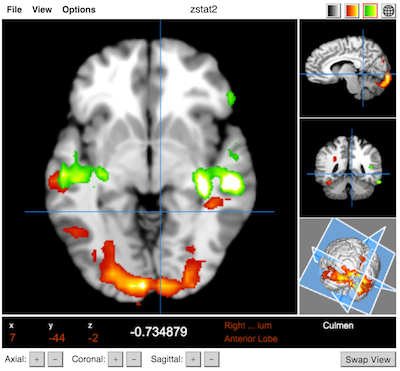
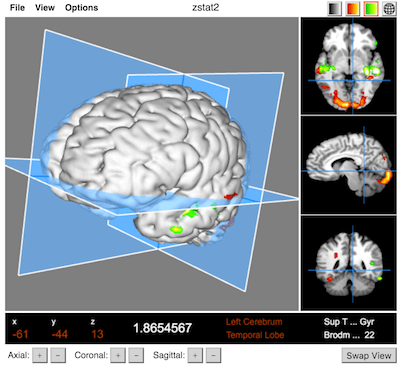
Documentation & Demo
- Requirements: Firefox (7+), Chrome (7+), Safari (6+), iOS (6+), IE (10+), Edge (12+)
- Supported Formats: NIFTI (.nii, .nii.gz), DICOM (compressed/uncompressed), GIFTI (.surf.gii), VTK
Quickstart Guide
Development
Load tests/debug_local.html or tests/debug_server.html in your favorite JavaScript debugger.
Building
See here for the latest release or run papaya-builder.sh to create your own build. See the documentation for more information.
Build using npm: npm run build
Usage & Configuration
Basic usage (loads a blank viewer)
<!DOCTYPE html>
<html xmlns="http://www.w3.org/1999/xhtml" lang="en">
    <head>
        <link rel="stylesheet" type="text/css" href="papaya.css" />
        <script type="text/javascript" src="papaya.js"></script>
        <title>Papaya Viewer</title>
    </head>

    <body>
        <div class="papaya"></div>
    </body>
</html>
To automatically load images and configure other options
<head>
    ...
    <script type="text/javascript">
        var params = [];
        params["worldSpace"] = true;
        params["images"] = ["data/myBaseImage.nii.gz", "data/myOverlayImage.nii.gz"];
        params["surfaces"] = ["data/mySurface.surf.gii"];
        params["myOverlayImage.nii.gz"] = {"min": 4, "max": 10};
    </script>
</head>

...

<div class="papaya" data-params="params"></div>
To automatically load images and configure other options with Tools like Zoom,PAN,STACK and Magnify
<head>
   <link rel="stylesheet" href="https://cdnjs.cloudflare.com/ajax/libs/font-awesome/6.5.1/css/all.min.css"/>
   <script type="text/javascript" src="../src/js/viewer/viewerTools.js"></script>
    ...
    <script type="text/javascript">
        var params = [];
        params["imageTools"] = true;
        params["images"] = ["data/myBaseImage.nii.gz", "data/myOverlayImage.nii.gz"];
        params["surfaces"] = ["data/mySurface.surf.gii"];
        params["myOverlayImage.nii.gz"] = {"min": 4, "max": 10};
    </script>
</head>
...

<div class="papaya" data-params="params"></div>
Rectangle
Play Cine
Magnify
Ruler
Angle
Ellipse
Acknowledgments
Papaya uses:
- Daikon for DICOM support
- NIFTI-Reader-JS for NIFTI support
- GIFTI-Reader-JS for GIFTI support
As well as the following third-party libraries:
- bowser — for browser detection
- Closure Compiler — JavaScript compression
- jquery — DOM manipulation
- numerics — for matrix math
- pako — for GZIP inflating
Related Skills
YC-Killer
2.7kA library of enterprise-grade AI agents designed to democratize artificial intelligence and provide free, open-source alternatives to overvalued Y Combinator startups. If you are excited about democratizing AI access & AI agents, please star ⭐️ this repository and use the link in the readme to join our open source AI research team.
API
A learning and reflection platform designed to cultivate clarity, resilience, and antifragile thinking in an uncertain world.
openclaw-plugin-loom
Loom Learning Graph Skill This skill guides agents on how to use the Loom plugin to build and expand a learning graph over time. Purpose - Help users navigate learning paths (e.g., Nix, German)
groundhog
398Groundhog's primary purpose is to teach people how Cursor and all these other coding agents work under the hood. If you understand how these coding assistants work from first principles, then you can drive these tools harder (or perhaps make your own!).
