
Syte
[Archived] A really simple but powerful packaged personal site that has social integrations like twitter, github, dribbble, instagram, foursquare, tumblr, wordpress, linkedin, spotify/last.fm, and much more...
Install / Use
/learn @rigoneri/SyteREADME
:warning: Unmaintained
Sorry, but this project is no longer maintained. Please use the new version, called Syte2.
PS. The project as of June 2016 still works fine if you want to use it.
Syte
Syte is a really simple but powerful packaged personal site that has social integrations like Twitter, GitHub, Dribbble, Instagram, Foursquare, Tumblr, Wordpress, Linkedin, Spotify/Last.fm, SoundCloud, Bitbucket, StackOverflow, Flickr and Steam. You can see it in action on my personal site.
Social Integrations
Blog
Syte uses Tumblr or Wordpress.com for blogging and your blog will be the primary page of the site.
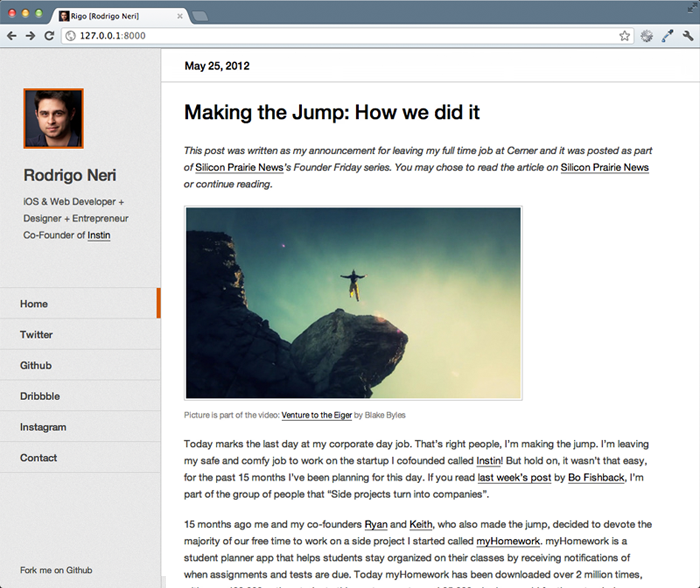
Syte has Twitter integration, which means that when someone clicks on a link that points to a user's Twitter profile the profile is loaded within your site along with the user's latest tweets.
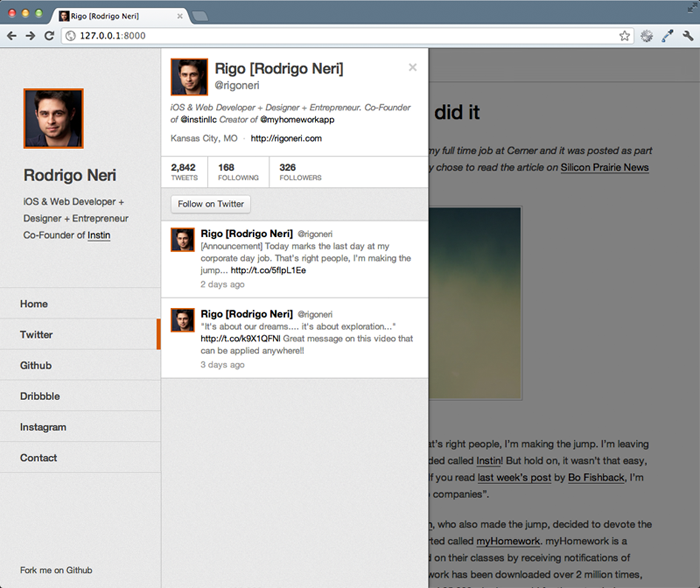
GitHub
Syte has GitHub integration, which means that when someone clicks on a link that points to a user's GitHub profile the profile is loaded within your site along with a list of the user's repos.
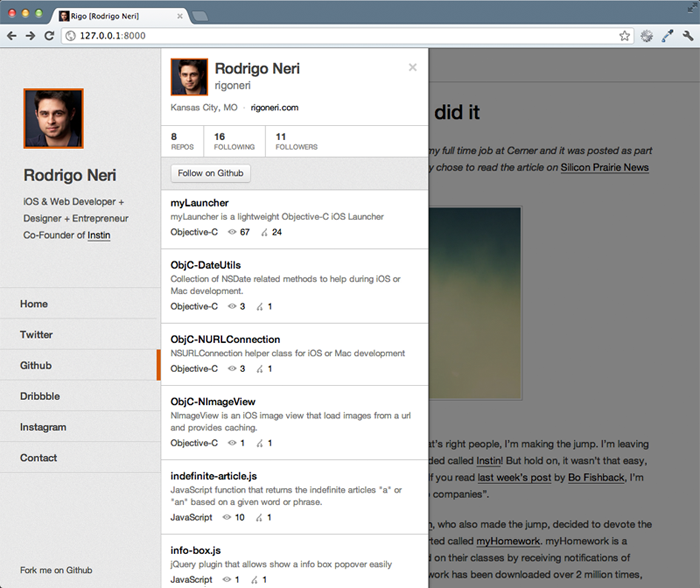
Dribbble
Syte has Dribbble integration, which means that when someone clicks on a link that points to a user's Dribbble profile the profile is loaded within your site along with the user's latest shots.
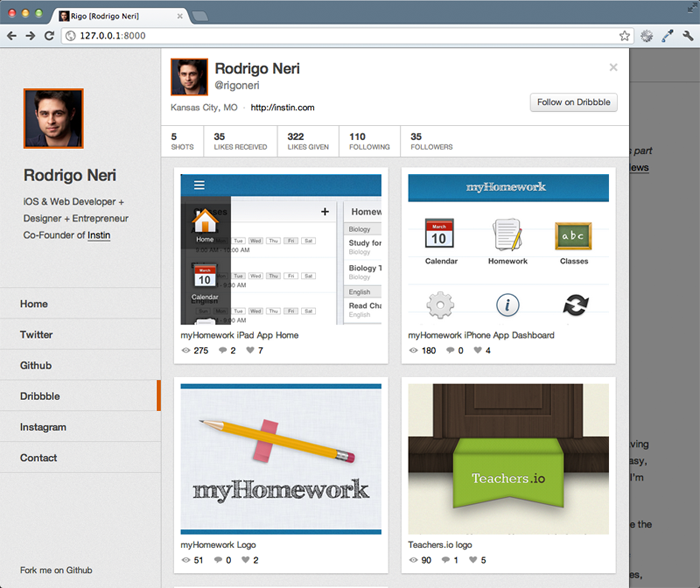
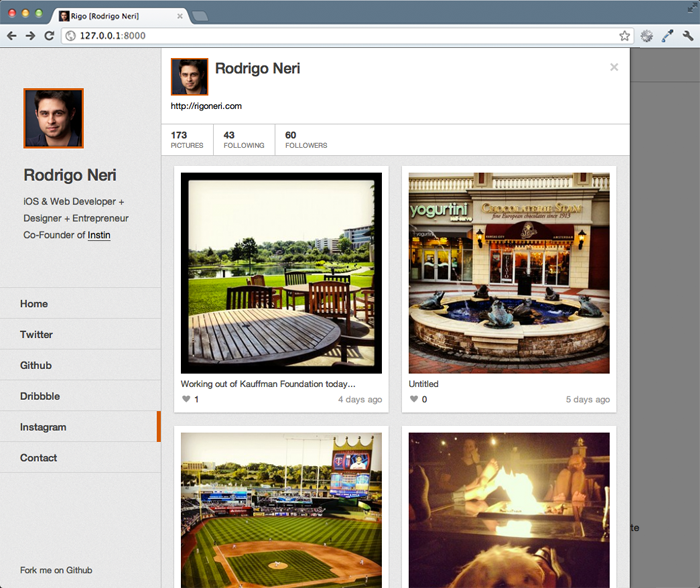
Syte has Instagram integration, which means that you can show your Instagram pictures within your site like a profile.
Foursquare
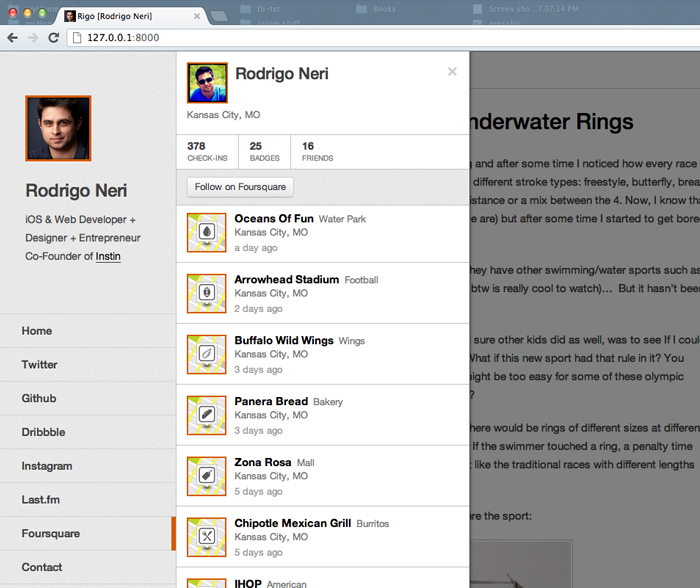
Syte has foursquare integration, which means that you can show your foursquare check-ins within your site like a profile.
Last.fm
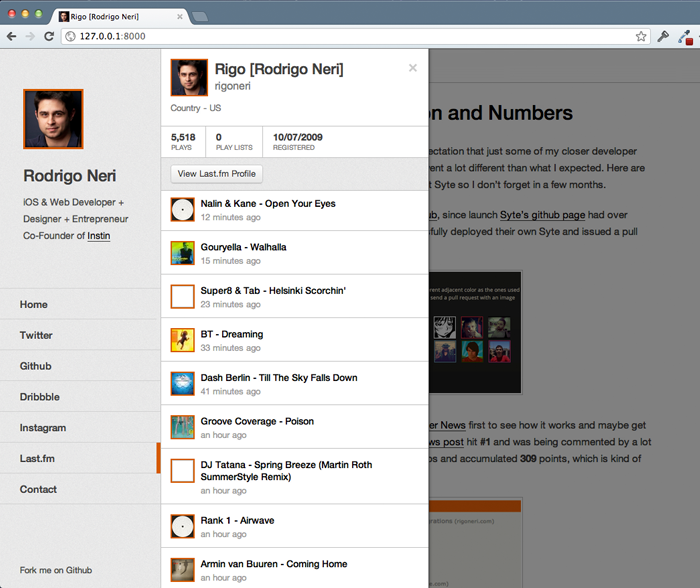
Syte has Last.fm integration, which means that when someone clicks on a link that points to a user's Last.fm profile the profile information will be loaded directly in the site along with a listing of the most recently scrobbled tracks.
SoundCloud
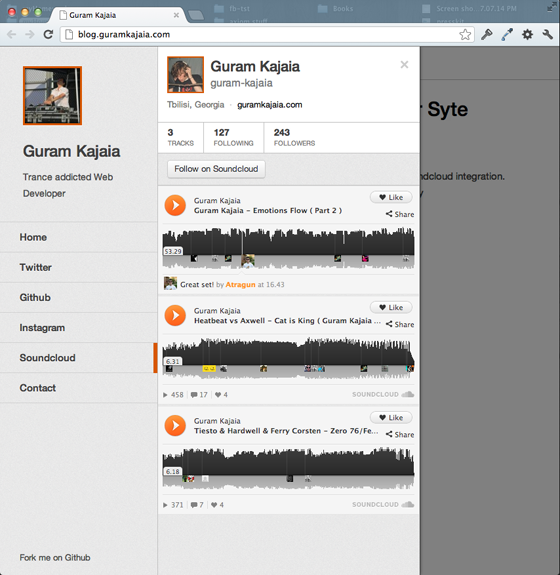
Syte has SoundCloud integration, which means that when someone clicks on a link that points to a user's SoundCloud profile the profile information will be loaded directly in the site along with a listing of the user's SoundCloud tracks. Since I don't use SoundCloud, you can see an example on Guram's website
Bitbucket
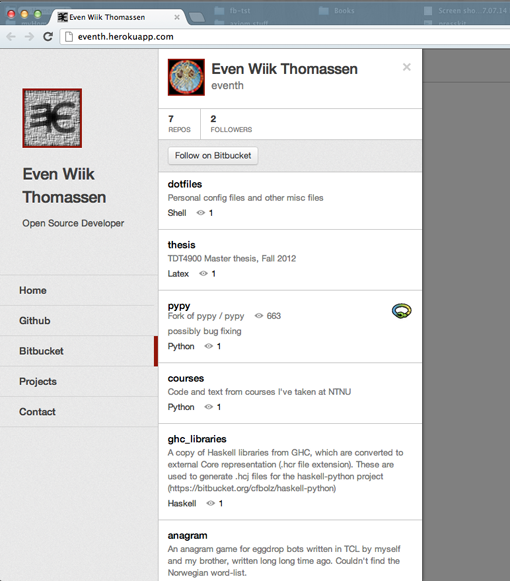
Syte has Bitbucket integration, which means that when someone clicks on a link that points to a user's Bitbucket profile the profile is loaded within your site along with a list of the user's repos.
Tent.io
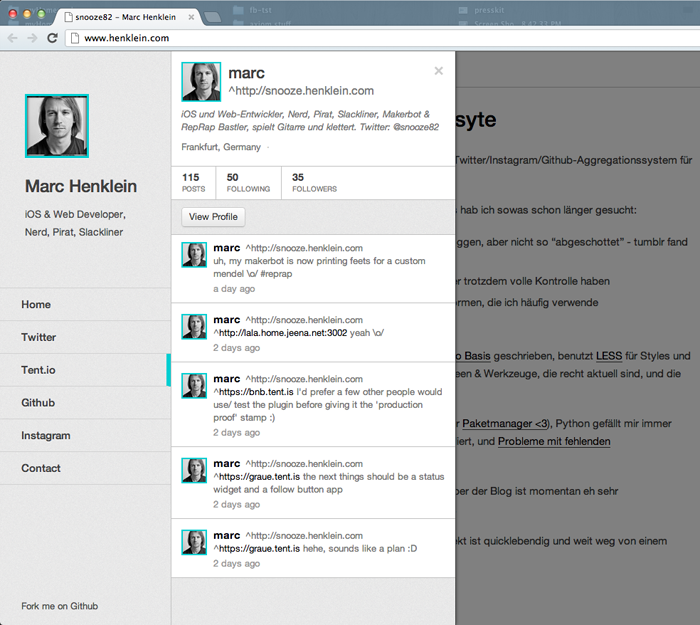
Syte has Tent.io integration, which means that you can show your Tent.io public posts within your site like a profile.
Steam
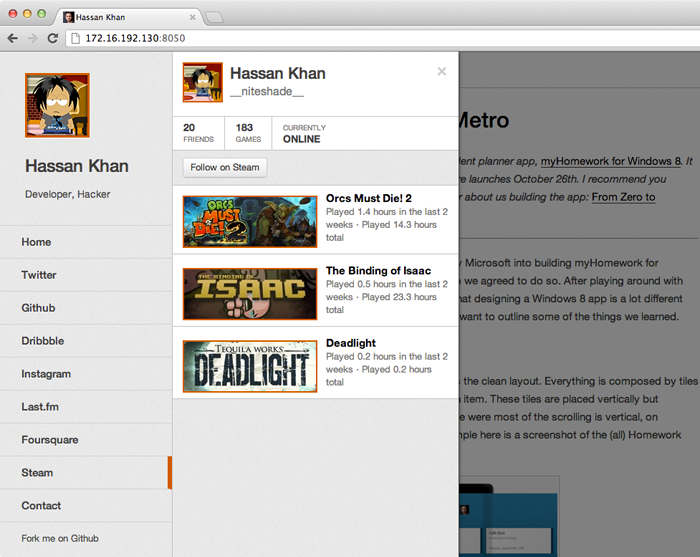
Syte has Steam integration, which means that you can show your Steam Community profile within your site.
StackOverflow
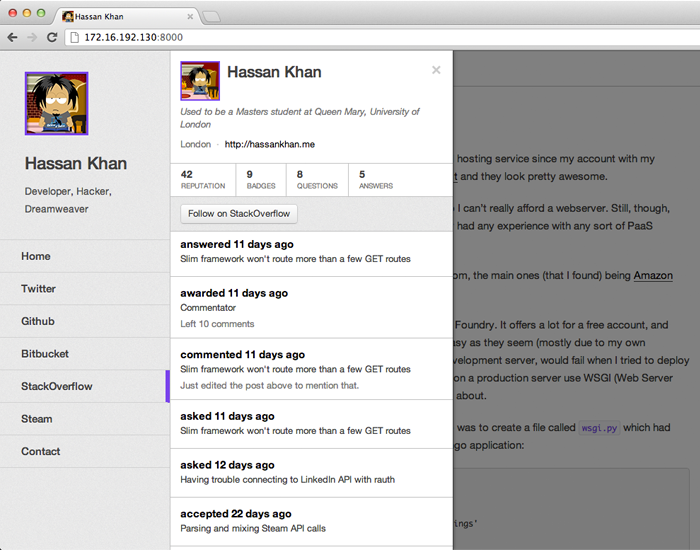
Syte has StackOverflow integration, which means that you can show your StackOverflow profile within your site.
Flickr
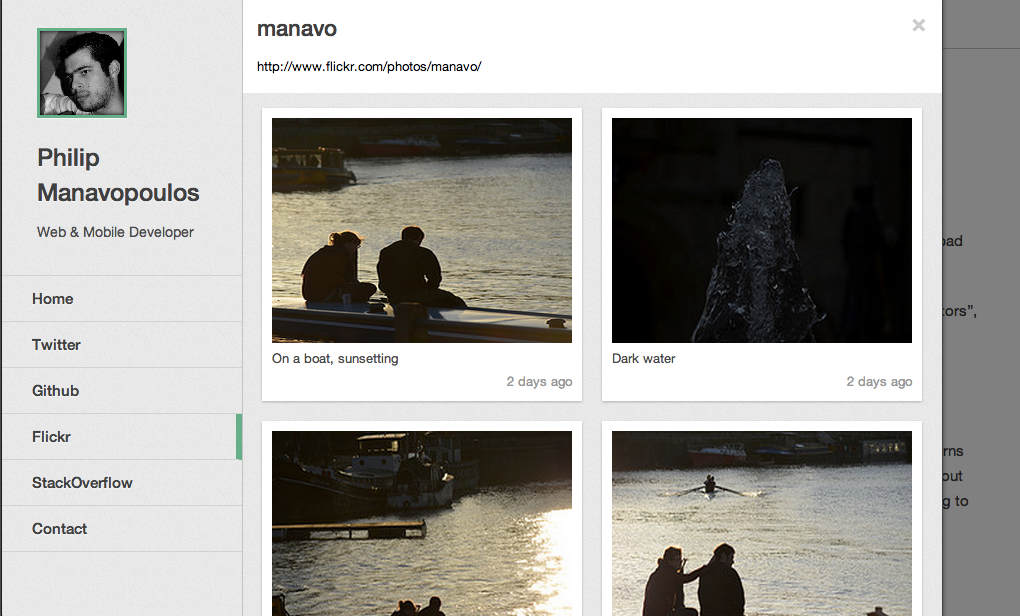
Syte has Flickr integration, which means that you can show your Flickr photos within your site.
Syte has LinkedIn integration, which means that you can show your LinkedIn profile information within your site.

Responsive UI
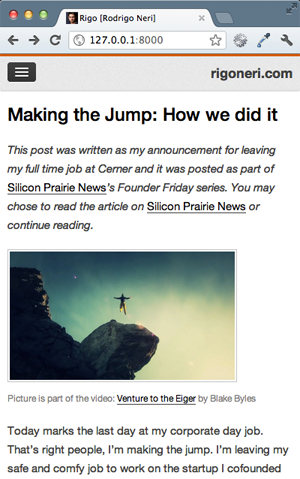
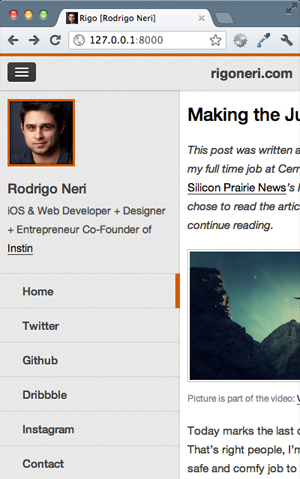
Syte is responsive, which means that it scales down to a mobile device screen size.
Technologies Used
Syte uses the Django web framework to handle requests and call the integration APIs (with python). However it doesn't necessarily need to be in Django since the majority of the work is on the frontend (I would love to see a fork using Node.js, maybe I'll put one together sometime.)
On the frontend Syte uses HTML5 and CSS3 while using the LESS CSS preprocessor. Syte also uses several JS libraries listed below:
- require.js
- handlebars.js
- moment.js
- spin.js
- bootstrap-modal.js
- jQuery URL Parser
- google-code-prettify
For static compression and minification Syte uses some Node.js libraries:
For deployment Syte uses Heroku since it's free for 750 dyno-hours per month. While the included instructions are for Heroku, Syte doesn't necessarily need to be deployed there.
Setup Instructions
There are a few steps in order to get Syte configured, but don't worry they are pretty easy.
Note I recommend you branching your fork and not checking in sensitive settings to GitHub!
Warning Do not place OAuth keys and tokens in a public repository.
Base content changes
There are a few things that are defaulted to have my information so you have the initial structure of the site.
To start off change the pictures to have your picture, navigate to syte > static > imgs and replace pic.png with your picture and favicon.ico with your favicon in this case I use my picture as well. Please make sure you keep the same sizes. pic.png is 84x84px and favicon.ico is 32x32px.
Then make some text and link changes. Open base.html located in syte > templates > base.html and make the following changes:
- Change the
meta="description"content to have a description about you. - Change the
meta="keywords"content to have keywords about you. - Change the
titletag to have your name. - Inside the
headertag change theh1tag to have your name. - Inside the
headertag change theh2tag to have a short description about you. - Inside the
navtag change the twitter-link href to point to your twitter profile, if you don't have twitter just remove that whole line. - Inside the
navtag change the github-link href to point to your GitHub profile, if you don't have GitHub just remove that whole line. - Inside the
navtag change the dribbble-link href to point to your Dribbble profile, if you don't have Dribbble just remove that whole line. - Inside the
navtag change the steam-link href to point to your Steam community profile, if you don't have Steam just remove that whole line. - Inside the
navtag change the stackoverflow-link href to point to your StackOverflow profile, if you don't have StackOverflow just remove that whole line. - Inside the
navtag change the flickr-link href to point to your Flickr profile, if you don't have Flickr just remove that whole line. - Inside the
navtag change the contact-link href to point to your email address. - Under
class="mobile-nav"div change the h3 link text to have your domain name or your name.
Then pick your adjacent color and change the @adjacent-color hex value in variables.less located in syte > static > less > variables.less Make sure the color you chose is not used by anyone on the list up above. If you want blue pick a different shade of blue, there are hundreds out there...
Setting up your blog
Syte uses Tumblr or Wordpress for blogging.
Setting up Tumblr
If you have a Tumblr blog you will need to get the api_key needed to call their APIs. In order to do that register your site with them by going to http://www.tumblr.com/oauth/register, fill in the information about your site, there is no need to enter a default callback url or an icon. Once you are done your website will be listed under http://www.tumblr.com/oauth/apps, save the OAuth Consumer Key value that's the api_key we need for Syte.
Once you have the api_key from Tumblr you have to enter it in syte_settings.py located in syte > syte_settings.py. Once you open that file enter the key under TUMBLR_API_KEY, also please enter your Tumblr url under TUMBLR_BLOG_URL see the example on how it should be formatted.
Setting up Wordpress
For now Syte only support wordpress blogs that are build using wordpress.com.
Open syte > syte_settings.py and under WORDPRESS_BLOG_URL enter ther url of your wordpress.com blog, also under BLOG_PLATFORM set it to "wordpress".
Comments
Comments are available through Disqus in order to get yours setup, make sure to signup through their website. Once you are done you will be given a Disqus shortname. Grab the shortname and ent
Related Skills
node-connect
330.7kDiagnose OpenClaw node connection and pairing failures for Android, iOS, and macOS companion apps
frontend-design
81.4kCreate distinctive, production-grade frontend interfaces with high design quality. Use this skill when the user asks to build web components, pages, or applications. Generates creative, polished code that avoids generic AI aesthetics.
openai-whisper-api
330.7kTranscribe audio via OpenAI Audio Transcriptions API (Whisper).
commit-push-pr
81.4kCommit, push, and open a PR
