
Ekill
Chrome/Firefox extension to nuke annoying elements in a web page
Install / Use
/learn @rhardih/EkillREADME
ekill
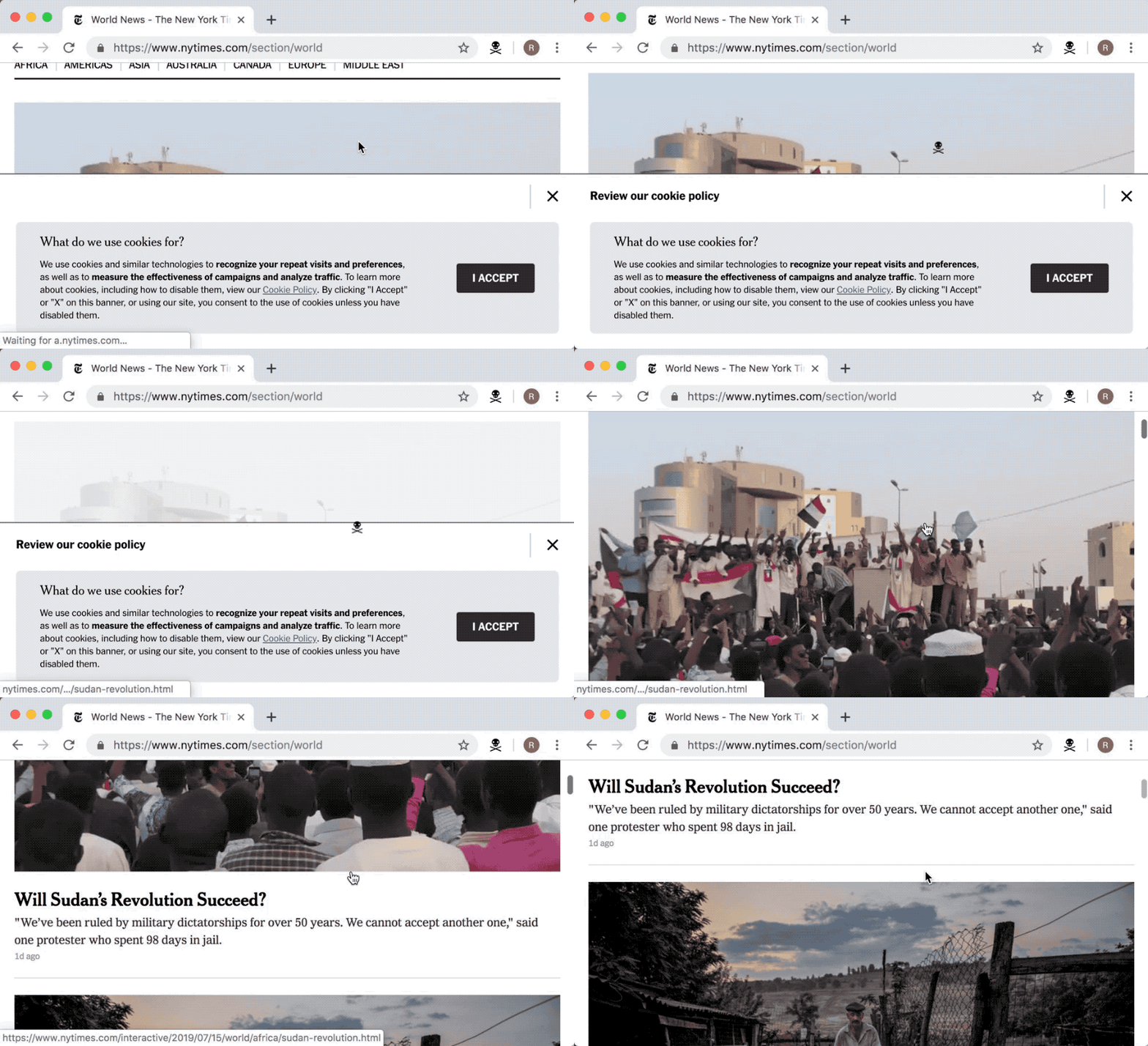
It's like xkill, but for annoying web pages instead.
Chrome and Firefox plugin for quickly getting rid of elements on a web page.
Installation
Keyboard shortcut
By default ekill is toggled with ctrl+shift+k, but this can be modified at will.
Go to chrome://extensions/shortcuts, find the item labeled "ekill" and set it to whatever is most convenient.
Options
Grudge (Experimental)
Turning this feature on, will let ekill hold a grudge against offending elements.
By keeping a record of killed of elements on a per page basis, ekill will try it's best to remove these elements on subsequent visits to the same page.
A rudimentary ui for toggling Grudge, as well as listing and editing the hit list, is included in the options page.
License
MIT: http://rhardih.mit-license.org
Changelog
1.8
- Changes the default hot-key from Ctrl+k to Ctrl+Shift+k.
1.7
- Adds a kill count badge to the extension icon.
1.6
- Adds the Grudge feature
- Adds options page to control Grudge
- Adds changelog notifications on version upgrades
1.5
- Adds light icons for Firefox dark theme.
1.4
- Adds support for Firefox
1.1 - 1.3
- Introduces ability to toggle on/off, as well as dismiss with Esc key
- Permissions narrowed to activeTab only
- Targets anything with role=button
1.0
- Initial version
Related Skills
node-connect
353.3kDiagnose OpenClaw node connection and pairing failures for Android, iOS, and macOS companion apps
frontend-design
111.7kCreate distinctive, production-grade frontend interfaces with high design quality. Use this skill when the user asks to build web components, pages, or applications. Generates creative, polished code that avoids generic AI aesthetics.
openai-whisper-api
353.3kTranscribe audio via OpenAI Audio Transcriptions API (Whisper).
qqbot-media
353.3kQQBot 富媒体收发能力。使用 <qqmedia> 标签,系统根据文件扩展名自动识别类型(图片/语音/视频/文件)。
