
Pkklib
pkklib - A free and open development kit for the clockworkPi PicoCalc
Install / Use
/learn @redbug26/PkklibREADME
PKKlib - PiKoKalc Library
PKKlib (PiKoKalc Library) is a lightweight C library designed to simplify game development on the Clockwork Pi PicoCalc, a tiny programmable calculator/computer based on the Raspberry Pi Pico.
The library provides a set of tools and functions to manage graphics, input, timing, and basic game mechanics, allowing you to quickly create and run games directly on the device.
📦 Main Features
- ✨ Easy graphics and text rendering
- 🎮 Simplified input handling
- 🎨 Sprite support for tile-based graphics (soon)
- ⏱ Built-in game loop and frame timing
- 🔉 Sound support
- 📁 Utility functions to speed up development
⚙️ Requirements
- A Clockwork Pi PicoCalc
- The PicoCalc firmware pico_multi_booter
- A working C development environment with pico-sdk
🚀 Installation
For detailed installation instructions, please refer to the installation guide.
📚 Documentation
Full documentation is under development and will be available in the docs/ folder. In the meantime, check out the examples in the next section for usage demonstrations.
🎮 Powered by the PKKlib
Sample projet from Crazy Piri using the PKKlib:
Tetris GB Clone by Crazy Piri (us)
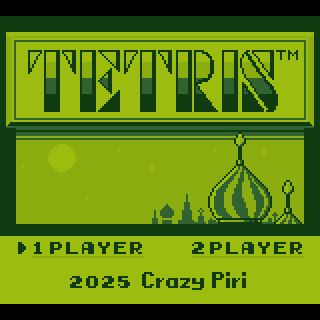
These projects are known to be based on the PKKlib:
???
❓ FAQ
1. What devices are compatible with PKKlib?
PKKlib is specifically designed for the Clockwork Pi PicoCalc, a device based on the Raspberry Pi Pico.
2. Can I use PKKlib with other firmware?
The library is build for the PicoCalc firmware pico_multi_booter. It is possible to use it with the stock firmware by removing the pico_set_linker_script line that references the memmap file in the CMakeLists.txt.
3. Where can I find example projects using PKKlib?
You can refer to the "🎮 Powered by the PKKlib" section for information on projects built with PKKlib.
4. How do I report a bug or request a feature?
You can report issues or request features via the GitHub Issues page.
5. How do I exit an application built with PKKlib?
To quit an application running on the PicoCalc with PKKlib, simply press Ctrl + Caps Lock.
🙏 Credits & Acknowledgments
- Special thanks to adwuard for creating the Picocalc_SD_Boot firmware, which this library is designed to work with.
- Thanks to the Clockwork Pi PicoCalc community for their enthusiasm and contributions.
- This project was heavily inspired by SGDK by Stéphane Dallongeville, a development kit for the Sega Mega Drive.
📝 TODO
- [ ] Remove STL dependencies (C++ files) as the C++ runtime increases the binary size by 290 KB!
- [ ] Add sprite support for tile-based graphics
- [ ] Complete full documentation in the
docs/folder - [ ] Add more example projects using PKKlib
- [ ] Improve sound support and add more audio features
🧪 License
PKKlib is released under the MIT License — free to use, modify, and distribute.
Related Skills
node-connect
351.8kDiagnose OpenClaw node connection and pairing failures for Android, iOS, and macOS companion apps
frontend-design
110.9kCreate distinctive, production-grade frontend interfaces with high design quality. Use this skill when the user asks to build web components, pages, or applications. Generates creative, polished code that avoids generic AI aesthetics.
openai-whisper-api
351.8kTranscribe audio via OpenAI Audio Transcriptions API (Whisper).
qqbot-media
351.8kQQBot 富媒体收发能力。使用 <qqmedia> 标签,系统根据文件扩展名自动识别类型(图片/语音/视频/文件)。
