
Md2pdf
Offline markdown to pdf, choose -> edit -> transform 🥂
Install / Use
/learn @realdennis/Md2pdfREADME

Markdown2PDF
English | 简体中文(Simplified Chinese) | 繁體中文(Traditional Chinese)
https://realdennis.github.io/md2pdf/
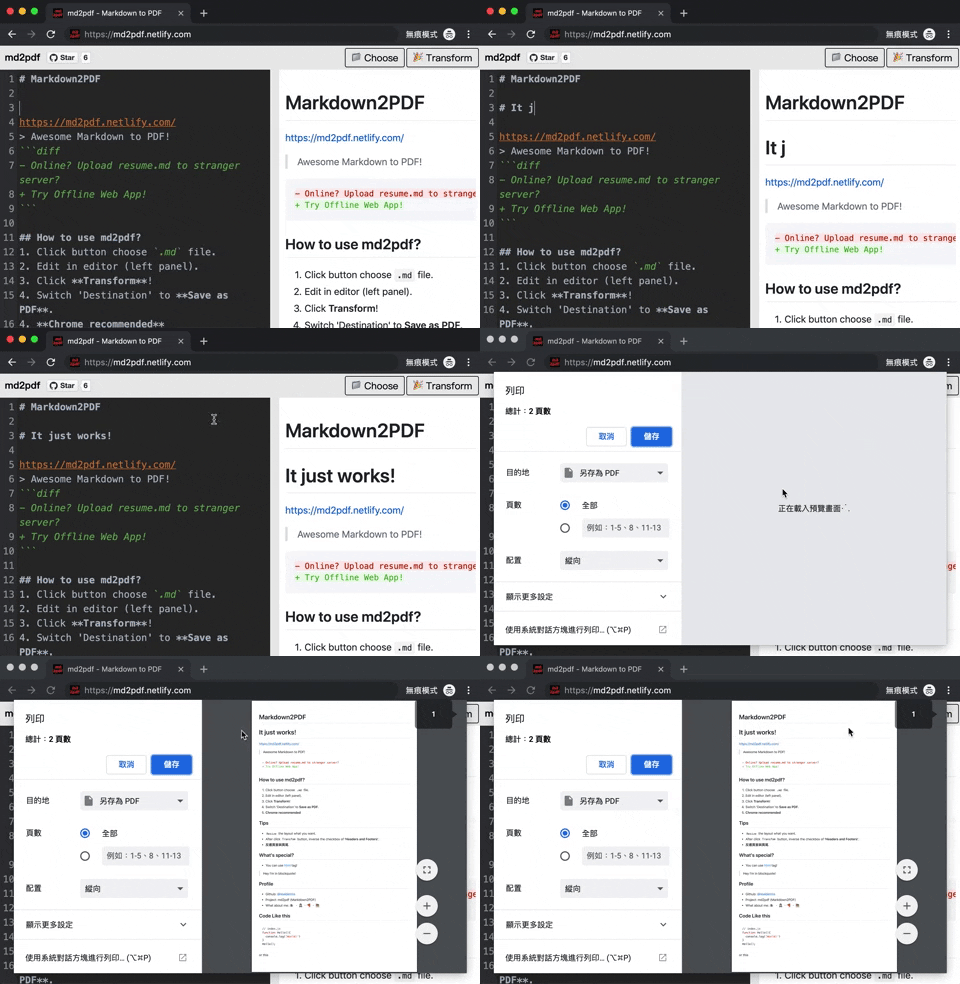
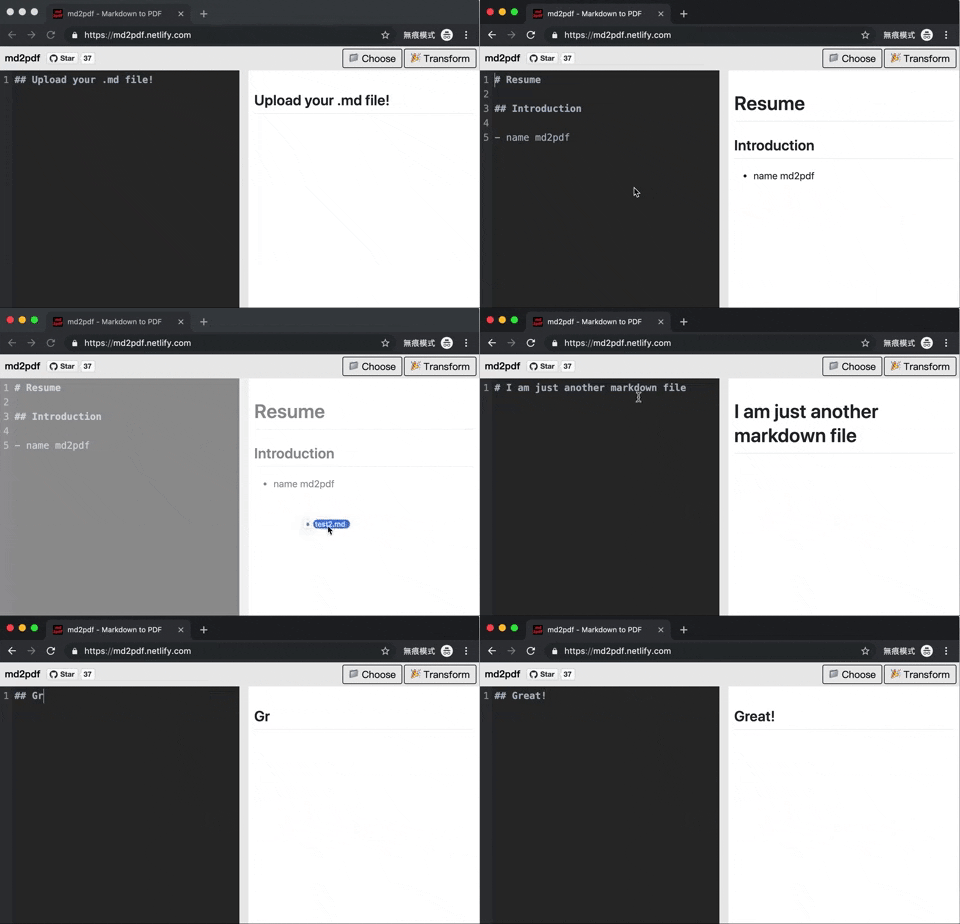
Awesome Markdown to PDF!
- Online? Upload resume.md to stranger server?
+ Try Offline Web App!
How to use md2pdf?
- Click button choose
.mdfile. - Edit in editor (left panel).
- Click Transform!
- Switch 'Destination' to Save as PDF.
- Chrome recommended
Using Docker
- Install docker on your platform
- Clone the repository
cdintomd2pdf- Run
docker compose up -dinside the directory
The docker compose binds the web server to localhost:8080 by default. You can change this by finding the ports line in docker-compose.yaml.
Note: This docker compose uses the build directive, so your system will go build and optimize the code itself. The application is hosted locally through nginx which is what binds to port 8080.
Tips
Resizethe layout what you want.- After click
Transformbutton, inverse the checkbox of 'Headers and Footers'. - 反選頁首與頁尾.
What's special?
- You can use <span style="color:#0984e3">html</span> tag!
LICENSE MIT © 2019 realdennis
Related Skills
bluebubbles
345.9kUse when you need to send or manage iMessages via BlueBubbles (recommended iMessage integration). Calls go through the generic message tool with channel="bluebubbles".
node-connect
345.9kDiagnose OpenClaw node connection and pairing failures for Android, iOS, and macOS companion apps
slack
345.9kUse when you need to control Slack from OpenClaw via the slack tool, including reacting to messages or pinning/unpinning items in Slack channels or DMs.
frontend-design
106.4kCreate distinctive, production-grade frontend interfaces with high design quality. Use this skill when the user asks to build web components, pages, or applications. Generates creative, polished code that avoids generic AI aesthetics.
