
UnrealOnRPI4
Running Unreal Engine 4 on RaspberryPI 4
Install / Use
/learn @rdeioris/UnrealOnRPI4README
UnrealOnRPI4
Running Unreal Engine 4 Projects on RaspberryPI 4
Author: Roberto De Ioris
Updated: 20201203
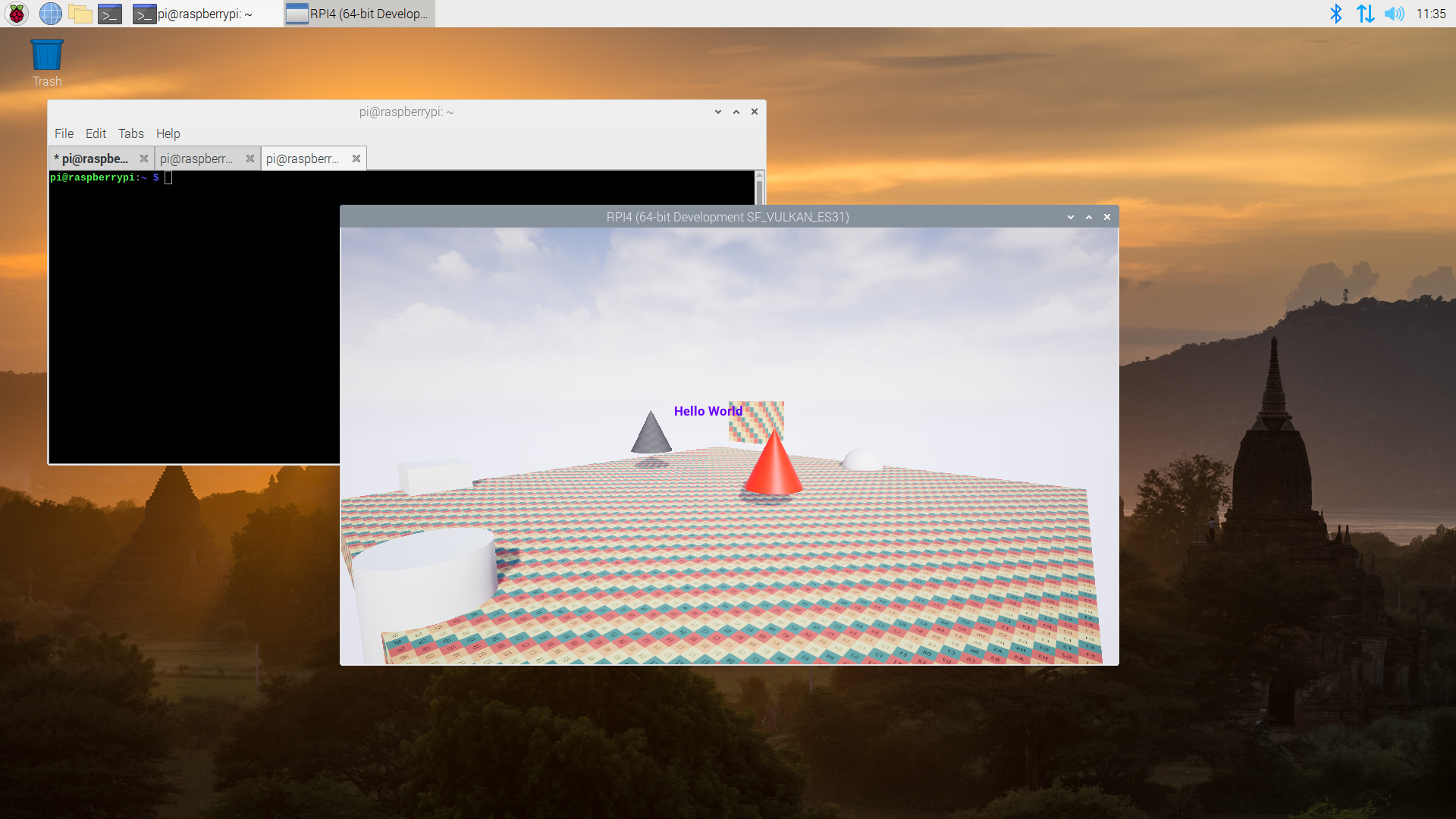
This is a tutorial for configuring an RPI4b (2, 4 and 8 GB versions) for running Linux AArch64 builds of Unreal Engine projects (Tested with versions 4.25 and 4.26)
NOTE: This is NOT for running the Unreal Engine 4 Editor, only packaged builds!.
In addition to RPI4 configuration, you will need to slightly modify Unreal Engine sources to support the RPI4 GPU (so be prepared to compile the engine multiple times)
This tutorial could be useful for porting Unreal Engine projects to other Linux arm64 platforms (with a GPU vulkan driver available).
While the tutorial assumes a raspios64 distribution, you can follow the same steps on Ubuntu for raspberrybi (albeit you cannot use the provided driver tarball)
Known Issues
- Do not expect great performance (but frankly speaking they are quite awesome for such a cheap device)
Step 1: Preparing the RPI4 for Linux AArch64
The first step is installing a 64bit version of raspios.
You can get the latest images here:
https://downloads.raspberrypi.org/raspios_arm64/images/
Once the os is booted, you need to install the vulkan-utils package:
sudo apt install vulkan-utils
Our objective is to allow Vulkan based applications (like Unreal Engine on Linux) to run on the RPI4.
As of raspios 2020-08-24 the included version of mesa (the open source implementaton of OpenGL, OpenGLES, Vulkan and so on) does not include a vulkan driver for the RPI.
By running
vkcube
You will get an ugly error about missing ICD drivers (read: Vulkan drivers)
Step 2: Installing the latest Mesa (for Vulkan drivers)
TLDR: just download the driver tarball from this repository (i will try to keep it updated): https://github.com/rdeioris/UnrealOnRPI4/raw/main/unreal_on_rpi4.tar.gz
Let's clone the mesa official repository:
git clone https://gitlab.freedesktop.org/mesa/mesa
For building mesa we need a bunch of packages:
sudo apt install meson python3-mako libdrm-dev libxcb1-dev libx11-xcb-dev libxcb-dri2-0-dev libxcb-dri3-dev libxcb-present-dev libxshmfence-dev libxrandr-dev bison flex
We can now move to the mesa repository (read: the mesa directory you created by cloning the repository) and configure the build system.
(Note: As of 20210104 the last working tested commit is 24dcdc3fa9485463de2d3f9053bc02619656a3e8)
time to run meson
meson --prefix=/home/pi/unreal_on_rpi4 -Dvulkan-drivers=broadcom -Ddri-drivers= -Dgallium-drivers= -Dplatforms=x11 build
Do not be worried about the 'red NO' lines. If all goes well you should see something like this
Message: Configuration summary:

        prefix:          /home/pi/unreal_on_rpi4
        libdir:          lib/aarch64-linux-gnu
        includedir:      include

        OpenGL:          no (ES1: no ES2: no)
        OSMesa:          no

        EGL:             no
        GBM:             no
        EGL/Vulkan/VL platforms:   x11 surfaceless

        Vulkan drivers:  broadcom
        Vulkan ICD dir:  share/vulkan/icd.d

        llvm:            no

        Gallium:         no
        HUD lmsensors:   no

        Shared-glapi:    no
Time to build and install:
ninja -C build
ninja -C build install
Your RPI vulkan ICD driver is in /home/pi/unreal_on_rpi4/
pi@raspberrypi:~/mesa $ find /home/pi/unreal_on_rpi4/
/home/pi/unreal_on_rpi4/
/home/pi/unreal_on_rpi4/lib
/home/pi/unreal_on_rpi4/lib/aarch64-linux-gnu
/home/pi/unreal_on_rpi4/lib/aarch64-linux-gnu/libvulkan_broadcom.so
/home/pi/unreal_on_rpi4/share
/home/pi/unreal_on_rpi4/share/vulkan
/home/pi/unreal_on_rpi4/share/vulkan/icd.d
/home/pi/unreal_on_rpi4/share/vulkan/icd.d/broadcom_icd.aarch64.json
/home/pi/unreal_on_rpi4/share/drirc.d
/home/pi/unreal_on_rpi4/share/drirc.d/00-mesa-defaults.conf
We can now run vkcube by specifying (using an environment variable) where the ICD driver is (NOTE: technically weuse the path to a json file specyfying where to find the shared object):
VK_ICD_FILENAMES=/home/pi/unreal_on_rpi4/share/vulkan/icd.d/broadcom_icd.aarch64.json vkcube
If you see the vulkan cube spinning, Congratulations!, we can now move to Unreal Engine.
Step 3: Preparing Unreal Engine (The Editor) for Linux AArch64 (Cross Compilation from Win64)
Just download the toolchain from your editor version: https://docs.unrealengine.com/en-US/Platforms/Linux/GettingStarted/index.html
Note: if for some reason the previous link is broken, try: https://docs.unrealengine.com/en-US/SharingAndReleasing/Linux/AdvancedLinuxDeveloper/LinuxCrossCompileLegacy/index.html
Once installed you will get Linux and Linux AArch64 as packaging target.
Create an empty Unreal Engine project and package it for Linux AArch64 and copy the resulting directory to your RPI4.
Time to fail: run the .sh script into the directory you just uploaded onto the RPI to see it miserabily crash :(
Step 4: First Engine Sources modifications
Why Unreal crashed ?
The first reason is that the Engine makes a check during Vulkan setup for the type of driver discovered. The current (as Unreal 4.26) list contains the following vendors in Engine/Source/Runtime/RHI/Public/RHIDefinitions.h :
enum class EGpuVendorId
{
        Unknown         = -1,
        NotQueried      = 0,

        Amd                     = 0x1002,
        ImgTec          = 0x1010,
        Nvidia          = 0x10DE,
        Arm                     = 0x13B5,
        Qualcomm        = 0x5143,
        Intel           = 0x8086,
};
No Broadcom here (The RPI GPU vendor).
This is an easy fix (just add the 'Broadcom' entry for the VendorId 0x14e4:
@@ -1180,6 +1180,7 @@ enum class EGpuVendorId
        Arm                     = 0x13B5,
        Qualcomm        = 0x5143,
        Intel           = 0x8086,
+       Broadcom        = 0x14e4,
 };

 /** An enumeration of the different RHI reference types. */
In addition to this, go below in the code til this inline function:
inline EGpuVendorId RHIConvertToGpuVendorId(uint32 VendorId)
{
        switch ((EGpuVendorId)VendorId)
        {
        case EGpuVendorId::NotQueried:
                return EGpuVendorId::NotQueried;

        case EGpuVendorId::Amd:
        case EGpuVendorId::ImgTec:
        case EGpuVendorId::Nvidia:
        case EGpuVendorId::Arm:
        case EGpuVendorId::Qualcomm:
        case EGpuVendorId::Intel:
                return (EGpuVendorId)VendorId;

        default:
                break;
        }

        return EGpuVendorId::Unknown;
}
An easy fix again:
@@ -1771,6 +1772,7 @@ inline EGpuVendorId RHIConvertToGpuVendorId(uint32 VendorId)
        case EGpuVendorId::Arm:
        case EGpuVendorId::Qualcomm:
        case EGpuVendorId::Intel:
+       case EGpuVendorId::Broadcom:
                return (EGpuVendorId)VendorId;

        default:
Finally we need to disable BC textures (compressed textures like DXT, more on this later)
We need to modify Engine/Source/Runtime/VulkanRHI/Private/Linux/VulkanLinuxPlatform.h
@@ -38,6 +38,10 @@ class FVulkanLinuxPlatform : public FVulkanGenericPlatform
 public:
        static bool IsSupported();

+       static void CheckDeviceDriver(uint32 DeviceIndex, EGpuVendorId VendorId, const VkPhysicalDeviceProperties& Props);
+       static bool SupportsBCTextureFormats() { return bHasBCTextures; }
+       static bool SupportsASTCTextureFormats() { return bHasASTCTextures; }
+
        static bool LoadVulkanLibrary();
        static bool LoadVulkanInstanceFunctions(VkInstance inInstance);
        static void FreeVulkanLibrary();
@@ -76,6 +80,8 @@ public:
 protected:
        static void* VulkanLib;
        static bool bAttemptedLoad;
+       static bool bHasBCTextures;
+       static bool bHasASTCTextures;
 };

 typedef FVulkanLinuxPlatform FVulkanPlatform;
and the related Engine/Source/Runtime/VulkanRHI/Private/Linux/VulkanLinuxPlatform.cpp
@@ -18,6 +18,9 @@ static bool GForceEnableDebugMarkers = false;

 void* FVulkanLinuxPlatform::VulkanLib = nullptr;
 bool FVulkanLinuxPlatform::bAttemptedLoad = false;
+bool FVulkanLinuxPlatform::bHasBCTextures = true;
+bool FVulkanLinuxPlatform::bHasASTCTextures = false;
+

 bool FVulkanLinuxPlatform::IsSupported()
 {
@@ -252,3 +255,13 @@ void FVulkanLinuxPlatform::WriteCrashMarker(const FOptionalVulkanDeviceExtension
                }
        }
 }
+
+void FVulkanLinuxPlatform::CheckDeviceDriver(uint32 DeviceIndex, EGpuVendorId VendorId, const VkPhysicalDeviceProperties& Props)
+{
+       // RPI4B does not support BC Textures
+       if (VendorId == EGpuVendorId::Broadcom)
+       {
+               bHasBCTextures = false;
+               bHasASTCTextures = true;
+       }
+}
As you can see, the CheckDeviceDriver() function will disable BC textures if we are running on a Broadcom GPU.
Time to rebuild our project...
Step 5: Setting a 'low profile/mobile' Vulkan renderer
If we copy the packaged project directory on the RPI and we run it again, we will get a crash.
This is because Unreal is trying to set a 'desktop-level' renderer for Vulkan (known as Shader Model 5, SM5). The RPI4 instead has a gpu supporting the ES 3.1 standard (something more related to a mobile GPU). This is an easy fix that does not require engine modifications: just go (from the Editor) to 'Edit/Project Settings/Platforms/Linux' and disable the Vulkan SM5 renderer:

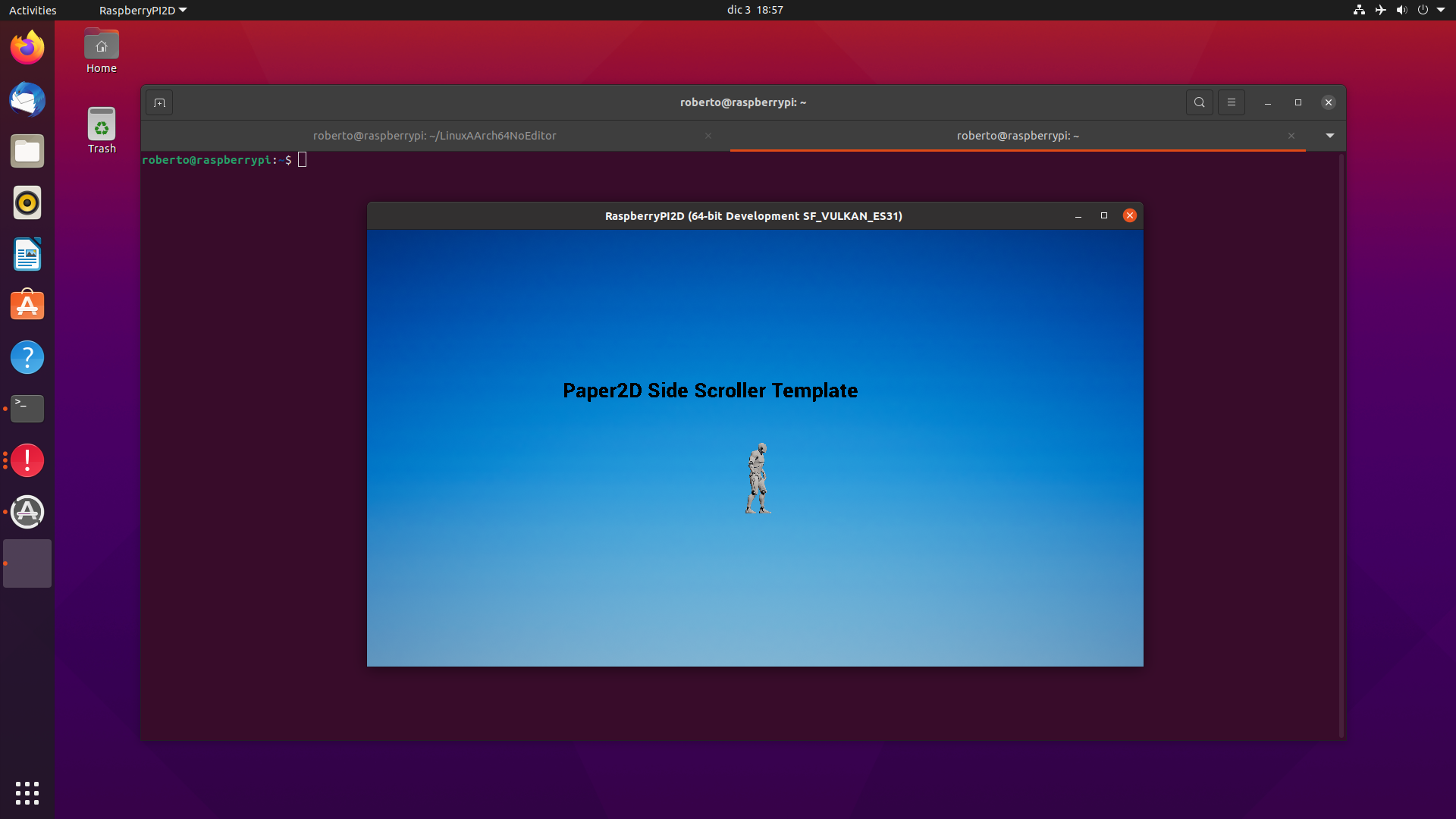
Now rebuild your project, upload it to the RPI and see it run (more or less):
Step 5.1: What happened to my textures???
As you can see from the previous screenshots, lots of textures are missing.
This is caused by the usage of DXT texture

Security Score
Audited on Feb 21, 2026