
Scrollo
Scrollo is a full-stack web application inspired by Tumblr, a microblogging website that allows users to express themselves by creating content in the form of multimedia posts. This application is built using a React/Redux frontend, Ruby on Rails backend, and PostgreSQL database.
Install / Use
/learn @r-lee1/ScrolloREADME
Scrollo
Scrollo is a full-stack web application inspired by Tumblr, a microblogging website that allow users to express themselves by creating content in the form of multimedia posts. This application is built with React, Redux, Ruby on Rails, and PostgreSQL.
Features
Post Creation
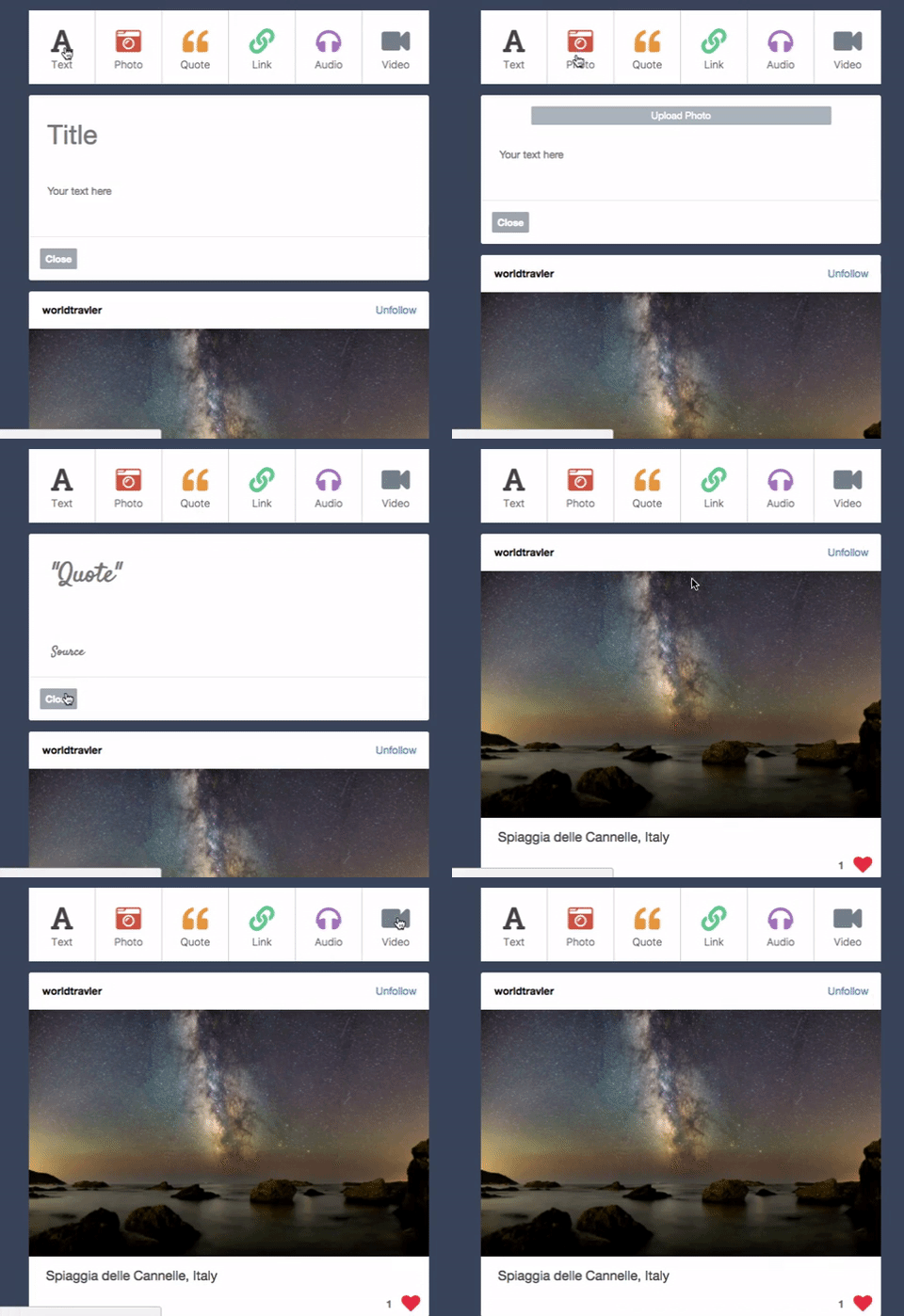
Users can create posts of different types (text, photo, quote, link, audio, and video) from their dashboard. The user can select a post type from the post navigation bar and a post form that is tailored to that post type becomes available.
<details><summary>Show Code</summary> <p><ul className="post-navbar">
<button className="post-navbar-btn">
<Link to="/dashboard/new/text" style={{textDecoration: 'none'}}>
<div>
<i className="fas fa-font"></i>
</div>
<span>Text</span>
</Link>
</button>
<button className="post-navbar-btn">
<Link to="/dashboard/new/photo" style={{textDecoration: 'none'}}>
<div>
<i className="fas fa-camera-retro"></i>
</div>
<span>Photo</span>
</Link>
</button>
<button className="post-navbar-btn">
<Link to="/dashboard/new/quote" style={{textDecoration: 'none'}}>
<div>
<i className="fas fa-quote-left"></i>
</div>
<span>Quote</span>
</Link>
</button>
<button className="post-navbar-btn">
<Link to="/dashboard/new/link" style={{textDecoration: 'none'}}>
<div>
<i className="fas fa-link"></i>
</div>
<span>Link</span>
</Link>
</button>
<button className="post-navbar-btn">
<Link to="/dashboard/new/audio" style={{textDecoration: 'none'}}>
<div>
<i className="fas fa-headphones "></i>
</div>
<span>Audio</span>
</Link>
</button>
<button className="post-navbar-btn">
<Link to="/dashboard/new/video" style={{textDecoration: 'none'}}>
<div>
<i className="fas fa-video"></i>
</div>
<span>Video</span>
</Link>
</button>
</ul>
Interaction with posts is protected so users have to be logged in.
<details><summary>Show Code</summary> <p><ProtectedRoute exact path="/dashboard/new/text" component={TextPostFormContainer} />
const Protected = ({ loggedIn, exact, path, component: Component }) => (
  <Route
    path={path}
    render={props => (
      loggedIn ? <Component {...props} /> : <Redirect to="/signup" />
    )}
  />
);
Cloudinary
Photo, audio, and video can be uploaded using the Cloudinary widget.
<details><summary>Show Code</summary> <p>postImage(url) {
this.setState({ ["source"]: url });
}
uploadImage(e) {
e.preventDefault();
window.postImage = this.postImage.bind(this);
window.cloudinary.openUploadWidget(
window.cloudinary_options,
function(errors, result){
window.postImage(result[0].url);
}
);
}
Feed
The feed is populated with the user's own posts and those of other users the current user is following. Actions available to the user on these posts change depending the authorship.
Users can edit/delete their own posts through the feed.

deleteButtonVisible() {
  if (this.props.currentUser.id === this.props.post.author_id) {
    return (
      <button className="post-delete-btn" onClick={this.removePost}>x</button>
    );
  } else {
    return (
      <button className="post-unfollow-btn" onClick={this.removeFollow}>Unfollow</button>
    );
  }
}

editButtonVisible(postType) {
  if (this.props.currentUser.id === this.props.post.author_id) {
    return (
      <Link to={`/dashboard/edit/${postType}/${this.props.post.id}`}>
        <button onClick={this.topFunction} className="post-edit-btn"><i className="fas fa-cog"></i></button>
      </Link>
    );
  } else {
    return (
      <div className="post-likes-bar-s">
        <h4 className="post-like-count">{this.props.post.likes_count}</h4>
        {this.toggleLikeButton()}
      </div>
    );
  }
}
Follows
Users can follow other users. Other users can be found under recommended blogs.
<details><summary>Show Code</summary> <p>
class FollowUsersIndex extends React.Component {
  constructor(props) {
    super(props);
  }

  componentDidMount() {
    this.props.fetchFollowUsers();
  }

  render() {
    return (
      <ul className="recommended-blogs">
        <h3 className="recommended-blogs-heading">RECOMMENDED BLOGS</h3>
        {this.props.followUsers.map(
          user => {
          return <FollowUsersIndexItem
                  key={user.id}
                  user={user}
                  createFollow={this.props.createFollow}
                  currentUser={this.props.currentUser}
                  fetchPosts={this.props.fetchPosts}/>;}
        )}
      </ul>
    );
  }
}
makeFollow() {

  let followEntry = {
      "follower_id": this.props.currentUser.id,
      "followee_id": this.props.user.id
  };

  this.props.createFollow(followEntry).then(this.props.fetchPosts);
}
Likes
Users can like other users' posts. The like counts on that post can be seen by everyone.
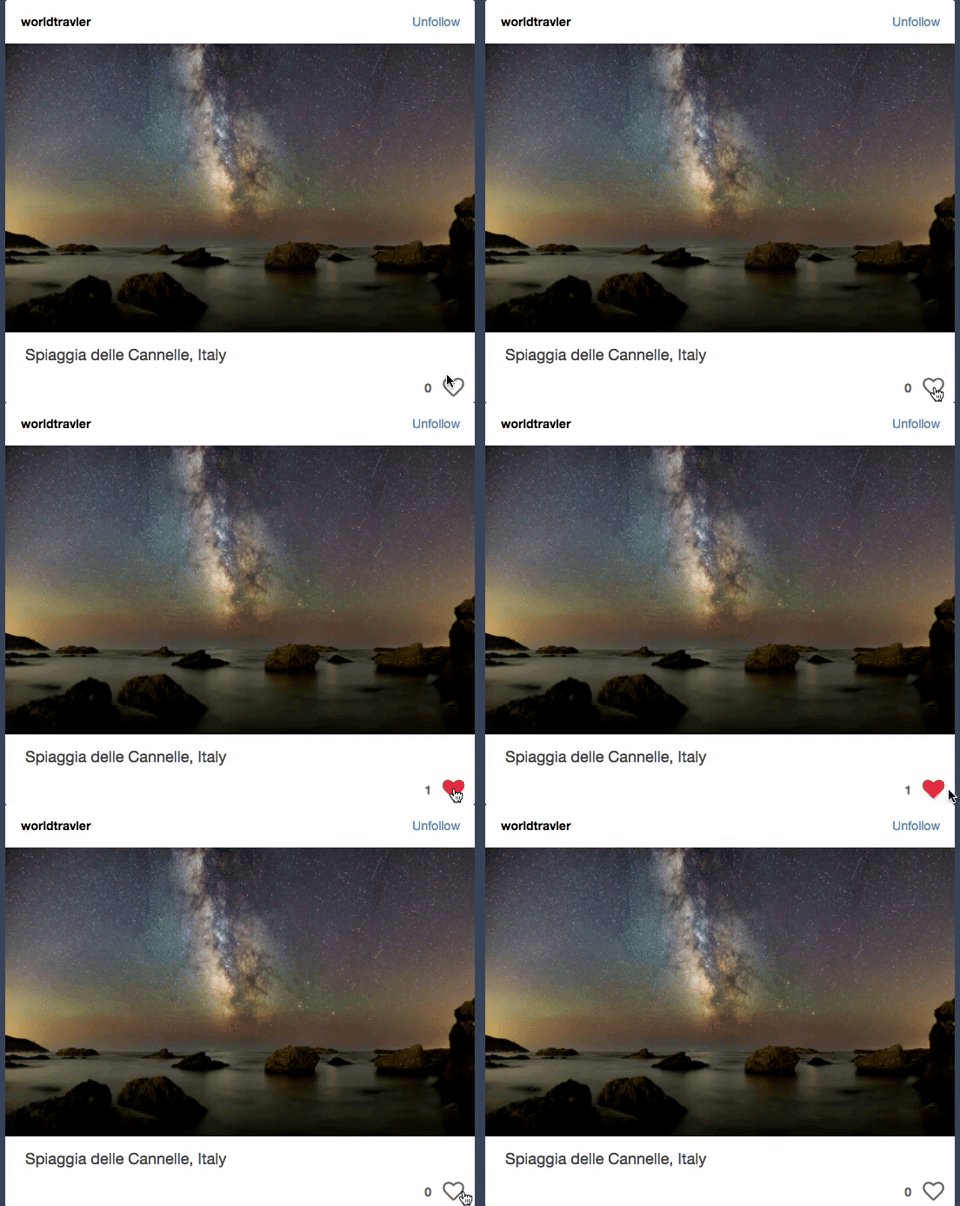
likePost() {
  if (!this.props.liked) {
    this.props.createLike(this.props.post.id);
  } else {
    this.props.deleteLike(this.props.post.id);
  }
}
Redux
Integrated Redux architecture for reliable and efficient state management.
Container components access the entire store state and select data that the connected component needs.
<details><summary>Show Code</summary> <p>const mapStateToProps = (state, ownProps) => {
if (ownProps.match.path === "/dashboard/edit/text/:postId") {
return ({
post: state.entities.posts[ownProps.match.params.postId],
actionButton: "Edit"
});
} else {
return ({
post: {},
actionButton: "Post"
});
}
};
Container components pass dispatching functions as props to the connected component. These functions will dispatch an action to trigger a state change.
<details><summary>Show Code</summary> <p>const mapDispatchToProps = (dispatch, ownProps) => {
let actionPost = ownProps.match.path === "/dashboard/edit/text/:postId" ? updatePost : createPost;
return {
actionPost: (post) => dispatch(actionPost(post))
};
};
Related Skills
feishu-drive
343.3k|
things-mac
343.3kManage Things 3 via the `things` CLI on macOS (add/update projects+todos via URL scheme; read/search/list from the local Things database)
clawhub
343.3kUse the ClawHub CLI to search, install, update, and publish agent skills from clawhub.com
postkit
PostgreSQL-native identity, configuration, metering, and job queues. SQL functions that work with any language or driver
