
Qrize
JavaScript library for generating tiny QR codes for your web pages.
Install / Use
/learn @qrize/QrizeREADME
qrize


JavaScript library for generating tiny QR codes for your web pages.
Table of Contents
Live demo
https://qrize.me
Why qrize?
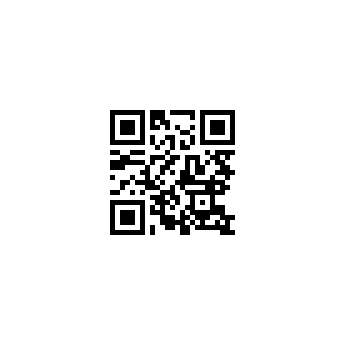
qrize integrates with URL shortener service, giving you tiny QR codes no matter how long a URL is.
Compare these QR codes that lead to the same long address (313 symbols):
| Regular QR code :hankey: | QR code you get with qrize :+1: |
|-------------------------------------------------------------------------------------|------------------------------------------------------------------------------------------------|
|  |
|  |
|
Having QR codes smaller makes it more reader-friendly, saves space on page and is awesome. Visit qrize.me for general information.
How to install?
To install qrize with Yarn, run:
yarn add qrize
To install qrize with npm, run:
npm install --save qrize
If you don’t want to use npm to manage client packages, qrize package also provides a single-file distribution, which is hosted on a CDN:
<script src="https://unpkg.com/qrize/dist/qrize.umd.js"></script>
How to use?
import Qrize from "qrize";

const qrize = new Qrize({
  element: document.getElementById("qr-target")
});
qrize.createImg({ url: "http://example.com" });
That's it. An element with id #qr-target will contain <img> tag representing a QR code that leads to http://example.com.
If you use UMD package from CDN, Qrize constuctor is available globally.
API
Constructor
Qrize constuctor takes an options object as a parameter and these are available properties:
| Name | Type | Required | Description |
|----------|-------------|----------|--------------------------------------------------------------------------------------------------------------------------------------------------------|
| element | DOM Element | yes | Container element for the generated QR code. |
| cellSize | Number | no | Size of each grid cell in pixels. Default: 2. |
| margin | Number | no | Size of margin around the QR code in pixels. Note that you might want to leave some space around your QR code in order to make it readable. Default: 0. |
Methods
Instantiated object returned by new Qrize() has three methods with pretty straightforward purposes:
createImg()createSvg()createTable()
Each method can take (not requred) an options object with following parameters:
| Name | Type | Required | Description |
|-----------|----------|----------|----------------------------------------------------------------------------------------------------------------------------------------------|
| url | String | no | A URL that QR code will lead to. Defaults to a current page address. Default: window.location.href. |
| onSuccess | Function | no | A callback that will be called after successful QR code build. Is invoked with an object that has two properties: hash and provided url. |
| onFailure | Function | no | A callback that will be called after an attempt to build a QR code has been failed. |
Static Methods
There are also static Qrize methods that communicate with qrize.me API directly:
getHash()- get unique hash id of the given URL. Options properties:
| Name | Type | Required | Description |
|-----------|----------|----------|------------------------------------------------------------------------------------------------------------------------------------------|
| url | String | yes | A URL you want to get a hash id of. |
| onSuccess | Function | no | A callback that will be called on successful API response. Is invoked with an object that has two properties: hash and provided url. |
| onFailure | Function | no | A callback that will be called if request failed. Is invoked with two arguments: error status code and error message. |
getUrl()- get URL of the given hash id. Options properties:
| Name | Type | Required | Description |
|-----------|----------|----------|------------------------------------------------------------------------------------------------------------------------------------------|
| hash | String | yes | A hash id you want to get a URL of. |
| onSuccess | Function | no | A callback that will be called on successful API response. Is invoked with an object that has two properties: url and provided hash. |
| onFailure | Function | no | A callback that will be called if request failed. Is invoked with two arguments: error status code and error message. |
You probably won't need them, but if you will, you can use them like this:
import Qrize from "qrize";

Qrize.getHash({
  url: 'http://example.com',
  onSuccess({ hash }) {
    console.log(hash);
  }
})

Qrize.getUrl({
  hash: '8jLDWGQ',
  onSuccess({ url }) {
    console.log(url);
  }
})
LICENSE
MIT
QR Code is registered trademark of DENSO WAVE INCORPORATED.
http://www.qrcode.com/en/faq.html#patentH2Title
