
Pyprobml
Python code for "Probabilistic Machine learning" book by Kevin Murphy
Install / Use
/learn @probml/PyprobmlREADME
pyprobml
<img src="https://img.shields.io/github/stars/probml/pyprobml?style=social">Python 3 code to reproduce the figures in the books Probabilistic Machine Learning: An Introduction (aka "book 1") and Probabilistic Machine Learning: Advanced Topics (aka "book 2"). The code uses the standard Python libraries, such as numpy, scipy, matplotlib, sklearn, etc. Some of the code (especially in book 2) also uses JAX, and in some parts of book 1, we also use Tensorflow 2 and a little bit of Torch. See also probml-utils for some utility code that is shared across multiple notebooks.
For the latest status of the code, see Book 1 dashboard and Book 2 dashboard. As of September 2022, this code is now in maintenance mode.
Running the notebooks
The notebooks needed to make all the figures are available at the following locations.
- All notebooks (sorted by filename)
- Book 1 notebooks (sorted by chapter)
- Book 2 notebooks (sorted by chapter).
Running notebooks in colab
Colab has most of the libraries you will need (e.g., scikit-learn, JAX) pre-installed, and gives you access to a free GPU and TPU. We have a created a
colab intro
notebook with more details. To run the notebooks on colab in any browser, you can go to a particular notebook on GitHub and change the domain from github.com to githubtocolab.com as suggested here. If you are using Google Chrome browser, you can use "Open in Colab" Chrome extension to do the same with a single click.
Running the notebooks locally
We assume you have already installed JAX and Tensorflow and Torch, since the details on how to do this depend on whether you have a CPU, GPU, etc.
You can use any of the following options to install the other requirements.
- Option 1
pip install -r https://raw.githubusercontent.com/probml/pyprobml/master/requirements.txt
- Option 2
Download requirements.txt locally to your path and run
pip install -r requirements.txt
- Option 3
Run the following. (Note the --depth 1 prevents installing the whole history, which is very large).
git clone --depth 1 https://github.com/probml/pyprobml.git
Then install manually.
If you want to save the figures, you first need to execute something like this
#export FIG_DIR="/teamspace/studios/this_studio/figures"

import os
os.environ["FIG_DIR"] = "/teamspace/studios/this_studio/pyprobml/notebooks/figures"
os.environ["DUAL_SAVE"] = "1" # both pdf and png
This is used by the savefig function to store pdf files.
Cloud computing
When you want more power or control than colab gives you, I recommend you use https://lightning.ai/docs/overview/studios, which makes it very easy to develop using VScode, running on a VM accessed from your web browser; you can then launch on one or more GPUs when needed with a single button click. Alternatively, if you are a power user, you can try Google Cloud Platform, which supports GPUs and TPUs; see this short tutorial on Colab, GCP and TPUs.
How to contribute
See this guide for how to contribute code. Please follow these guidelines to contribute new notebooks to the notebooks directory.
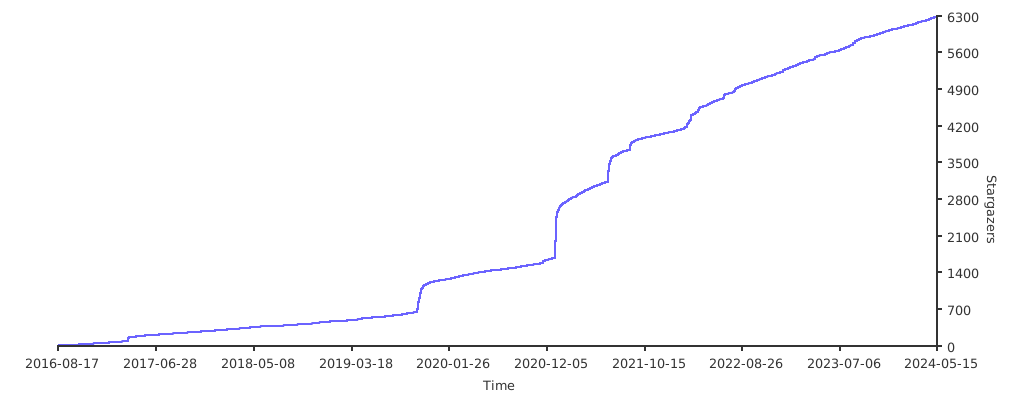
Metrics
GSOC
For a summary of some of the contributions to this codebase during Google Summer of Code (GSOC), see these links: 2021 and 2022.
<h2><a id="acknowledgements"></a>Acknowledgements</h2>For a list of contributors, see this list.
