
Powertabeditor
View and edit guitar tablature.
Install / Use
/learn @powertab/PowertabeditorREADME

 <a href='https://flathub.org/apps/details/com.github.powertab.powertabeditor'><img width='185' height='58' alt='Download on Flathub' src='https://flathub.org/assets/badges/flathub-badge-en.png'/></a>
Table of Contents
About Power Tab Editor
Power Tab Editor 2.0 - A powerful cross platform guitar tablature viewer and editor inspired by the ceased development and missing source code from the original Power Tab Editor. This project is open-source and written from scratch so that your favorite tabbing platform can continuously grow with your needs.
Key Features
- Cross platform - Windows, Mac, & Linux
- Tabbed layout for opening multiple files at the same time
- Mixer interface for adjusting volumes during playback
- Complete customization of keyboard shortcuts
- Importing of Guitar Pro tabs
Supported File Types
- .pt2
- .ptb
- .gp3, .gp4, .gp5
- .gpx
- .gp
Users
- New user? Read the intro page to learn more about the project!
- Download:
- You can report bugs or suggest features on our issue tracker, or discuss ideas on the discussions forum
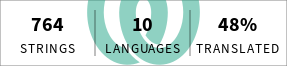
- You can translate the project into your language.
- Join the Discord community
Developers
- Development help is very welcome! If you're interested in contributing, the issue tracker has a list of good first issues that are easier to dive into!
- Feel free to ask development-related questions on the discussions page or on Discord
- See below for instructions on how to compile and run the project:
Dependencies:
- CMake >= 3.12
- Boost >= 1.74
- algorithm
- date_time
- endian
- functional
- iostreams
- operators
- rational
- signals2
- stacktrace
- Qt >= 6.2 version or greater
- nlohmann-json >= 3.7.3
- RtMidi >= 4.0
- pugixml
- minizip
- doctest
- (Linux only) - ALSA library (e.g.
libasound2-dev) - (Linux only) - MIDI sequencer (e.g.
timidity-daemon) - A compiler with C++20 support.
Building:
Windows:
- Install Git - see https://help.github.com/articles/set-up-git
- Install vcpkg and run
vcpkg install --triplet x64-windows boost-algorithm boost-date-time boost-endian boost-functional boost-iostreams boost-rational boost-signals2 boost-stacktrace doctest minizip nlohmann-json pugixmlto install dependencies. - Install Qt by running
vcpkg install --triplet x64-windows qtbase qttools(this may take a while), or install a binary release from the Qt website or https://github.com/miurahr/aqtinstall. - Open the project folder in Visual Studio and build.
- If running CMake manually, set
CMAKE_TOOLCHAIN_FILEto[vcpkg root]\scripts\buildsystems\vcpkg.cmake
- If running CMake manually, set
PowerShell Installation Scripts
- For a more installation streamlined process
- with at least PowerShell 5.1 is installed on your machine
- Run these powershell scripts in your powershell terminal with your shell working directory as your cloned project
.\scripts\Get-Dependencies.ps1 -vcpkg_exe_path "your/path/to/your/vcpkg.exe" -python_exe_path "your/path/to/your/python.exe";
.\scripts\Run-CMakeBuild.ps1 -vcpkg_dir "your/path/to/your/vcpkg" -qt_path "your/path/to/qt";
You'll have to update the variables for your specific paths to $vcpkg_exe_path, $python_exe_path, and $qt_path
Linux:
- These instructions assume a recent Ubuntu/Debian-based system, but the package names should be similar for other package managers.
- Install dependencies:
sudo apt updatesudo apt install cmake qt6-base-dev qt6-tools-dev qt6-tools-dev-tools qt6-l10n-tools libboost-dev libboost-date-time-dev libboost-iostreams-dev nlohmann-json3-dev libasound2-dev librtmidi-dev libpugixml-dev libminizip-dev doctest-dev- You may also need to install
libglx-dev libgl1-mesa-devalong with Qt6
- You may also need to install
sudo apt install timidity-daemon- timidity is not required for building, but is a good sequencer for MIDI playback.- Optionally, use Ninja instead of
make(sudo apt install ninja-build)
- Build:
mkdir build && cd buildcmake ..- Add
-DCMAKE_INSTALL_PREFIX=/some/pathto customize the install directory. - Add
-DCMAKE_BUILD_TYPE=Debugfor a debug build instead of aReleasebuild. - Add
-DCMAKE_CXX_COMPILER=clang++to compile with Clang. - Add
-G Ninjato generate Ninja build files.
- Add
make -j8orninja
- Run:
./bin/powertabeditor./bin/pte_teststo run the unit tests.
- Install:
make installorninja install
OS X:
- Install Xcode along with its Command Line Tools.
- Install dependencies:
brew install boost cmake doctest minizip ninja nlohmann-json pugixml qt6 pugixml rtmidi- Note that the Qt package from homebrew [does not currently work for building the installer|https://github.com/Homebrew/brew/issues/15354]. Installing via https://github.com/miurahr/aqtinstall is an alternative.
- Build with ninja or Xcode:
mkdir build && cd build- Ninja
cmake -G Ninja -DCMAKE_BUILD_TYPE=Debug -DCMAKE_PREFIX_PATH=/usr/local/opt/qt6/lib/cmake ..ninja
- Xcode
cmake -G Xcode -DCMAKE_PREFIX_PATH=/usr/local/opt/qt6/lib/cmake ..- With Xcode open and build
build/powertabeditor.xcodeproj
- Run:
open ./bin/Power\ Tab\ Editor.app./bin/pte_teststo run the unit tests.- For Xcode, select
Product/Scheme/powertabeditorand thenProduct/Run.
Related Skills
docs-writer
99.0k`docs-writer` skill instructions As an expert technical writer and editor for the Gemini CLI project, you produce accurate, clear, and consistent documentation. When asked to write, edit, or revie
model-usage
334.5kUse CodexBar CLI local cost usage to summarize per-model usage for Codex or Claude, including the current (most recent) model or a full model breakdown. Trigger when asked for model-level usage/cost data from codexbar, or when you need a scriptable per-model summary from codexbar cost JSON.
pr
for a github pr, please respond in the following format - ## What type of PR is this? - [ ] 🍕 Feature - [ ] 🐛 Bug Fix - [ ] 📝 Documentation - [ ] 🧑💻 Code Refactor - [ ] 🔧 Other ## Description <!-- What changed and why? Optional: include screenshots or other supporting artifacts. --> ## Related Issues <!-- Link issues like: Fixes #123 --> ## Updated requirements or dependencies? - [ ] Requirements or dependencies added/updated/removed - [ ] No requirements changed ## Testing - [ ] Tests added/updated - [ ] No tests needed **How to test or why no tests:** <!-- Describe test steps or explain why tests aren't needed --> ## Checklist - [ ] Self-reviewed the code - [ ] Tests pass locally - [ ] No console errors/warnings ## [optional] What gif best describes this PR?
Design
Campus Second-Hand Trading Platform \- General Design Document (v5.0 \- React Architecture \- Complete Final Version)1\. System Overall Design 1.1. Project Overview This project aims t
