
SVHNClassifier
A TensorFlow implementation of Multi-digit Number Recognition from Street View Imagery using Deep Convolutional Neural Networks (http://arxiv.org/pdf/1312.6082.pdf)
Install / Use
/learn @potterhsu/SVHNClassifierREADME
SVHNClassifier
A TensorFlow implementation of Multi-digit Number Recognition from Street View Imagery using Deep Convolutional Neural Networks
Graph
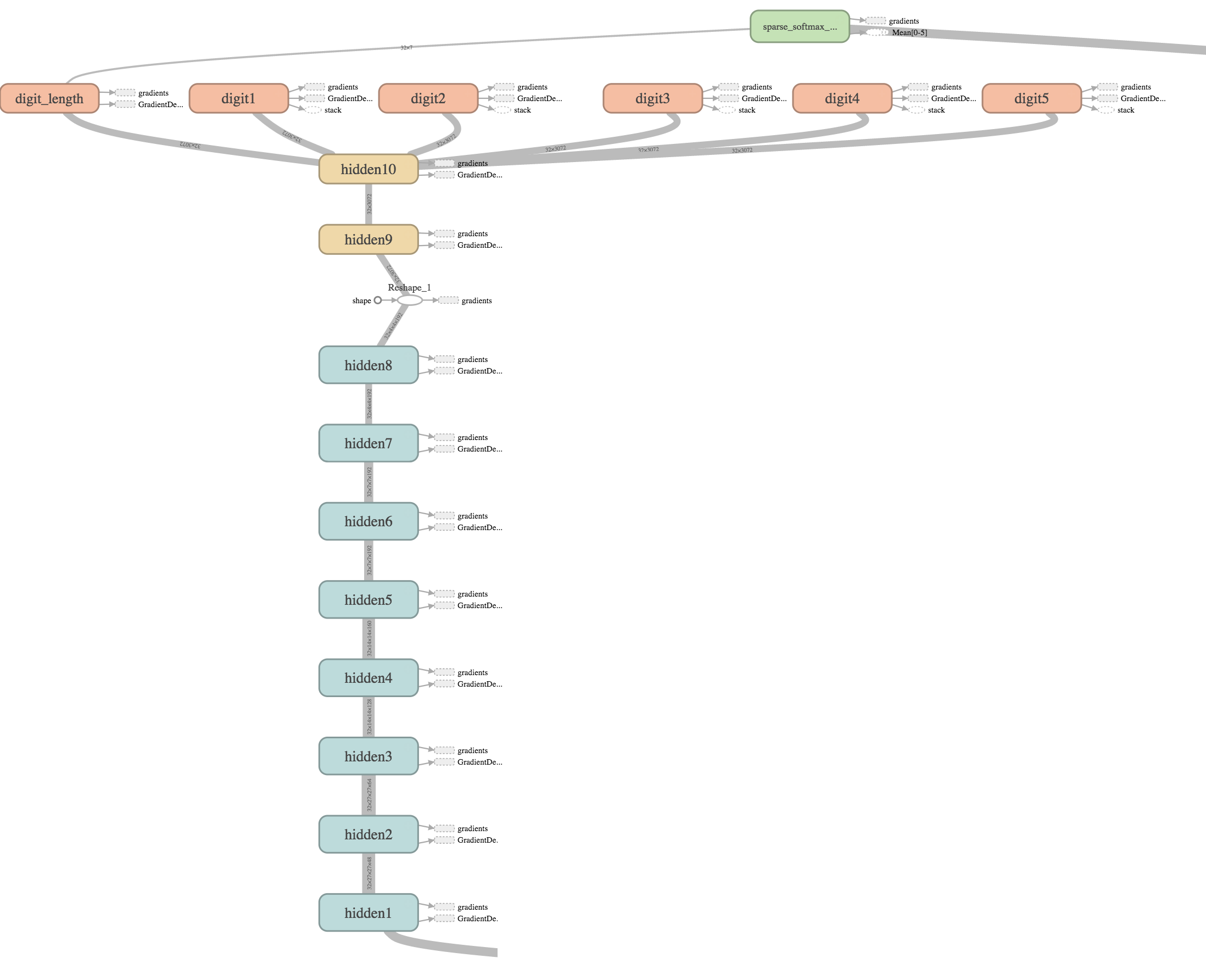
Results
Accuracy

Accuracy 93.45% on test dataset after about 14 hours
Loss
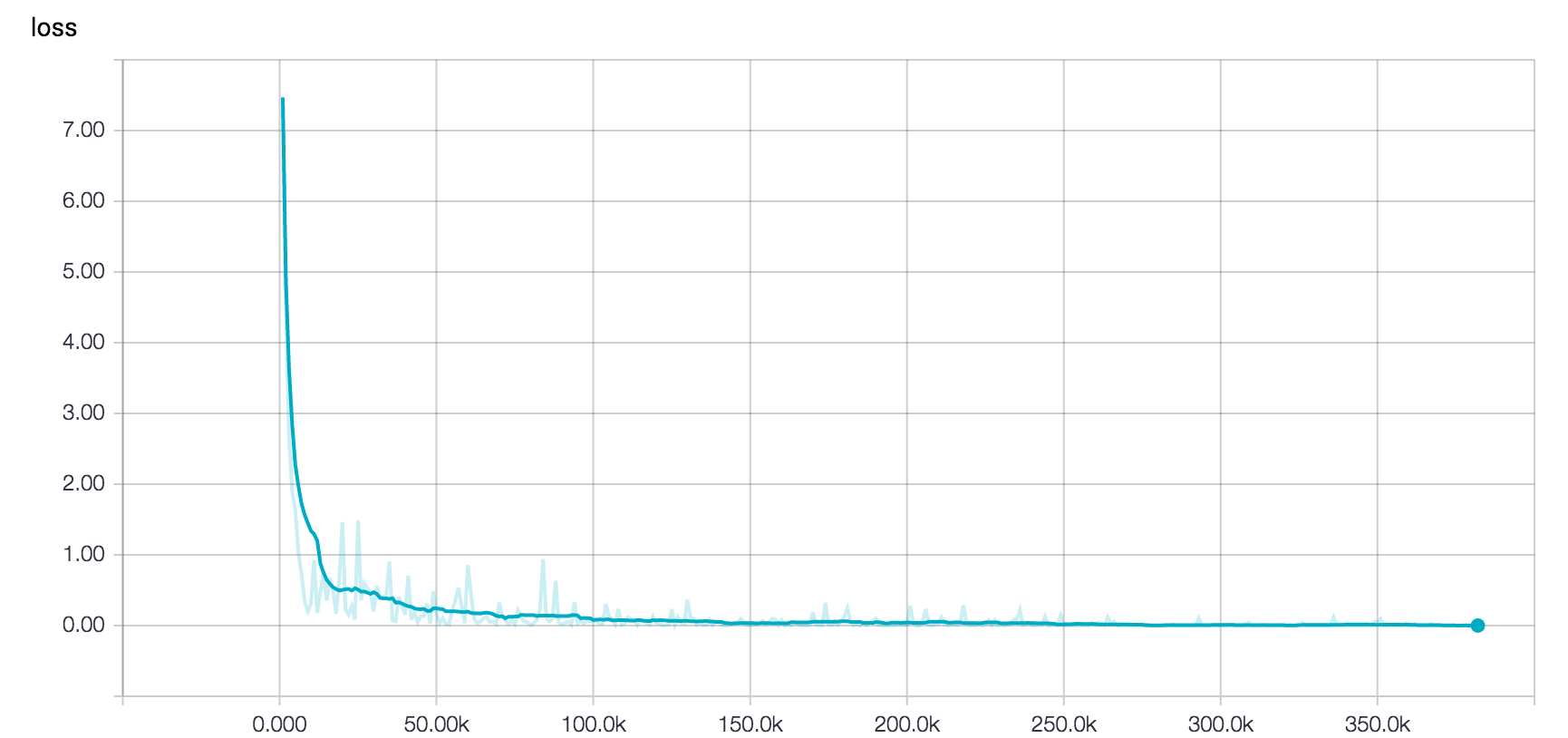
Samples
| Training | Test |
|:-------------:|:-------------:|
|  |
|  |
|
|
|  |
|  |
|
Inference of outside image
<img src="https://github.com/potterhsu/SVHNClassifier/blob/master/images/inference1.png?raw=true" width="250"> <img src="https://github.com/potterhsu/SVHNClassifier/blob/master/images/inference2.png?raw=true" width="250">digit "10" means no digits
Requirements
-
Python 2.7
-
Tensorflow
-
h5py
In Ubuntu:
$ sudo apt-get install libhdf5-dev
$ sudo pip install h5py
Setup
-
Clone the source code
$ git clone https://github.com/potterhsu/SVHNClassifier $ cd SVHNClassifier -
Download SVHN Dataset format 1
-
Extract to data folder, now your folder structure should be like below:
SVHNClassifier
    - data
        - extra
            - 1.png
            - 2.png
            - ...
            - digitStruct.mat
        - test
            - 1.png
            - 2.png
            - ...
            - digitStruct.mat
        - train
            - 1.png
            - 2.png
            - ...
            - digitStruct.mat
Usage
-
(Optional) Take a glance at original images with bounding boxes
Open `draw_bbox.ipynb` in Jupyter -
Convert to TFRecords format
$ python convert_to_tfrecords.py --data_dir ./data -
(Optional) Test for reading TFRecords files
Open `read_tfrecords_sample.ipynb` in Jupyter Open `donkey_sample.ipynb` in Jupyter -
Train
$ python train.py --data_dir ./data --train_logdir ./logs/train -
Retrain if you need
$ python train.py --data_dir ./data --train_logdir ./logs/train2 --restore_checkpoint ./logs/train/latest.ckpt -
Evaluate
$ python eval.py --data_dir ./data --checkpoint_dir ./logs/train --eval_logdir ./logs/eval -
Visualize
$ tensorboard --logdir ./logs -
(Optional) Try to make an inference
Open `inference_sample.ipynb` in Jupyter Open `inference_outside_sample.ipynb` in Jupyter $ python inference.py --image /path/to/image.jpg --restore_checkpoint ./logs/train/latest.ckpt -
Clean
$ rm -rf ./logs
or
$ rm -rf ./logs/train2
or
$ rm -rf ./logs/eval
Related Skills
YC-Killer
2.7kA library of enterprise-grade AI agents designed to democratize artificial intelligence and provide free, open-source alternatives to overvalued Y Combinator startups. If you are excited about democratizing AI access & AI agents, please star ⭐️ this repository and use the link in the readme to join our open source AI research team.
best-practices-researcher
The most comprehensive Claude Code skills registry | Web Search: https://skills-registry-web.vercel.app
groundhog
398Groundhog's primary purpose is to teach people how Cursor and all these other coding agents work under the hood. If you understand how these coding assistants work from first principles, then you can drive these tools harder (or perhaps make your own!).
isf-agent
a repo for an agent that helps researchers apply for isf funding
