
InfiAgent
Build your own Cowork, AI Scientist and other SoTA Agents just by editing config files. Support anthropic skills. An infinite-horizon agent framework designed for long-running, complex tasks.
Install / Use
/learn @polyuiislab/InfiAgentQuality Score
Category
Customer SupportSupported Platforms
README
🌟 Introduction
infiAgent Also called MLA (Multi-Level Agent) is an agent framework designed for unlimited runtime without tool calling chaos or system crashes caused by cumulative task resources and conversation history. With MLA, you can build powerful general-purpose and semi-specialized agents simply by writing configuration files.
Key Features
- ✅ Days-Long Complex Tasks: Supports continuous execution over days without context accumulation or compression degradation. Any interruption (crash, network error, manual stop) can be fully recovered via Resume — true breakpoint continuation.
- ✅ Agent Skills Standard: Compatible with the Agent Skills open standard. Drop skill folders into the skills library and agents will discover, load, and execute them on demand.
- ✅ Flexible Agent Architecture: Supports both multi-level hierarchy (tree-structured orchestration for complex domain tasks — e.g., the
Researcherconfig enables long-running scientific research with paper generation) and flat architecture (single agent with one sub-agent + Skills for broad general-purpose tasks — e.g., the OpenCowork config). - ✅ Persistent Memory: File-directory-based memory system. Launch agents in the same workspace directory and they remember all historical tasks across sessions — no external database required.
Update & News🔥
If you pulled the image or code before the latest update date, please refer to the issues that have been fixed and, based on your needs, pull the image and code again.
-
[2026/03/31] Switchable Thinking / ReAct execution mode + task-history database retrieval: Runtime now supports a switchable cadence model. You can keep the original ThinkingAgent-style “plan first, then execute N steps” workflow, or disable thinking and fall back to an explicit ReAct loop where reflection text is persisted directly inside the message history. Historical task records are also indexed into a local SQLite database, and agents now get a built-in
task_history_searchtool by default. The SDK can expose only the most recent N historical tasks into prompt context, and agents are explicitly instructed to retrieve older task history from the database when recent context is not enough. -
[2026/03/30] SDK / mac / Web UI model configuration is now much easier for non-experts: The SDK now accepts structured model profiles directly instead of forcing every integration to hand-write
llm_config.yaml. The mac desktop app and Docker Web UI both now expose a source-based model editor: you configure the defaultbase_url/api_keyonce, then add multiple shared or per-slot models, and each row can either reuse the default source or switch to a custom URL / key. Raw YAML / JSON remain available as advanced fallbacks, but most users no longer need to manually type prefixes or JSON model objects. -
[2026/03/23] Docker Web UI now supports multi-user registration and account management: The latest
chenglinhku/mlav3:latestimage runs the SDK-based Web UI directly with the newwebuistartup command on port4242. Users can register from the login page, and the bootstrap admin account can manage users inside the Web UI. Please follow the updated Docker command in Quick Start /docs/DOCKER_GUIDE.md: mount~/.mla_v3to/root/mla_v3, publish4242, and usechenglinhku/mlav3:latest webui. The old standalone config page flow on9641is no longer required. -
[2026/03/19] CheapClaw released on top of the
infiagentSDK: CheapClaw now ships as an SDK-based application layer. It keeps most of OpenCowork's practical capabilities, including custom bots, multi-bot collaboration workflows, IM integrations, and Skills, while inheriting the fullinfiagentruntime model: a multi-agent system behind a single bot, low-cost long-horizon tasks, and task-scoped context isolation inside one bot. Different tasks under the same bot now keep isolated contexts, while messages routed to the same task continue in the same long-running context instead of sharing one bot-wide session. Click here to view CheapClaw. -
[2026/03/19] Finer-grained per-agent model configuration: Each sub-agent can now configure
execution_model,thinking_model,compressor_model,image_generation_model, andread_figure_modelindependently. This makes it possible, within a single agent loop, to split execution, thinking, compression, and multimodal/image understanding across different models, giving the application layer the finest-grained cost control. You can also configure model-leveltool_choiceoptions inllm_config.example.yaml. See the defaultOpenCoworkLevel 3alpha_agentdefinition for a concrete example. -
[2026/03/08] Desktop branch sync update: The current desktop branch now includes packaged Python backend build scripts, the bundled
infiagentPython SDK, configurable runtime cadence (action_window_steps,thinking_interval, scheduled/manualfresh), MCP runtime integration, per-task logs, desktop environment settings, and marketplace integration. The legacy standalone tool-server workflow has been replaced by in-processdirect-tools, and the built-in research system is now namedResearcher. -
[2026/02/09] Mac desktop version released! Click here to download!. Support download skills from offical market. It supports any API that is allowed to be called by tools, and runs fully locally with the support of the localization model. <img width="1198" height="798" alt="image" src="https://github.com/user-attachments/assets/435c5bd9-ace1-46a8-9814-883d3ce507d4" />
-
[2026/02/07] Agent Skills Support! InfiAgent now supports the Agent Skills open standard. Skills are folders of instructions, scripts, and resources that agents can dynamically load to improve performance on specialized tasks. Docker users: place skill folders in
~/.mla_v3/skills_library/(mounted to/root/mla_v3/skills_library/inside the container). Local developers: place them in~/mla_v3/skills_library/. Windows users:%USERPROFILE%\mla_v3\skills_library\. The agent will automatically discover available skills and deploy them to the workspace on demand viaload_skilltool. -
[2026/02/07] Multi-Provider Model Support! You can now use models from different providers in the same configuration. Each model can optionally override
api_keyandbase_urlto use a different provider. Different sub-agents can use different models. Seellm_config.example.yamlfor configuration details. -
[2026/02/07] Web UI Enhancements: Added Resume button for recovering interrupted tasks (same as CLI
/resume). Added Agent System selector to freely switch betweenResearcher(academic research) and Open Cowork systems. User inputs now automatically include timestamps (consistent with CLI behavior). -
[2026/02/07] Multimodal Message Architecture: Separated multimodal and text-only message logic. For multimodal models, images from
image_readare embedded directly in the conversation context for native understanding. Text-only models retain the external vision tool approach. Configure viamultimodalandcompressor_multimodalinllm_config.yaml. -
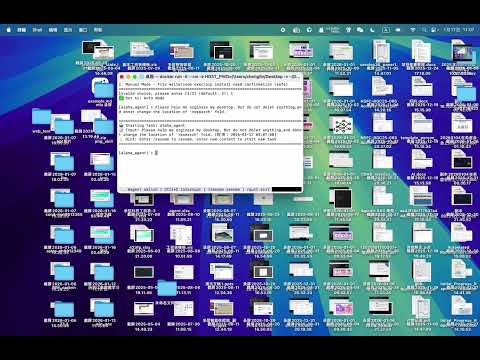
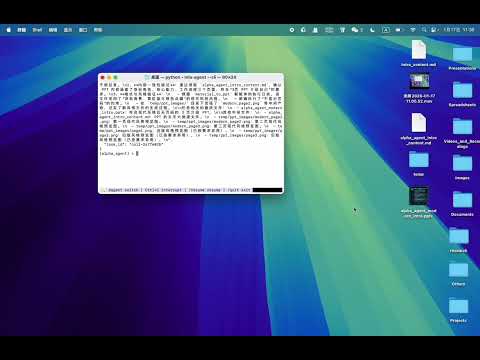
[2026/01/17] We introduce a new configuration profile, Open Cowork, which delivers a computer-work assistant similar to Anthropic's Cowork. After entering a user-specified working directory, the assistant can perform a wide range of tasks, including but not limited to: organizing folders, creating PowerPoint presentations, processing and categorizing bills and invoices in multiple formats, conducting in-depth research, and writing project code. The system is built on the InfiAgent architecture, preserving its long-horizon execution capabilities and unbounded, file-system–level memory within the same workspace. Open Cowork supports CLI, Docker-based CLI, and Web UI modes. In Web UI, use the Agent System selector to switch between
Researcherand OpenCowork. A demonstration video is available for more details.
Open Cowork Demo Videos:
-
[2026/01/13] Supports breakpoint recovery for program errors (the original Ctrl+C resume function is retained). Please access the resume function using your CLI version and type /resume.
-
[2026/01/08] Our Paper "InfiAgent: An Infinite-Horizon Framework for General-Purpose Autonomous Agents" released
-
[2026/01/07] Web UI: This is a temporary fix for the "处理事件异常: 'int' object has no attribute 'get'". It will not affect subsequent agent output or operation, but the error will still be displayed. A full fix is pending.
-
[2026/01/06] Web UI: add an entry-agent selector next to Task ID so you can choose the root agent for the conversation, with an agent list and a visual agent tree for the selected root.
-
[2026/01/05] Resolves global freeze caused by prolonged unresponsiveness of the primary token. Please update code or pull latest docker i
