
magic
Instant SECURE Full Stack Apps and AI Agents
Install / Use
claude mcp add polterguy -- npx -y github:polterguy/magicIf the server publishes to npm under a different name, use that package instead — check the repo README.
MCP Server
Model Context Protocol server
Quality Score
Category
AI & Machine LearningSupported Platforms
Skill content
View source on GitHubMagic Cloud — Open Source, Self-Hosted AI App Builder and AI Agent Platform
Turn plain English into a working full-stack app — database, secure API, business logic, and frontend — running on your own hardware, with zero lock-in. An open-source alternative to Lovable, Bolt, and Replit that gives you the whole backend, plus an MCP server that turns every endpoint into a tool for Claude, Cursor, or Codex.





Run it in 60 seconds
curl -fsSL https://hyperlambda.dev/docker-compose.yaml | docker compose -f - up
Then open localhost:5555, point it at localhost:4444, and log in with root / root.

Open any file on your server, execute it without a build or deploy step, and get the response back — parametrised, in milliseconds.
⭐ If this saves you time, star the repo — it's the main way other developers find it.
What you can build
- Full-stack business apps — CRM systems, admin panels, booking systems, internal tools; database, secure API and frontend generated from natural language
- Database-driven AI agents — agents that query and update your database and invoke your endpoints, behind your own role-based access control
- AI chatbots and expert systems — crawl a website, get an embeddable chatbot grounded in your own content
- Secure APIs over legacy databases — point it at an existing MySQL, PostgreSQL, SQL Server or MariaDB schema and get a CRUD API in seconds
- MCP tool servers — expose your endpoints to Claude, Cursor, Codex, Qoder or any MCP client
- Background jobs and automation — scheduled tasks written in Hyperlambda, or generated from a plain English description
- Static sites and SPAs — your cloudlet serves files directly, next to the APIs powering them
How it compares
| | Magic Cloud | Lovable / Bolt | n8n / Zapier / Make | | --- | --- | --- | --- | | License | MIT, fully open source | Proprietary | Mixed | | Self-hostable | Yes — your hardware, your data | No | Partly | | Backend included | Database, API, auth, RBAC, jobs | Frontend + third-party BaaS | Workflows only | | Deploy step before you can test | None — save and run | Deploy to third parties first | Publish step | | Execution model | Compiled .NET runtime | — | Interprets JSON/YAML workflows | | MCP server | Built in | No | No | | Vendor lock-in | None | Yes | Yes |
The LLM that cannot hallucinate functions
Magic runs Hyperlambda, which can be generated by our own proprietary LLM. Because we generate an AST rather than text, the output is analysed and rejected if it contains functions that don't exist. The Hyperlambda Generator cannot return hallucinated function invocations — like any LLM it can still write logically wrong code, but every function it invokes is guaranteed to exist.
Combined with the ability to restrict the vocabulary, this lets you ship AI agents that grow their own tool space on demand, without widening your attack surface.
Unique security model
Hyperlambda runs sandboxed, with no file system access outside its sandbox, and can whitelist individual functions through its RBAC system — so your server can accept code as input and execute it safely without knowing where it came from. Restricting invocations at the execution level makes Hyperlambda, as far as we know, the only language that currently does this.
I'm so confident in the codebase quality, I'll give you $100 if you can find a severe security-related bug in its backend code — and another $100 if you can exploit the natural language API, which has accepted arbitrary public input for 3 months with nobody succeeding.
MCP support — and an 80% token saving
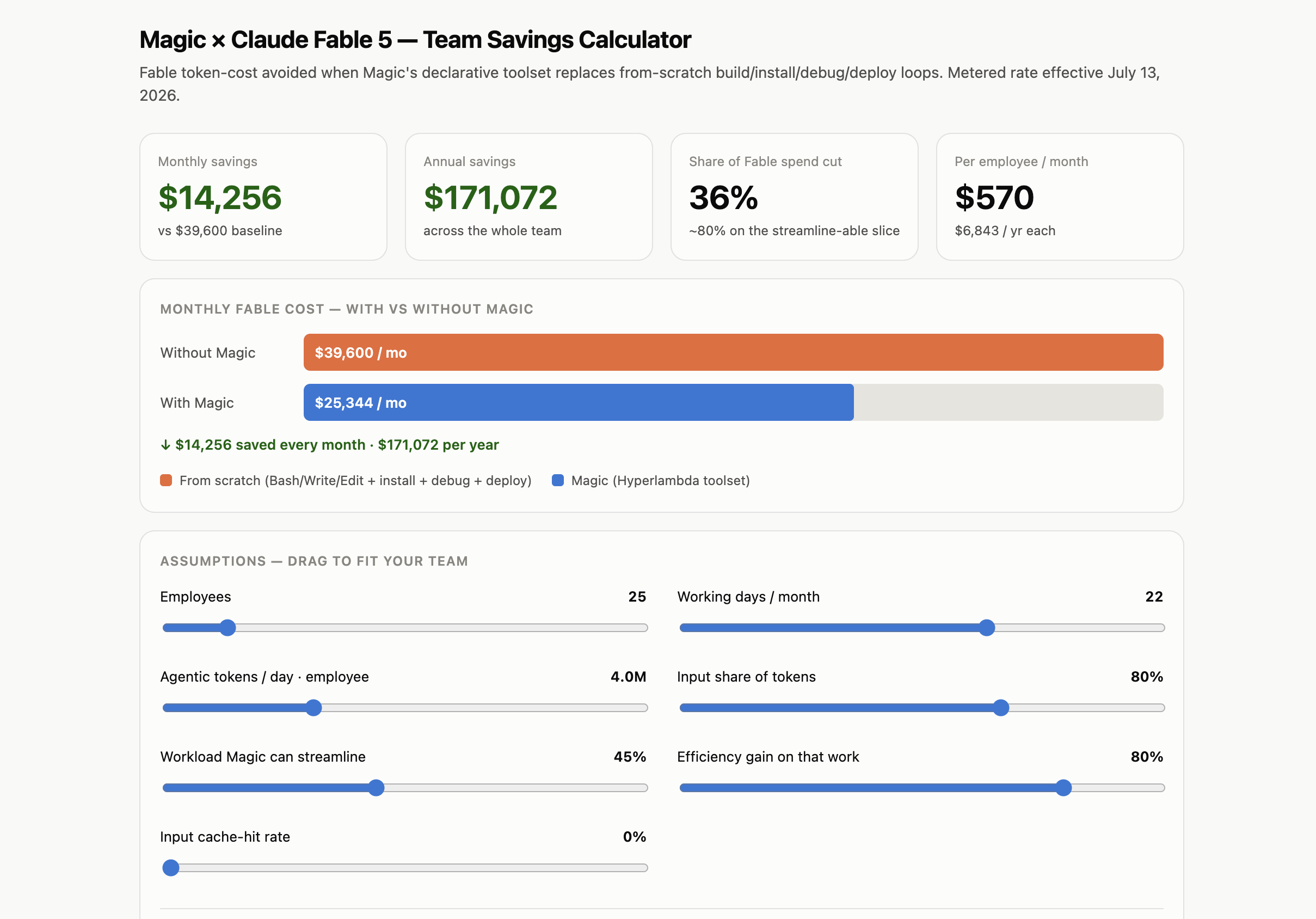
Install the mcp plugin, point Claude Code, Cowork, or OpenAI's Codex at your cloudlet, and every HTTP endpoint in your modules folder becomes a tool the agent can invoke. In our measurements this also cuts token consumption by roughly 80%. Calculate your own savings here.
Performance
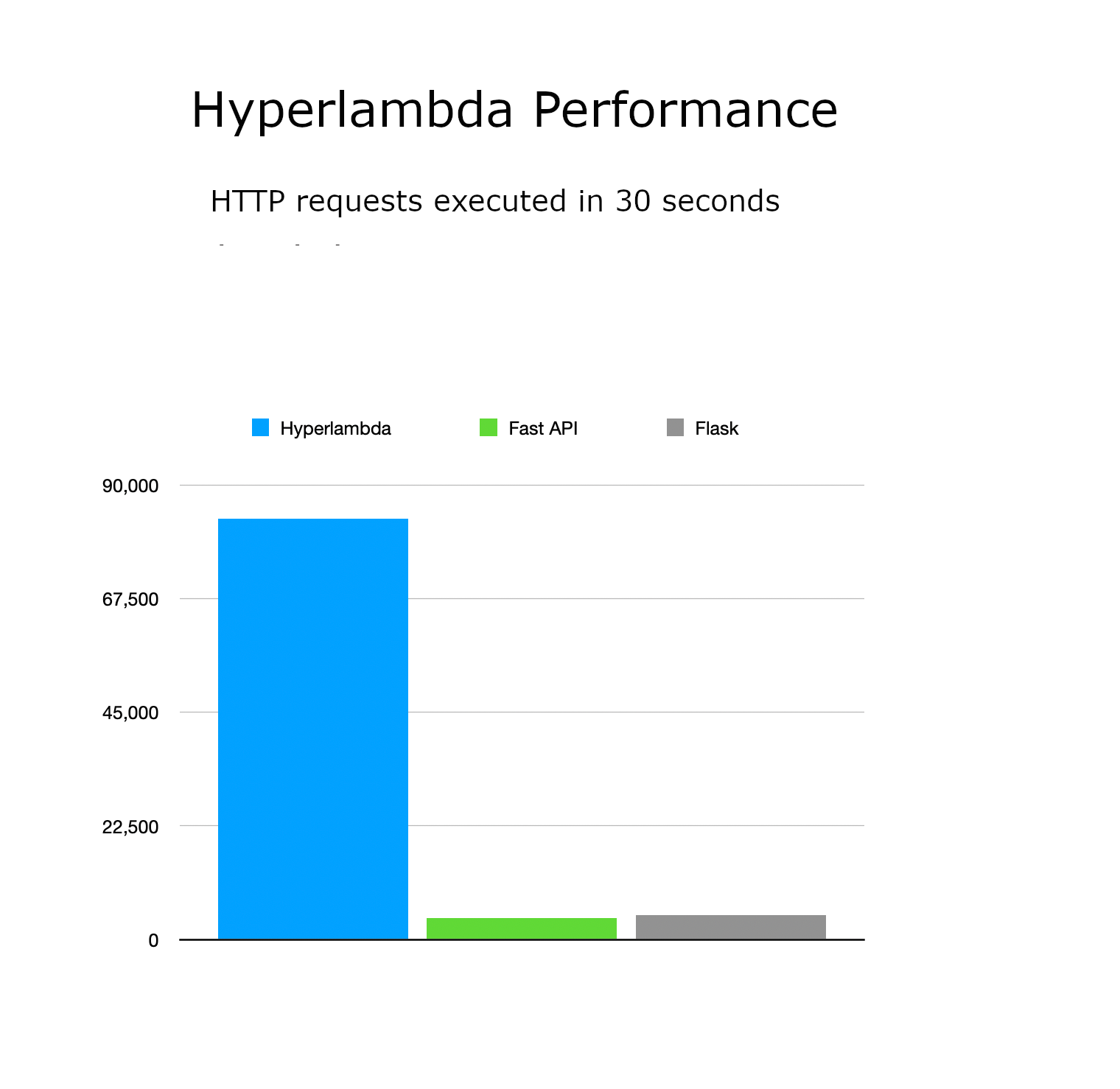
In our measurements Hyperlambda is roughly 20× faster than FastAPI or Flask, around 50× faster than LangChain, and 100–1,000× faster than graphical workflow tools such as n8n, Zapier and Make — because it runs a real compiled runtime instead of interpreting logic out of JSON, XML or YAML. Hyperlambda solutions are broadly on par with C# and Entity Framework on both performance and scalability.
The dashboard

The sidebar is the whole platform: Hyper IDE for editing and running any file on the server, Playground for executing Hyperlambda without saving it first, SQL Studio for querying and designing databases, Generator for turning tables into secured CRUD endpoints, plus users and roles, scheduled tasks, machine learning, and the plugin store.
Your cloudlet is also an AI agent. With the MCP plugin installed, the URL at the top hands any MCP-capable agent your endpoints as tools. The Chatbot Wizard goes the other way: give it a website, and it crawls the site, turns what it finds into training data, and hands you an embeddable chatbot grounded in your own content.
Once you save the code, you can test it — no deployment or publish step required.

Notice the prompt bar below the editor, where "the Machine Creates the Code". Describe what you want in plain English and the built-in generator writes it straight into the file you're editing. The same bar follows you into the Playground and SQL Studio, generating Hyperlambda, SQL, HTML, or whatever fits the file you have open.
OIDC sign-in
The dashboard signs in over OpenID Connect against Google, GitHub, LinkedIn, Microsoft Entra ID, Okta, Auth0, Keycloak and Slack — configured from the Configuration screen with a client ID (and, where the provider requires it, a secret) per provider. Code-flow exchanges run server-side with PKCE, only provider-verified email addresses are trusted, and identities are provider-scoped so a sign-in can never collide with another account. A provider is a single Hyperlambda file — drop in a new one and the login screen picks it up automatically.
Getting started
Deploy to DigitalOcean (recommended)
One droplet running the full stack, with persistent volumes for your data, configuration and modules. Create your droplet — edit the single DOMAIN= line in .do/cloud-init.yaml and paste it into the User Data field. HTTPS is automatic through Caddy and Let's Encrypt. Full guide: DigitalOcean deployment guide
Docker Compose (self-hosted)
The one-liner at the top of this README is the fastest route. If you'd rather keep the file around:
<details> <summary>Full <code>docker-compose.yml</code></summary>version: "3.8"
services:
backend:
image: servergardens/magic-backend:latest
platform: linux/amd64
container_name: magic_backend
restart: unless-stopped
ports:
- "4444:4444"
volumes:
- magic_files_etc:/magic/files/etc
- magic_files_data:/magic/files/data
- magic_files_config:/magic/files/config
- magic_files_modules:/magic/files/modules
frontend:
image: servergardens/magic-frontend:latest
container_name: magic_frontend
restart: unless-stopped
depends_on:
- backend
ports:
- "5555:80"
volumes:
magic_files_etc:
magic_files_data:
magic_files_config:
magic_files_modules:
Run docker compose up, visit localhost:5555, log in with root / root, and configure the system. More installation options here.
Run from source
You'll need .NET 10 and Node.js (latest LTS).
# Backend — starts the API on http://localhost:5000
cd backend
dotnet run

# Frontend (in a second terminal) — dashboard on http://localhost:4201
cd frontend
npm install
npm run dev
Open http://localhost:4201 and log in using http://localhost:5000 as your backend URL, with root / root.
Bring your own OpenAI API key
Magic uses OpenAI by default — create a key here. If you'd rather not use OpenAI, there are Ollama and HuggingFace plugins that override the inference functions, though embeddings still require OpenAI's API. And if you drive Magic through the MCP server, you don't need an OpenAI key at all.
AI agents
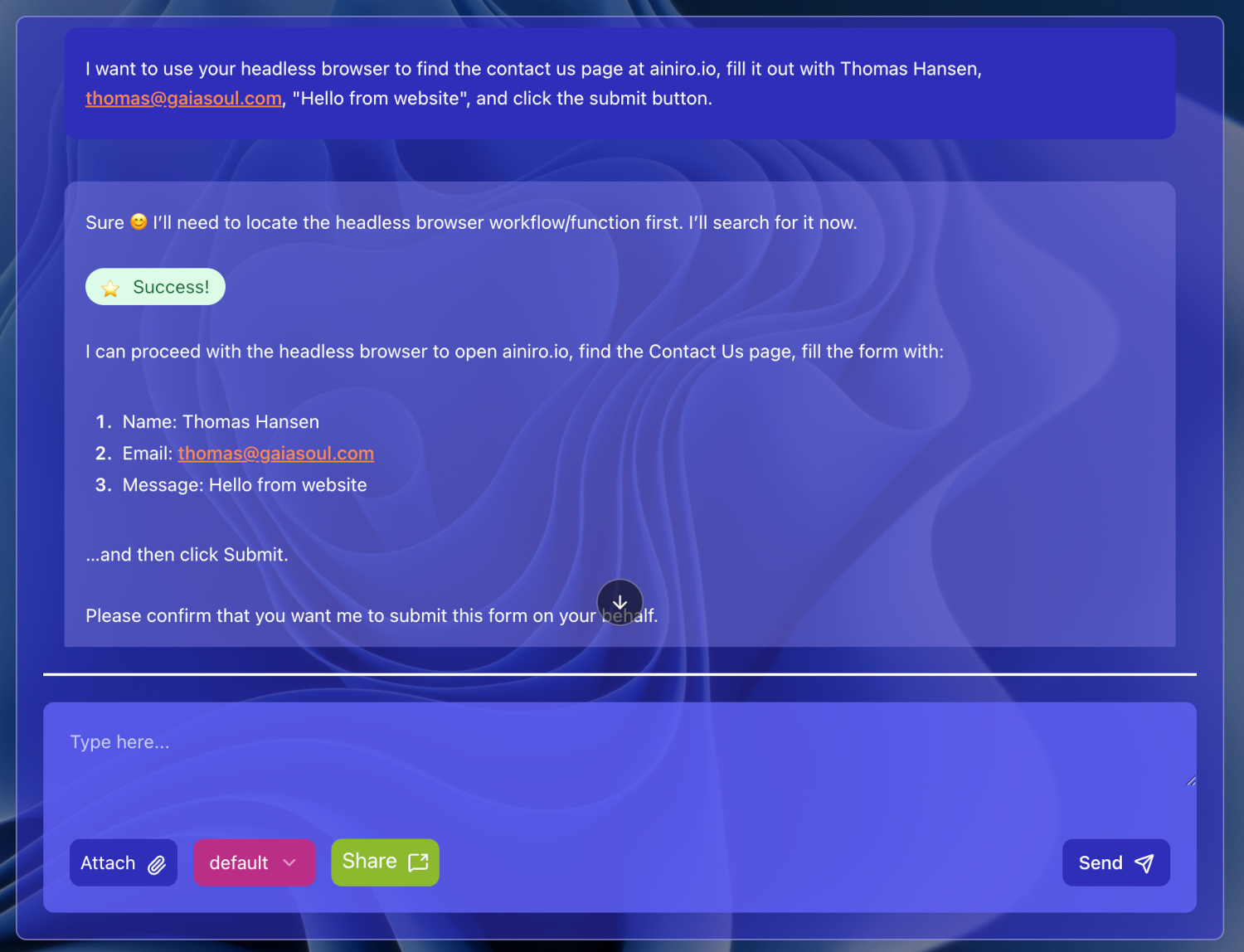
Below is Magic's AI agent autonomously browsing the web and filling out a "contact us" form, using the integrated headless browser that lets your agent see the web and solve tasks on it.
You can vibe code AI agents integrated with your CRM, ERP, or legacy databases. Magic fundamentally is an AI agent for building software and AI agents — what you use it for is up to you.
Headless browser
Magic embeds PuppeteerSharp, so agents can browse like a human — filling forms, clicking buttons. An example prompt: "Go to xyz website, identify their contact us form and change URLs if required, and fill out their contact us form." The screenshot above is the result of exactly that prompt.
Python, terminal, and C# integration
Generate and execute Python on the fly and let the LLM use it as a tool, use Bash and the underlying terminal, and create Hyperlambda keywords in C#. Persisted Python scripts can be referenced later as tools, permanently widening your agents' capabilities.
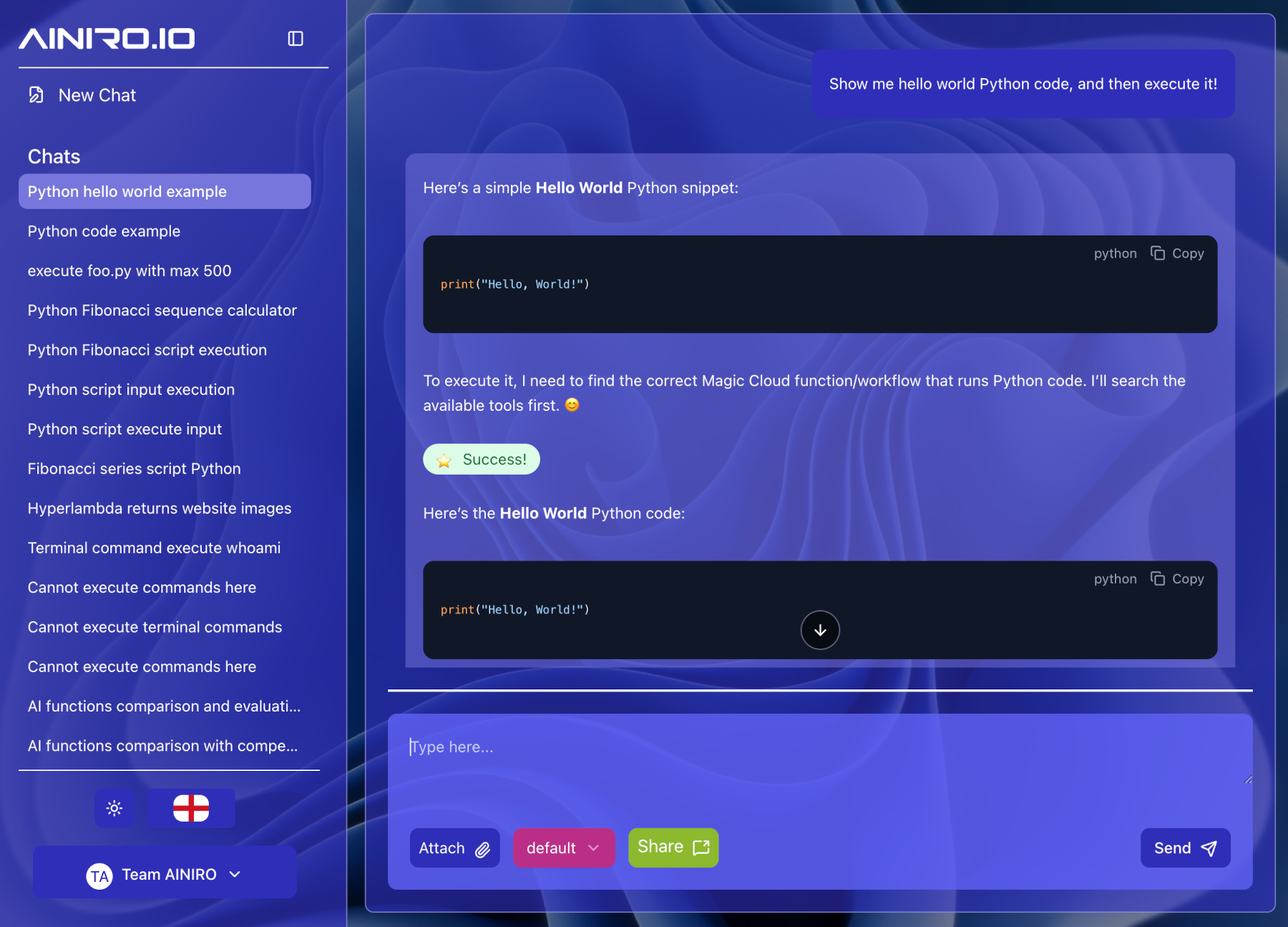
Notice — you must be logged in as root to generate and execute Python or terminal scripts, or create C# extensions. Magic's security model eliminates entire classes of holes, but it is not a magic pill; don't expose endpoints that let third parties execute arbitrary code.
AI chatbots and expert systems
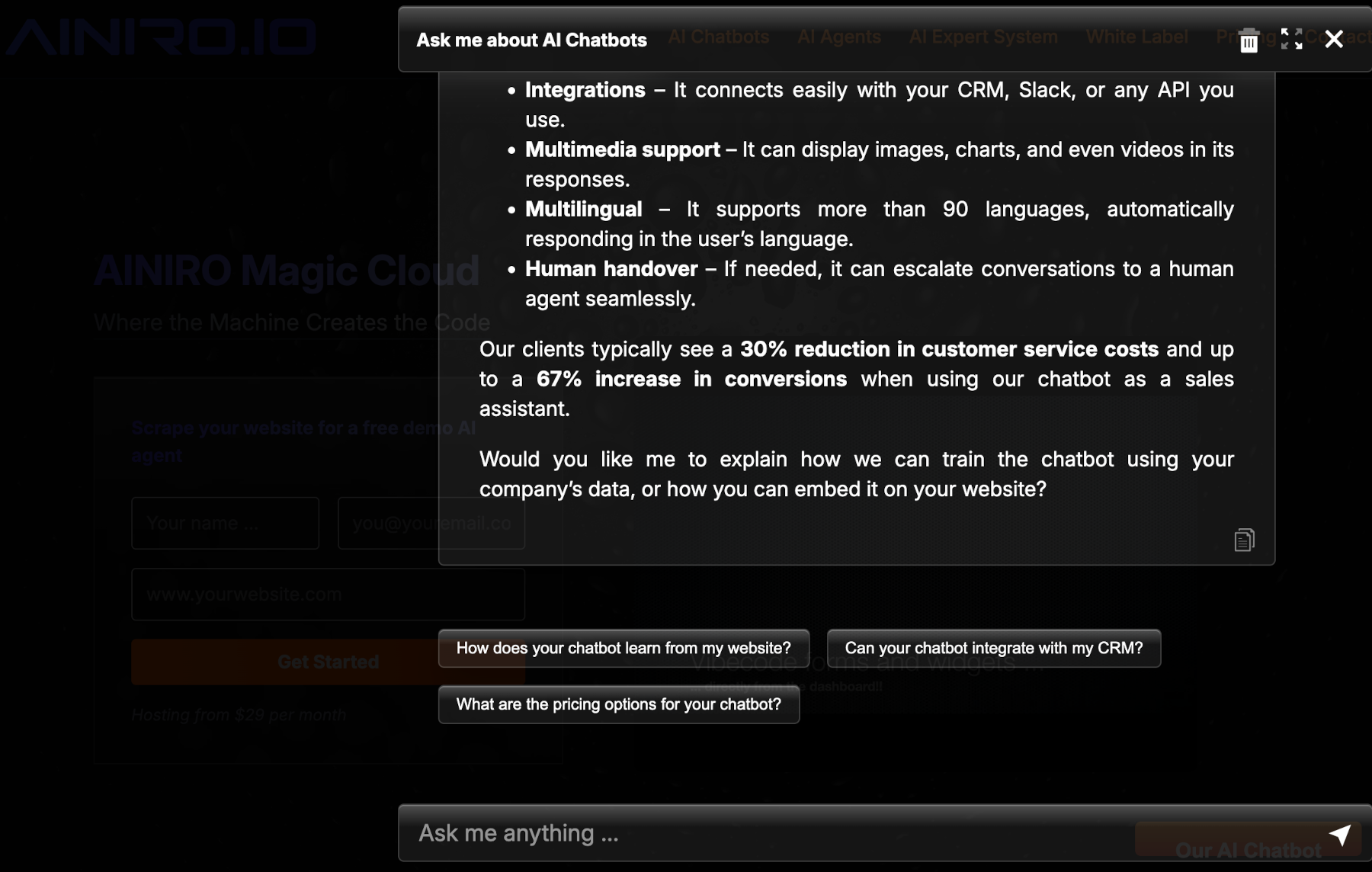
Deliver your agents as password-protected AI expert systems, or as embeddable chatbots on any website. Try ours here.
Also a web server
Magic serves your frontend itself, so there's no compilation, build process or pipeline between writing code and testing it:
- Create your prompt
- Press enter
- Test
This is in stark contrast to tools such as Lovable and Bolt, which require deploying into two different third-party pr
Truncated for display — read the full file on GitHub.
Related Skills
caveman
107.2k🪨 why use many token when few token do trick. Viral skill + proxy for coding agents that cuts 65% of tokens by talking like a caveman.
claude-mem
94.4kPersistent Context Across Sessions for Every Agent – Captures everything your agent does during sessions, compresses it with AI, and injects relevant context back into future sessions. Works with Claude Code, OpenClaw, Codex, Gemini, Hermes, Copilot, OpenCode + More
Agent-Reach
84.4kGive your AI agent eyes to see the entire internet. Read & search Twitter, Reddit, YouTube, GitHub, Bilibili, XiaoHongShu — one CLI, zero API fees.
Understand-Anything
83.6kGraphs that teach > graphs that impress. Turn any code into an interactive knowledge graph you can explore, search, and ask questions about. Works with Claude Code, Codex, Cursor, Copilot, Gemini CLI, and more.
