
Pico
Pico is a stupidly simple, blazing fast, flat file CMS.
Install / Use
npx skills add picocms/PicoInstalls into whichever agent you are using.
README
:exclamation: :exclamation: END OF LIFE NOTICE :exclamation: :exclamation:
Development of Pico has stopped a very long time ago. We strongly advise against using Pico for new websites. You can keep using Pico for existing websites though, it has no known security issues. However, please note that you will ultimately run into issues, because Pico wasn't designed for modern PHP versions. You can try the last
v3.0.0-alpha.2release, or use thepico-3.0branch. They are as stable as the last "stable" releases, but just didn't make it through the release process before development was abandoned.If you're about to create a new website and want to use a flat file CMS, check out some of Pico's amazing alternatives, like Grav CMS, HTMLy, Automad, or Typemill.
If you're interested in taking over Pico's development, please don't hesitate to contact us by creating a new Issue here on GitHub. Please provide some brief information about the extent of your commitment, your motivation, and your experience with Pico, PHP programming, and Open Source Software development in general. We're happy to help you take over the baton, but unfortunately are no longer able to maintain this project.
:exclamation: :exclamation: END OF LIFE NOTICE :exclamation: :exclamation:
Pico



Pico is a stupidly simple, blazing fast, flat file CMS.
Visit us at http://picocms.org/ and see http://picocms.org/about/ for more info.
Screenshot
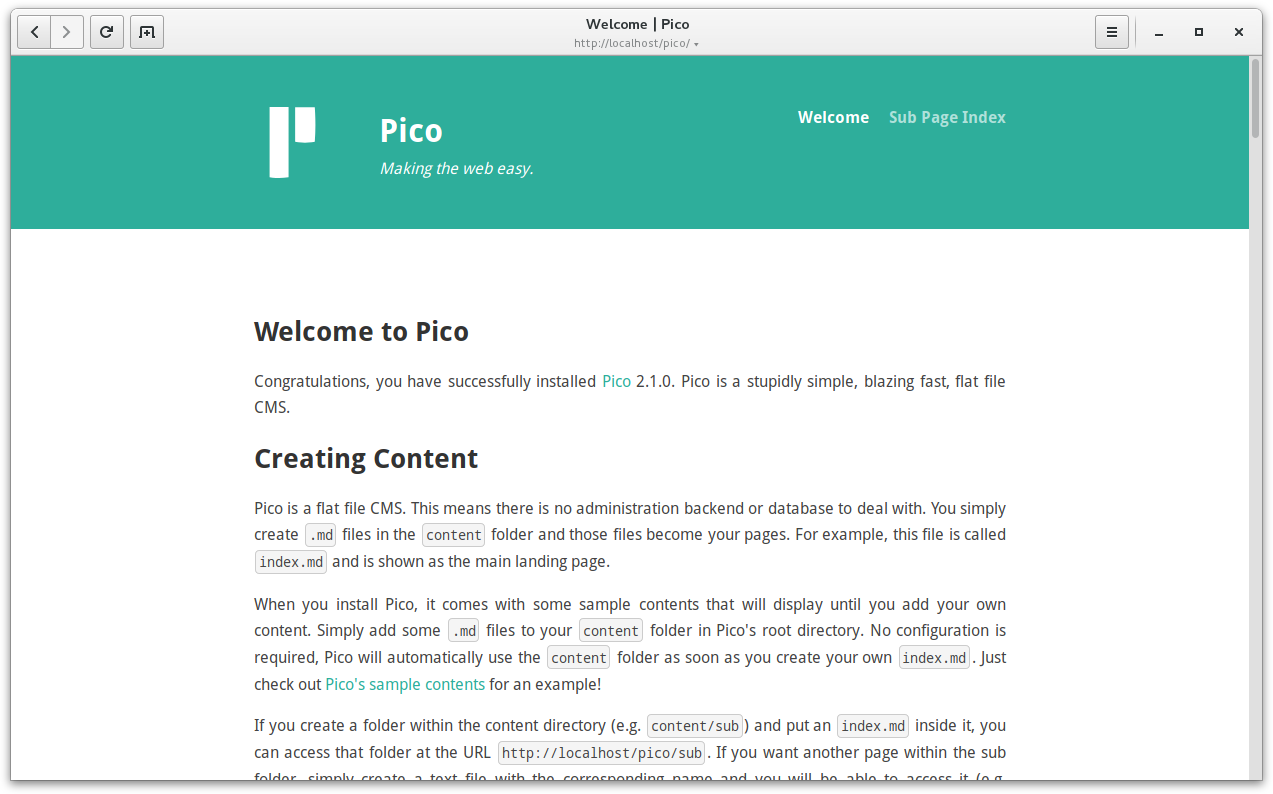
Install
Installing Pico is dead simple - and done in seconds! If you have access to a shell on your server (i.e. SSH access), we recommend using [Composer][]. If not, use a pre-bundled release. If you don't know what "SSH access" is, head over to the pre-bundled release. 😇
Pico requires PHP 5.3.6+ and the PHP extensions dom and mbstring to be enabled.
I want to use Composer
Starting with Pico 2.0 we recommend installing Pico using Composer whenever possible. Trust us, you won't regret it when it comes to upgrading Pico! Anyway, if you don't want to use Composer, or if you simply can't use Composer because you don't have access to a shell on your server, don't despair, installing Pico using a pre-bundled release is still easier than everything you know!
Step 1
Open a shell and navigate to the httpdocs directory (e.g. /var/www/html) of your server. Download Composer and run it with the create-project option to install it to the desired directory (e.g. /var/www/html/pico):
$ curl -sSL https://getcomposer.org/installer | php
$ php composer.phar create-project picocms/pico-composer pico
Step 2
What second step? There's no second step. That's it! Open your favorite web browser and navigate to your brand new, stupidly simple, blazing fast, flat file CMS! Pico's sample contents will explain how to create your own contents. 😊
I want to use a pre-bundled release
Do you know the feeling: You want to install a new website, so you upload all files of your favorite CMS and run the setup script - just to find out that you forgot about creating the SQL database first? Later the setup script tells you that the file permissions are wrong. Heck, what does this even mean? Forget about it, Pico is different!
Step 1
[Download the latest Pico release][LatestRelease] and upload all files to the desired install directory of Pico within the httpdocs directory (e.g. /var/www/html/pico) of your server.
Step 2
Okay, here's the catch: There's no catch. That's it! Open your favorite web browser and navigate to your brand new, stupidly simple, blazing fast, flat file CMS! Pico's sample contents will explain how to create your own contents. 😊
I want to manage my website using a Git repository
Git is a very powerful distributed version-control system - and it can be used to establish a nice workflow around your Pico website. Using a Git repository for your website aids content creation and deployment, including collaborative editing and version control. If you want to manage your website in a Git repository, you use a Composer-based installation.
-
Fork [Pico's Composer starter project][PicoComposerGit] using [GitHub's fork button][HelpFork]. If you don't want to use GitHub you aren't required to, you can choose whatever Git server you want. Forking manually just requires some extra steps: First clone the Git repository locally, add your Git server as a remote and push the repository to this new remote.
-
Clone your fork locally and add your contents and assets. You can edit Pico's
composer.jsonto include 3rd-party plugins and themes, or simply add your own plugins and themes to Pico'spluginsresp.themesdirectories. Don't forget to commit your changes and push them to your Git server. -
Open a shell on your webserver and navigate to the
httpdocsdirectory (e.g./var/www/html). Download Composer, clone your Git repository to the desired directory (e.g./var/www/html/pico) and install Pico's dependencies using Composer'sinstalloption:$ curl -sSL https://getcomposer.org/installer | php $ git clone https://github.com/<YOUR_USERNAME>/<YOUR_REPOSITORY> pico $ php composer.phar --working-dir=pico install -
If you update your website's contents, simply commit your changes and push them to your Git server. Open a shell on your webserver and navigate to Pico's install directory within the
httpdocsdirectory (e.g./var/www/html/pico) of your server. Pull all changes from your Git server and update Pico's dependencies using Composer'supdateoption:$ git pull $ php composer.phar update
I'm a developer
So, you're one of these amazing people making all of this possible? We love you folks! As a developer we recommend you to clone [Pico's Git repository][PicoGit] as well as the Git repositories of [Pico's default theme][PicoThemeGit] and the [PicoDeprecated plugin][PicoDeprecatedGit]. You can set up your workspace using [Pico's Composer starter project][PicoComposerGit] and include all of Pico's components using local packages.
Using Pico's Git repositories is different from using one of the installation methods elucidated above. It gives you the current development version of Pico, what is likely unstable and not ready for production use!
-
Open a shell and navigate to the desired directory of Pico's development workspace within the
httpdocsdirectory (e.g./var/www/html/pico) of your server. Download and extract Pico's Composer starter project into theworkspacedirectory:$ curl -sSL https://github.com/picocms/pico-composer/archive/master.tar.gz | tar xz $ mv pico-composer-master workspace -
Clone the Git repositories of all Pico components (Pico's core, Pico's default theme and the
PicoDeprecatedplugin) into thecomponentsdirectory:$ mkdir components $ git clone https://github.com/picocms/Pico.git components/pico $ git clone https://github.com/picocms/pico-theme.git components/pico-theme $ git clone https://github.com/picocms/pico-deprecated.git components/pico-deprecated -
Instruct Composer to use the local Git repositories as replacement for the
picocms/pico(Pico's core),picocms/pico-theme(Pico's default theme) andpicocms/pico-deprecated(thePicoDeprecatedplugin) packages. Update thecomposer.jsonof your development workspace (i.e.workspace/composer.json) accordingly:{ "repositories": [ { "type": "path", "url": "../components/pico", "options": { "symlink": true } }, { "type": "path", "url": "../components/pico-theme", "options": { "symlink": true } }, { "type": "path", "url": "../components/pico-deprecated", "options": { "symlink": true } } ], "require": { "picocms/pico": "dev-master", "picocms/pico-theme": "dev-master", "picocms/pico-deprecated": "dev-master", "picocms/composer-installer": "^1.0" } } -
Download Composer and run it with the
installoption:$ curl -sSL https://getcomposer.org/installer | php $ php composer.phar --working-dir=workspace install
You can now open your web browser and navigate to Pico's development workspace. All changes you make to Pico's components will automatically be reflected in the development workspace.
By the way, you can also find all of Pico's components on [Packagist.org][Packagist]: [Pico's core][PicoPackagist], [Pico's default theme][PicoThemePackagist], the [PicoDeprecated plugin][PicoDeprecatedPackagist] and [Pico's Composer starter project][PicoComposerPackagist].
Upgrade
Do you remember when you installed Pico? It was ingeniously simple, wasn't it? Upgrading Pico is no difference! The upgrade process differs depending on whether you used [Composer][] or a pre-bundled release to install Pico. Please note that you should always create a backup of your Pico installation before upgrading!
Pico follows [Semantic Versioning 2.0][SemV
Related Skills
qqbot-channel
385.5kQQ channel management skill. Use qqbot_channel_api for explicit QQ channel-management requests; confirm write, delete, and bulk actions before calling authenticated QQ Open Platform endpoints.
docs-writer
106.4kAlways use this skill when the task involves writing, reviewing, or editing files in the `/docs` directory or any `.md` files in the repository.
cpp
40.5kGuide Cursor to write modern C++ and CMake code with clear structure, RAII, const-correctness, and safe error handling.
gamemaker-gml
40.5kGameMaker Language (GML) rules for scripts, objects, events, rooms, data structures, and performance-minded game code
