
Peek
Simple animated GIF screen recorder with an easy to use interface
Install / Use
npx skills add phw/peekInstalls into whichever agent you are using.
README
Peek - an animated GIF recorder




[!IMPORTANT] The Peek project has been declared deprecated, please read the announcement. No new features will be developed and issue reporting has been closed.
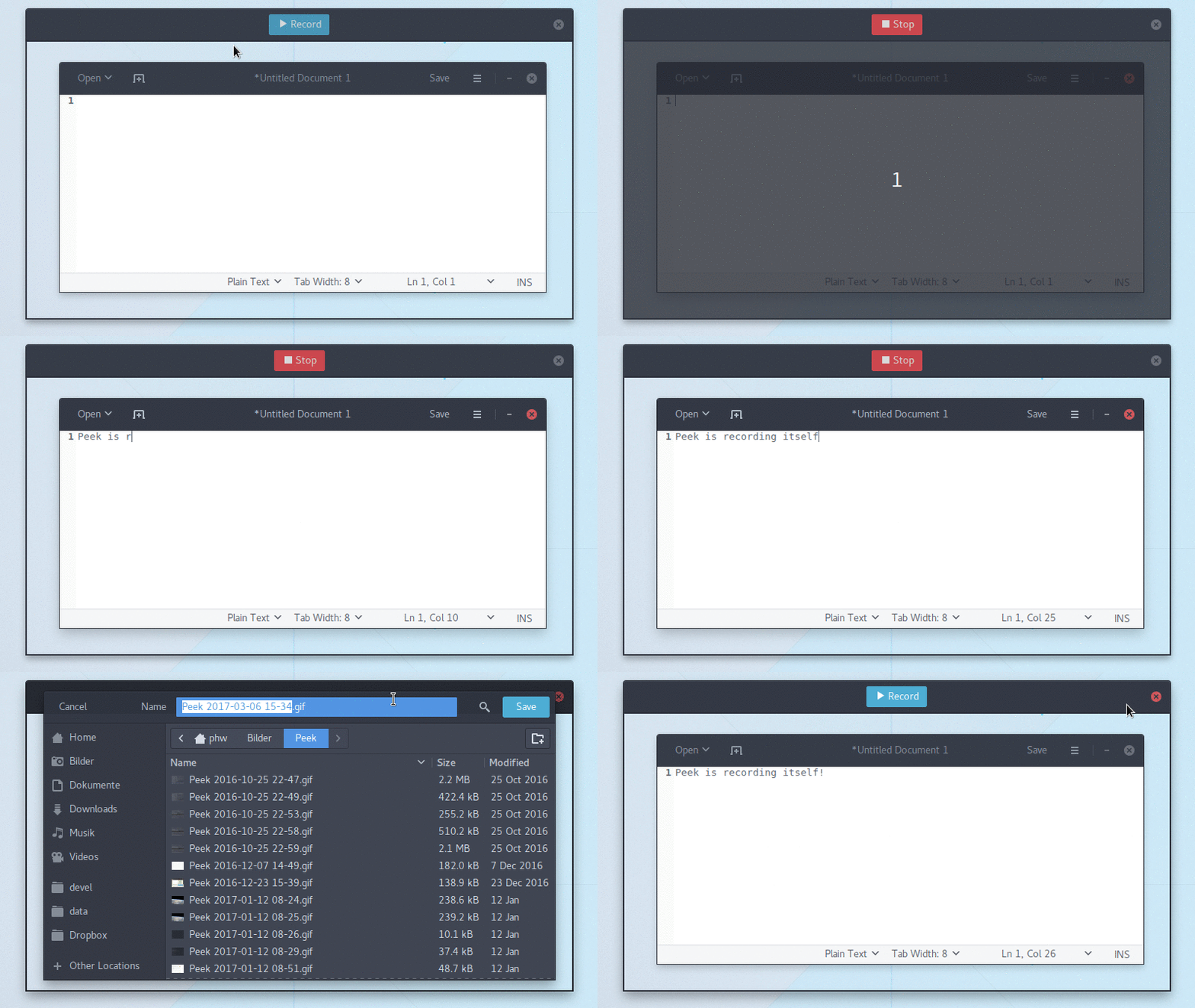
Simple screen recorder with an easy to use interface
<!-- START doctoc generated TOC please keep comment here to allow auto update --> <!-- DON'T EDIT THIS SECTION, INSTEAD RE-RUN doctoc TO UPDATE -->Contents
- About
- Requirements
- Installation
- Frequently Asked Questions
- How can I capture mouse clicks and/or keystrokes?
- How can I improve the quality of recorded GIF files
- Why are the GIF files so big?
- If GIF is so bad why use it at all?
- What about WebM or MP4? Those are well supported on the web.
- What is the cause for "Could not start GNOME Shell recorder" errors?
- Why can't I interact with the UI elements inside the recording area?
- My recorded GIFs flicker, what is wrong?
- On i3 the recording area is all black, how can I record anything?
- Why no native Wayland support?
- Contribute
- License
About
Peek makes it easy to create short screencasts of a screen area. It was built for the specific use case of recording screen areas, e.g. for easily showing UI features of your own apps or for showing a bug in bug reports. With Peek, you simply place the Peek window over the area you want to record and press "Record". Peek is optimized for generating animated GIFs, but you can also directly record to WebM if you prefer.
Peek is not a general purpose screencast app with extended features but rather focuses on the single task of creating small, silent screencasts of an area of the screen for creating GIF animations or silent WebM videos.
Peek runs on X11 or inside a GNOME Shell Wayland session using XWayland. Support for more Wayland desktops might be added in the future (see FAQs below).
Requirements
Runtime
- GTK+ >= 3.20
- GLib >= 2.38
- libkeybinder3
- FFmpeg >= 3
- GStreamer 'Good' plugins (for recording on GNOME Shell)
- gifski (optional but recommended for improved GIF quality)
Development
- Vala compiler >= 0.22
- Meson >= 0.47.0
- Gettext (>= 0.19 for localized .desktop entry)
- txt2man (optional for building man page)
Installation
Official distribution packages
Peek is available in official package repositories for the following distributions:
Flatpak
Peek can be installed on all distributions supporting Flatpak from Flathub. To install, either download com.uploadedlobster.peek.flatpakref and open it with GNOME Software or install via command line (first time flatpak users need to follow the flatpak/flathub setup instructions first):
flatpak install flathub com.uploadedlobster.peek
For full functionality you should also install xdg-desktop-portal-gtk. It is available for most current distributions. Once installed, you can run Peek via its application icon in your desktop environment or from the command line:
flatpak run com.uploadedlobster.peek
To update to the latest version run:
flatpak update --user com.uploadedlobster.peek
To test the latest development version you can install peek-master.flatpakref
Snappy
Peek no longer has officially supported Snap packages, see the announcement. Please consider using the Flatpak or AppImage versions or use the Ubuntu PPA if you are using Ubuntu.
AppImage
Peek AppImage packages are available on the
release page. To run download the
.AppImage file and set it executable, then just run it. You can name the file
however you want, e.g. you can name it just peek and place it in $HOME/bin
for easy access. See the AppImage wiki
for more information on how to use AppImages and integrate them with your system.
Ubuntu
You can install the latest versions of Peek from the Ubuntu PPA.
sudo add-apt-repository ppa:peek-developers/stable
sudo apt update
sudo apt install peek
If you want to use the latest development version there is also a
PPA with daily builds
available. Use the repository ppa:peek-developers/daily in the above commands.
ElementaryOS
Adding PPA repositories requires the package software-properties-common
sudo apt install software-properties-common
sudo add-apt-repository ppa:peek-developers/stable
sudo apt update
sudo apt install peek
If you want to use the latest development version there is also a
PPA with daily builds
available. Use the repository ppa:peek-developers/daily in the above commands.
Debian
There are official Debian packages for Debian 11 ("Bullseye") and Debian 10 ("Buster") via
main repository and packages for Debian 9 ("Stretch") via
stretch-backports
repository. Please refer to Debian Backports Website
for detailed usage of stretch-backports repository.
After enabling stretch-backports for Debian 9 (Debian 10 or Debian 11 or Sid don't need
any tweaks at all), installation can be done by simply typing:
sudo apt install peek
Fedora
Note: Fedora by default does not provide the required ffmpeg package in its
repositories. For this reason it is recommended for Fedora users to install Peek
with Flatpak, see above. If you prefer to install Peek from the repositories
you should install ffmpeg separately as described below.
Peek is available in the default repositories (Fedora 29 and later):
sudo dnf install peek
To install the required ffmpeg package you can use the RPM Fusion free
repository, see the
setup instructions for RPM Fusion.
Once the repository is enabled install FFmpeg with:
sudo dnf install ffmpeg
Solus
Solus users can simply install with:
sudo eopkg it peek
Arch Linux
Arch Linux users can simply install with:
sudo pacman -S peek
For GNOME Shell recording there are some optional packages you can choose from:
gst-plugins-good: Recording under Gnome Shell
gifski: High quality GIF animations with thousands of colors
If you have a package manager for AUR (or fetch from AUR manually) the git version is available here
Other distributions
See the Repology package list for a list of Peek packages for various distributions.
From source
You can build and install Peek using Meson with Ninja:
git clone https://github.com/phw/peek.git
cd peek
meson --prefix=/usr/local builddir
cd builddir
ninja

# Run directly from source
./src/peek

# Install system-wide
sudo ninja install
Note: ninja might be called ninja-build on some distributions.
Frequently Asked Questions
How can I capture m
Related Skills
node-connect
385.6kDiagnose OpenClaw Android, iOS, or macOS node pairing, QR/setup code, route, auth, and connection failures.
blender-python-addon
40.5kBlender Python add-on rules for operators, panels, properties, registration, testing, and API-safe scripting
flutter-development-guidelines-cursorrules-prompt-file
40.5kCursor rules for Flutter development with MVVM architecture, Riverpod state management, Material widgets, and Dart style guidelines.
commit-push-pr
140.7kCommit, push, and open a PR
