
Informer
A Telegram Mass Surveillance Bot in Python
Install / Use
/learn @paulpierre/InformerREADME

Informer - Telegram Mass Surveillance
Update 10-20-2025
- Security: Fixed high-severity vulnerability CVE-2022-1941 in mysql-connector-python
- Security: Migrated from deprecated oauth2client to google-auth
- Updated all dependencies to latest secure versions
- Fixed quick_start.sh script bugs (venv creation and account_id parameter)
- Fixed Docker MySQL connection issues for cross-platform compatibility
- Improved Google Sheets setup documentation
Update 08-23-2021
- Updated to latest Telethon 1.23.0
- Fixed database issues by migrating to docker-compose
- Made Google Spreadsheets optional in setup
- Secure ENV files for setup
- Easier setup
- Replaced docker-compose in lieu of App Engine bc AE sux
About
Informer (TGInformer) is a bot library that allows you to masquerade as multiple REAL users on telegram and spy on 500+ Telegram channels per account. Details are logged to a MySQL database, a private Google Sheet and your own private channel for analysis.
This is a functioning proof-of-concept project with known bugs. Feel free to fork, share and drop me a line.
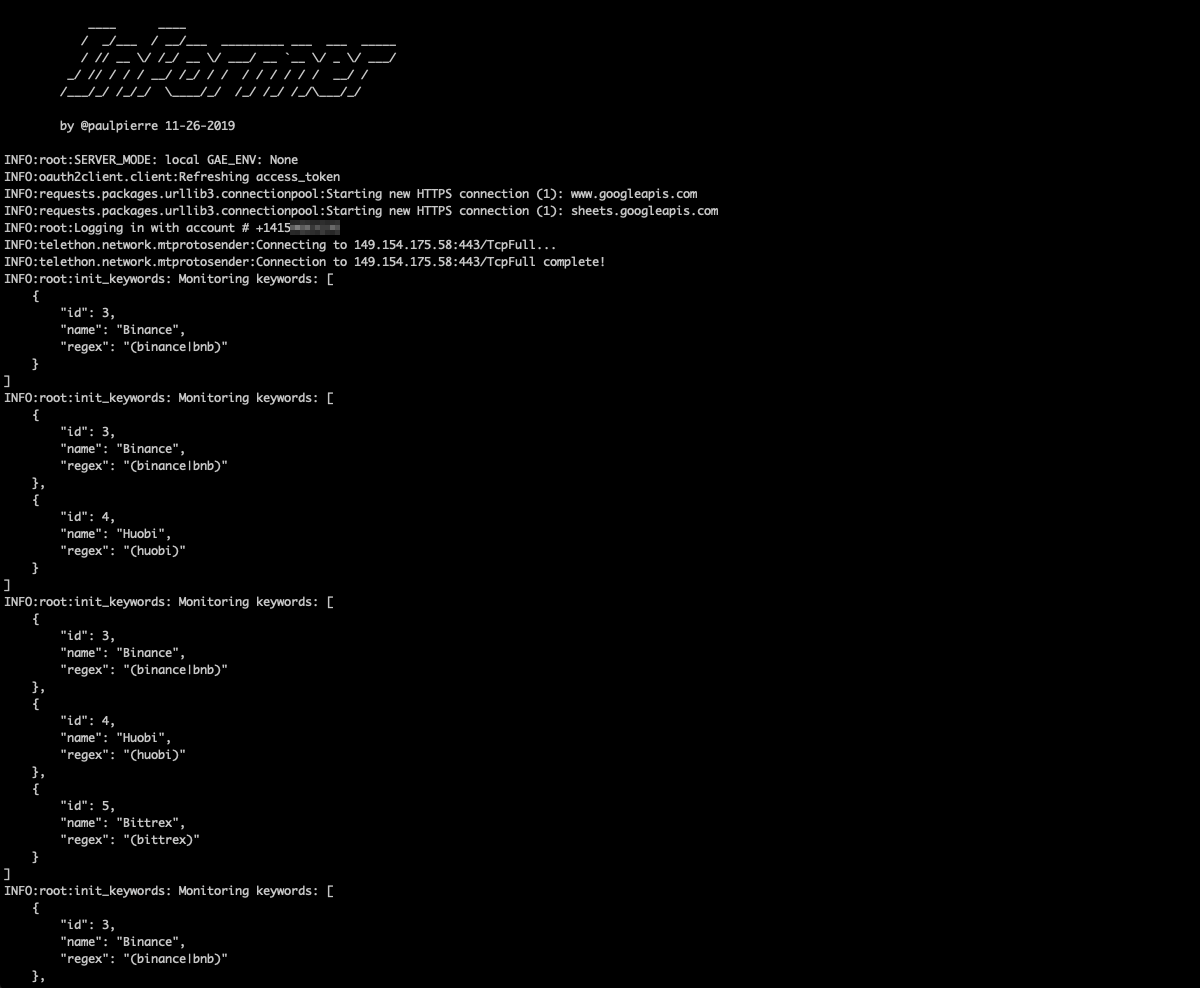
Potential Business Applications
- Sock puppeteering to overthrow a despotic regime
- Brand monitoring and sentiment analysis
- Shilling cryptocurrency at a moments notice for financial gain
- Influencing sentiment on topical issues
- Getting in on price action early
- Running analysis of a telegram channel
Features
- Run all your bots in the cloud while you sleep. Support for Docker Compose

- Write all notifications to private Google Sheet
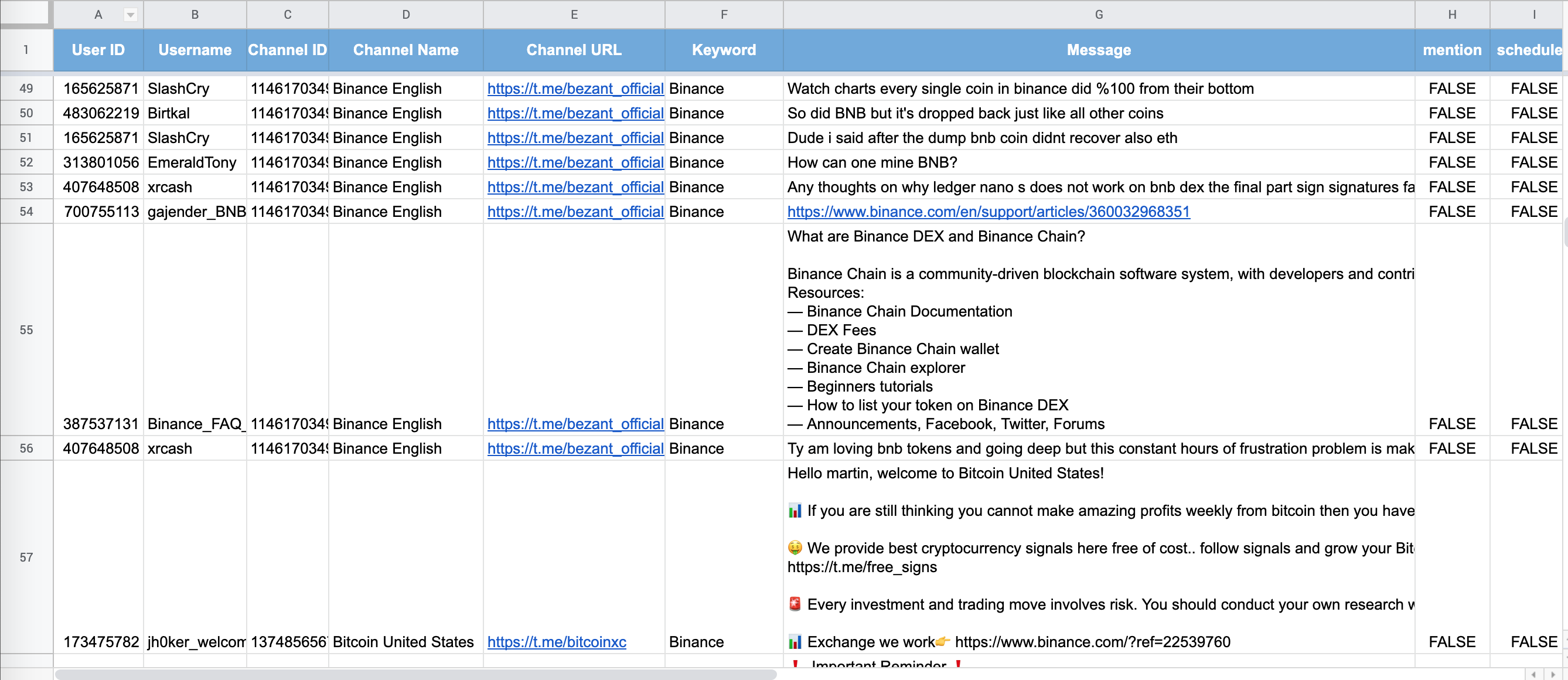
-
Supports regular expressions for keyword filtering
-
SQLAlchemy for agnostic data persistence
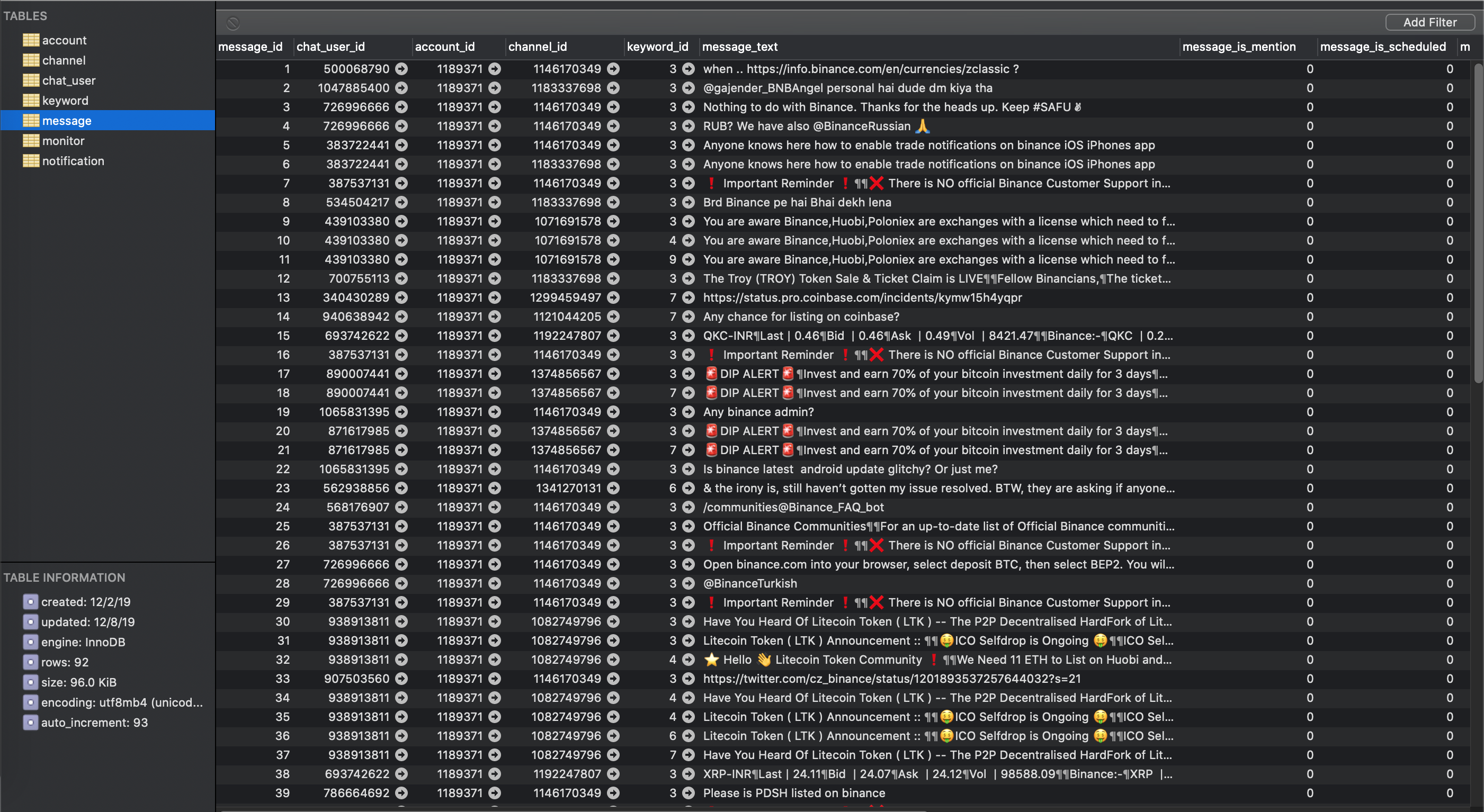
-
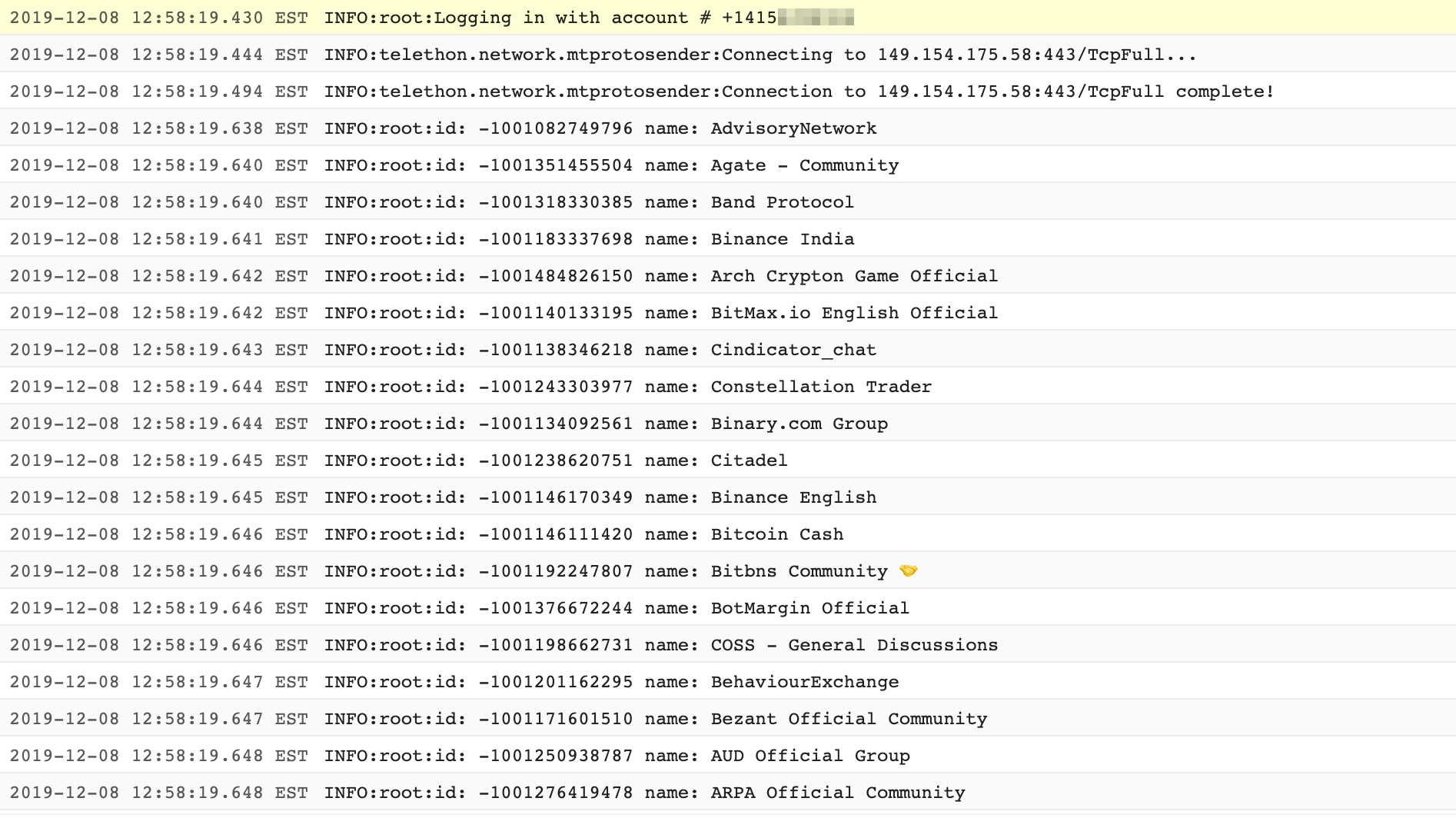
Logging contextual message and channel data to a private channel and database
-
Stores meta information about sender of message, channel, number of participants in the channel
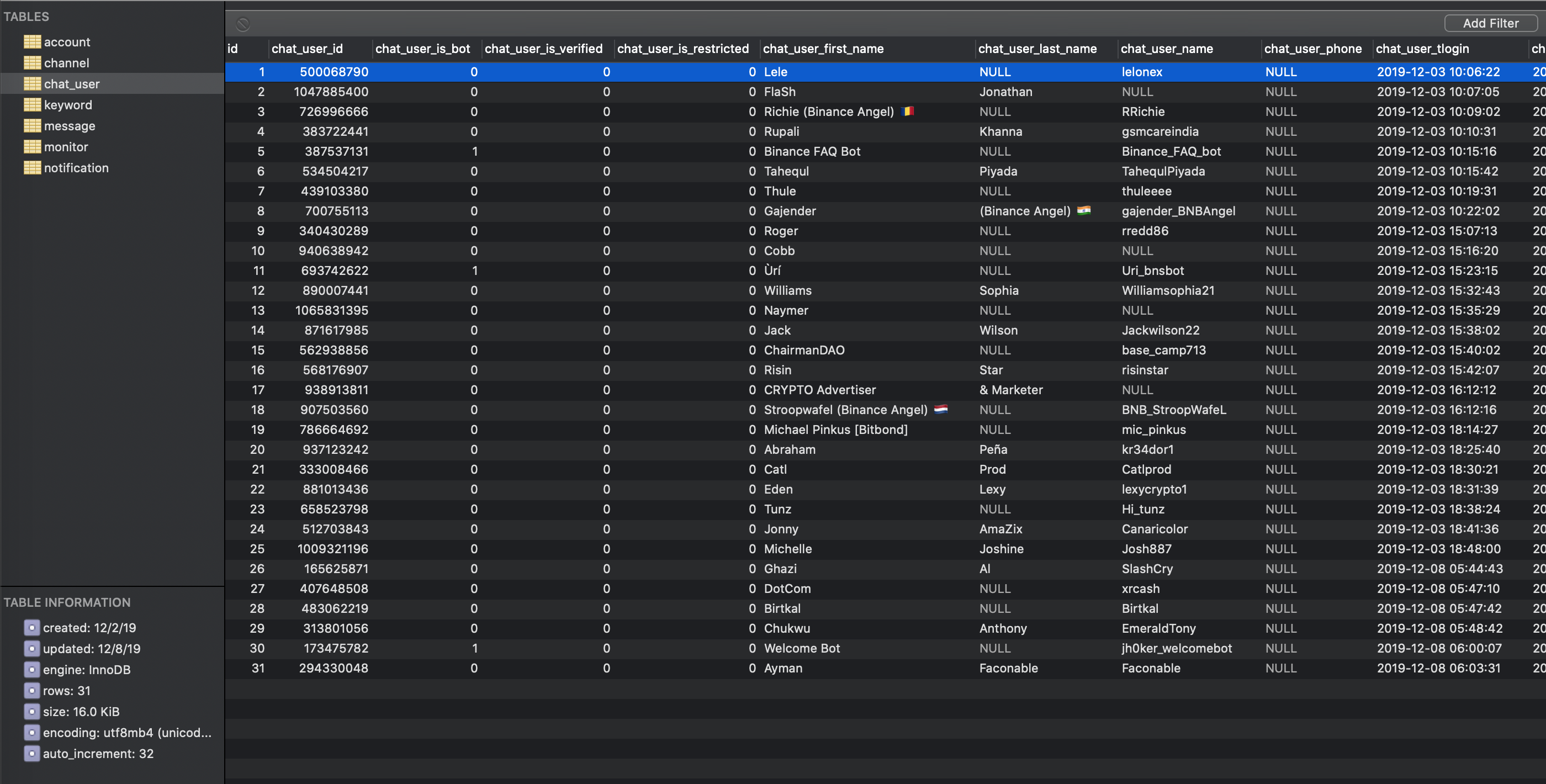
- Auto-joins channels from CSV list containing Telegram channel URLs
-
Persists session of channels joined
-
Login once, bot stays logged in forever without needing 2FA re-authentication
-
Join up to 500 channels per account
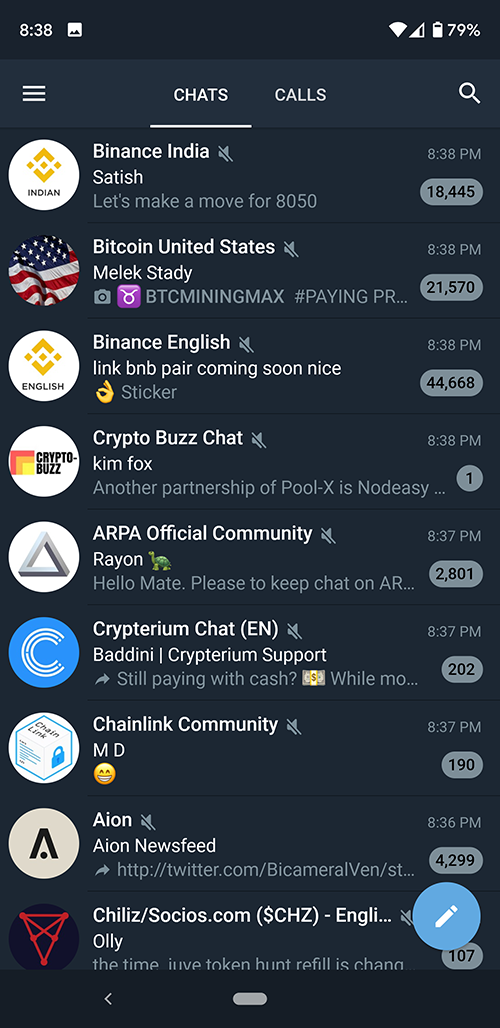
- Uses REAL accounts avoiding bot detection, THIS IS NOT A TELEGRAM BOT but a real automated user account. This is an important distinction because the official bot API is limited and bots are often restricted in public channels.
Requirements
OS / Infrastructure
- Python 3+
- Docker (optional)
- Telegram (Desktop, Web or Mobile download: https://www.telegram.org/)
- Burner app
Python packages
- SQLAlchemy (1.4.54)
- sqlalchemy-migrate (0.13.0)
- Telethon (1.36.0)
- mysql-connector-python (8.4.0)
- gspread (6.1.4)
- google-auth (2.37.0) - replaces deprecated oauth2client
- python-dotenv (1.0.1)
Quick Start
Setup your ENV vars
Edit the file informer.env which contains all the required environmental variables for informer
You can retrieve the necessary Telegram-related information here:
Setup Your Telegram App
- Head over to
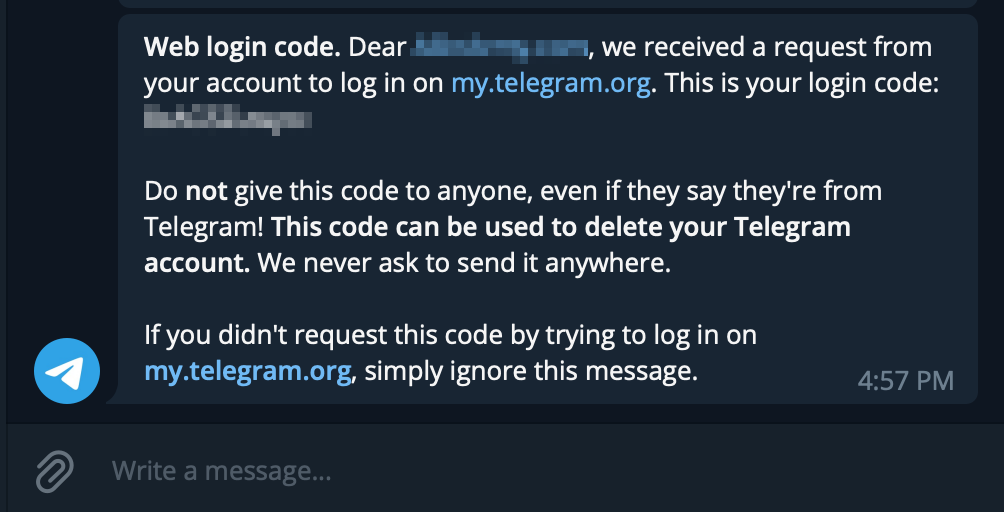
https://my.telegram.org/authto authenticate your account by providing a phone number and the confirmation code sent to your phone number (or Telegram)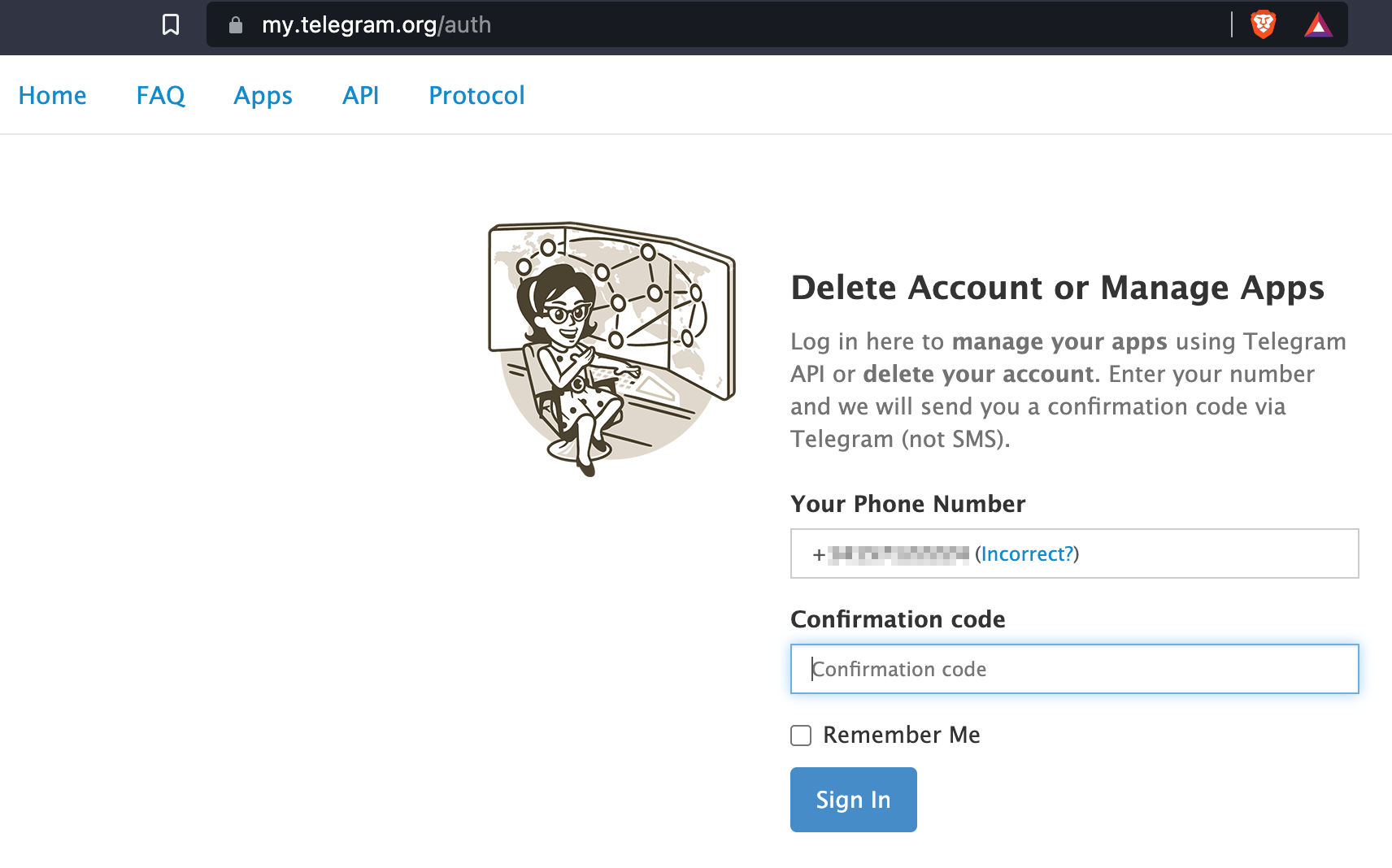
-
Once you are authenticated, click on "API Development Tools"
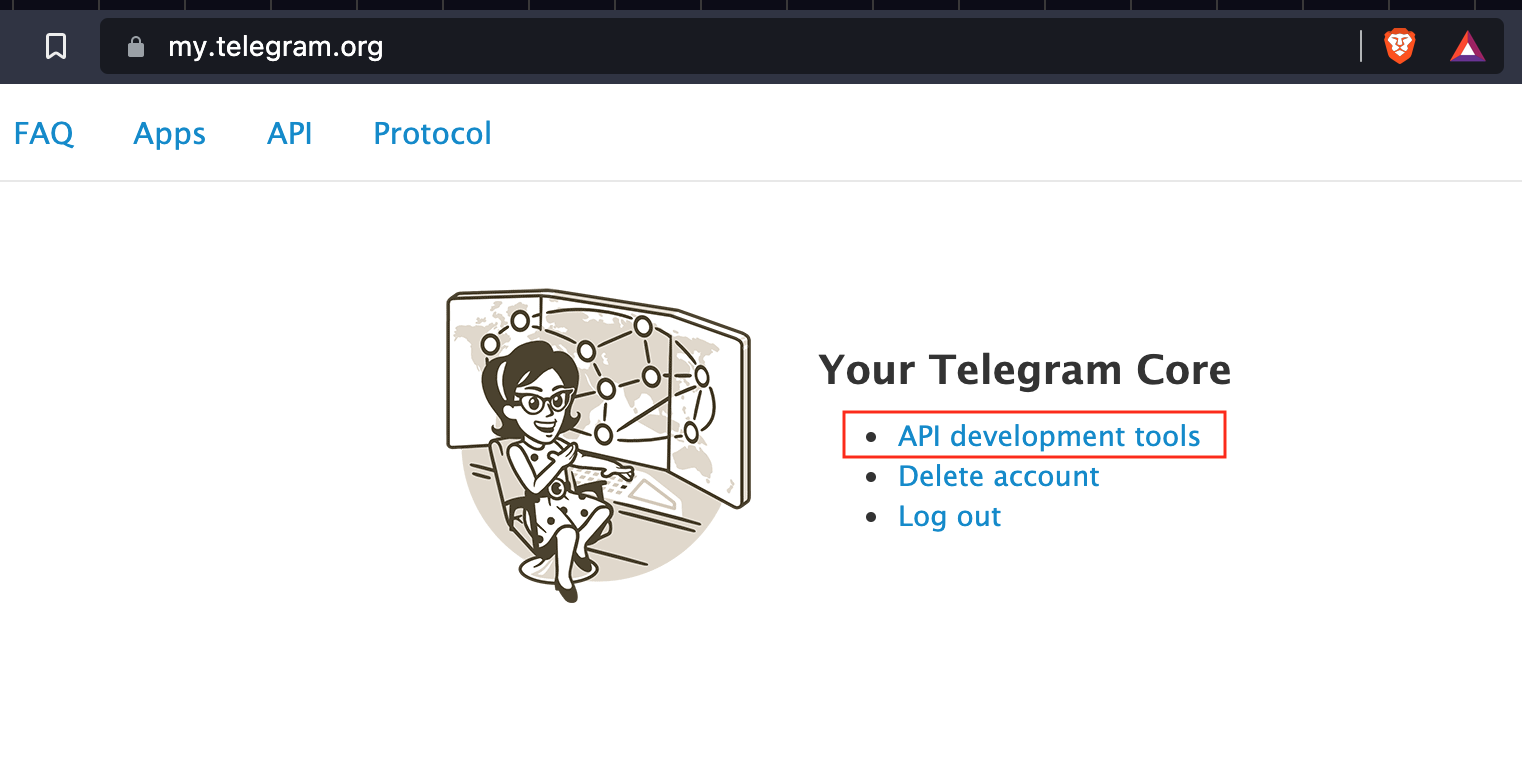
-
Go ahead and create a New Application by filling out the form shown below
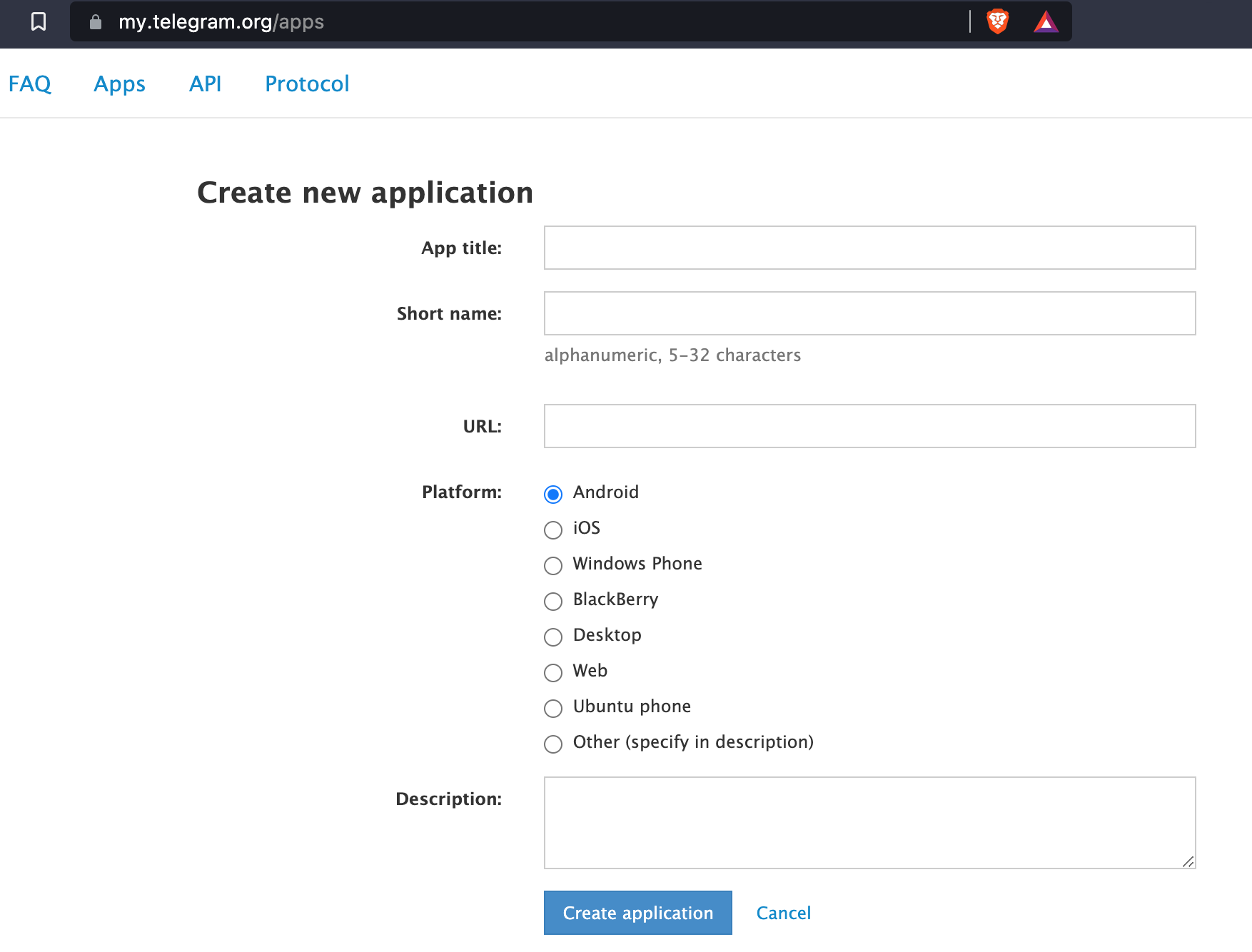
-
You should now have the necessary parameter values for the
informer.envfile fieldsTELEGRAM_API_HASHandTELEGRAM_API_APP_ID
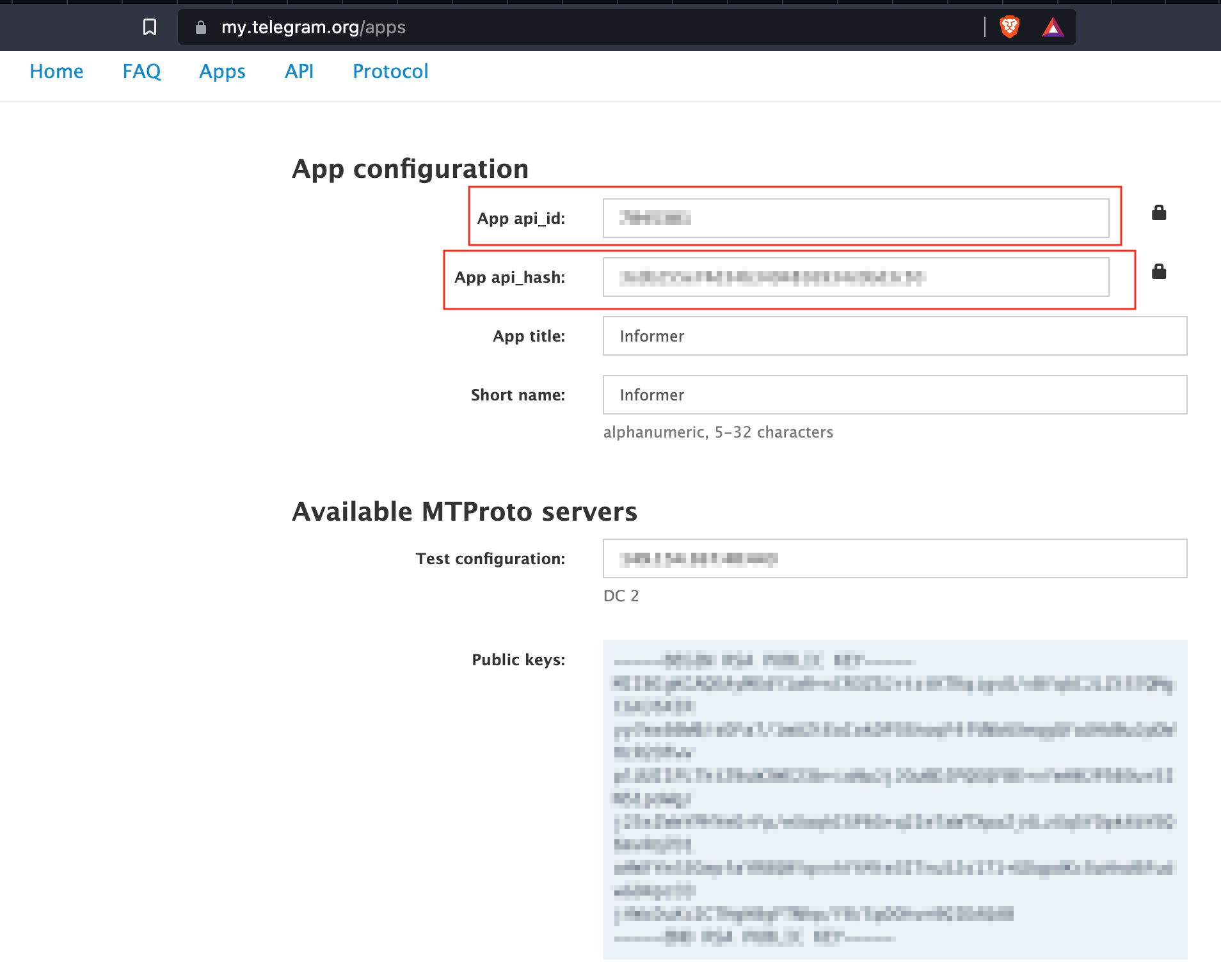
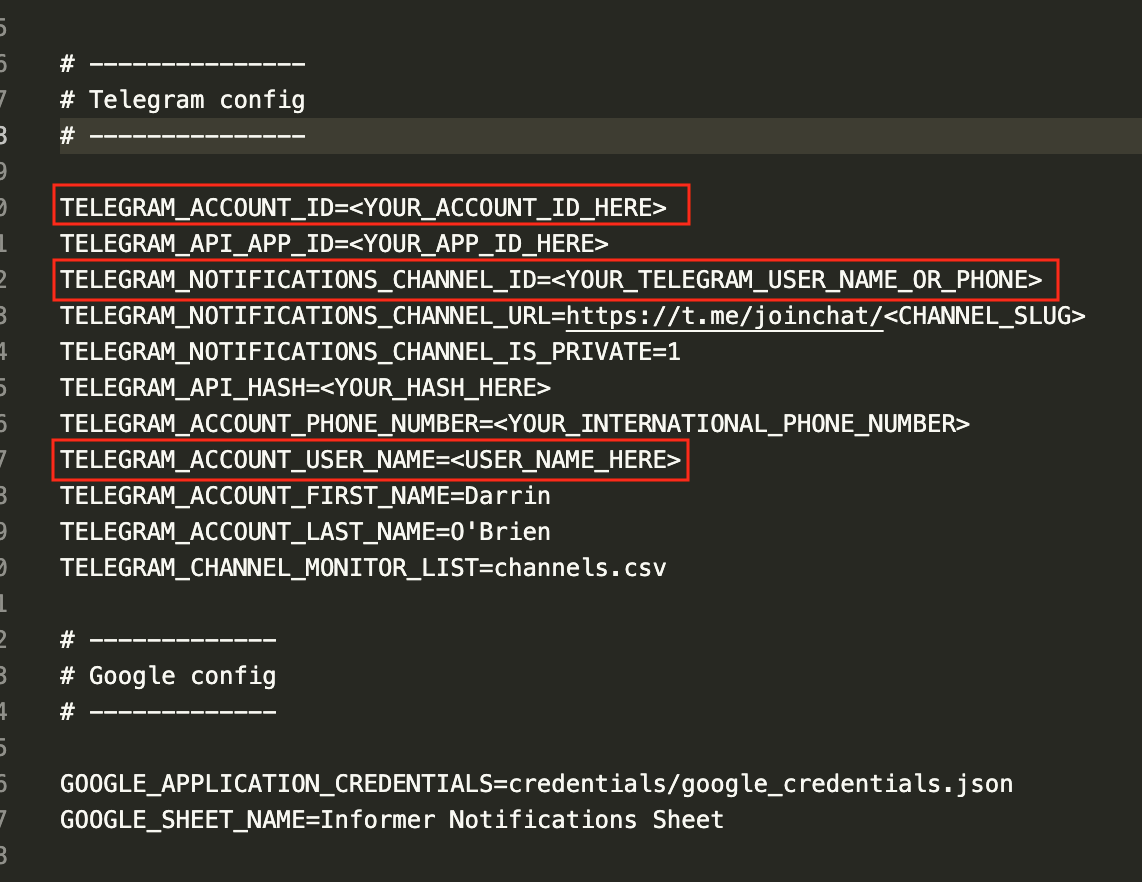
- Go ahead and replace the values, including
TELEGRAM_ACCOUNT_PHONE_NUMBERand move on to the next section
Getting your Telegram ID
So far we have what we need for Telethon and Informer to access the Telegram APIs, next we need to acquire the indentifiers for your bot's account.
- Open Telegram and search for the user
userinfobot.
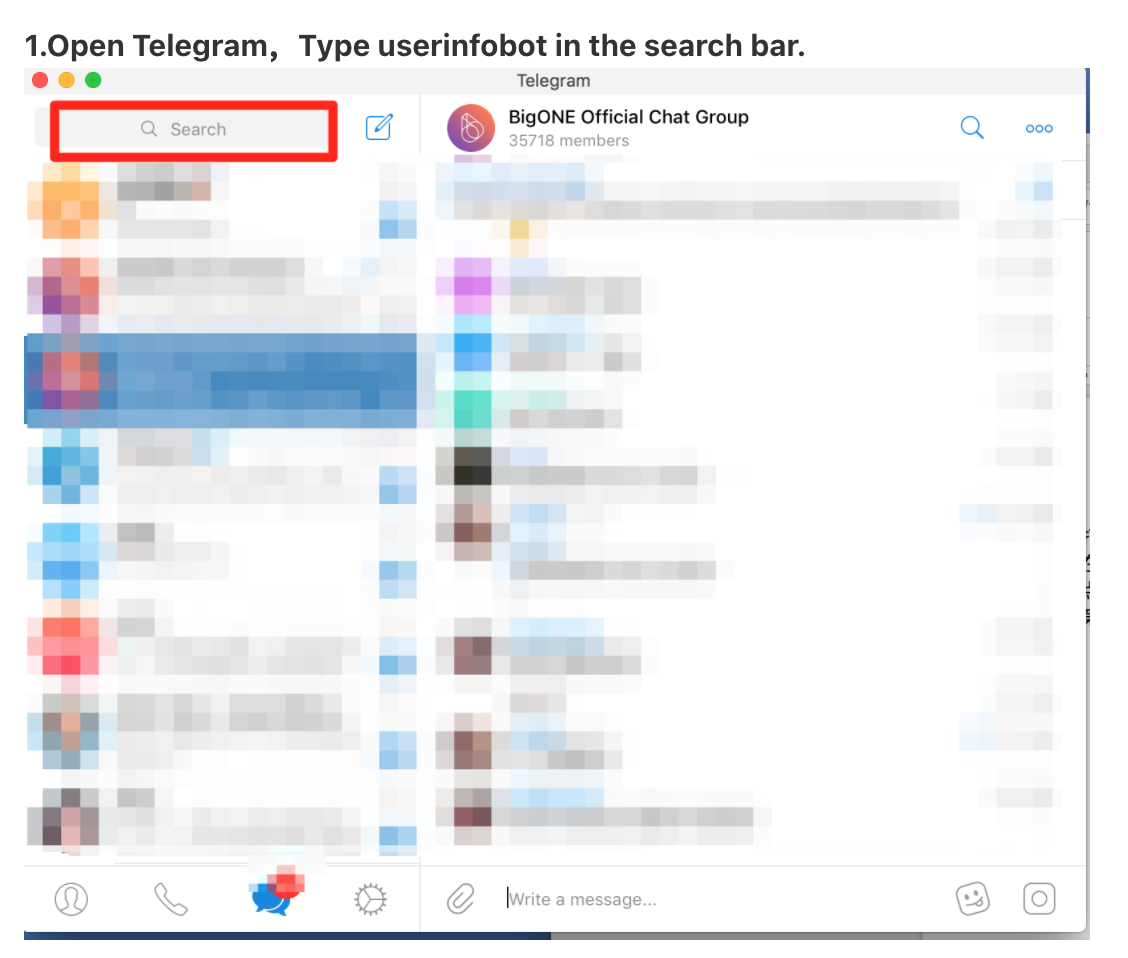
- You will see multiple, make sure you select the correctly spelled account.
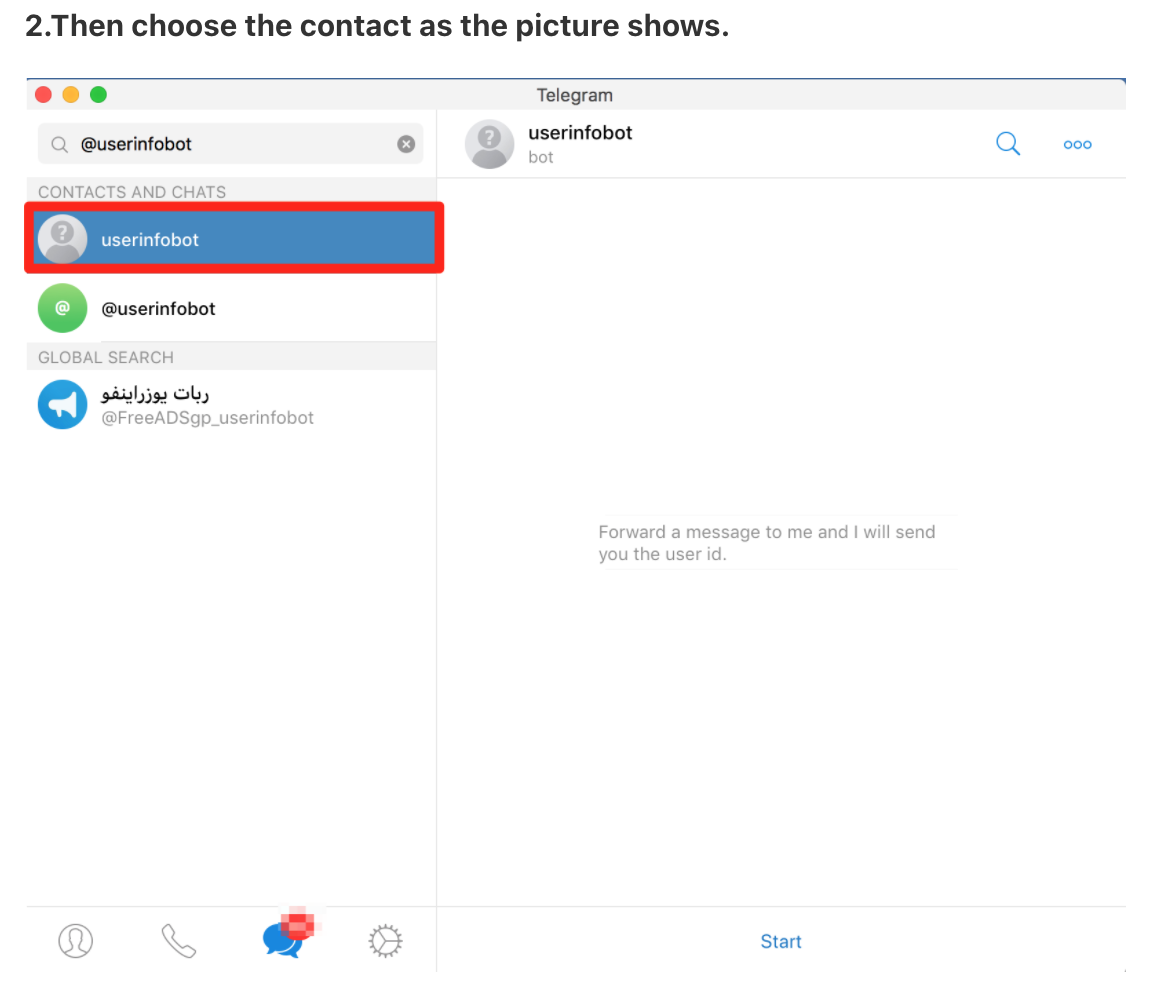
- Click on the user and you should see a dialog option at the bottom that says "Start". Click on this.
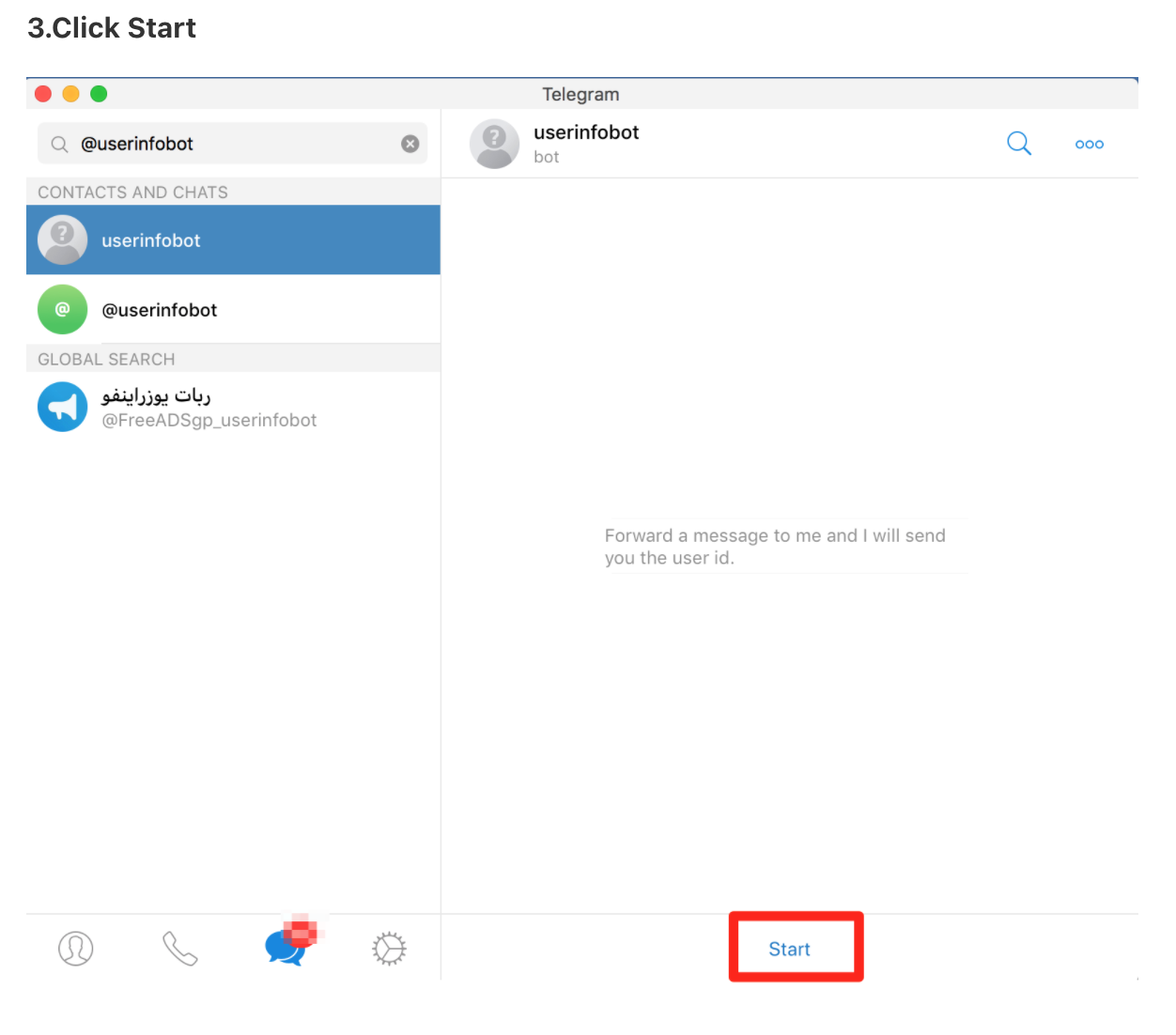
- The bot has a single purpose, to reflect back to you your current Telegram account's information.
You should receive your Telegram username and your Telegram account ID. This is important
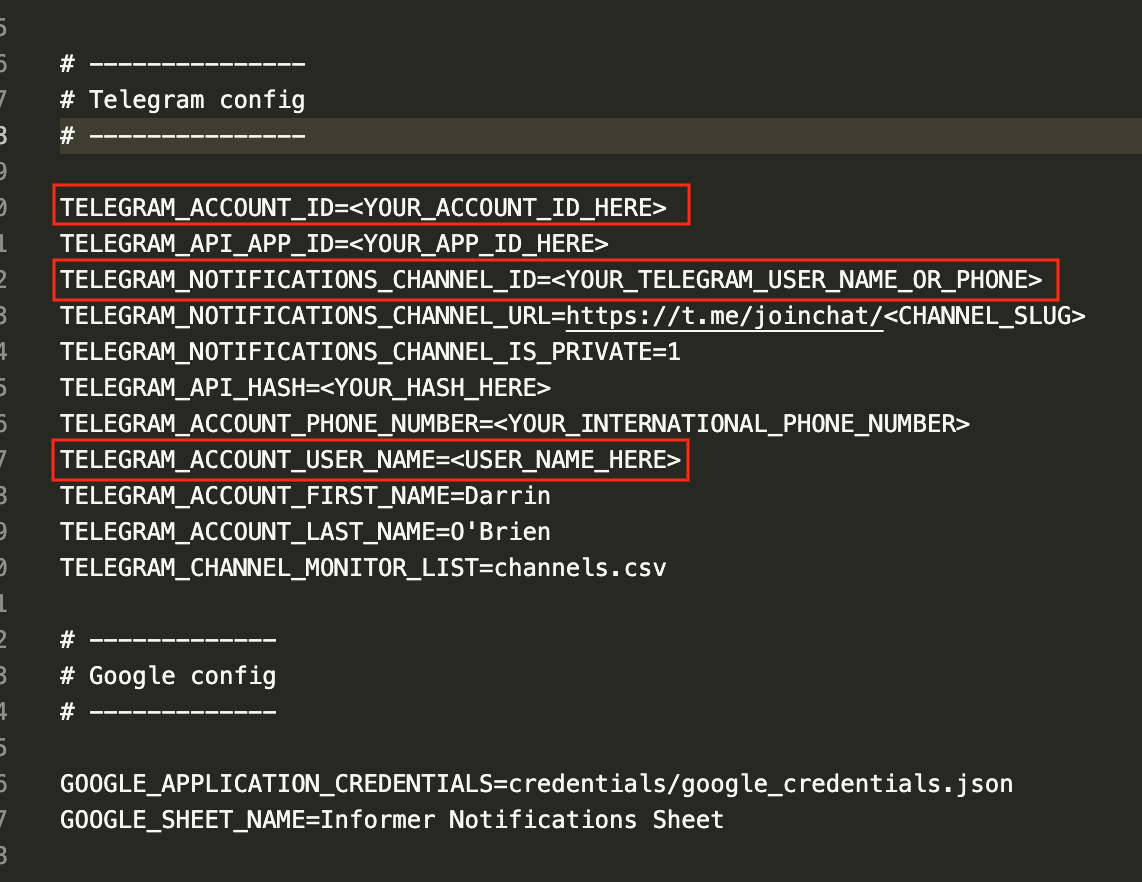
- Go ahead and edit the
informer.envfile and fill in the values forTELEGRAM_ACCOUNT_IDwhich should be your Telegram account ID from the previous step andTELEGRAM_ACCOUNT_USER_NAME.
You can optionally fill in TELEGRAM_NOTIFICATIONS_CHANNEL_ID with your user name or a channel ID.
- Make sure you have
TELEGRAM_ACCOUNT_PHONE_NUMBERfilled out as this is key to generating the session. For creating multiple accounts, please check out the Burner App below.
Initialize and authenticate session
Make sure you are running python 3 and simply run ./quick_start.sh in the directory.
You must run this first so that you can authenticate with Telegram on the first run and generate a local session file
You can later copy the files for the different accounts in app/session and mount them via Docker should you choose to do so.
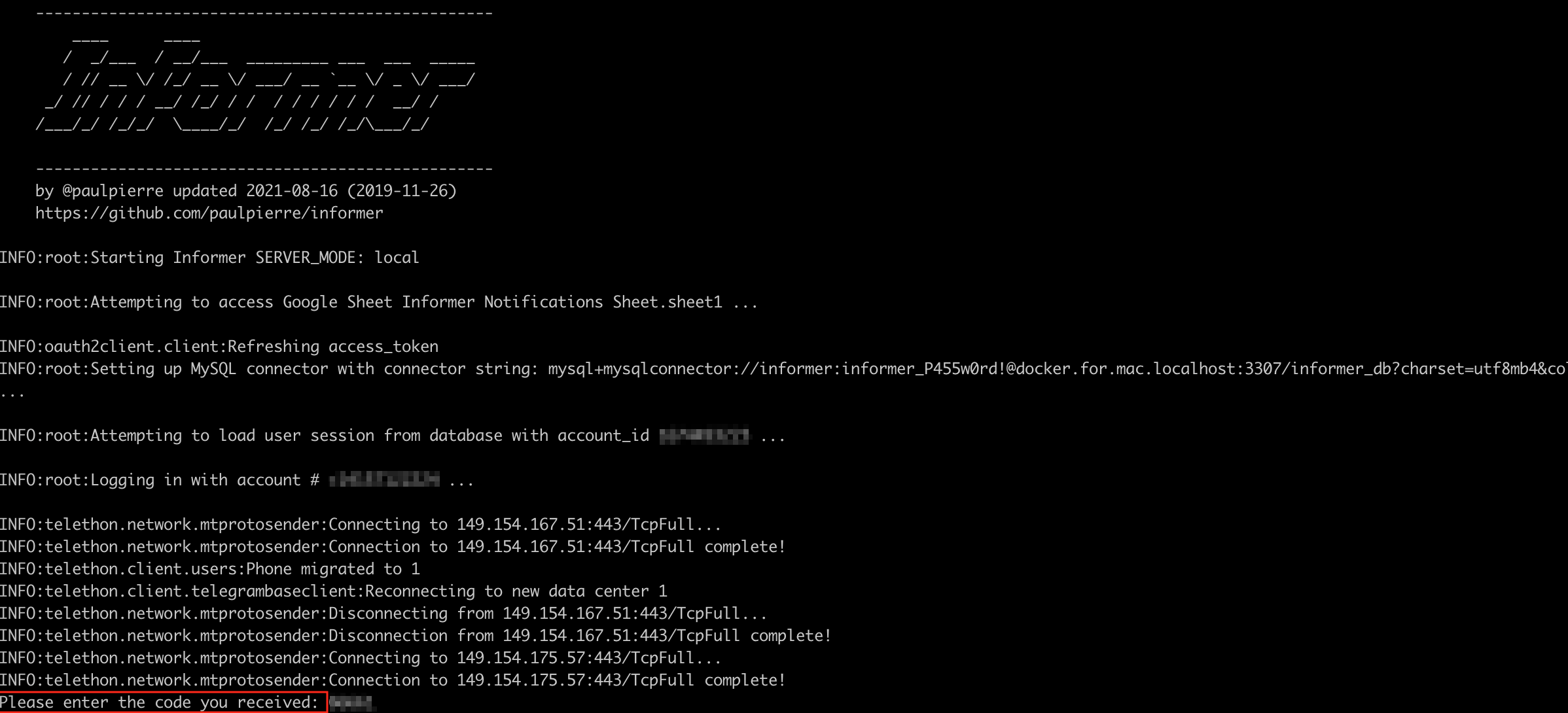
You will be prompted to enter in the authentication code you received either via Telegram if you have logged in before, or via SMS
Hit enter and your session should be generated in the folder app/session with the file name as the international phone number you provided with a .session extension.
Continue to the next section where we use Docker Compose to setup a database.
Setup a Notification Channel
This step is optional, but if you would like to create a private group channel and would like to acquire the group ID do the following:
- Create a group (or channel) and set it as private or public
- Be sure to get the Telegram URL
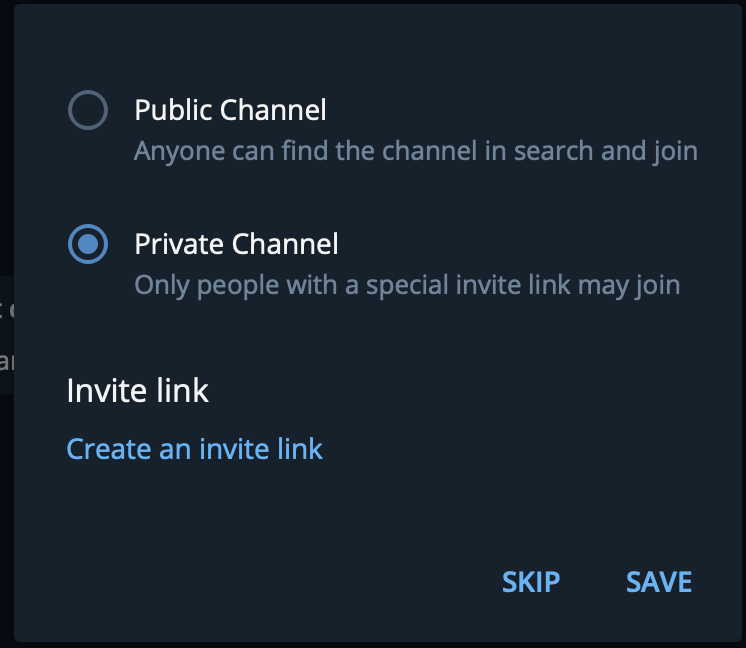
Set the URL in the informer.env file under the parameter TELEGRAM_NOTIFICATIONS_CHANNEL_URL
To get the channel ID simply run python3 bot.py <TELEGRAM_ACCOUNT_ID> in the app directory where <TELEGRAM_ACCOUNT_ID> is the account ID you previously generated.
When the script loads, it will display all the channels you are in, simply copy this value and put it in the TELEGRAM_NOTIFICATIONS_CHANNEL_ID parameter of the informer.env file and kill the script. You're now ready to run Informer.
Running Docker Compose
After running quick_start.sh you can run docker compose by:
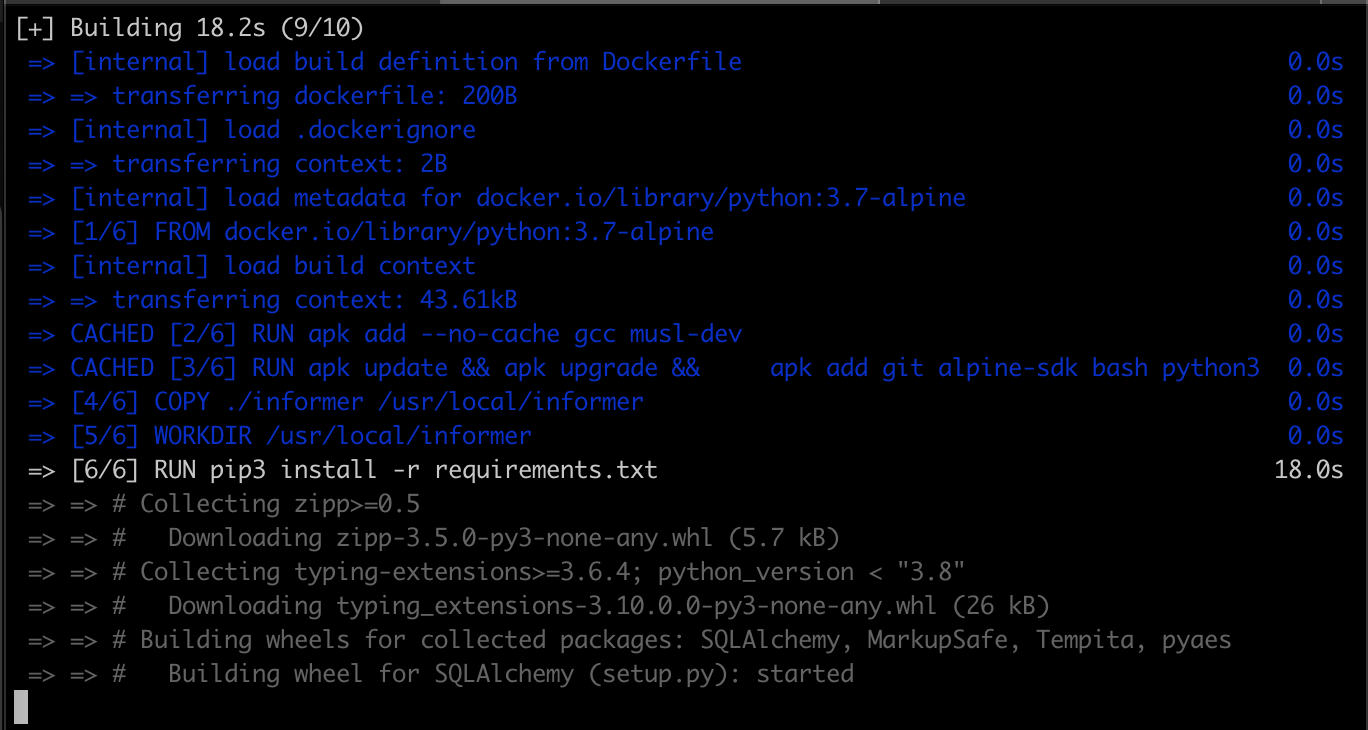
- running
./start.shto build the Docker containers which include the MySQL database
-
Run
./stop.shto stop the containers -
Run
./clean.shto remove an dangling containers and volumes. ** NOTE ** this will RESET the database and you will lose all your data.
A few things to note:
Before you were required to run your own MySQL instance and this created some issues with connection string compatability and versioning. In this update, it is just created for you and persisted on disk.
Additionally Dozzle is provided so that you may view logs in your browser, simply go to http://localhost:9999 and click on the app_informer container.
Create a telegram account with Burner App
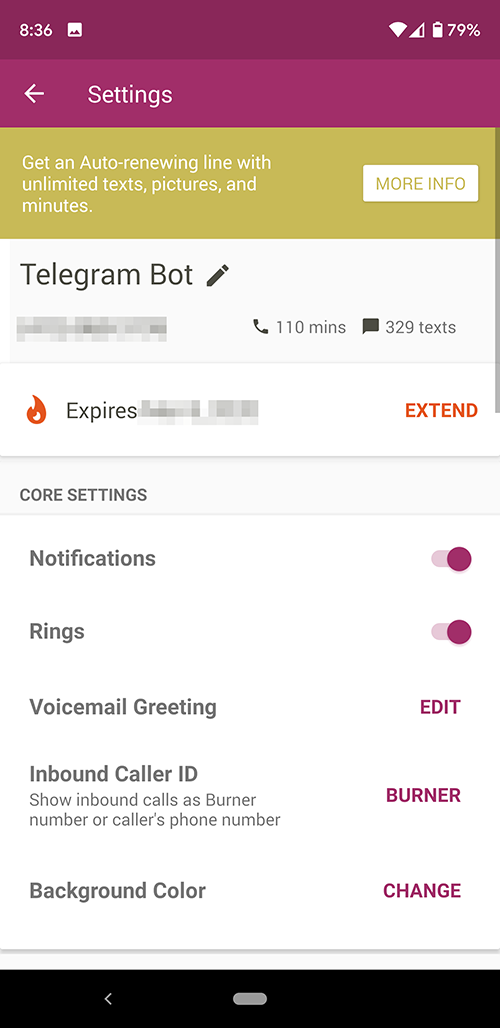
If you do not want to use your own phone number and want to run the Informer bot with some degree of anonymity you can use the Burner App available on iOS and Android.
-
Install the app Burner
- Android - https://play.google.com/store/apps/details?id=org.thunderdog.challegram&hl=en_US
- iOS - https://apps.apple.com/us/app/telegram-x/id898228810
-
Follow the same steps as above by providing the new phone number here: https://my.telegram.org/auth
-
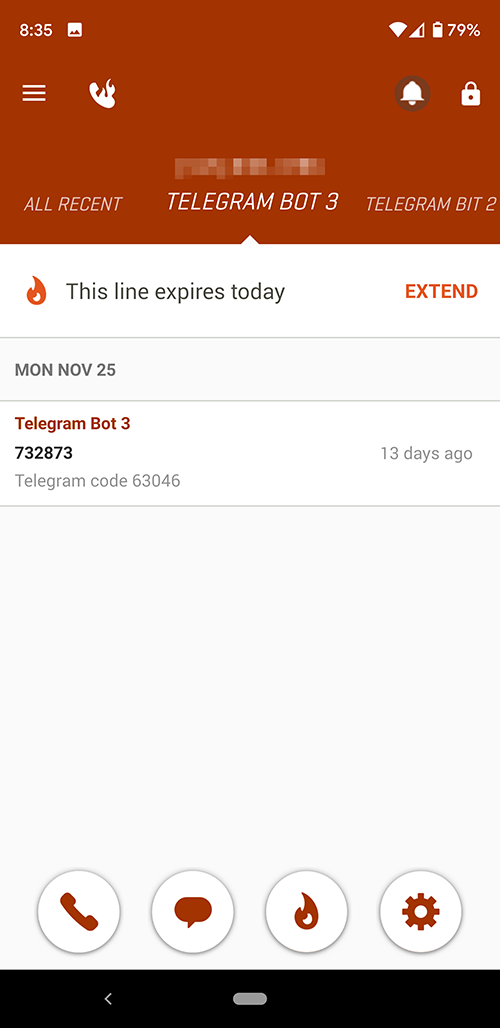
Validate with Burner. You will be sent an authcode via SMS, you will need to provide
-
Log into Telegram
-
Attempt to login with the app by running
python3 bot.py <api_user_id> in the app directory.
- Since you are logging in with Telethon it will ask you for your a
Related Skills
node-connect
340.5kDiagnose OpenClaw node connection and pairing failures for Android, iOS, and macOS companion apps
claude-opus-4-5-migration
84.2kMigrate prompts and code from Claude Sonnet 4.0, Sonnet 4.5, or Opus 4.1 to Opus 4.5
frontend-design
84.2kCreate distinctive, production-grade frontend interfaces with high design quality. Use this skill when the user asks to build web components, pages, or applications. Generates creative, polished code that avoids generic AI aesthetics.
model-usage
340.5kUse CodexBar CLI local cost usage to summarize per-model usage for Codex or Claude, including the current (most recent) model or a full model breakdown. Trigger when asked for model-level usage/cost data from codexbar, or when you need a scriptable per-model summary from codexbar cost JSON.
