
BSL430.NET
TI MSP430 Bootloader (BSL) .NET Cross-Platform Toolchain & Firmware Tools. The cheapest way to flash MSP430, with FTDI/Serial/UART converters. Intel-HEX, TI-TXT, ELF and SREC firmware format support, can also convert, combine, hex-edit..
Install / Use
/learn @parezj/BSL430.NETREADME
BSL430.NET - The cheapest way to flash MSP430


DOWNLOAD HERE - TI MSP430 Bootloader (BSL) .NET Cross-Platform Toolchain
| Release | OS | Architecture | Framework | Last Stable | |--------------------------|:--------------:|:-------------:|--------------------------------------|-------------| | BSL430.NET | WinNT, Linux | x86, amd64 | net461, netstandard2.0 | v1.3.4 | | BSL430.NET.FirmwareTools | any | any | net40, net45, net461, netstandard2.0 | v1.3.4 | | BSL430.NET.Console | WinNT, Linux | x86, amd64 | netcoreapp3.0 | v1.3.2 | | BSL430.NET.WPF (GUI) | WinNT | x86, amd64 | net461, (netcoreapp3.0) | v1.3.2, Store | <br>
- Wiki
- Main Features
- GUI App (Windows)
- Console App (Windows, Linux)
- Wiring diagrams
- Library
- References
- Firmware Tools
1. Main Features
- Replace expensive original MSP FET programmer with cheap FTDI FT232 or Serial COM port
- Upload, Download or Erase MSP430 MCU memory with minimal effort via generic UART converter
- Fexible way how to upgrade device firmware with .NET library, integrable into any app (also production)
- Most common firmware format support: TI-TXT, Intel-HEX, SREC, ELF
- Original C# code implementing TI bootloader protocols 5xx/6xx and 1xx/2xx/4xx (TI doc)
Note:    USB mode not tested yet.
Warning: Old 1xx/2xx/4xx bootloader protocol handle Erase or incorrectly entered password
         as complete memory wipe including Info A (with calibration data), if LOCK A bit is not set!
BSL430.NET project started back in 2016, when I worked on my Wireless Weather Station project based on CC430 MCU (F5xx), connected on PCB to FT232. And I wanted to implement automatic firmware upgrade feature, while PC control app was already written in C# (WPF). So I started to study TI docs and coding, but soon I realized, that there is nothing like this (except C++ TI BS430 library or Python MSP430 Tools), that is both versatile and scalable. So today, after weather station project already have finished, I changed my direction to BSL430.NET, and want to encourage other developers and enthusiasts to use this app/library, which I had completely open-sourced, and moreover I made some nice Win GUI App for simple use. This library can now be integrated into any MSP430 based project, even commercial, to enable automatic firmware upgrades. More intel here: Wiki Homepage, Wiki Library, Wiki GUI App, Wiki Console App or Wiki Firmware Tools <br>
2. GUI App (Windows)
Wiki docs - First start quick go-through for ease of use
-
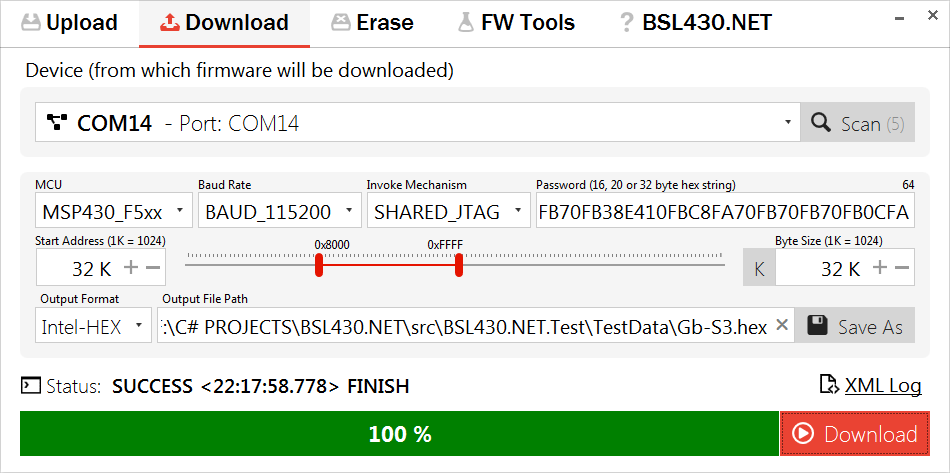
Download code from MCU:
-
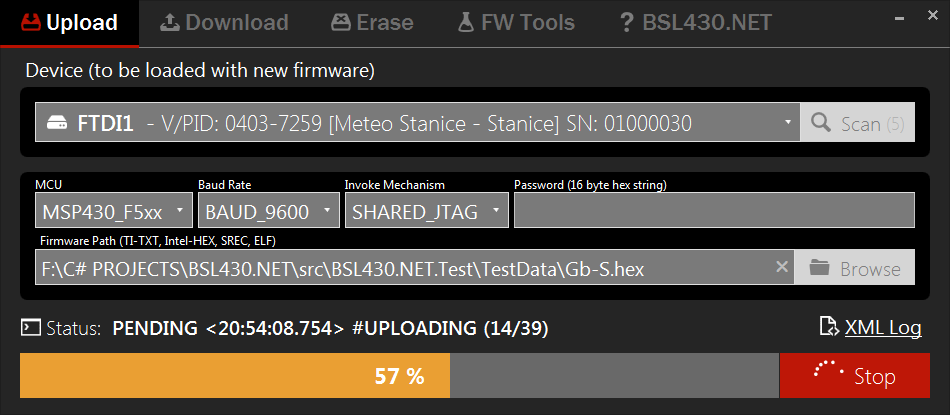
Upload firmware to MCU (Dark Mode):
-
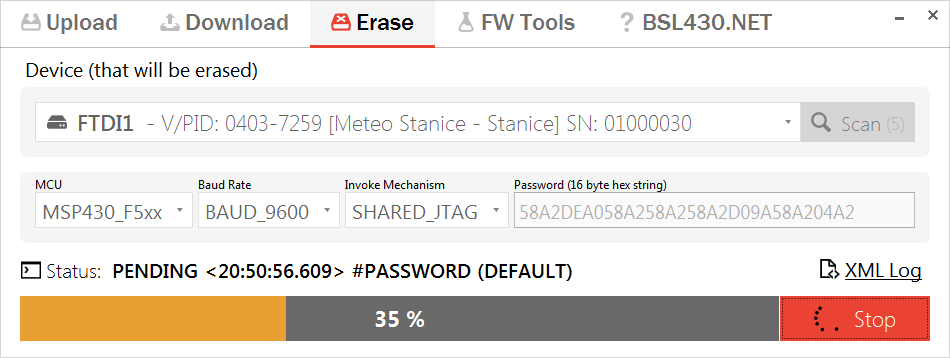
Erase whole MCU:
-
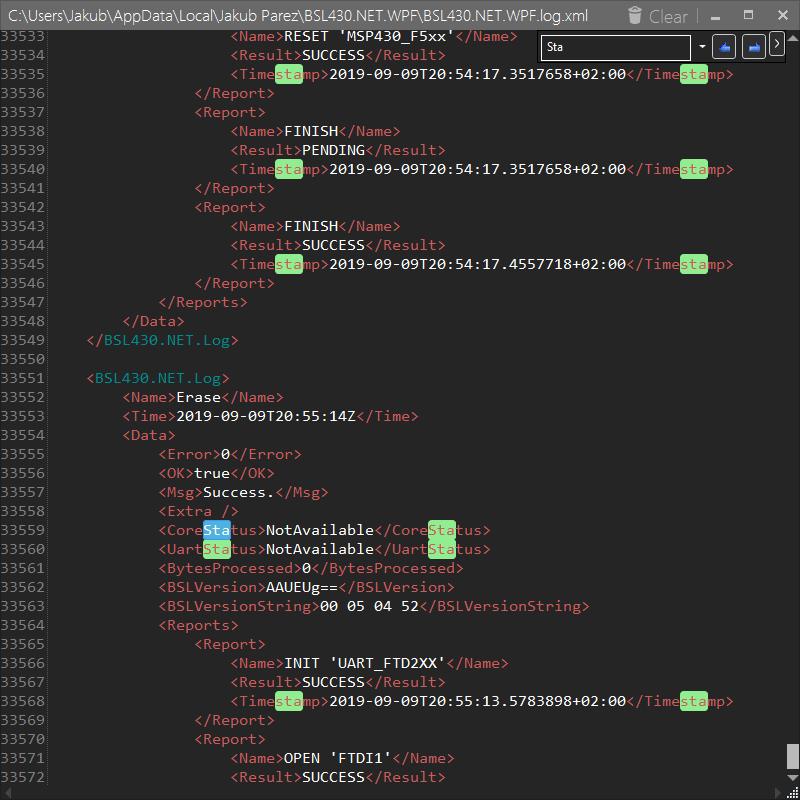
XML Log (Dark Mode):
-
Shell Extension & Association:
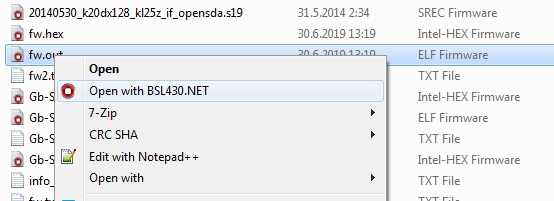
-
Tray Icon Settings (Dark Mode):
<br>
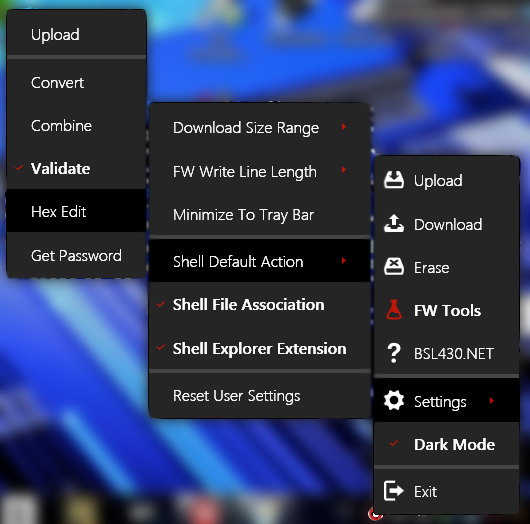
3. Console App (Windows, Linux)
Wiki docs - Tutorials how to use console app
-
Scan for devices (FTDI):
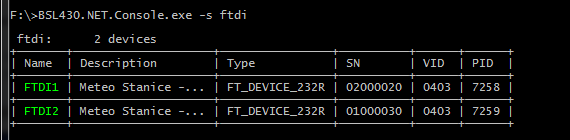
-
Upload firmware to MCU:
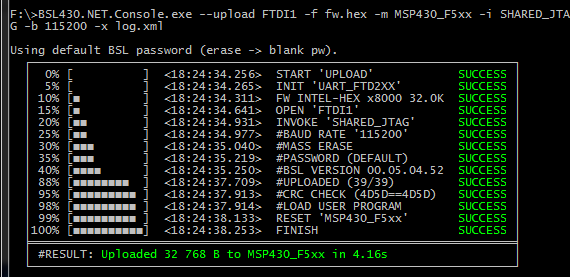
-
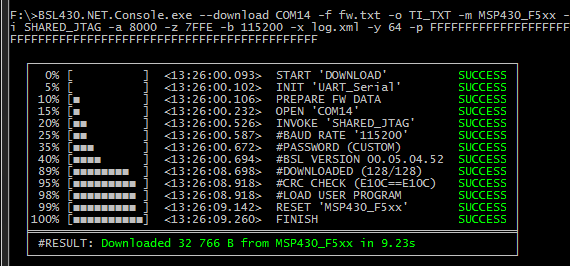
Download firmware from MCU:
-
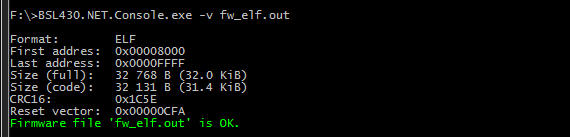
Firmware Tools - Validate:
<br>
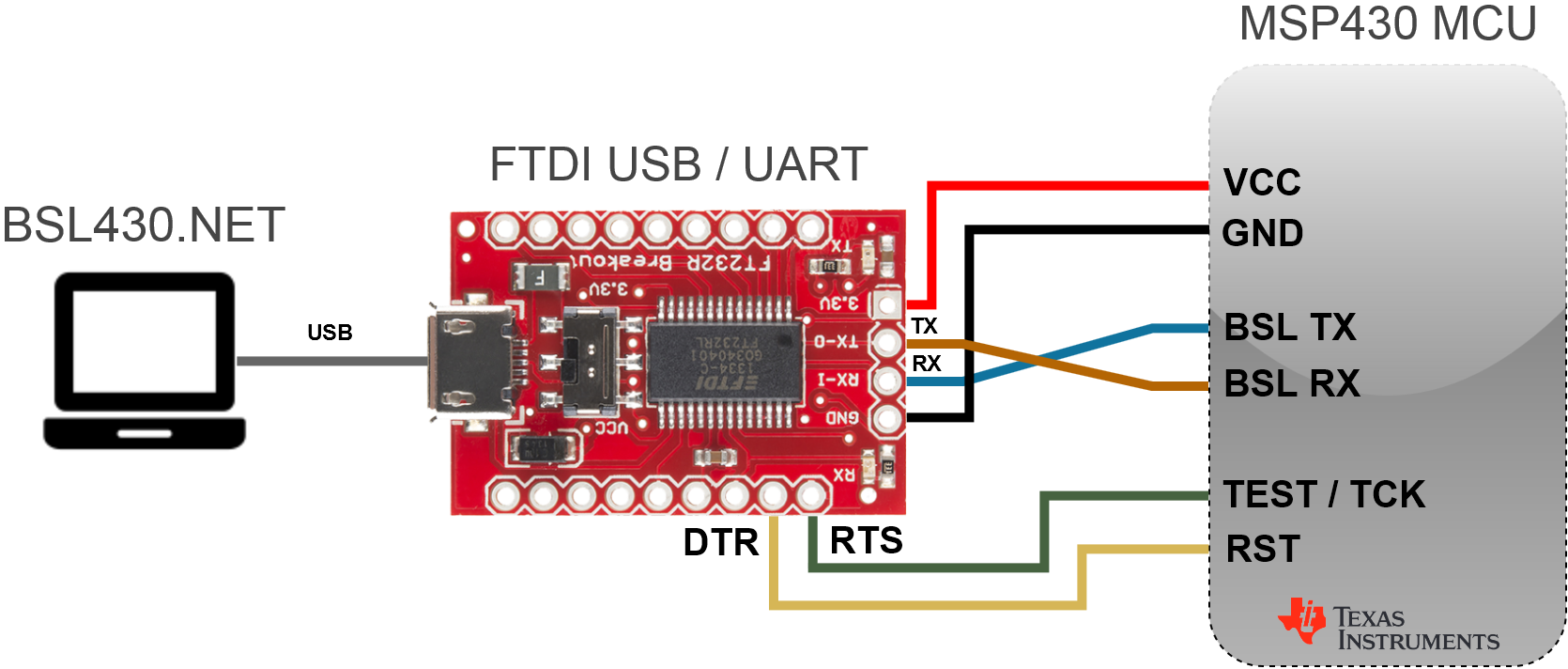
4. Wiring Diagrams
FTDI / libftdi
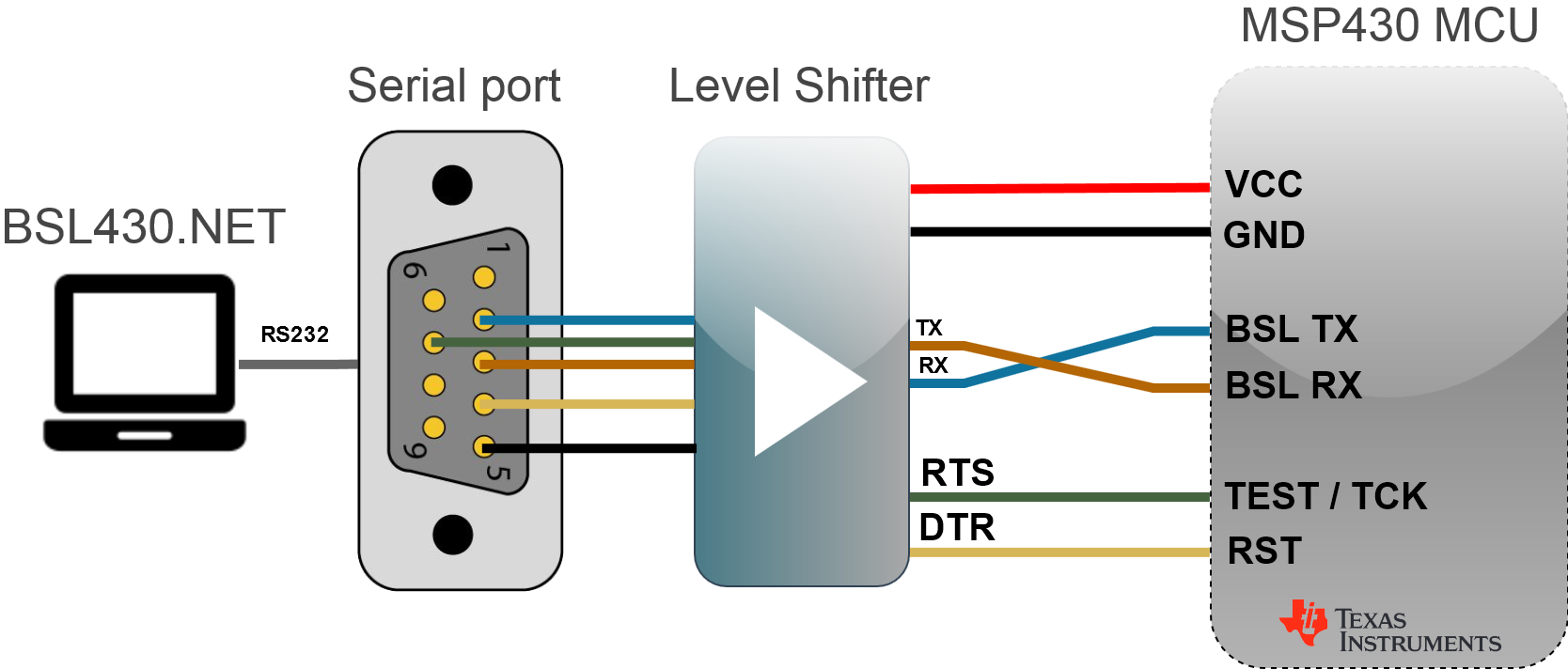
Serial (COM)
USB
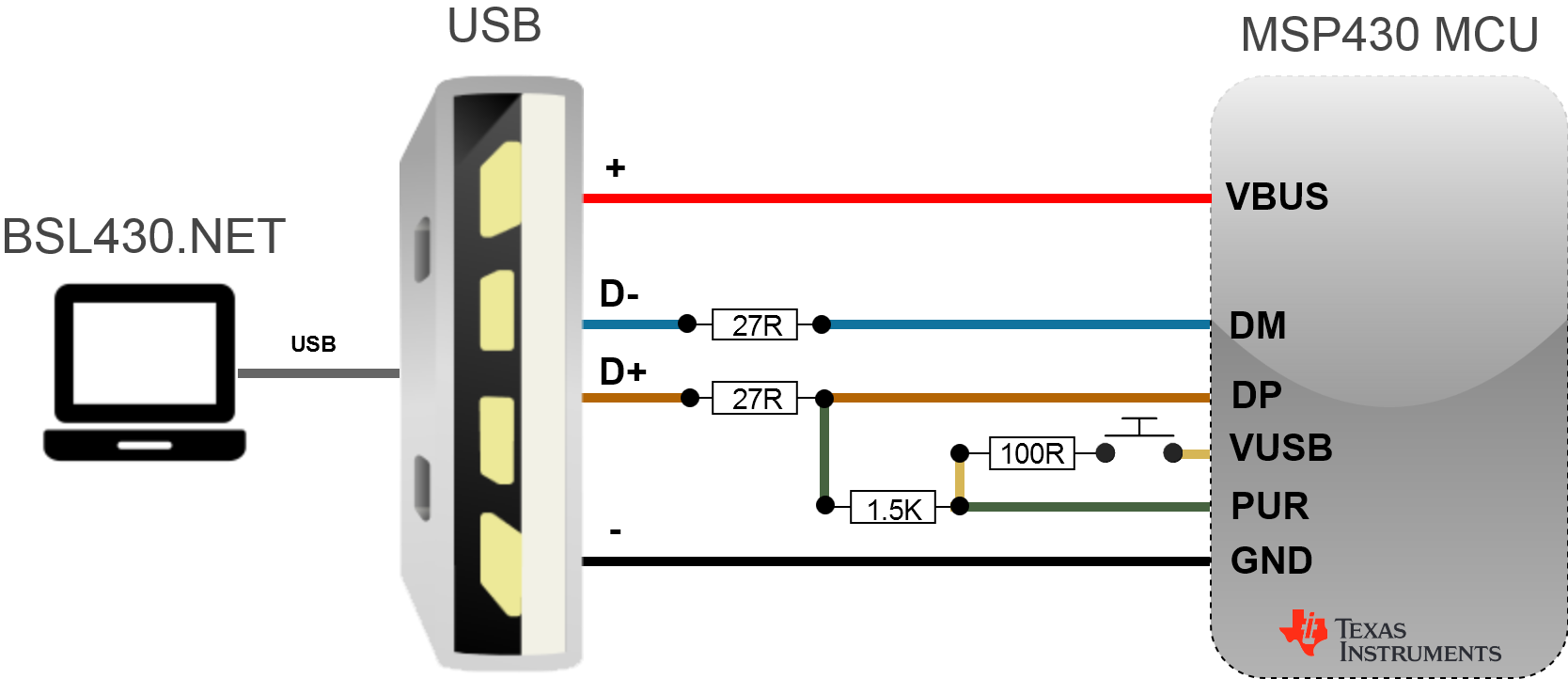 <br>
<br>
5. BSL430.NET Library
Wiki docs - Documentation and code samples for easy start and copy & paste
public interface IBsl430Net
{
    ScanAllResult ScanAllEx(ScanOptions ScanOpt);
    ScanResult<Bsl430NetDevice> ScanAll(ScanOptions ScanOpt);
    ScanResult<Tdev> Scan<Tdev>(ScanOptions ScanOpt) where Tdev : Bsl430NetDevice;

    StatusEx Erase(Bsl430NetDevice Device);
    StatusEx Erase(string DeviceName);

    StatusEx Upload(string FirmwarePath, Bsl430NetDevice Device, byte[] Password);
    StatusEx Upload(string FirmwarePath, string DeviceName, byte[] Password);

    StatusEx Download(byte[] Password, int AddrStart, int DataSize, out List<byte> Data, Bsl430NetDevice Device);
    StatusEx Download(byte[] Password, int AddrStart, int DataSize, out List<byte> Data, string DeviceName);

    Status SetBaudRate(BaudRate BaudRate);
    Status SetInvokeMechanism(InvokeMechanism InvokeMechanism);
    Status SetMCU(MCU Mcu);

    BaudRate GetBaudRate();
    InvokeMechanism GetInvokeMechanism();
    MCU GetMCU();
    Mode GetMode();
}
6. References
I would like to say thank you to each of these developers (or companies), because this project use all of them in some kind of way and without them, there will be no BSL430.NET:
- Texas Instruments
- MahApps.Metro
- MahApps.IconPack
- Caliburn.Micro
- Config.Net
- Newtonsoft.Json
- Fody.Costura
- Hardcodet.NotifyIcon
- AvalonEdit
- WpfHexEditor
- HidSharp
- LibUsbDotNet
- SerialPortStream
- FTD2XX
- libftdi
- libusb <br>


DOWNLOAD HERE - Firmware Tools as BSL430.NET sub package
<br>
7. Main Features
- Multiple firmware format support: TI-TXT, Intel-HEX, SREC, ELF
- Parse (read from file) and Create (write to file or string)
- Convert, *Combine
