
filament-agents
An in-panel AI assistant and an MCP server for Filament v5 panels, built on laravel/ai and laravel/mcp: one tool list for both, the panel's own authorization, approve-in-chat writes, live tables and charts in answers, per-workspace budgets.
Install / Use
claude mcp add packstub -- npx -y github:packstub/filament-agentsIf the server publishes to npm under a different name, use that package instead — check the repo README.
MCP Server
Model Context Protocol server
Quality Score
Category
Development & EngineeringSupported Platforms
Tags
Our assessment of filament-agents
filament-agents scores 84/100 on our quality scale, 2862nd of 4,589 Development & Engineering skills we index.
Its MCP Server is 20 KB long, well organised into 19 sections with 11 code examples: a thorough specification that gives an agent plenty to work with.
It has 10 GitHub stars, so there is little community track record yet; judge it on its content.
Maintenance, license and trust
- The repository was last updated today, so filament-agents is actively maintained.
- It is released under the MIT license, a permissive license that allows use, modification and commercial use with attribution.
- Its trust signals score 97/100, with no cautions. These come from repository metadata, not a code audit — read the skill file before letting an agent act on it.
filament-agents compared with similar skills
All 4 of these similar skills score higher than filament-agents; compare them before choosing.
| Skill | Score | Stars | Updated | Format |
|---|---|---|---|---|
| filament-agents (this skill)by packstub | 84 | 10 | today | MCP Server |
| Agent-Reachby Panniantong | 100 | 93.0k | 22d ago | CLAUDE.md |
| headroomby headroomlabs-ai | 100 | 74.6k | today | CLAUDE.md |
| CowAgentby zhayujie | 100 | 47.3k | today | CLAUDE.md |
| ai-job-searchby MadsLorentzen | 100 | 45.2k | 2d ago | CLAUDE.md |
Frequently asked questions
- How do I install filament-agents?
- Run
claude mcp add packstub -- npx -y github:packstub/filament-agents. The install tabs above show the steps for each supported agent. - Which AI agents does filament-agents work with?
- It is written for Claude Code and Claude Desktop, as a MCP Server file. Other agents that read the same format can often use it too.
- Is filament-agents safe to use?
- It is MIT-licensed and scores 97/100 on trust signals. Skills are instructions an agent will follow, so read the file before installing it and do not approve commands you do not understand.
- Is filament-agents still maintained?
- The repository was last updated today, so filament-agents is actively maintained.
Skill content
View source on GitHubFilament Agents
<div class="filament-hidden">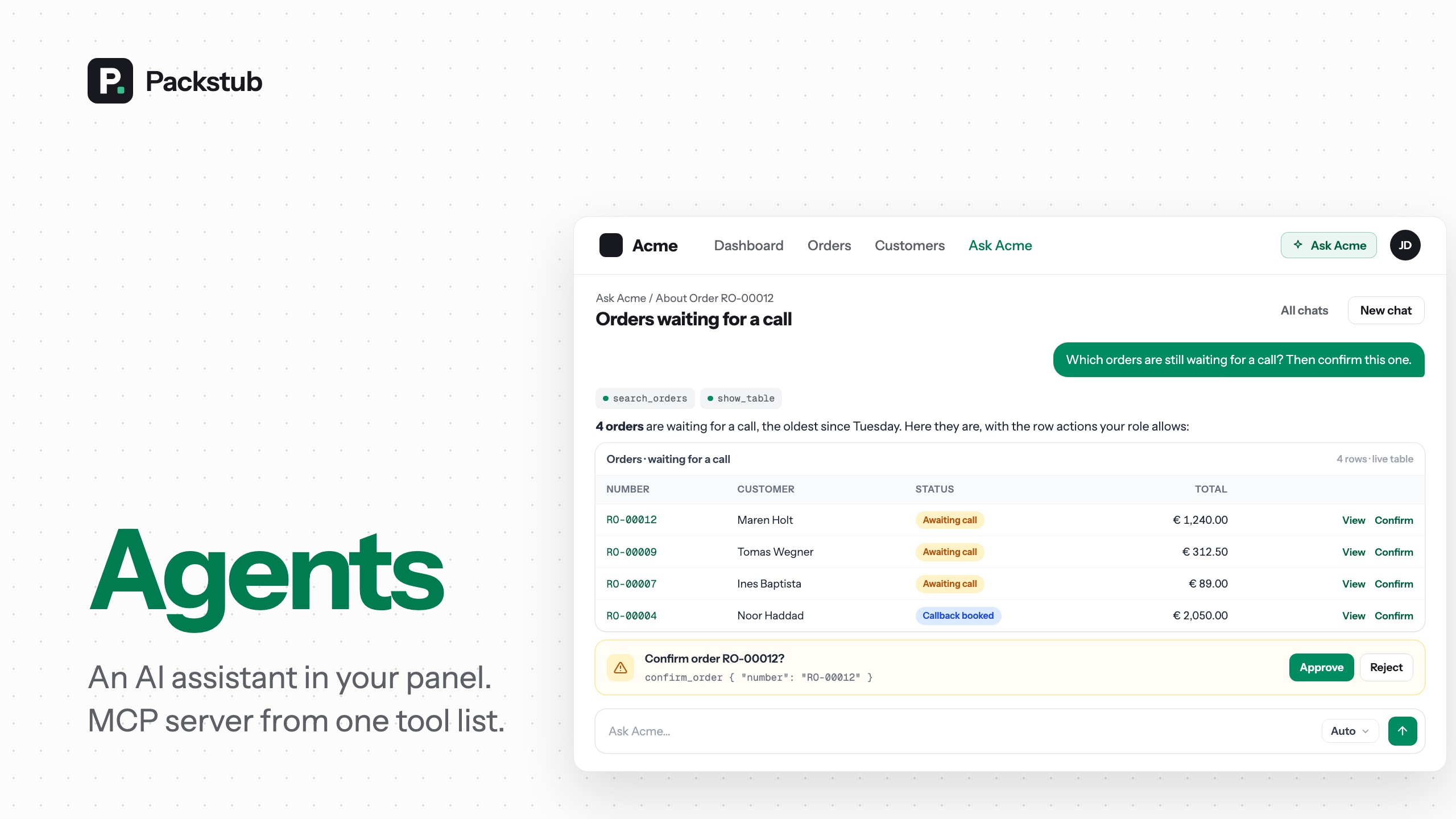






An in-panel AI assistant and an MCP server for your Filament v5 panel, built on laravel/ai and laravel/mcp. Write a tool once and it serves both the chat inside the panel and Claude Code, Claude Desktop, Cursor or any other MCP client, with the panel's own authorization deciding who may run it.
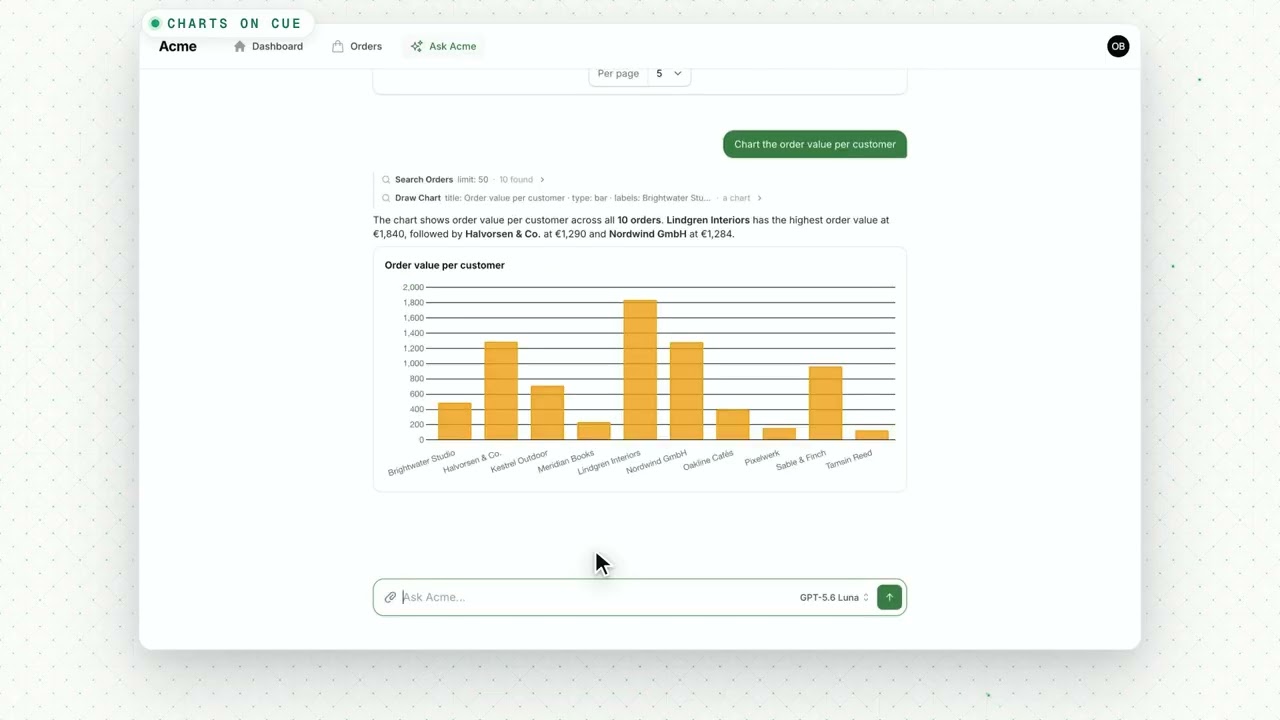
Watch the 90-second demo — install in one line, then a question answered with the live orders table, a chart, a change approved in one click, and the same tools answering in Claude Code over MCP.
Features
- One tool list, two front doors: the panel's chat and any MCP client (Claude Code, Cursor) call the same tools.
- The panel's authorization: the assistant never does more than the signed-in person could, and a token narrows it further.
- Approve-in-chat writes: a change waits as a question with Approve and Reject, showing what it would change.
- A chat that feels current: streamed answers, attachments,
@mentions, a slide-over on any page, chats you can pin and search. - Live tables and charts: the resource's own Filament table under the answer, and charts from the numbers.
- Beyond the records, with guard rails: a cited knowledge base, web search within an allow-list, a prompt guard and redaction.
- A bounded bill: answer and token limits per user and per workspace, edited on an operator page.
- Your assistant, your prompt: a scaffolded agent class on Anthropic, OpenAI, Gemini or xAI, with failover.
- Tenancy-aware: workspace-bound tokens, tenant databases and per-workspace keys, or no tenancy at all.
- Translatable: German, Spanish, Romanian and Russian included.
Compatibility
| Plugin | Filament | Laravel | PHP | laravel/ai | laravel/mcp | | --- | --- | --- | --- | --- | --- | | 1.x | 5.x | 13.x | 8.4+ | ^1.0 | ^1.0 |
1.8 and later require packstub/agents ^1.1, which Composer installs with the plugin.
Installation
composer require packstub/filament-agents
php artisan packstub-agents:install
php artisan filament:assets
The install command publishes the config, offers to run the migrations and scaffolds app/Ai/Agents/Assistant.php. Filament v5 only compiles plugin views into a custom theme, so add the package views to yours:
@source '../../../../vendor/packstub/filament-agents/resources/views';
Register the plugin in your panel provider and put a provider key in .env (ANTHROPIC_API_KEY, OPENAI_API_KEY, GEMINI_API_KEY or XAI_API_KEY, with AGENT_PROVIDER=anthropic|openai|gemini|xai):
use Packstub\Agents\AgentsPlugin;

->plugin(
    AgentsPlugin::make()
        ->name('Ask Acme')
        ->agent(\App\Ai\Agents\Assistant::class)
        ->server(\App\Mcp\Servers\AcmeServer::class)
        ->authorizeUsing(fn (string $ability) => auth()->user()->can($ability)),
)
Without a key the chat hides itself and the MCP endpoint still answers. Read more: Installation.
Built on packstub/agents
The engine — the tools, the MCP server and its tokens, the turn job, budgets and limits, the Agent class — is packstub/agents, a package that runs in a plain Laravel app without Filament; this plugin requires it and adds what a panel needs: the chat pages, the Ask button, the Agent access page, the operator pages, show-table and the embedded table. Every class keeps its Packstub\Agents\ name, so nothing changes in your code. Read more: Agents for Laravel.
Writing tools
php artisan packstub-agents:tool SearchOrders --ability=orders.view
php artisan packstub-agents:tool ConfirmOrder --write --ability=orders.manage
A tool extends Packstub\Agents\Mcp\AgentTool, declares its $ability, and implements run(Request): array and schema(JsonSchema): array. Mark reads with #[IsReadOnly]; anything else is approval-gated in the chat and needs a write token over MCP. Domain exceptions come back to the model as tool errors, never to the person as a crash.
#[IsReadOnly]
#[Description('Find orders by number, customer, status and date.')]
class SearchOrders extends AgentTool
{
    protected ?string $ability = 'orders.view';

    protected function run(Request $request): array
    {
        $filters = AgentResources::normalizeFilters('orders', (array) $request->get('filters'));
        $query = AgentResources::apply('orders', Order::query(), $filters);

        return [
            'total' => $query->count(),
            'rows' => $query->limit($this->limit($request))->get()->map(fn (Order $o) => OrderResource::agentSummary($o))->all(),
        ];
    }

    public function schema(JsonSchema $schema): array
    {
        return [
            'filters' => $schema->object(AgentResources::filterSchema($schema, 'orders')),
            'limit' => $schema->integer(),
        ];
    }
}
List the tools on the server class, reads first. The chat agent reads the same list:
class AcmeServer extends \Packstub\Agents\Mcp\AgentServer
{
    protected string $name = 'Acme';

    protected string $instructions = 'The back office of an online shop. Start with search-orders.';

    protected array $tools = [
        Tools\SearchOrders::class,
        \Packstub\Agents\Mcp\Tools\ShowTable::class,
        \Packstub\Agents\Mcp\Tools\DrawChart::class,
        Tools\ConfirmOrder::class,
    ];
}
AgentsPlugin::make()->tools([...]) works instead of a server class when you only want the chat. Read more: Tools.
The chat
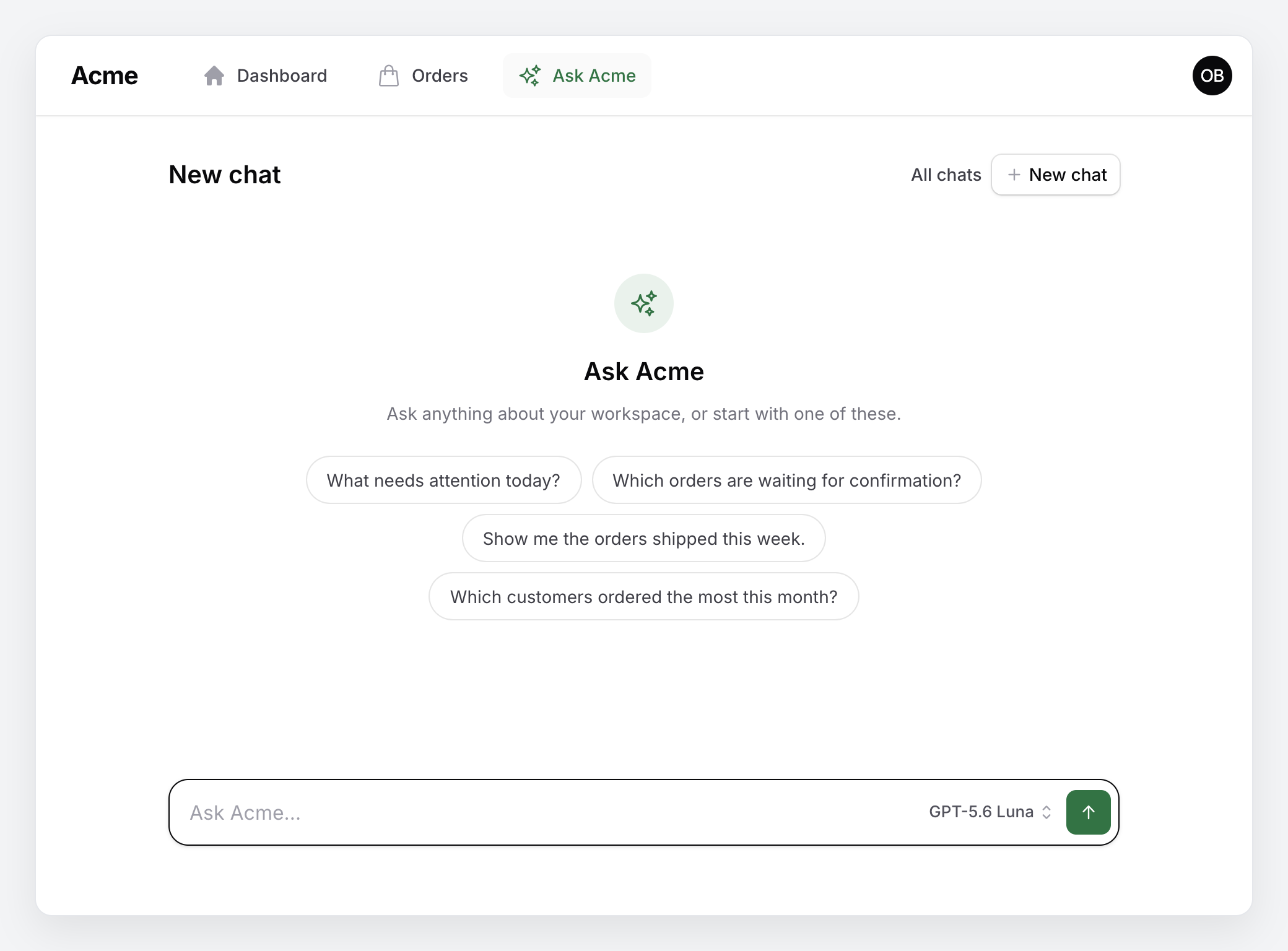
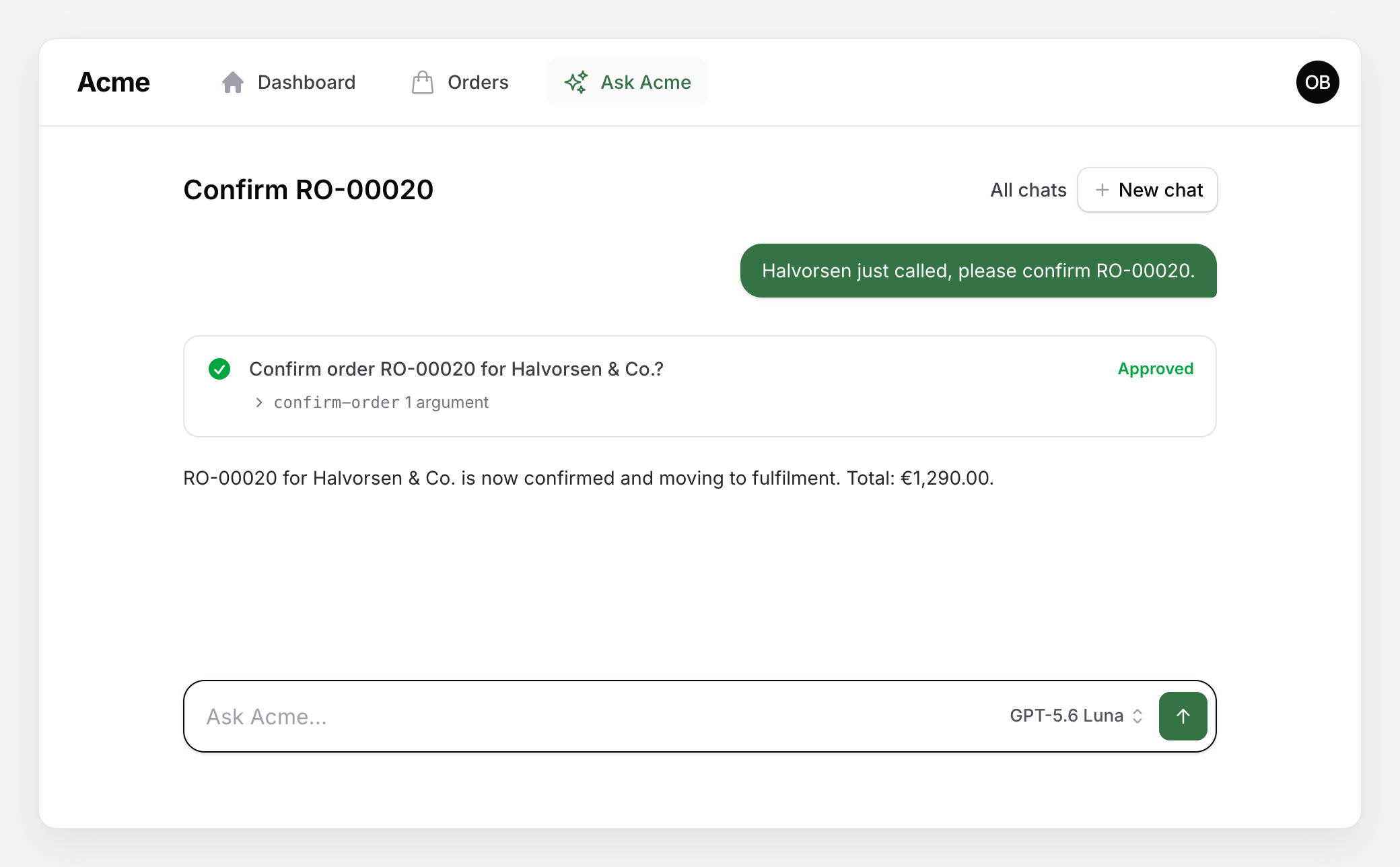
The assistant lives on a chat page with an "Ask …" button in the topbar and the recent conversations in the sidebar (an "Ask …" navigation item on a panel with top navigation). A new chat opens on a row of starter questions from your agent's suggestions(), each sent on click. Answers are produced by a queued job and stream into the page while the agent calls tools — a reload, a closed tab or a second tab picks the answer up where it is, and Stop cuts it short (run php artisan queue:work, or set AGENT_TURN_DRIVER=sync to run the job inside the request). Long chats replay a token-budgeted window with a rolling summary; a context ring in the composer shows the breakdown and what the chat cost, with Compress now and Continue in a new chat. A proposed change shows up as a question with Approve and Reject ("Confirm order RO-00020 for Halvorsen & Co.?", the exact call folded under it), and the turn resumes with the decision. Conversations are stored with laravel/ai's models, follow-ups wait their turn per conversation, the last exchange can be regenerated or edited and sent again, and every answer can be rated with a thumbs up or down. The composer is one row — the question, the model and Send — and the model is a small text button that opens the list by name (Claude Opus 5, Claude Haiku 4.5, Claude Opus 5 · Deep out of the box; entries of more than one provider under provider headings), remembered per session.
Files attach by paper clip, drop or paste, @ mentions a record, / brings back the starter questions, and the "Ask …" button opens the chat as a slide-over on any page (Ctrl/⌘ J). Chats can be renamed, pinned, searched and exported, and a cut-short answer continued.
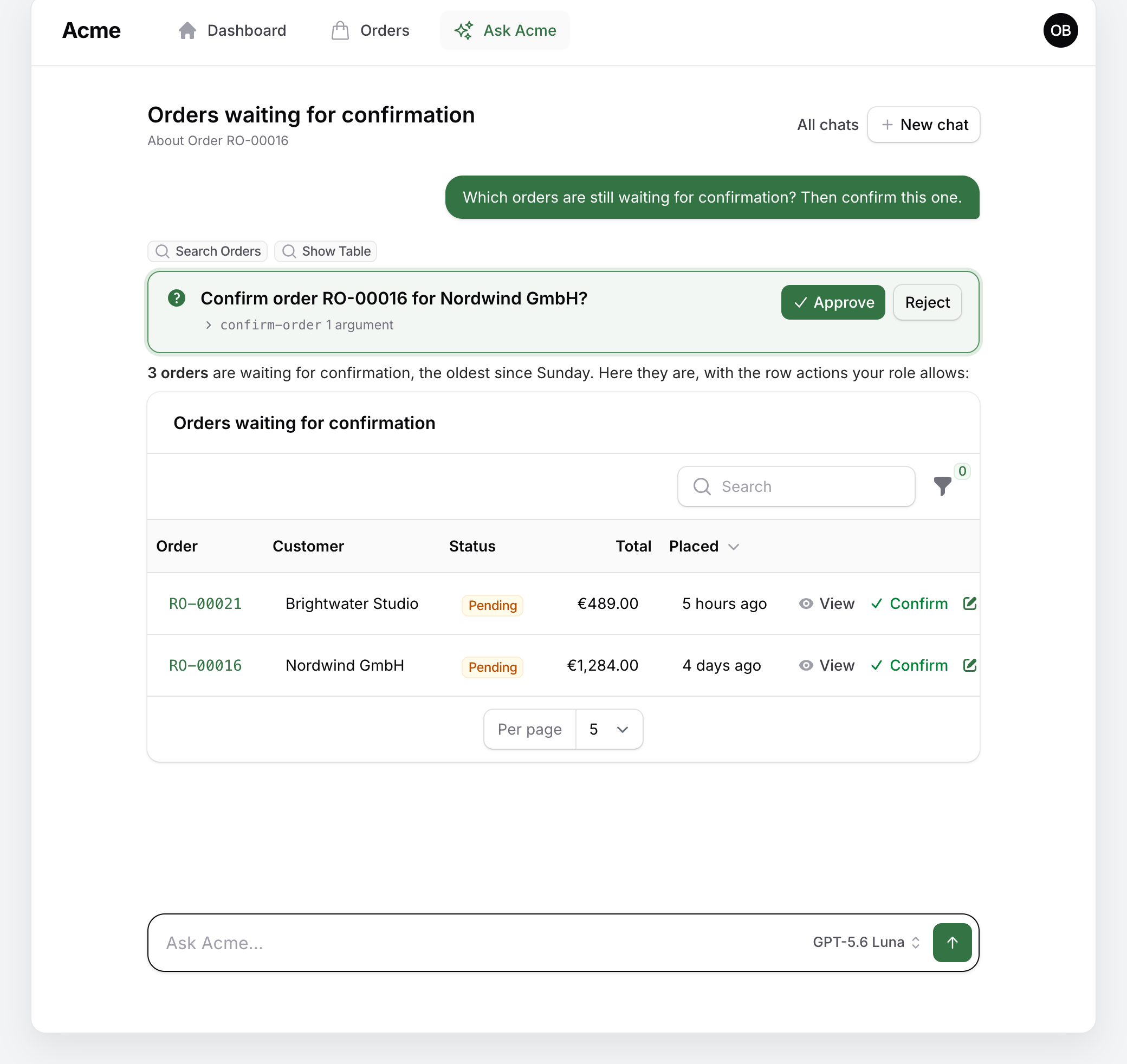
Ask for records and the answer comes with the resource's own table under it, filtered the way the answer says, with the row actions the person's role allows:
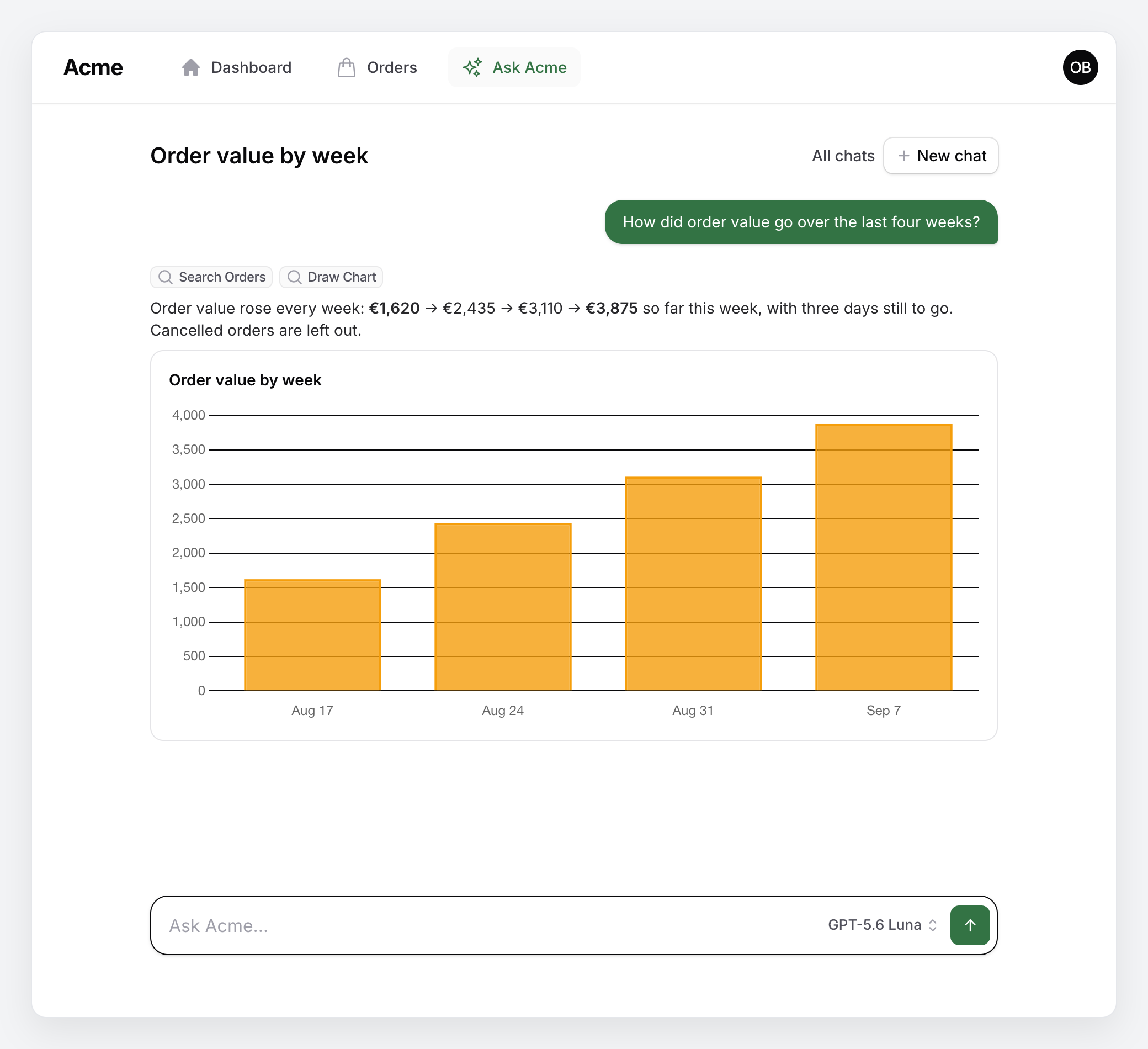
Ask for a trend and the numbers come back drawn as a chart, from draw-chart or from a reporting tool of your own that returns one:
Ask for a change and the turn pauses on a question until the person approves or rejects it; the composer with the model picker waits underneath:
Read more: The assistant.
The assistant
packstub-agents:agent scaffolds App\Ai\Agents\Assistant, a subclass of Packstub\Agents\Ai\Agent with two slots to fill: persona() (who it is) and domain() (what the workspace is). The base class supplies the generic working and answering rules, the dynamic context (date, workspace, person, role, language, page context — sent with the question, so the system prompt and the history stay cacheable) and the provider options (Anthropic cache breakpoints on the instructions and the settled history, reasoning effort or thinking level per model). Append to any of them by overriding workRules(), answerRules() or context() and merging the parent's list.
It runs on Anthropic, OpenAI, Gemini or xAI; any other laravel/ai provider, Ollama included, runs on its smartest and cheapest models. A failover list (AGENT_FAILOVER=gemini,openai) keeps answering when a provider is overloaded, with a note on the answer that says who did.
Your own agent middleware — an audit log, redaction, a tenant check — goes in middleware() on the agent, in AgentsPlugin::make()->middleware([...]) or in th
Truncated for display — read the full file on GitHub.
Related Skills
Agent-Reach
93.0kGive your AI agent eyes to see the entire internet. Read & search Twitter, Reddit, YouTube, GitHub, Bilibili, XiaoHongShu — one CLI, zero API fees.
headroom
74.6kCompress tool outputs, logs, files, and RAG chunks before they reach the LLM. 20% fewer tokens for coding agents, 60-95% fewer tokens for JSON, same answers. Library, proxy, MCP server.
CowAgent
47.3kOpen-source personal AI assistant & Agent Harness. Plans tasks, runs tools and skills, self-evolves with memory and knowledge. Multi-agent, multi-model, multi-channel. Lightweight, extensible, one-line install.
ai-job-search
45.2kThe job search that runs on your machine. AI job application framework built on Claude Code: evaluate postings, tailor CVs, write cover letters, prep interviews. Fork it and own it.

Languages
Trust signals
From repository metadata: license, adoption, age and documentation. Not a code audit — see the Safety scan above for what the skill file itself contains.