
ReactRTC
NPM package that simplifies set-up of WebRTC as importable React components
Install / Use
/learn @oslabs-beta/ReactRTCREADME
ReactRTC-beta is a JS library that brings the real-time communication capabilities of WebRTC into React applications.
ReactRTC simplifies the implementation of WebRTC by providing developers with a customizable react component and signalling server module for the back-end.
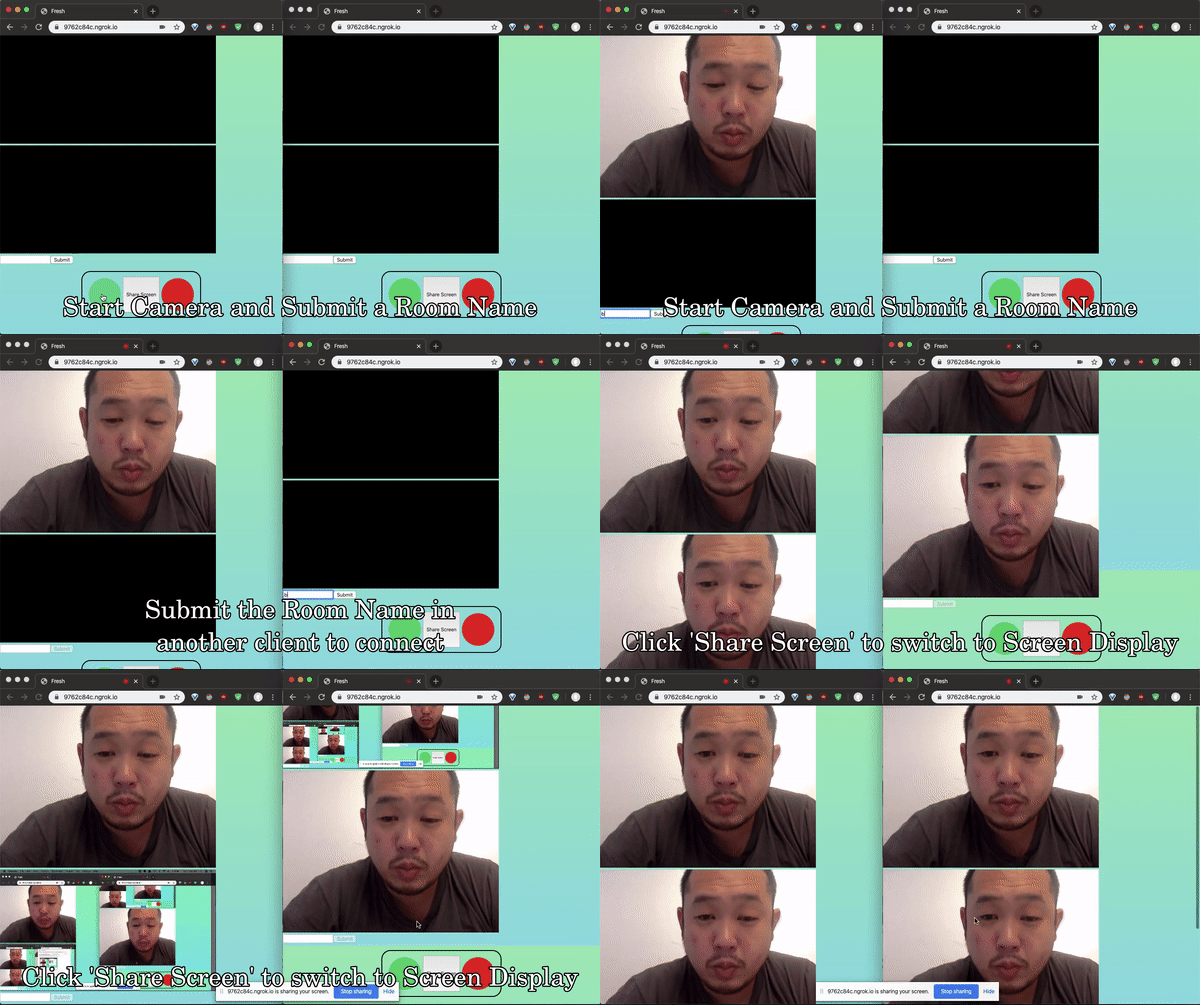
<h2>Features</h2>- Live video & audio streaming capabilities.
- GUI interface providing key user functionality.
- Signalling server module utilizing websockets.
- Multi-user support through the implementation of server side rooms.
ReactRTC runs on React^16.11.0 and requires the following dependencies to operate.
Import the <RTCMesh /> component into your React application to begin.
<br>
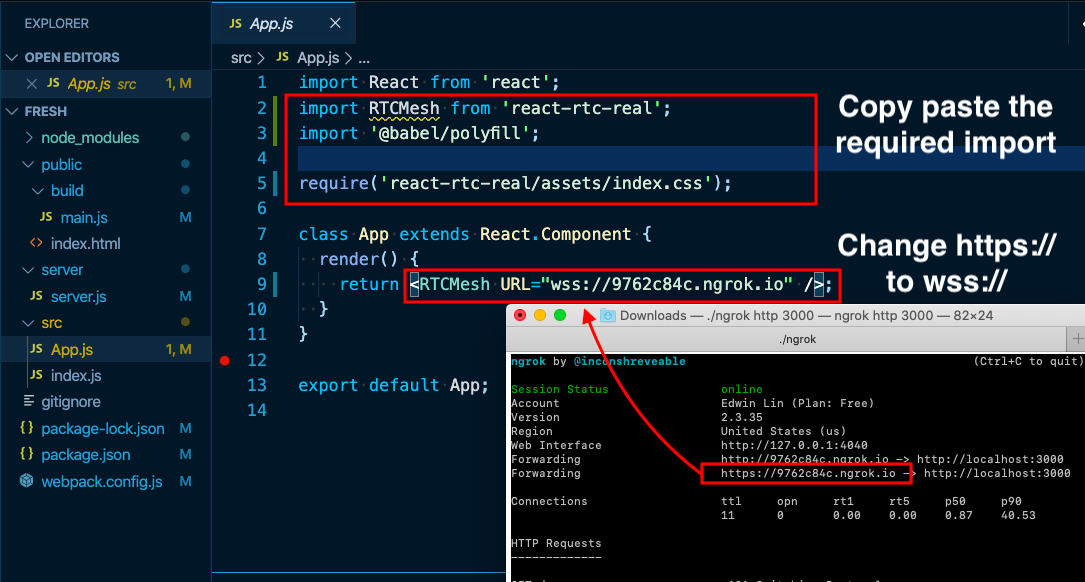
To set the URL of the signaling server pass the URL into props like so.
<br>
<RTCMesh URL=*url goes here* />
URL must be a websocket, pre-pended with wss://
<br>
 <br>
<br>
_*_*_*_*_*_*_*_
<br>
<br>
_*_*_*_*_*_*_*_
To set up Signaling Server to find remote client, import to your server.js file. There should only be 3 lines of code added to your server.js file, numbered below. (assuming Node/Express is being used):
<pre>[1]: const SignalServer = require('react-rtc-real/server/SignalServer.js'); </pre>Find your server instance, which will be invoking the http.createServer(), for example:
<pre> const server = https.createServer(app); </pre>Create the Signal Server instance and connect to it:
<pre>[2]: const signal = new SignalServer({ server }); [3]: signal.connect(); </pre>Make sure your server instance is listening for the PORT number, like so:
<pre>server.listen(3000, () => console.log('listening on 3000'));</pre>Choose your preferred tech for exposing a PORT for Signal Server.
Using ngrok: https://ngrok.com/download
Use the same PORT number and call in terminal (ie. 3000):
<pre> ./ngrok http 3000 </pre>Using LocalTunnel: <pre>npm install -g localtunnel</pre>
<pre>lt --port 3000 --subdomain chooseUniqueName</pre> <br>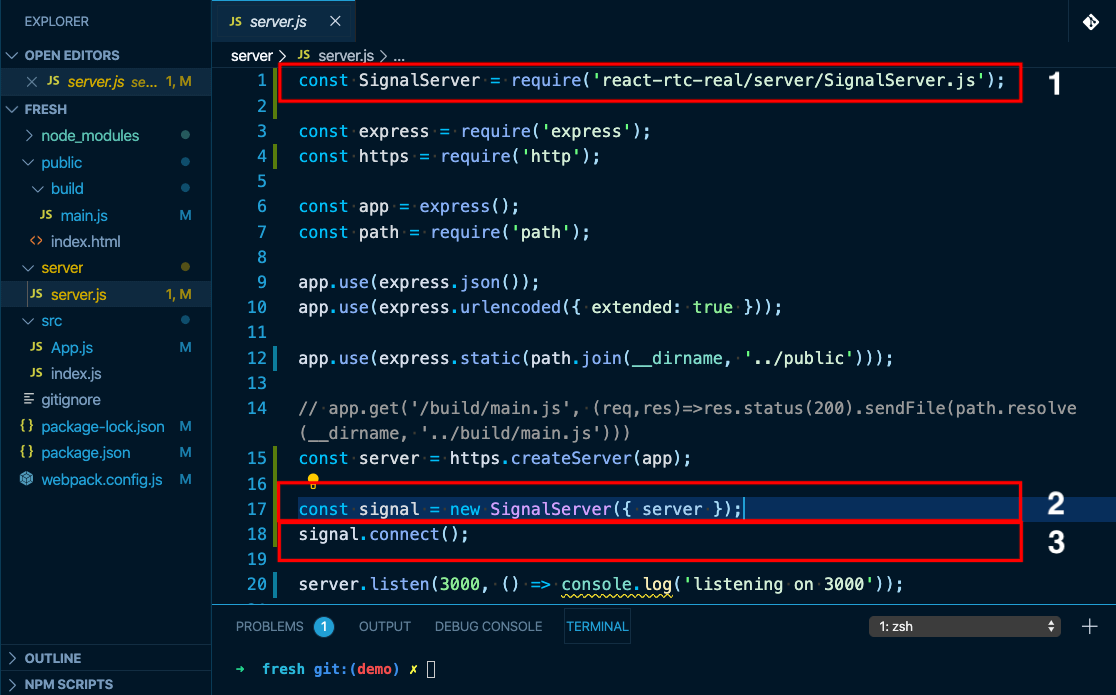
- Michael Romero
- Joseph Wolensky
- Diane Wu
- Edwin Lin
This project is licensed under the MIT License - see the LICENSE file for details
Related Skills
node-connect
354.3kDiagnose OpenClaw node connection and pairing failures for Android, iOS, and macOS companion apps
frontend-design
112.3kCreate distinctive, production-grade frontend interfaces with high design quality. Use this skill when the user asks to build web components, pages, or applications. Generates creative, polished code that avoids generic AI aesthetics.
openai-whisper-api
354.3kTranscribe audio via OpenAI Audio Transcriptions API (Whisper).
qqbot-media
354.3kQQBot 富媒体收发能力。使用 <qqmedia> 标签,系统根据文件扩展名自动识别类型(图片/语音/视频/文件)。
