
Openyida
Your own personal YiDA AI assistant!🤖
Install / Use
/learn @openyida/OpenyidaREADME

🚀 OpenYida
"We are on the verge of the Singularity" — Vernor Vinge
Build Yida low-code apps with AI — zero config, instant deploy.
Get Started · CLI Commands · Demo · Contributing · Changelog




Languages: English · 简体中文 · 繁體中文(香港) · 日本語 · 한국어 · Français · Deutsch · Español · Português (BR) · Tiếng Việt · हिन्दी · العربية
</div>Get Started
npm install -g openyida
Zero config, works out of the box. After installation, just chat in Claude Code / OpenCode / Aone Copilot:
Wukong Installation
Wukong uses manual skill package installation instead of npm:
- Download the latest skill package (
.zip) from GitHub Releases - Open Wukong → Skill Center → Upload Skill, then select the downloaded package
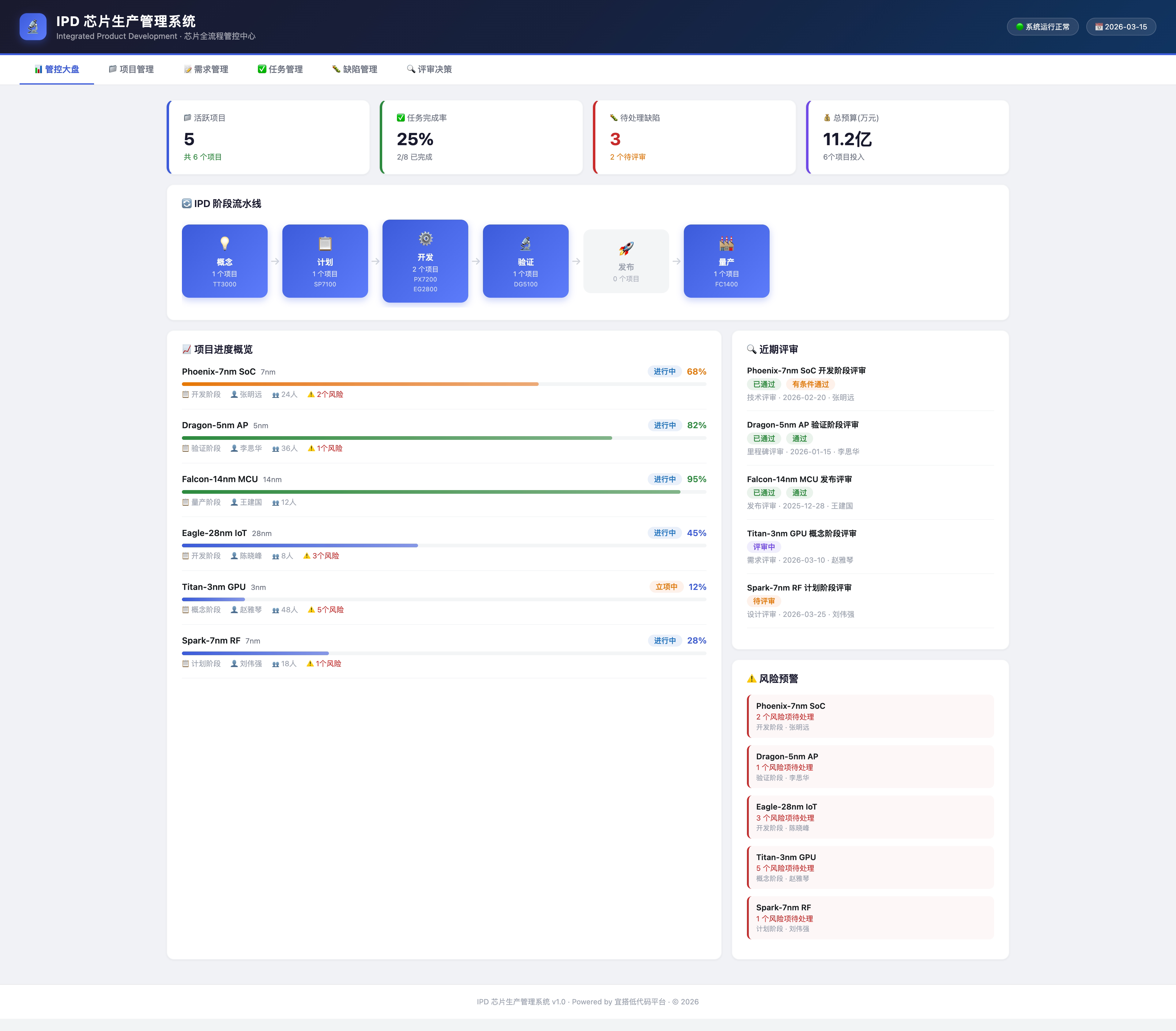
Build me an IPD system on Yida to manage the full chip production workflow
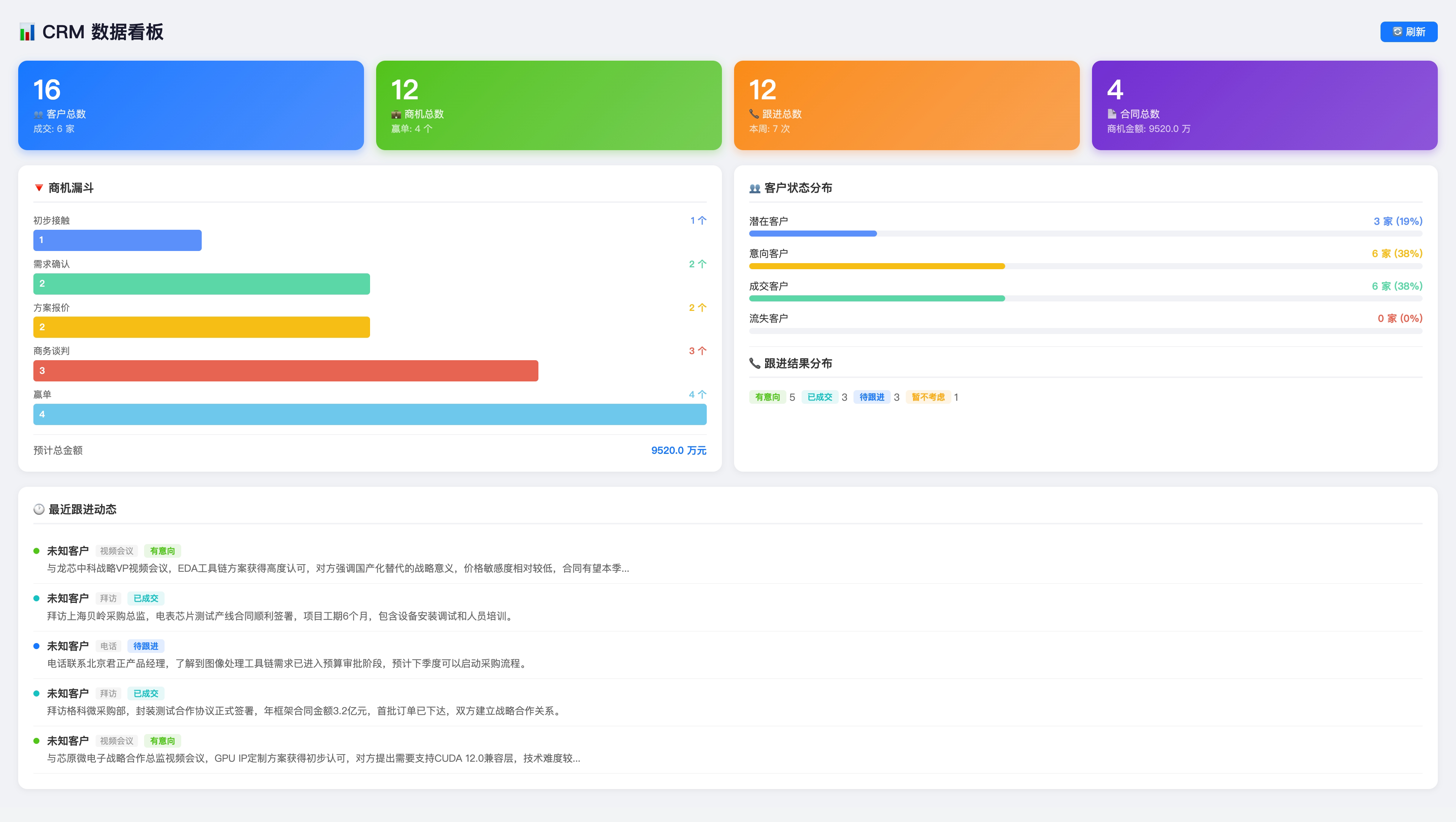
Help me set up a CRM
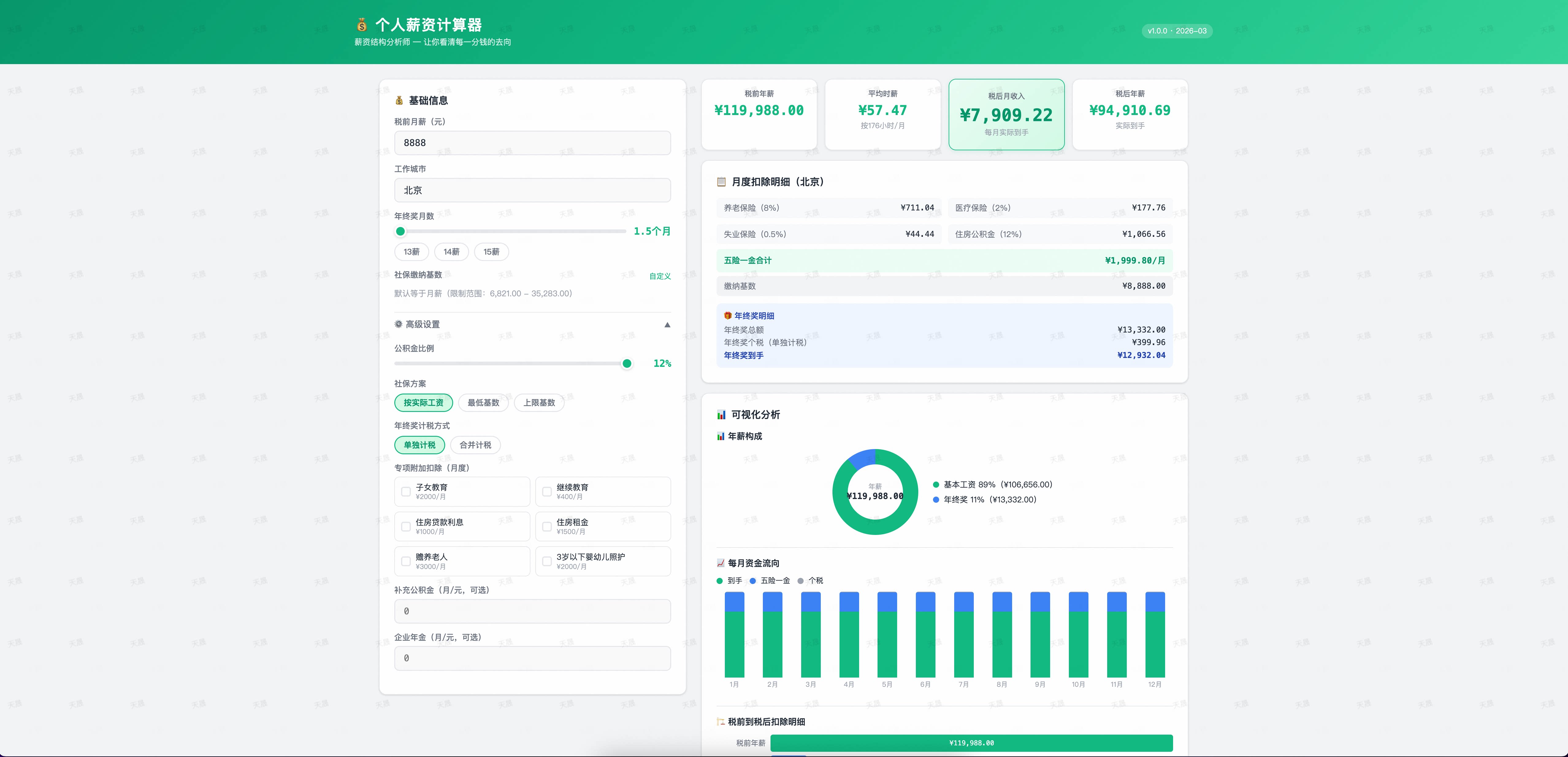
Create a personal salary calculator app
Supported AI Coding Tools
| Tool | Status | |------|--------| | Claude Code | ✅ Full support | | Aone Copilot | ✅ Full support | | OpenCode | ✅ Full support | | Cursor | ✅ Full support | | Visual Studio Code | ✅ Full support | | Qoder | ✅ Full support | | Wukong | ✅ Full support |
How OpenYida Differs from Other AI App Builders
| Dimension | OpenYida | Other AI App Builders | |-----------|----------|-----------------------| | Target users | Developers (code-savvy) | Business users (non-developers) | | Interaction | Natural language + AI chat | Visual drag-and-drop + config panels | | Output | Yida app (editable, full low-code capabilities) | Config (black-box execution) | | Deployment | Yida platform | Locked to SaaS platform | | AI model | Choose the best model for the job | Platform-specified, not swappable | | Security & compliance | Yida's enterprise-grade security | Platform-dependent |
Requirements
| Dependency | Version | Purpose | |------------|---------|---------| | Node.js | ≥ 18 | CLI runtime & page publishing |
CLI Commands
openyida append-chart         # Append chart to an existing report
openyida auth                 # Login status management (status/login/refresh/logout)
openyida cdn-config           # Configure CDN image upload (Aliyun OSS + CDN)
openyida cdn-refresh          # Refresh CDN cache
openyida cdn-upload           # Upload images to CDN
openyida configure-process    # Configure and publish process rules
openyida connector            # HTTP connector management
openyida copy                 # Initialize project working directory for current AI tool
openyida create-app           # Create a Yida application
openyida create-form          # Create / update a form page
openyida create-page          # Create a custom display page
openyida create-process       # Create a process form (integrated)
openyida create-report        # Create a Yida report
openyida data                 # Unified data management (form/process/task/subform)
openyida doctor               # Environment diagnostics and auto-repair
openyida dws <command> [args]                              # DingTalk CLI (Contacts/Calendar/Todo/Approval, etc.)
openyida env                  # Detect current AI tool environment and login status
openyida export               # Export application migration package
openyida export-conversation [format]                      # Export AI conversation history
openyida flash-to-prd <appType> [options]                  # Flash note to PRD (supports meeting recognition)
openyida get-page-config      # Query page public access / sharing config
openyida get-permission       # Query form permission configuration
openyida get-schema           # Fetch form schema
openyida import               # Import migration package to rebuild application
openyida integration create <appType> [options]             # Create integration & automation flow
openyida login                # Log in to Yida (uses cache, falls back to QR code)
openyida logout               # Log out / switch account
openyida org                  # Organization management (list/switch)
openyida publish              # Compile and publish a custom page
openyida query-data           # Query form instance data
openyida save-permission      # Save form permission configuration
openyida save-share-config    # Save public access / sharing config
openyida task-center [filter]                              # Global task center (Todo/Created/Processed/CC/Submit)
openyida update-form-config   # Update form configuration
openyida verify-short-url     # Verify if a short URL is accessible
Demo
🏢 Business Systems — IPD / CRM
Describe your requirements in one sentence — AI generates a complete multi-form business system.
💰 Utilities — Personal Salary Calculator
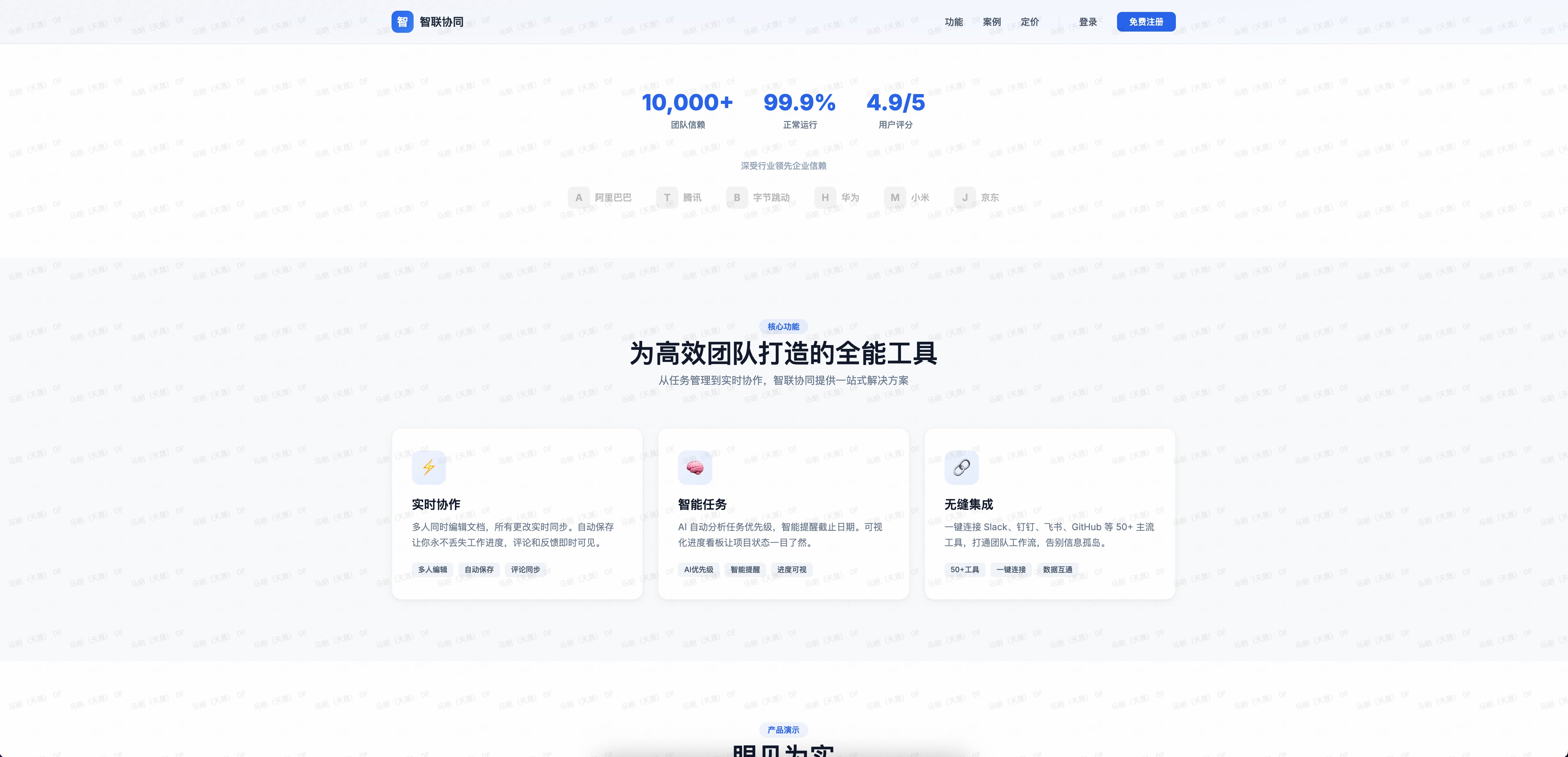
🌐 Landing Page — Enterprise Collaboration
Generate a complete enterprise product landing page from a single sentence.
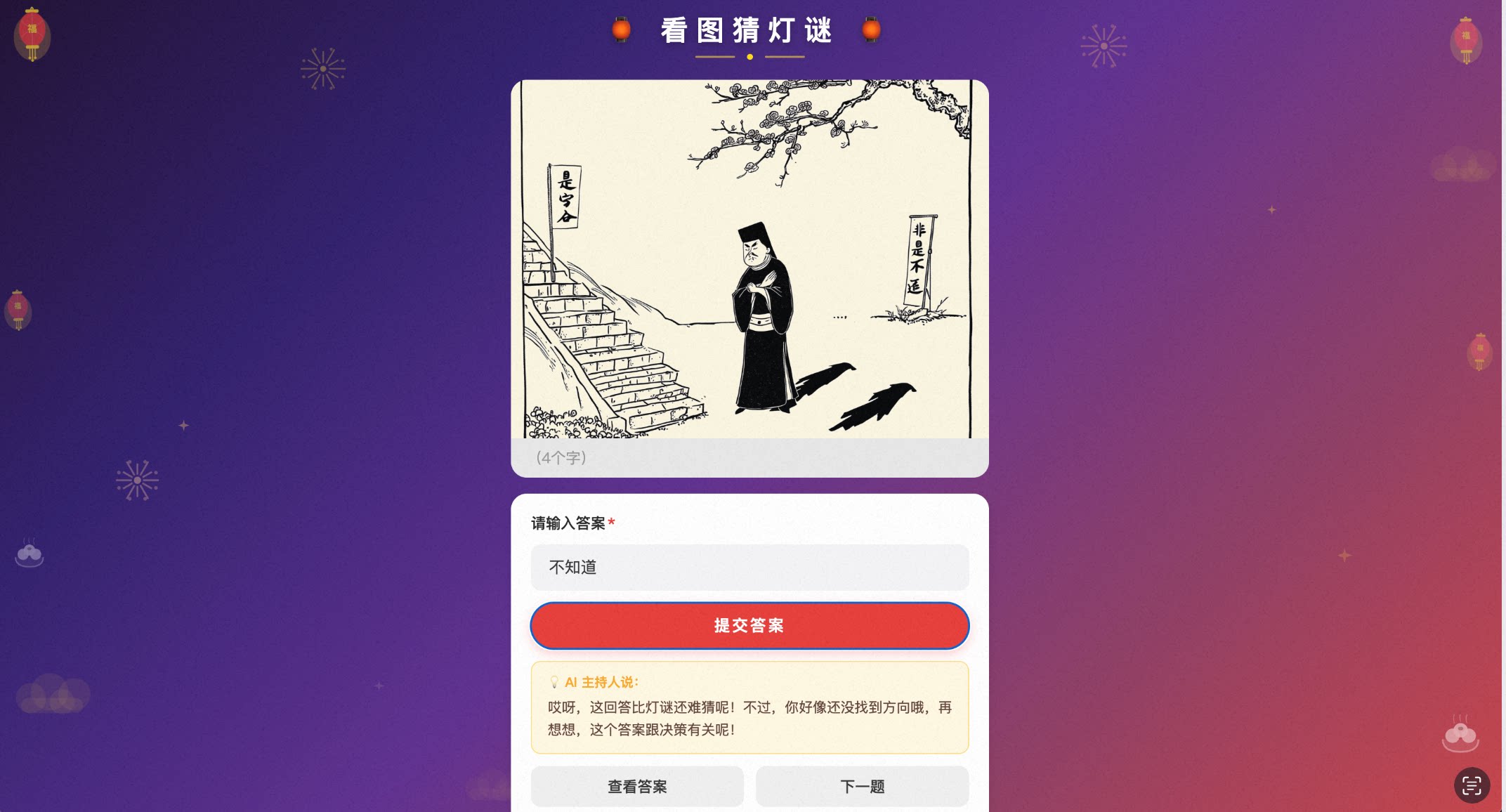
🏮 Campaigns — Lantern Riddle Game
AI generates riddle images; users guess answers with humorous AI feedback on wrong guesses.
Common Prompts
Build me a [xxx] application
Generate an app from this requirements document
Create a [xxx] form page
Add a [xxx] field to [xxx] page, field name: [name], type: [type]
Make the [xxx] field on [xxx] page required
Publish the [xxx] page
Make the page publicly accessible
Re-login / log out
OpenClaw Integration
Use via yida-app in OpenClaw:
npx clawhub@latest install nicky1108/yida-app
Community
Scan the QR code to join the OpenYida user group on DingTalk for the latest updates and support.

Contributors
Thanks to everyone who has contributed to OpenYida! Read the Contributing Guide to get involved.
<p align="left"> <a href="https://github.com/yize"><img src="https://avatars.githubusercontent.com/u/1578814?v=4&s=48" width="48" height="48" alt="九神" title="九神"/></a> <a href="https://github.com/alex-mm"><img src="https://avatars.githubusercontent.com/u/3302053?v=4&s=48" width="48" height="48" alt="天晟" title="天晟"/></a> <a href="https://github.com/nicky1108"><img src="https://avatars.githubusercontent.com/u/4279283?v=4&s=48" width="48" height="48" alt="nicky1108" title="nicky1108"/></a> <a href="https://github.com/angelinheys"><img src="https://avatars.githubusercontent.com/u/49426983?v=4&s=48" width="48" height="48" alt="angelinheys" title="angelinheys"/></a> <a href="https://github.com/yipengmu"><img src="https://avatars.githubusercontent.com/u/3232735?v=4&s=48" width="48" height="48" alt="yipengmu" title="yipengmu"/></a> <a href="https://github.com/Waawww"><img src="https://avatars.githubusercontent.com/u/31886449?v=4&s=48" width="48" height="48" alt="Waawww" title="Waawww"/></a> <a href="https://github.com/kangjiano"><img src="https://avatars.githubusercontent.com/u/54129385?v=4&s=48" width="48" height="48" alt="kangjiano" title="kangjiano"/></a> <a href="https://github.com/ElZe98"><img src="https://avatars.githubusercontent.com/u/35736727?v=4&s=48" width="48" height="48" alt="ElZe98" title="ElZe98"/></a> <a href="https://github.com/OAHyuhao"><img src="https://avatars.githubusercontent.com/u/99954323?v=4&s=48" width="48" height="48" alt="OAHyuhao" title="OAHyuhao"/></a> <a href="https://github.com/xiaofu704"><img src="https://avatars.githubusercontent.com/u/209416122?v=4&s=48" width="48" height="48" alt="xiaofu704" title="xiaofu704"/></a> <a href="https://github.com/guchenglin111"><img src="https://avatars.githubusercontent.com/u/10860875?v=4&s=48" width="48" height="48" alt="guchenglin111" title="guchenglin111"/></a> <a href="https://github.com/liug0911"><img src="https://avatars.githubusercontent.com/u/1578814?v=4&s=48" width="48" height="48" alt="LIUG" title="LIUG"/></a> <a href="https://github.com/sunliz-xiuli"><img src="https://avatars.git