
openephemeris-MCP
MCP server and API examples for OpenEphemeris — NASA JPL ephemeris API for AI agents
Install / Use
claude mcp add openephemeris -- npx -y github:openephemeris/openephemeris-MCPIf the server publishes to npm under a different name, use that package instead — check the repo README.
MCP Server
Model Context Protocol server
Quality Score
Category
Development & EngineeringSupported Platforms
Skill content
View source on GitHubOpenEphemeris MCP Server




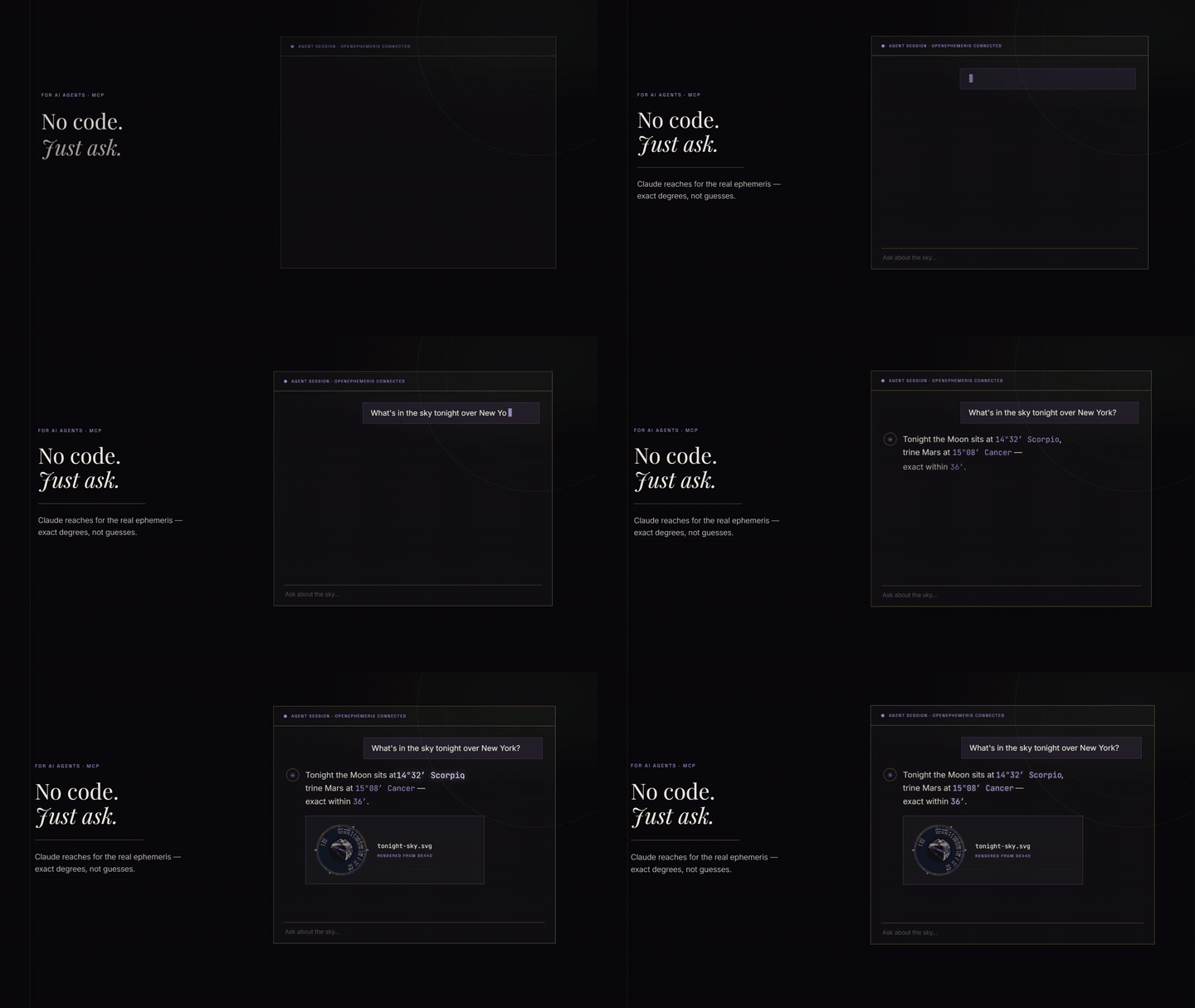
Model Context Protocol server for OpenEphemeris — typed astrology tools powered by the NASA JPL DE440 ephemeris. Zero hallucination on planetary positions, dates, and degrees. Covers 1,100 years of astronomical data.
Hosted endpoint: https://mcp.openephemeris.com/mcp (Streamable HTTP, MCP 2025-11-25 spec)
Quick Start
Install via Smithery (recommended)
The fastest way to connect any MCP-compatible client:
npx -y @smithery/cli install @open-ephemeris/openephemeris --client claude
Or browse the listing and copy connection snippets: smithery.ai/servers/open-ephemeris/openephemeris
Connect via AI SDK (Vercel AI SDK)
import Smithery from "@smithery/api"
import { createMCPClient } from "@ai-sdk/mcp"
import { generateText } from "ai"
import { anthropic } from "@ai-sdk/anthropic"
import { createConnection } from "@smithery/api/mcp"

const smithery = new Smithery()

const conn = await smithery.connections.create("{your-namespace}", {
  mcpUrl: "https://server.smithery.ai/open-ephemeris/openephemeris",
  headers: {
    apiKey: "your-openephemeris-api-key", // get one free at openephemeris.com/dashboard
  },
})

const { transport } = await createConnection({
  client: smithery,
  namespace: "{your-namespace}",
  connectionId: conn.connectionId,
})

const mcpClient = await createMCPClient({ transport })
const tools = await mcpClient.tools()

const { text } = await generateText({
  model: anthropic("claude-sonnet-4-20250514"),
  tools,
  prompt: "Calculate a natal chart for someone born April 15, 1990 at 2:30 PM in Chicago.",
})

await mcpClient.close()
Connect via MCP SDK (TypeScript)
import Smithery from "@smithery/api"
import { Client } from "@modelcontextprotocol/sdk/client/index.js"
import { createConnection } from "@smithery/api/mcp"

const smithery = new Smithery()

const conn = await smithery.connections.create("{your-namespace}", {
  mcpUrl: "https://server.smithery.ai/open-ephemeris/openephemeris",
  headers: {
    apiKey: "your-openephemeris-api-key",
  },
})

const { transport } = await createConnection({
  client: smithery,
  namespace: "{your-namespace}",
  connectionId: conn.connectionId,
})

const mcpClient = new Client(
  { name: "my-app", version: "1.0.0" },
  { capabilities: {} }
)
await mcpClient.connect(transport)

const { tools } = await mcpClient.listTools()
const result = await mcpClient.callTool({
  name: "ephemeris_natal_chart",
  // A datetime that states a clock time must state its zone: either pass
  // `timezone` alongside the local time, or put a Z/±HH:MM offset on the value.
  arguments: {
    datetime: "1990-04-15T14:30:00",
    timezone: "America/Chicago",
    latitude: 41.8781,
    longitude: -87.6298,
    format: "llm",
  },
})
Connect directly (Streamable HTTP, no Smithery)
import { StreamableHTTPClientTransport } from "@modelcontextprotocol/sdk/client/streamableHttp.js"
import { Client } from "@modelcontextprotocol/sdk/client/index.js"

const transport = new StreamableHTTPClientTransport(
  new URL("https://mcp.openephemeris.com/mcp"),
  { requestInit: { headers: { "X-API-Key": "your-openephemeris-api-key" } } }
)

const client = new Client({ name: "my-app", version: "1.0.0" }, { capabilities: {} })
await client.connect(transport)
One-click install (Cursor)
<!-- GENERATED:CURSOR_INSTALL:BEGIN -->
Replace
YOUR_API_KEY_HEREin Cursor MCP settings with your API key from https://openephemeris.com/dashboard.
Cursor deeplink payload:
{
  "command": "npx",
  "args": [
    "-y",
    "@openephemeris/mcp-server"
  ],
  "env": {
    "OPENEPHEMERIS_PROFILE": "dev",
    "OPENEPHEMERIS_BACKEND_URL": "https://api.openephemeris.com",
    "OPENEPHEMERIS_API_KEY": "YOUR_API_KEY_HERE"
  }
}
Manual install (stdio MCP clients)
{
  "mcpServers": {
    "openephemeris": {
      "command": "npx",
      "args": ["-y", "@openephemeris/mcp-server"],
      "env": {
        "OPENEPHEMERIS_PROFILE": "dev",
        "OPENEPHEMERIS_BACKEND_URL": "https://api.openephemeris.com",
        "OPENEPHEMERIS_API_KEY": "YOUR_API_KEY_HERE"
      }
    }
  }
}
Platform guide
Detailed setup walkthroughs for each platform are in SETUP.md.
| Client | Install mode | Config location |
|---|---|---|
| Smithery | One-click | smithery.ai |
| Cursor | One-click deeplink or manual | ~/.cursor/mcp.json |
| Claude Desktop (macOS) | Manual | ~/Library/Application Support/Claude/claude_desktop_config.json |
| Claude Desktop (Windows) | Manual | %APPDATA%\Claude\claude_desktop_config.json |
| Windsurf | Manual | ~/.codeium/windsurf/mcp_config.json (or legacy ~/.codeium/mcp_config.json) |
| Claude Web / ChatGPT / remote clients | Hosted URL | https://mcp.openephemeris.com/mcp |
Client install walkthroughs
- Cursor
- Click the "Install in Cursor" button above, then replace
YOUR_API_KEY_HEREin Cursor MCP settings. - If you prefer manual setup, paste the
mcpServers.openephemerisblock from "Manual install" into~/.cursor/mcp.json.
- Click the "Install in Cursor" button above, then replace
- Claude Desktop (macOS/Windows)
- Open the platform config file from the table above.
- Add the same
mcpServers.openephemerisblock from "Manual install". - Restart Claude Desktop.
- Windsurf
- Open
~/.codeium/windsurf/mcp_config.json(or the legacy~/.codeium/mcp_config.jsonpath). - Add the
mcpServers.openephemerisblock from "Manual install". - Restart Windsurf.
- Open
Remote-only clients (Claude Web, ChatGPT, etc.)
The server is hosted at https://mcp.openephemeris.com/mcp with full Streamable HTTP support (MCP 2025-11-25 spec). Remote-only clients can connect directly — no bridge/proxy required:
- Claude Web: Add
https://mcp.openephemeris.com/mcpas a custom connector URL — leave OAuth Client ID and Secret blank. The server uses OAuth 2.1 + PKCE (Dynamic Client Registration), so Claude handles authentication via a browser popup automatically. - Via Smithery: Use the Smithery listing for managed connections with any client
- Legacy SSE: retired in 3.20.0 — use Streamable HTTP at
/mcp
Auth and upgrade behavior in MCP clients
- Missing/invalid credentials (
401): tool call fails with a message that points users to sign up/sign in athttps://openephemeris.com/login?signup=true&redirect=%2Fdashboard%3Ftab%3Daccount, then create/manage keys inhttps://openephemeris.com/dashboard?tab=account. - Tier-gated endpoint (
403): tool call returns an upgrade-required message withhttps://openephemeris.com/payand dashboard billing/key management link. - Monthly quota exhausted (
402): tool call returns usage quota guidance with both dashboard (/dashboard?tab=account) and upgrade (/pay) links. - Burst/rate limit (
429): tool call returns retry guidance and links to dashboard usage monitoring.
What You Can Ask
"Calculate a natal chart for 1990-04-15 at 2:30 PM in Chicago."
"Find all Saturn transits to my natal Sun in the next 6 months."
"Get the current moon phase and void-of-course status."
"Find the next solar eclipse visible from Tokyo."
"Find the best time to sign a contract in March — electional window."
"Generate a Human Design chart for my birth data."
"What is my Vedic (sidereal) chart?"
"Calculate my Chinese BaZi (Four Pillars) chart."
"Show me my Astrocartography power lines — where is my Venus line on the map?"
"Find all ACG lines within 3° of Paris for my chart."
"Calculate a synastry chart between two people."
"Find the next Venus Star Point and my relationship to it."
"What are the active planetary stations in the next 3 months?"
"Calculate primary directions for the next 5 years."
"Find my Firdaria time lord period."
"What is the sidereal time and delta-T right now?"
Interactive Charts
Nine of the tools don't answer with JSON. They open a chart in the conversation — a real one, drawn from the same calculation, that you can click around in.
This matters more than it sounds. A natal chart returned as JSON is a list of numbers you have to already understand to read. The same chart rendered as a wheel is something you can point at. Click a planet and you get that placement explained; click a house and you get what's in it. The chart stays on screen while you keep talking, and it doesn't cost another credit to keep looking at it.
These need a host that supports MCP Apps — Claude Desktop is the main one today. In a client without app support the same tools still work; you get the underlying data instead of the picture, so nothing breaks, you just don't get the wheel.
| Tool | What opens | What you can click | Credits |
|---|---|---|---|
| explore_natal_chart | Natal wheel — planets, houses, aspects, angles | Planets, houses, aspect lines; recalculate with new settings | 1 |
| explore_bi_wheel | Two charts on one wheel: transits, synastry, progressions | Either wheel's planets, houses, and the aspects between them | 2 |
| explore_human_design | Human Design bodygraph, with a mandala view toggle | Centers, gates, channels, planets, variables | 2 |
| explore_human_design_transit | Today's planets laid over a natal bodygraph | Transit-activated channels | 3 |
| explore_human_design_connection | Two bodygraphs combined, every shared channel classified | Connection channels by type | 3 |
| explore_vedic_chart | South Indian Rashi grid — sidereal placements and Lagna | Each rashi, for its placements and nakshatras | 3 |
| explore_bazi_chart | Four Pillars (四柱命盘) — Year, Month, Day, Hour | Each pillar | 3 |
| explore_transit_timeline | Upcoming transit hits in date order | Individual hits | 6 |
| explore_moon_phase | Moon dial — illumination, phase, sign, void-of-course | Recalculate for another moment | 3 |
Ask for these the way you'd ask a person: "show me my chart", "put today's transits over my Human Design", "what's the moon doing right now". The model picks the app.
Two things worth knowing. The chart wheel and bi-wheel accept a click on an aspect line, not just on the two planets it joins — so "why does this line matter" is one click rather than a paragraph of setup. And the bodygraph's mandala toggle rearranges the whole chart into concentric rings without another API call, so switching views is free.
Screenshots of each are on the way.
Tools at a Glance
| Category | Tool | Tier |
|---|---|---|
| Natal chart | ephemeris_natal_chart | Explorer |
| Transit forecast | ephemeris_transits | Explorer |
| Transit chart snapshot | `ephemeris_natal_trans
Truncated for display — read the full file on GitHub.
Related Skills
momen-cursurrules-prompt-file
40.6kCursor rules for building custom frontends with Momen.app as headless BaaS with GraphQL API, actionflows, AI agents, and Stripe integration.
semiotic-react-dataviz-cursorrules-prompt-file
40.6kCursor rules for Semiotic data visualization library with 30+ chart types, MCP server, and AI-assisted chart generation.
Agent-Reach
72.3kGive your AI agent eyes to see the entire internet. Read & search Twitter, Reddit, YouTube, GitHub, Bilibili, XiaoHongShu — one CLI, zero API fees.
ruflo
68.0k🌊 The original agent meta-harness. Deploy intelligent multi-player swarms, coordinate autonomous workflows, and build conversational AI systems. Features adaptive memory, self-learning intelligence, RAG integration, and native Claude Code / Codex / Hermes and many more Integrated
