
Google Maps Scraper
Google Maps Scraper & Lead Generation Tool. Extract 50+ data points including business emails, phone numbers, and social profiles. Includes enrichment features, API access, and no recurring fees
Install / Use
npx skills add omkarcloud/google-maps-scraperInstalls into whichever agent you are using.
Quality Score
Category
Development & EngineeringSupported Platforms
Tags
README
Disclaimer: This Google Maps Scraper is provided for educational and research purposes only. By using it, you agree to comply with local and international laws regarding data scraping and privacy. For any concerns, please contact Chetan Jain at chetan@omkar.cloud.
Google Maps Extractor helps you get leads from Google Maps.
Loved by business owners and developers — the Most Popular Google Maps Scraper App on GitHub, with 2.8K+ stars.
⚡ Benefits
<!-- **Find businesses on Google Maps, get their contacts, and turn them into paying customers — all in one tool, end to end.** -->Sure, we aren't as big as Apify or Outscraper, but our product can get you the absolute highest number of results per city, with the most generous free tier in the Google Maps lead generation market.
<!-- TODO --> <!-- - **Higher results per city.** Same query, more leads. Here's "restaurants in NYC" from Apify vs from Omkar: --> <!-- [PLACEHOLDER IMAGE: side-by-side comparison — "restaurants in NYC" result count on Apify vs Omkar] -->- 16x more generous free plan than Apify. Apify's $5 free credit gets you ~1,250 leads. Omkar gives you 200 free searches/month at 100–1,000+ results each — 20,000+ free leads every month.
-
Most Popular Google Maps Scraper App on GitHub — 2.8K+ stars.
-
50+ data points — Extracted in real-time.
-
Enrichment included — Get emails, social profiles, and decision-maker contacts for max conversion.
-
Reviews Extraction that actually works!
-
Built-in API for easy Python/Node.js integration. Easy docs for developers.
-
Rated Excellent — 4.6 based on 22 reviews on Trustpilot. Our open source work is sponsored by 1000+ devs on GitHub.
Results
Talk is cheap — here are results I extracted using this tool:
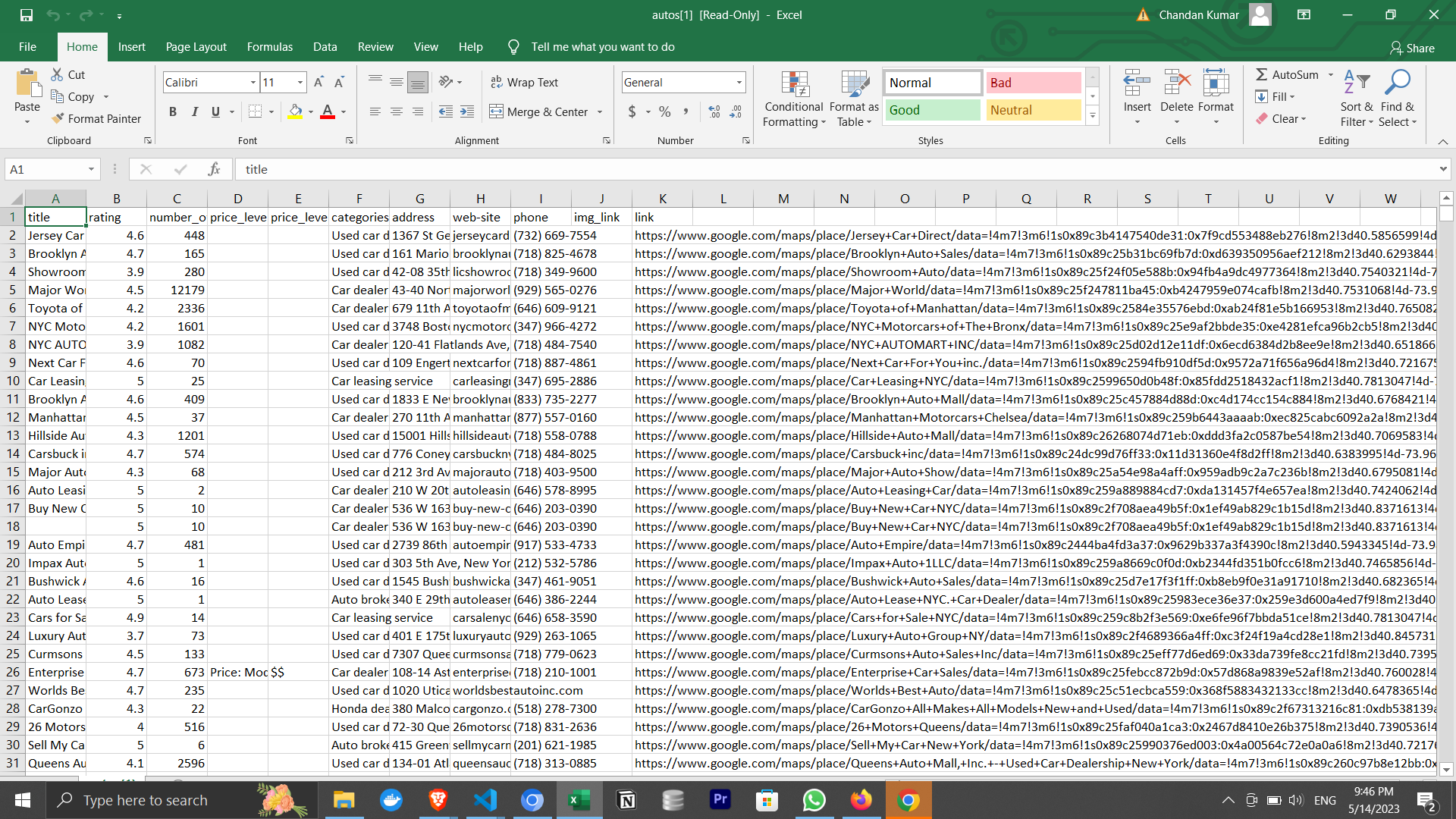
- 🍔 14,979 restaurants in New York City — Download csv and see results
- 💪 5,868 gyms in Delhi — Download csv and see results
All in just 3 searches, with 197 searches still left in the free plan 😎.
🎬 Quick Demo (1 min)
If you only watch one thing, watch this. In under a minute, you'll see the tool pull 200+ real business leads and can decide whether this tool is worth your time or you should look elsewhere.
❓ FAQs
What is this Google Maps Scraper App?
It's a desktop app that finds Business Profiles from Google Maps for any category and location you choose — restaurants, dentists, gyms, agencies, and more. In a few clicks you get a clean, exportable list of businesses along with their contact details, so you can reach out and sell to them.
Founders use it to find their first customers; students use it to gather data for research projects.
If you are a developer, this app has a built-in API, an npm package, and a Python library, so you can integrate it into your Python or Node.js scripts and get results in under 5 minutes. The API can also run on AWS and GCP VMs.
<!-- TODO: ADD VIDEO IN HERE, say doing hard, like running the extractor on multiple servers, you might want to talk to our -->What data can I get from it?
For every business, you get the major data points you need to sell:
- Name, Main Category, and Address
- Phone number
- Website
- Email and social profiles (via enrichment)
- Rating and number of reviews
That's just the start — the tool extracts 50+ data points in total. See the full list in advanced.md (Are there any usage limits?).
On top of the raw data, business enrichment gets you sales-ready contacts: verified emails, decision-makers (CEO, Founder, etc.), and phone carrier info so you don't waste time on landlines.
How to use it?
To use this tool, ensure you have Google Chrome installed. Then download for your OS:
For Mac:
- Download the Mac Version
- We are a verified publisher with Apple, so you can install it without facing any issues.
For Windows:
- Download the Windows Version
- You'll see a popup saying that Windows Defender blocked an app from an unknown publisher. It's the most popular Google Maps scraper on GitHub, with 2.8K+ stars, and is completely safe to use.
You may also see a Windows Firewall popup—click Allow Access to continue.
For Ubuntu/Debian:
- Most desktop users: Download .deb
- Raspberry Pi and some cloud servers: Download .deb for arm64
Note: On Ubuntu 24.04 and later, the app must be launched from the terminal with the following command:
googlemapsextractor --no-sandbox
For Fedora/CentOS/Red Hat:
- Most desktop users: Download .rpm
- Raspberry Pi and some cloud servers: Download .rpm for arm64
Then enter your search query and press the Run button to get 1000+ leads.
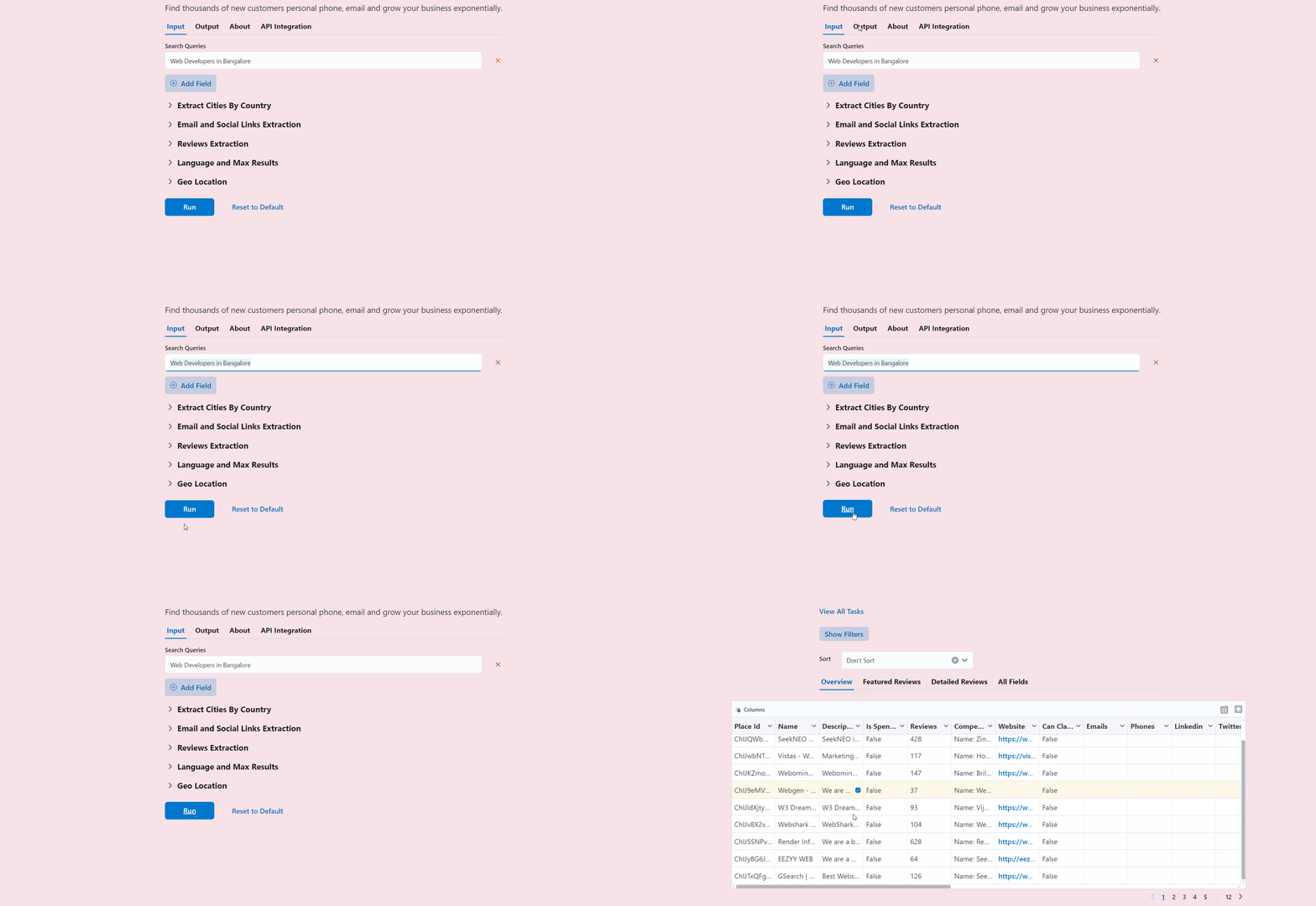
Watch the full walkthrough below — choosing the right search strategy, applying filters, and exporting a clean, ready-to-sell lead list. Ten minutes here and you will completely understand how to use the tool to get maximum leads.
<!-- next version tell retry as well. show failed. say network issue -->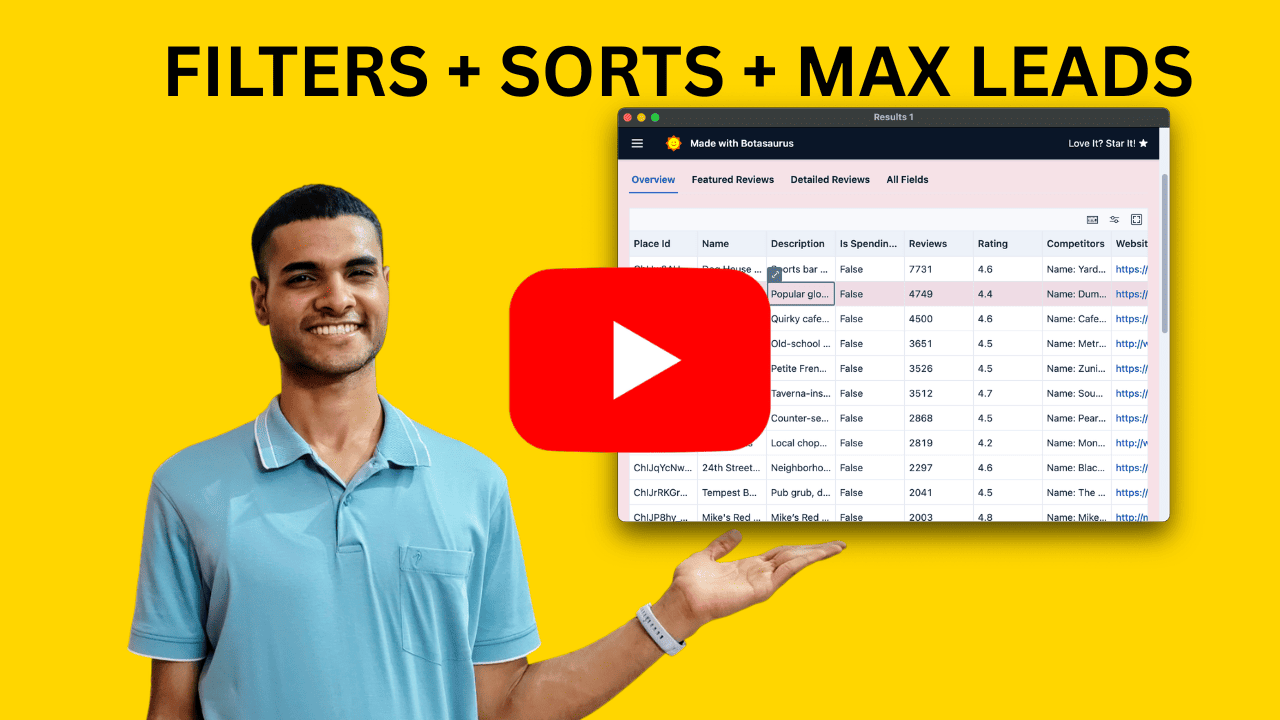
What is my auth token?
Your auth token is {{ AUTH_TOKEN }}. You can use it when installing on an AWS EC2 server.
🔍 What are the various search strategies, and which one should I use?
This is slightly complex stuff, but if you want 10,000+ leads in a city, you must understand this.
There are 5 kinds of search strategies:
- Fast (Default)
- Fastest
- Detailed
- By Zoom Level (15, 16, 17, 18)
- By Geolocation
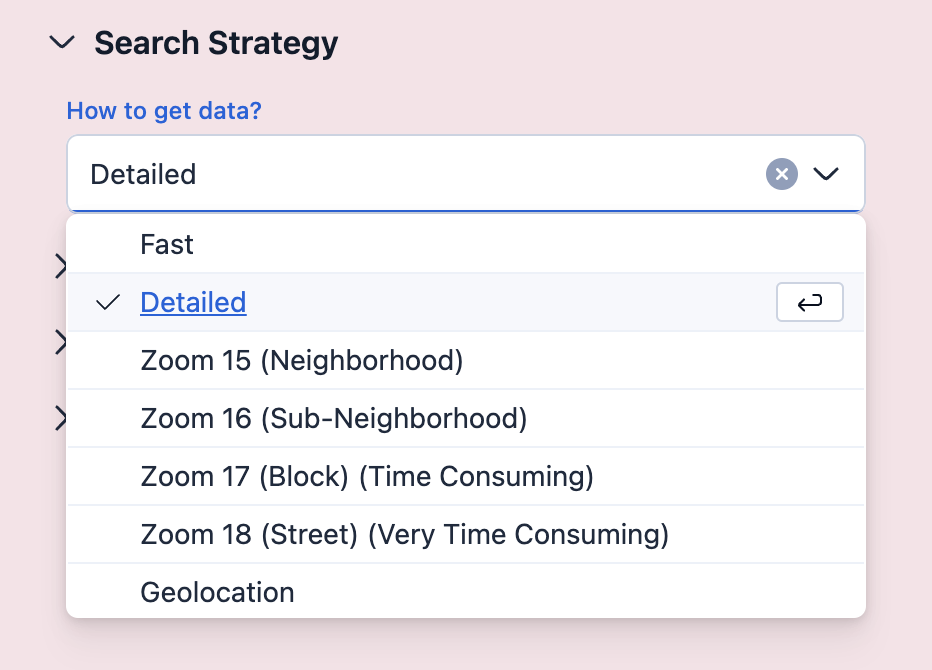
Let's see when to use which strategy:
Fast (Default):
- Returns 120–1600 results per city.
- Completes in 1–10 minutes per city.
- When to use:
- Best for country-level extraction (completes in 1–2 days).
Fastest:
- Slightly faster than Fast mode (~30 seconds per city), but returns ~30–40 fewer results.
- When to use:
- When speed is the top priority and a small reduction in results is acceptable.
Detailed:
- Returns more results than Fast mode, but takes significantly longer.
- When to use:
- Best for single-city or state level extraction where thoroughness matters.
- When not to use:
- Not recommended for country-level extraction due to high time requirements.
- Tip: Set "Max Results" to 1000 per city, otherwise large cities like New York can take 2+ hours.
By Zoom Level (15, 16, 17, 18):
- Various Zoom Level sizes are given below:
- Zoom 15: Neighborhood Level
- Zoom 16: Sub-Neighborhood Level
- Zoom 17: Block Level (Time consuming)
- Zoom 18: Street Level (Very time consuming)
- When to use:
- When you want the absolute highest results. Use Zoom 18. It can take 3-4 hours, but you will have thousands of results for big cities like New York City.
- When not to use:
- Not recommended for country-level extraction. It can take 3-4 hours for a single city.
By Geolocation:
- Search a specific latitude/longitude or inside a polygon.
- When to use:
- Getting results that are only in a speci
Related Skills
node-connect
385.5kDiagnose OpenClaw Android, iOS, or macOS node pairing, QR/setup code, route, auth, and connection failures.
blender-python-addon
40.5kBlender Python add-on rules for operators, panels, properties, registration, testing, and API-safe scripting
flutter-development-guidelines-cursorrules-prompt-file
40.5kCursor rules for Flutter development with MVVM architecture, Riverpod state management, Material widgets, and Dart style guidelines.
commit-push-pr
140.7kCommit, push, and open a PR

Security Score
Audited on Aug 8, 2026