
AluminumFoil
USB Installer for GoldLeaf and TinFoil
Install / Use
/learn @nosmokingbandit/AluminumFoilREADME
AluminumFoil
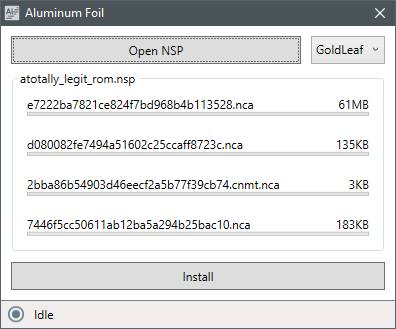
Standalone GUI USB installer for GoldLeaf
Preparation
Windows first run setup
In order to communicate with your Switch you must first install the libusbk driver. This only needs to be done once and will not affect your ability to send RCM payloads.
-
Download Zadig
-
Plug your Switch into your pc and open Tinfoil. Navigate to
Title Management->USB Install. -
Open Zadig. In Options enable
List All Devices. Selectlibnx USB comms. Select the driverlibusbkand clickReplace Driver
Your PC can now communicate with TinFoil. Leave your Switch on the USB Install screen.
Installing NSPs
-
Connect your Switch to your pc and open GoldLeaf or TinFoil's
USB Installscreen. -
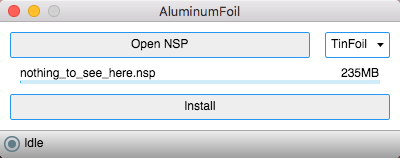
Open AluminumFoil.
-
Select an NSP and click Install.
For best results....
OSX 10.12 or greater is required.
When using TinFoil it is advised to use @satelliteseeker's build found here. Other versions may work but I wouldn't expect it to.
As of 0.4, GoldLeaf's USB installs can be inconsistent. Any issues submitted regarding GoldLeaf installs will be ignored until GoldLeaf 0.5 is released.
Buy me a beer?
Related Skills
node-connect
335.2kDiagnose OpenClaw node connection and pairing failures for Android, iOS, and macOS companion apps
frontend-design
82.5kCreate distinctive, production-grade frontend interfaces with high design quality. Use this skill when the user asks to build web components, pages, or applications. Generates creative, polished code that avoids generic AI aesthetics.
openai-whisper-api
335.2kTranscribe audio via OpenAI Audio Transcriptions API (Whisper).
commit-push-pr
82.5kCommit, push, and open a PR
