
Freight
Freight - Dependency Bundles for NPM and Bower
Install / Use
/learn @node-freight/FreightREADME
Freight 

<img align="right" src="http://v14d.com/freight/freight-logo.png" height="250" />
Freight helps you:
- Bundle all your dependencies into a compressed archive.
- Avoid committing dependencies into project source.
- Speed up project and dependency installation.
- Speed up continuous integration and deployment.
- Stop relying on NPM and Bower registries.
- Avoid dependency installation issues during deployment.
Freight consists of two components - a tiny command line tool and a Freight Server that manages the dependencies.
See the Freight Documentation.
See the Freight Server README to help you setup a Freight Server.
Try it out
Install npm install -g freight.
Get the sample project:
git clone https://github.com/vladikoff/freight-sample.git && cd freight-sample
Run freight -u http://freight.vf.io, you will now have the NPM and Bower modules!
Visual Demo
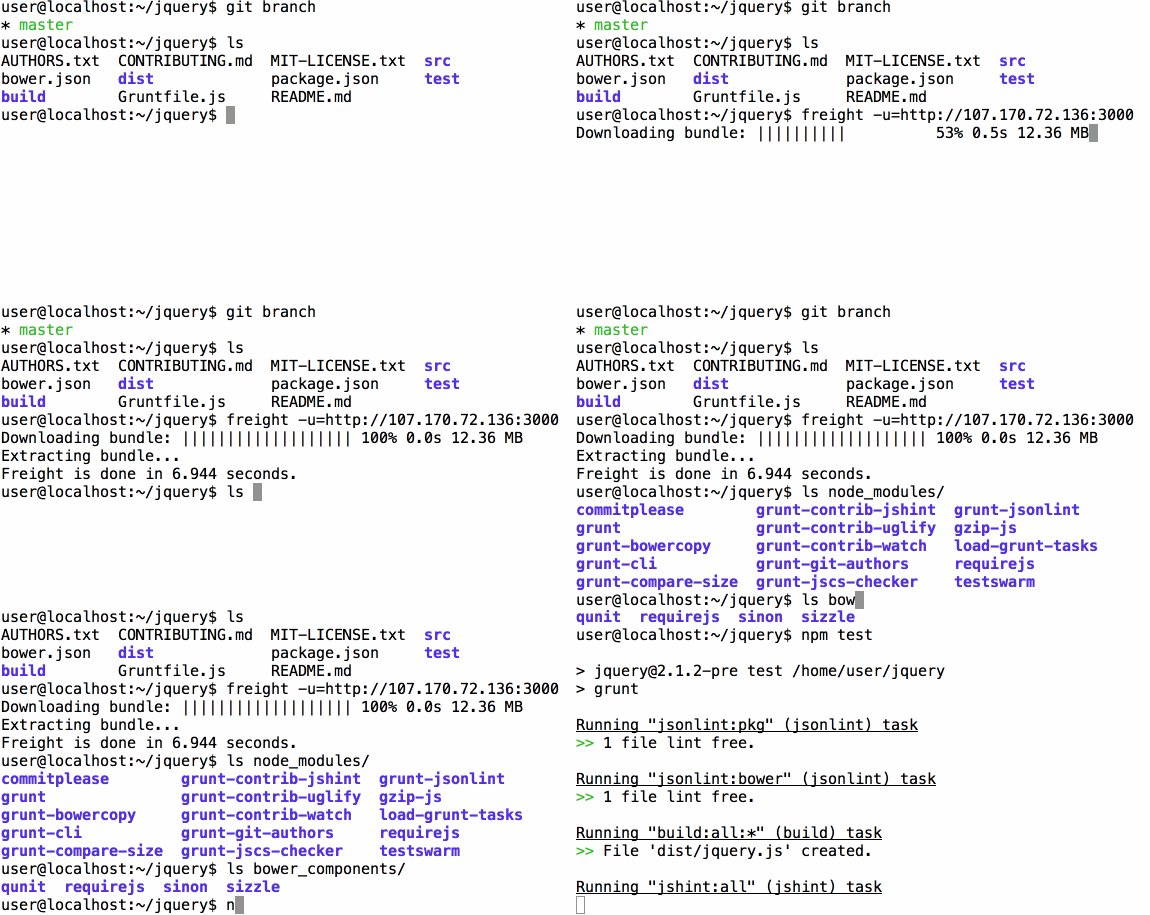
How it works
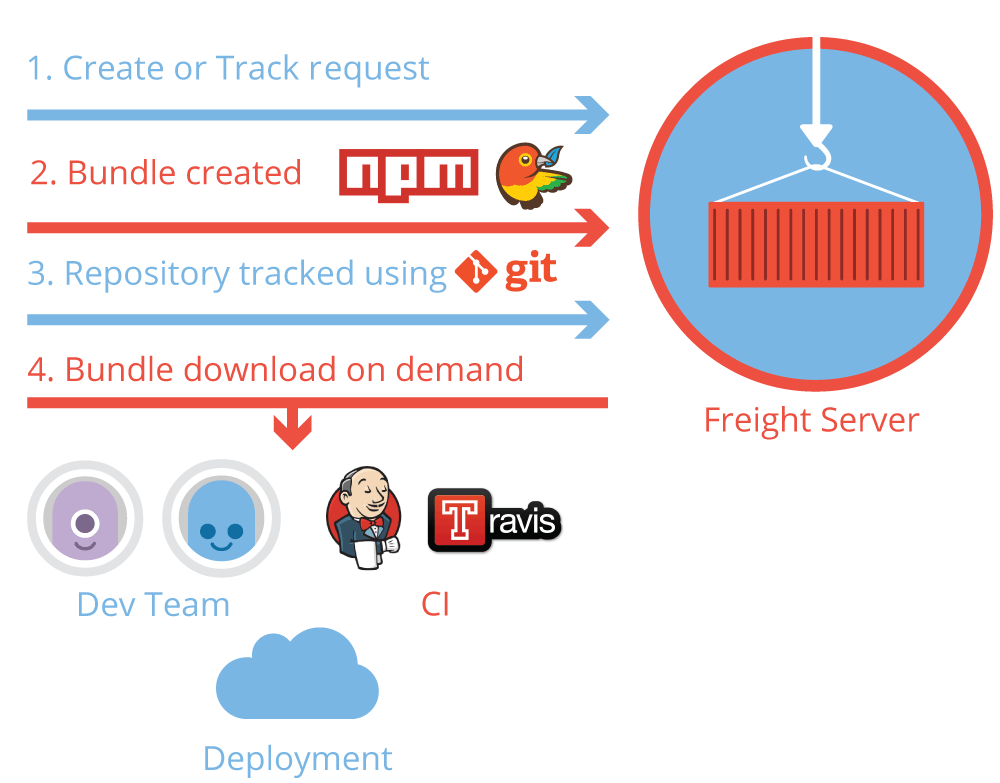
Freight supports:
- with NPM:
npm-shrinkwrap.json, NPM rebuild, production only bundles - with Bower:
.bowerrc, Bower resolutions
Author
| 
Release History
See the CHANGELOG.
Related Skills
node-connect
349.7kDiagnose OpenClaw node connection and pairing failures for Android, iOS, and macOS companion apps
frontend-design
109.7kCreate distinctive, production-grade frontend interfaces with high design quality. Use this skill when the user asks to build web components, pages, or applications. Generates creative, polished code that avoids generic AI aesthetics.
openai-whisper-api
349.7kTranscribe audio via OpenAI Audio Transcriptions API (Whisper).
qqbot-media
349.7kQQBot 富媒体收发能力。使用 <qqmedia> 标签,系统根据文件扩展名自动识别类型(图片/语音/视频/文件)。
