
Nocodb
🔥 🔥 🔥 A Free & Self-hostable Airtable Alternative
Install / Use
/learn @nocodb/NocodbREADME
<img height="38" src="https://user-images.githubusercontent.com/61551451/135263434-75fe793d-42af-49e4-b964-d70920e41655.png"> <img height="38" src="https://user-images.githubusercontent.com/61551451/135263474-787d71e7-3a87-42a8-92a8-be1d1f55413d.png"> <img height="38" src="https://user-images.githubusercontent.com/61551451/135263531-fae58600-6616-4b43-95a0-5891019dd35d.png"> <img height="38" src="https://user-images.githubusercontent.com/61551451/135263589-3dbeda9a-0d2e-4bbd-b1fc-691404bb74fb.png"> <img height="38" src="https://user-images.githubusercontent.com/61551451/135263669-f567196a-d4e8-4143-a80a-93d3be32ba90.png"> <img height="38" src="https://user-images.githubusercontent.com/61551451/135263707-ba4e04a4-268a-4626-91b8-048e572fd9f6.png"> <img height="38" src="https://user-images.githubusercontent.com/61551451/135263770-38e3e79d-11d4-472e-ac27-ae0f17cf65c4.png"> <img height="38" src="https://user-images.githubusercontent.com/61551451/135263822-28fce9de-915a-44dc-962d-7a61d340e91d.png"> <img height="38" src="https://user-images.githubusercontent.com/61551451/135263888-151d4ad1-7084-4943-97c9-56f28cd40b80.png"> <img height="38" alt="Bengali translation" src="">
</div> <p align="center"><a href="markdown/readme/languages/README.md"><b>See other languages »</b></a></p> <img src="https://static.scarf.sh/a.png?x-pxid=c12a77cc-855e-4602-8a0f-614b2d0da56a" />Join Our Community
<a href="https://discord.gg/c7GEYrvFtT" target="_blank"> <img src="https://discordapp.com/api/guilds/661905455894888490/widget.png?style=banner3" alt=""> </a>Installation
Docker with SQLite
docker run -d \
  --name noco \
  -v "$(pwd)"/nocodb:/usr/app/data/ \
  -p 8080:8080 \
  nocodb/nocodb:latest
Docker with PG
docker run -d \
  --name noco \
  -v "$(pwd)"/nocodb:/usr/app/data/ \
  -p 8080:8080 \
  -e NC_DB="pg://host.docker.internal:5432?u=root&p=password&d=d1" \
  -e NC_AUTH_JWT_SECRET="569a1821-0a93-45e8-87ab-eb857f20a010" \
  nocodb/nocodb:latest
Auto-upstall
Auto-upstall is a single command that sets up NocoDB on a server for production usage. Behind the scenes it auto-generates docker-compose for you.
bash <(curl -sSL http://install.nocodb.com/noco.sh) <(mktemp)
Auto-upstall does the following: 🕊
- 🐳 Automatically installs all pre-requisites like docker, docker-compose
- 🚀 Automatically installs NocoDB with PostgreSQL, Redis, Minio, Traefik gateway using Docker Compose. 🐘 🗄️ 🌐
- 🔄 Automatically upgrades NocoDB to the latest version when you run the command again.
- 🔒 Automatically setups SSL and also renews it. Needs a domain or subdomain as input while installation.
install.nocodb.com/noco.sh script can be found here in our github
Other Methods
Binaries are only for quick testing locally.
| Install Method | Command to install |
|-------------------------------|----------------------------------------------------------------------------------------------------------------------------------------------------------------------------------------------------------------------------------------------------------------------------------------------------------------------------------------------------------------------------|
| 🍏 MacOS arm64 <br>(Binary) | curl http://get.nocodb.com/macos-arm64 -o nocodb -L && chmod +x nocodb && ./nocodb |
| 🍏 MacOS x64 <br>(Binary) | curl http://get.nocodb.com/macos-x64 -o nocodb -L && chmod +x nocodb && ./nocodb |
| 🐧 Linux arm64 <br>(Binary) | curl http://get.nocodb.com/linux-arm64 -o nocodb -L && chmod +x nocodb && ./nocodb |
| 🐧 Linux x64 <br>(Binary) | curl http://get.nocodb.com/linux-x64 -o nocodb -L && chmod +x nocodb && ./nocodb |
| 🪟 Windows arm64 <br>(Binary) | iwr http://get.nocodb.com/win-arm64.exe -OutFile Noco-win-arm64.exe && .\Noco-win-arm64.exe |
| 🪟 Windows x64 <br>(Binary) | iwr http://get.nocodb.com/win-x64.exe -OutFile Noco-win-x64.exe && .\Noco-win-x64.exe |
When running locally access nocodb by visiting: http://localhost:8080/dashboard
For more installation methods, please refer to our docs
Screenshots



Features
Rich Spreadsheet Interface
- ⚡ Basic Operations: Create, Read, Update and Delete Tables, Columns, and Rows
- ⚡ Fields Operations: Sort, Filter, Group, Hide / Unhide Columns
- ⚡ Multiple Views Types: Grid (By default), Gallery, Form, Kanban and Calendar View
- ⚡ View Permissions Types: Collaborative Views, & Locked Views
- ⚡ Share Bases / Views: either Public or Private (with Password Protected)
- ⚡ Variant Cell Types: ID, Links, Lookup, Rollup, SingleLineText, Attachment, Currency, Formula, User, etc
- ⚡ Access Control with Roles: Fine-grained Access Control at different levels
- ⚡ and more ...
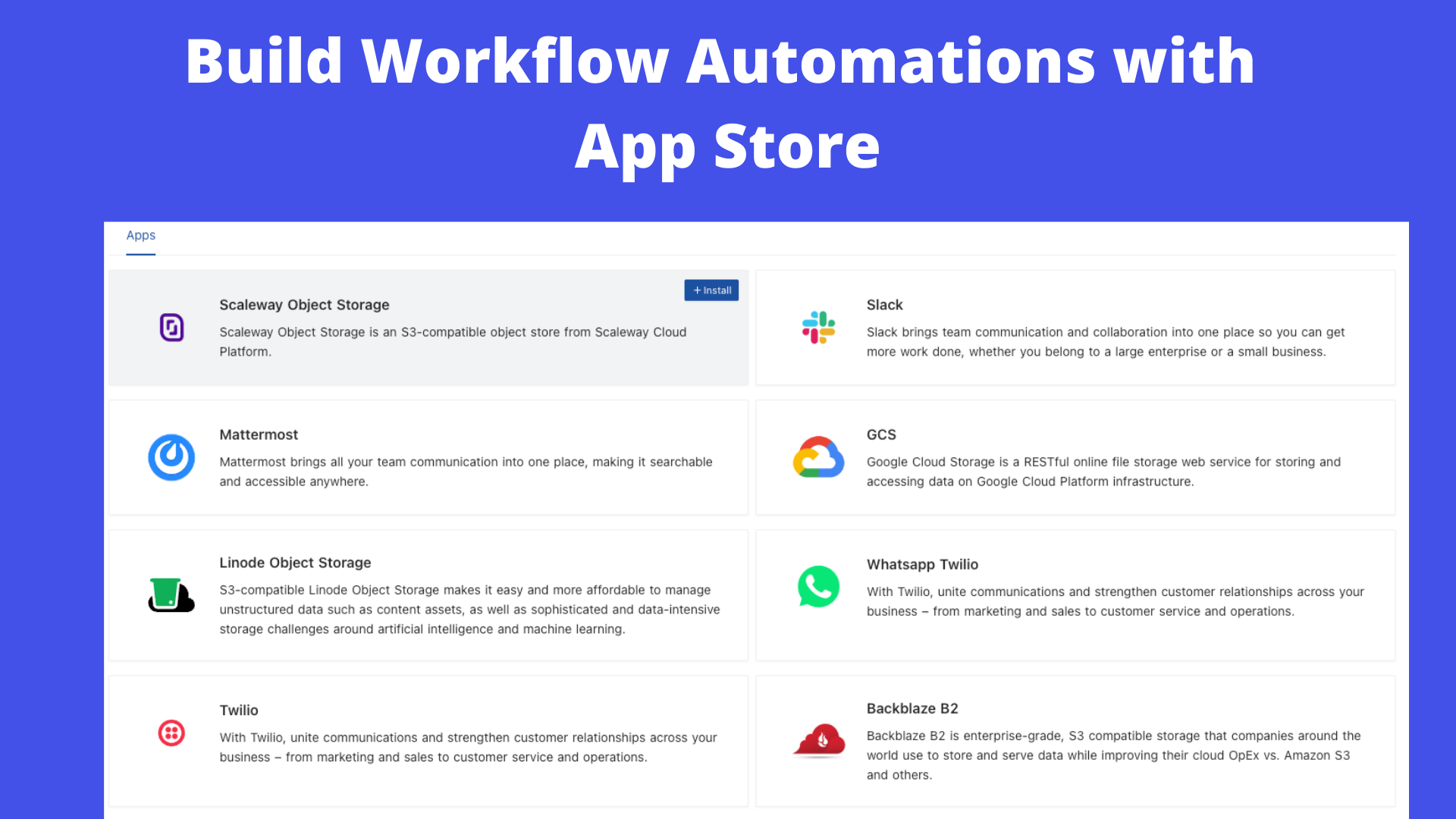
App Store for Workflow Automations
We provide different integrations in three main categories. See <a href="https://docs.nocodb.com/account-settings/oss-specific-details/#app-store" target="_blank">App Store</a> for details.
- ⚡ Chat: Slack, Discord, Mattermost, and etc
- ⚡ Email: AWS SES, SMTP, MailerSend, and etc
- ⚡ Storage: AWS S3, Google Cloud St
