
LinkOff
Cleans the LinkedIn feed based on keywords and filters.
Install / Use
/learn @njelich/LinkOffREADME
LinkOff - LinkedIn Filter and Customizer 🧹
LinkOff cleans and customizes LinkedIn. It filters out the junk, leaving behind the posts and page elements that you want to see.
<p> <img alt="Chrome Web Store" src="https://img.shields.io/chrome-web-store/users/maanaljajdhhnllllmhmiiboodmoffon?label=Chrome%20users"> <img alt="Chrome Web Store" src="https://img.shields.io/chrome-web-store/rating/maanaljajdhhnllllmhmiiboodmoffon"> <img alt="Mozilla Add-on" src="https://img.shields.io/amo/users/linkoff-clean-your-feed?label=Firefox%20users"> <img alt="Mozilla Add-on" src="https://img.shields.io/amo/rating/linkoff-clean-your-feed"> <img alt="GitHub manifest version" src="https://img.shields.io/github/manifest-json/v/njelich/linkoff"> <img alt="GitHub last commit" src="https://img.shields.io/github/last-commit/njelich/linkoff"> <img alt="GitHub" src="https://img.shields.io/github/license/njelich/linkoff"> <p/>Links: Chrome Web Store | Firefox Add-Ons | Edge Extensions (Guide) | Brave, Vivaldi (click the Add button) | Opera Add-Ons (guide) | LinkedIn Thread
[!IMPORTANT] LOOKING FOR NEW MAINTAINER, APPLY HERE
Make your LinkedIn experience better, instantly! With fewer distractions and better filtered content your sales, lead generation and networking will be a smoother and more enjoyable experience.
No more seeing unwanted likes and comments by your connections. Block the feed or filter it using custom keywords and find the connections and posts you want more easily. Job seeking? Advanced job filtering coming soon. While you are waiting, clean up your inbox - it can do it!
<details markdown="1"> <summary>Click for preview</summary>
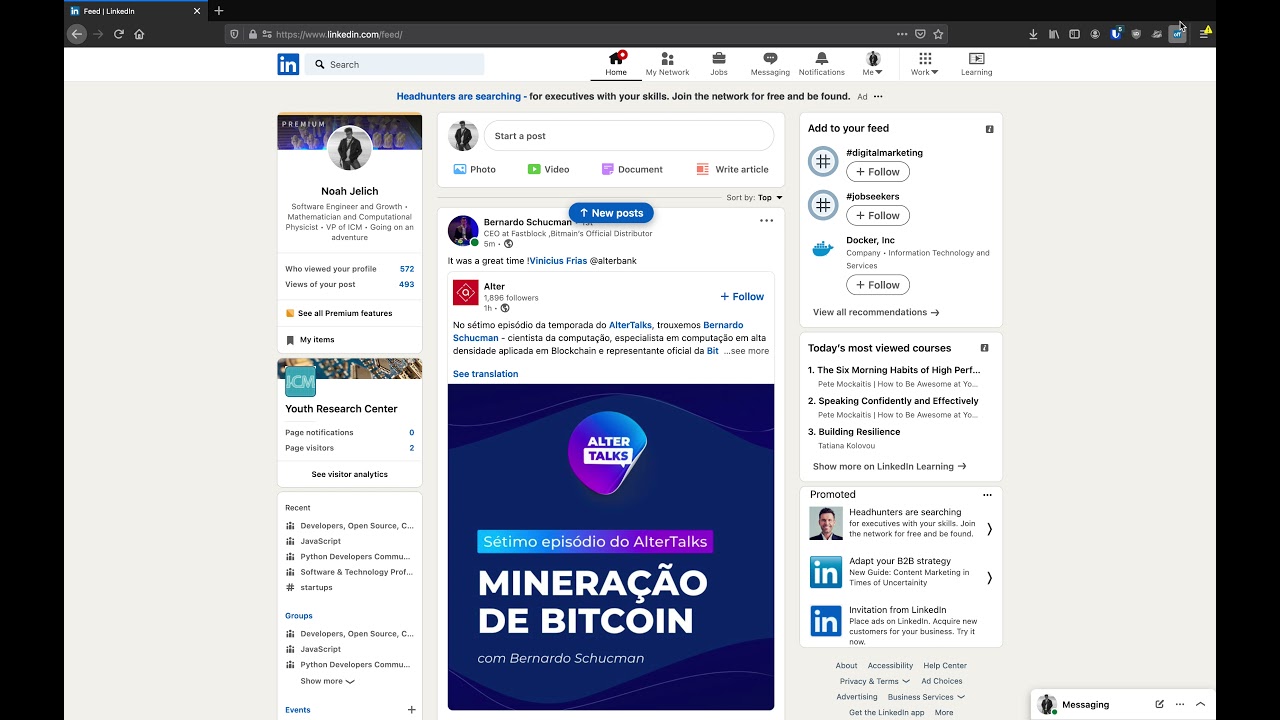
</details>
Features
- Option to hide the whole feed
- Post filtering by content (polls, videos, promoted, shared, etc)
- Hide posts by companies or specific people
- Filter by custom keywords (politics, coronavirus, vaccination, Noah Jelich, whatever)
- Hide posts shown due to interactions (comments, reactions, followed by connections)
- Hide irrelevant old posts (older than an hour, day, week, month)
- Select messages for mass deletion (clean your inbox)
- Message filters (COMING SOON)
- Unfollow all collections
- Job filtering (COMING SOON)
- Block ads on LinkedIn (banners and sidebar)
- Hide LinkedIn learning and course recommendations
- Hide community panel and follow recommendations
- Stop LinkedIn premium upsell pestering
- Fully configurable to suit your need!
- Completely FREE and with NO ADS
- Made with ❤️ by Noah Jelich :)
Frequently Asked Questions
Are you going to make a Tampermonkey/Greasemonkey script?
Unfortunately, no. I do not have time to maintain any more code.
What about Vivaldi/Brave/Edge/Opera and other browsers?
The extension can be natively installed on all chromium browsers.
What about Safari and MacOs?
The store charges 100$ per year to post apps, which I cannot afford.
How can I use this on mobile?
Since neither Chrome or Firefox allow for extensions in mobile browsers, you need to install a chromium distribution that does. I recommend Kiwi Browser (if you have any issues, please report them, still testing mobile support).
Contributing
Please create an issue before submitting a pull request.
Use yarn to install dependencies. To build the CSS from SCSS run yarn css-build.
You can also trigger the build on changes by running the watcher with yarn start
To install the extension locally follow the instructions below for your browser.
Firefox
- Type
about:debuggingin the Firefox URL bar and press <kbd>Enter</kbd> - Click This Firefox on the left, and then Load Temporary Add-on…
- Navigate to the location of the folder you unzipped, select the
manifest.jsonfile inside
Chromium
- Type
chrome://extensionsin the Chrome URL bar and press <kbd>Enter</kbd> - Enable Developer mode using the toggle on the right
- Click Load Unpacked on the left side of the window
- Navigate to the location of the folder you unzipped, and click Select Folder
Commit message format
We use Conventional Commit format
